


 README


Fit
Fit is a toolkit for exploring and manipulating datasets. Go has many great statistical libraries but is largely unrepresented in the data science world. Fit aims to be a general purpose tool for handling data ETL, analytics, and visualization.
Note that this project is largely unfinished and unsuitable for any practical purpose.
Components
Below is a rough outline of the different commonents that currently exist in Fit.
Dataset
All numerical values are internally represented as float64 and are logically groupped into a
Dataset object. Datasets use the excellent Gonum Matrix
underneath which are simmilar to Numpy's multi-demensional arrays.
Loaders
Loaders perform iterative scanning of a file path and emit an []string array for each row of data
until EOF is reached. Currently only csv and xls loaders exist.
Parsers
Parsers perform pre-processing on string data prior to being loaded into a dataset.
TimeParser
TimeParser accepts a formatted string and stores the result as Unix epoch time.
Usage
fit --help
Usage: fit [OPTIONS] COMMAND [arg...]

Fit is a toolkit for exploring, extracting, and transforming datasets

Options:
  -d, --db=""        Path to a BoltDB database, default: /tmp/fit.db
  -s, --server=""    Fit API server, default: http://127.0.0.1:8000
  -h, --human=true   output data as human readable text
  -j, --json=false   output data in JSON format
  -v, --version      Show the version and exit

Commands:
  server       Run the Fit web server
  load         load a dataset into BoltDB
  ls           list datasets loaded into the database with their columns
  rm           Delete a dataset
  query        Query values from one or more datasets
Examples
# Start the Fit HTTP server
fit server
# Load sample data
fit load --name LakeHuron sample_data/LakeHuron.csv
# List datasets
fit ls

NAME      ROWS  COLS  COLUMNS
LakeHuron 98    3     [ time LakeHuron]

# Query
fit query -n "LakeHuron,time,LakeHuron"

[time LakeHuron]

Dims(98, 2)
  ⎡  1875  580.38⎤
  ⎢  1876  581.86⎥
  ⎢  1877  580.97⎥
  ⎢  1878   580.8⎥
  ⎢  1879  579.79⎥
 .
 .
 .
  ⎢  1968  578.52⎥
  ⎢  1969  579.74⎥
  ⎢  1970  579.31⎥
  ⎢  1971  579.89⎥
  ⎣  1972  579.96⎦


fit --json query -n "LakeHuron,time,LakeHuron" |jq .

{
"Name": "QueryResult",
"Columns": [
  "time",
  "LakeHuron"
],
"Stats": {
  "Rows": 98,
  "Columns": 2
},
"Mtx": [
  1875,
  580.38 ....

# Open your web browser and perform the same query:
# http://localhost:8000/explore?q=LakeHuron,time&q=LakeHuron,LakeHuron
Web Interface
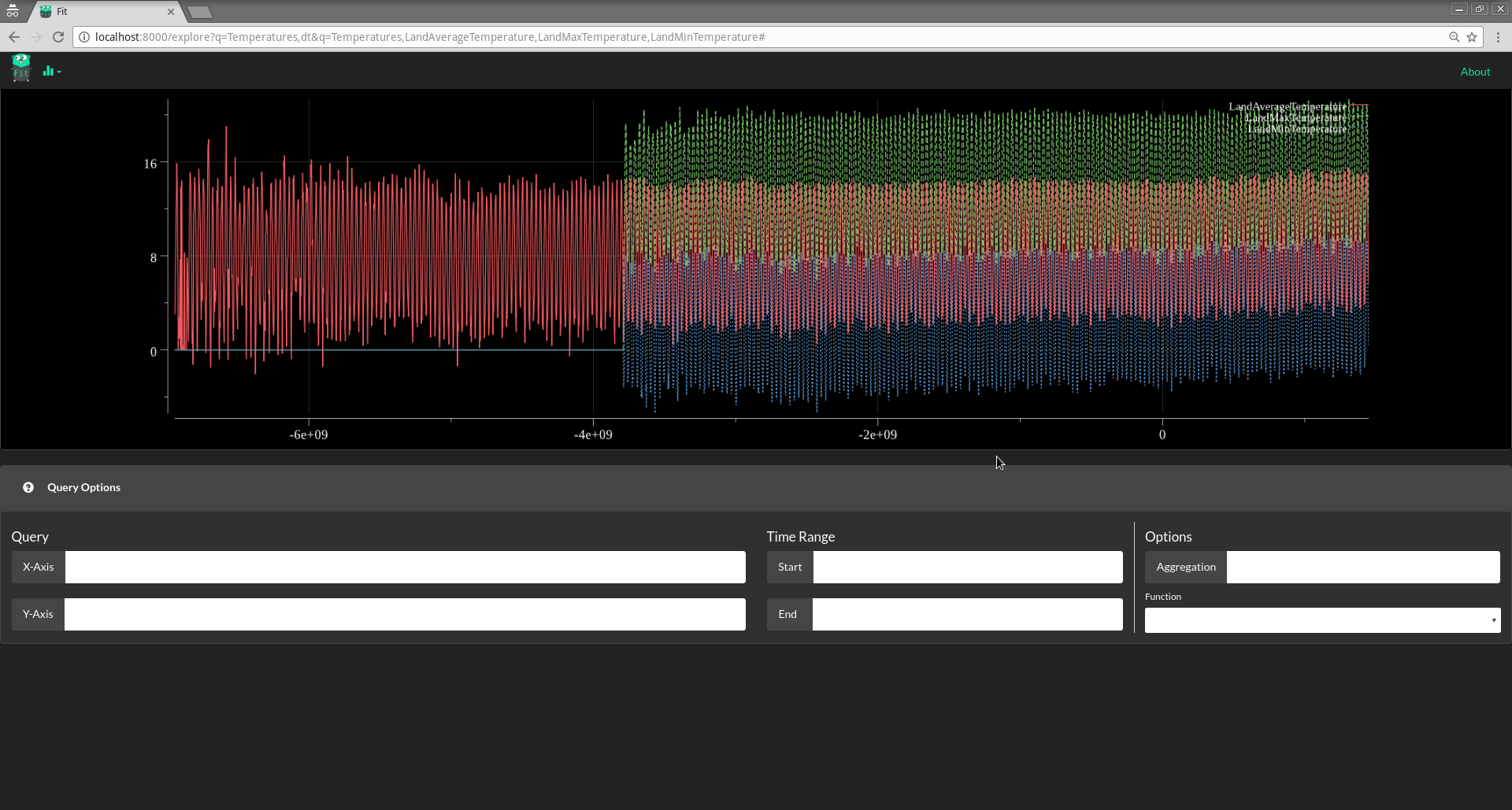
Fit provides a web interface for interactively exploring queries.
 Documentation


There is no documentation for this package.
 Source Files
 Directories