

 README

README

A Twitter Bridge
from bluesky to twitter api v1
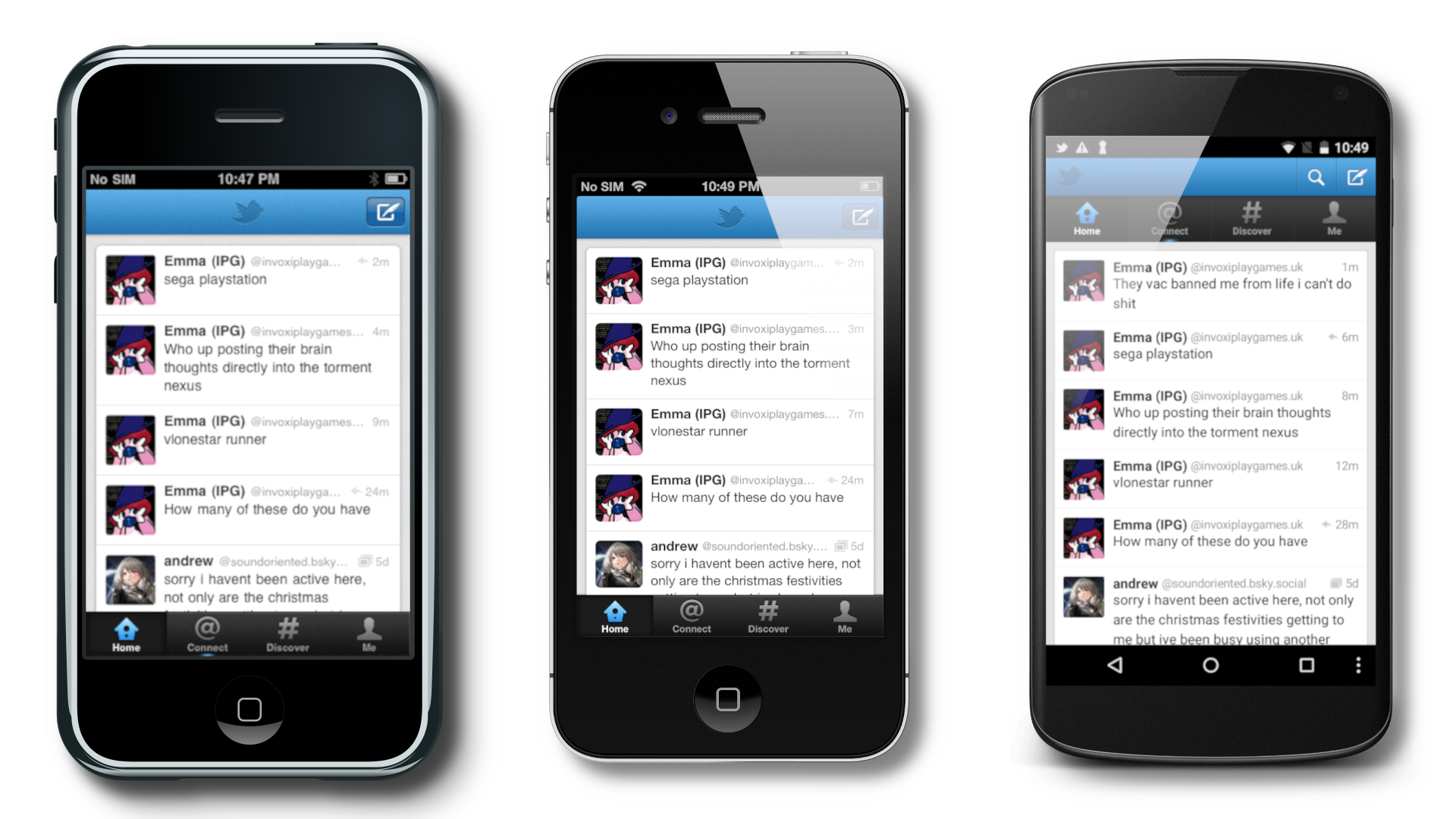
This custom server translates Twitter V1 requests to Bluesky for Twitter clients.
Demo (ios)
https://github.com/user-attachments/assets/919dcbe9-08b6-4081-9988-05f07b00a710
Compatibility
To see what devices and versions are compatible, look at the compatibility list
Public Instances
https://twb.preloading.dev HTTP & HTTPS, Based on Releases (my instance) (old url still works)
https://ttwb.preloading.dev HTTP & HTTPS, Based on commits (my instance) (old url still works)
Usage
iOS Official App
- Install the IPA of your choosing (you can find some here, along with android versions: https://loganserver.net/twitters/, also elon don't sue me pls). At present moment, latest & recommended is 5.0.3 for offical iOS)
- Create a bluesky app password (assuming you have a bluesky account), menu > settings > privacy and security > app passwords. You will want to enable DMs for future DM compatibility.
- Open the Twitter app
- Click the login button
- Click the cog button
- Put your instance for both urls. You must include either
http://orhttps://at the beginning. Do not include a slash at the end. You can find these urls/servers in the Public Instances section above. - Type in your bluesky handle for the username, and your bluesky app password as the password. Usage of normal passwords is not recommended, and will be forbidden in the future
- Login
- Hopefully success
iOS Integration (+ image uploads on the app)
- Have a jailbroken iOS device running either iOS 5-6 (older versions don't have the twitter integration, and newer are incompatible with this server, but this will still make images work)
- Add to cydia either
http://cydia.bag-xml.comorhttp://cydia.skyglow.esto the sources tab - Find the
Bluetweetytweak, and install it. - Go to Settings > Bluetweety. (If it does not show up, check that you actually installed it.
- Input the server url you will use. DO NOT INCLUDE
http://ORhttps://AT THE BEGINING AND THE SLASH AT THE END!!! You can find a list of URLS in the Public Instances section - Reboot your phone.
- Go to Settings > Twitter. Type your bluesky handle in the Username field (example:
preloading.bsky.socialand your app password (can be the same from the app) in the respective areas. You can get an App Password here Or through BlueSky > Settings > Privacy and security > App passwords if you'd rather navigate to it yourself - Click Login
- Disable the ability for the twitter app to view twitter accounts.
- Hopefully success
Hosting instructions
For hosting, you can take two paths
- 🐳 Docker - Quick & easy to deploy + easy updating
- 🖥 Bare metal (recommended) - Useful when developing & debugging
🐳 Docker
Warning: Docker at present moment has some preformance issues, if anyone competent in docker has any idea why, please leave a github issue :)
I assume you have some competency in docker.
Docker Compose:
services:
  twitter-bridge:
    # image: ghcr.io/preloading/twitterapibridge:main # main = releases/stable
    image: ghcr.io/preloading/twitterapibridge:dev # dev=latest commits/test version
    environment:
      - TWITTER_BRIDGE_DATABASE_TYPE=sqlite
      - TWITTER_BRIDGE_DATABASE_PATH=/config/database/sqlite.db
      - TWITTER_BRIDGE_CDN_URL=http://127.0.0.1
      - TWITTER_BRIDGE_SERVER_PORT=3000
      - TWITTER_BRIDGE_TRACK_ANALYTICS=true
      - TWITTER_BRIDGE_DEVELOPER_MODE=false
    ports:
      - "80:3000"
    volumes:
      - '/opt/twitterbridge/sqlite:/config/sqlite' # Path where the SQLite DB is stored. It is safe to remove if you aren't using SQLite for your database.
| Env | Function | Default |
|---|---|---|
TWITTER_BRIDGE_DATABASE_TYPE |
They type of database to connect to. Options include sqlite, mysql, and postgres. | "sqlite" |
TWITTER_BRIDGE_DATABASE_PATH |
Changes where it looks for the database (Path/DSN) (see https://gorm.io/docs/connecting_to_the_database.html) | "/config/database/sqlite.db" |
TWITTER_BRIDGE_CDN_URL |
The CDN_URL is the URL where clients can access images from this server. Do not include a trailing slash. | "http://127.0.0.1:3000" |
TWITTER_BRIDGE_IMG_DISPLAY_TEXT |
The display URL shown in tweets for images. See config.sample.yaml for more info. | "pic.twitter.com/{shortblob}" |
TWITTER_BRIDGE_VID_DISPLAY_TEXT |
The display URL shown in tweets for videos. See config.sample.yaml for more info. | "pic.twitter.com/{shortblob}" |
TWITTER_BRIDGE_IMG_URL_TEXT |
The URL where the client will go when clicking an image link. See config.sample.yaml for more info. | "http://127.0.0.1:3000/img/{shortblob}" |
TWITTER_BRIDGE_VID_URL_TEXT |
The URL where the client will go when clicking an video link. See config.sample.yaml for more info. | "http://127.0.0.1:3000/img/{shortblob}" |
TWITTER_BRIDGE_SERVER_PORT |
The port where the server is running | 3000 |
TWITTER_BRIDGE_TRACK_ANALYTICS |
Enables tracking of analytics (at the moment the only way to view this is by looking at the database) | true |
TWITTER_BRIDGE_USE_X_FORWARDED_FOR |
Uses X_Forwarded_For when used thru a proxy. | false |
TWITTER_BRIDGE_DEVELOPER_MODE |
Enables extra loggging of data useful for debugging. WARNING!: DO NOT ENABLE ON A PUBLIC INSTANCE!!!! | false |
TWITTER_BRIDGE_MIN_TOKEN_VERSION |
Sets the minimum token version. If this is a new server, it should be set to 2. If you want to keep older users signed in, set it to 1 | 1 |
TWITTER_BRIDGE_SECRET_KEY |
The JWT secret key. KEEP THIS SECRET!!!! This follows everything that a normal JWT must be. | None |
TWITTER_BRIDGE_SERVER_IDENTIFIER |
A way for other services to know which server issued a token. Try to keep this unique across servers. | None |
TWITTER_BRIDGE_SERVER_URLS |
URLs your server can be accessesed, stored in the token. | None |
🖥 Bare metal (recommended)
This assumes you are somewhat competent
1. Clone the repo
git clone https://github.com/Preloading/TwitterAPIBridge.git
2. Duplicate and rename config.sample.yaml as config.yaml
3. Configure config.yaml (edit the file, you'll see decription of what each thing does)
4. Run/build
If you want to just run this in the directory when you found config.sample.yaml
go run .
If you want to build the project run this in the directory when you found config.sample.yaml
go build .
5. (if building) open the executable
6. (hopefully) success!
Accuracy
This server is no where close to 100% accurate. Most of the the time this accuracy is having more values responed than what should be, and it shouldn't affect clients using this.
Support
I give some support in bag's server under #bluetweety, https://discord.gg/bag-xml
Thanks to
@Preloading, I wrote the thing
@Savefade, Gave me info on some of the requests
@retrofoxxo, Helped with getting android working with this server
 Documentation

Documentation


There is no documentation for this package.
 Source Files
 Directories