

 README

README


Introducing the Ultimate Golang Blueprint Library
Go Blueprint is a CLI tool that allows users to spin up a Go project with the corresponding structure seamlessly. It also gives the option to integrate with one of the more popular Go frameworks (and the list is growing with new features)!
Why Would I use this?
- Easy to set up and install
- Have the entire Go structure already established
- Setting up a Go HTTP server (or Fasthttp with Fiber)
- Integrate with a popular frameworks
- Focus on the actual code of your application
Table of Contents
- Install
- Frameworks Supported
- Database Support
- Advanced Features
- Blueprint UI
- Usage Example
- GitHub Stats
- License

Install
go install github.com/deantook/vikalanbo@latest
This installs a go binary that will automatically bind to your $GOPATH
if you’re using Zsh, you’ll need to add it manually to
~/.zshrc.
GOPATH=$HOME/go PATH=$PATH:/usr/local/go/bin:$GOPATH/bin
don't forget to update
source ~/.zshrc
Then in a new terminal run:
vikalanbo create
You can also use the provided flags to set up a project without interacting with the UI.
vikalanbo create --name my-project --framework gin --driver postgres --git commit
See vikalanbo create -h for all the options and shorthands.

Frameworks Supported

Database Support
Go Blueprint now offers enhanced database support, allowing you to choose your preferred database driver during project setup. Use the --driver or -d flag to specify the database driver you want to integrate into your project.
Supported Database Drivers
Choose from a variety of supported database drivers:

Advanced Features
Blueprint is focused on being as minimalistic as possible. That being said, we wanted to offer the ability to add other features people may want without bloating the overall experience.
You can now use the --advanced flag when running the create command to get access to the following features. This is a multi-option prompt; one or more features can be used at the same time:
- HTMX support using Templ
- CI/CD workflow setup using Github Actions
- Websocket sets up a websocket endpoint
- Tailwind css framework
- Docker configuration for go project
- React frontend written in TypeScript, including an example fetch request to the backend
Note: Selecting Tailwind option will automatically select HTMX unless React is explicitly selected

Blueprint UI
Blueprint UI is a web application that allows you to create commands for the CLI and preview the structure of your project. You will be able to see directories and files that will be created upon command execution. Check it out at vikalanbo.dev

Usage Example
Here's an example of setting up a project with a specific database driver:
vikalanbo create --name my-project --framework gin --driver postgres --git commit

Advanced features are accessible with the --advanced flag
vikalanbo create --advanced
Advanced features can be enabled using the --feature flag along with the --advanced flag.
HTMX:
vikalanbo create --advanced --feature htmx
CI/CD workflow:
vikalanbo create --advanced --feature githubaction
Websocket:
vikalanbo create --advanced --feature websocket
Tailwind:
vikalanbo create --advanced --feature tailwind
Docker:
vikalanbo create --advanced --feature docker
React:
vikalanbo create --advanced --feature react
Or all features at once:
vikalanbo create --name my-project --framework chi --driver mysql --advanced --feature htmx --feature githubaction --feature websocket --feature tailwind --feature docker --git commit --feature react

Visit documentation to learn more about blueprint and its features.

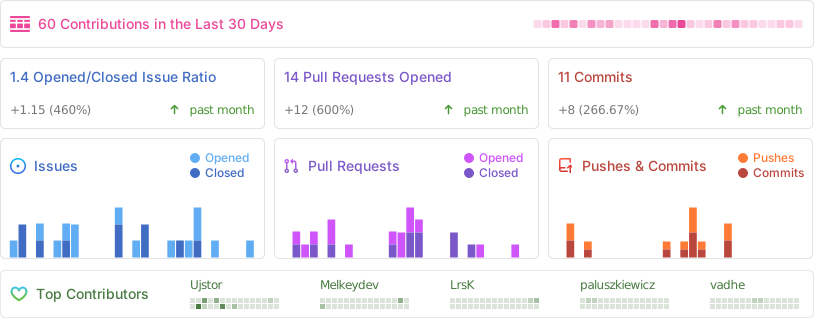
GitHub Stats

License
Licensed under MIT License
 Documentation

Documentation


There is no documentation for this package.
 Source Files
 Directories

Directories

| Path | Synopsis |
|---|---|
|
program
Package program provides the main functionality of Blueprint
|
Package program provides the main functionality of Blueprint |
|
steps
Package steps provides utility for creating each step of the CLI
|
Package steps provides utility for creating each step of the CLI |
|
template/framework
Package template provides utility functions that help with the templating of created files.
|
Package template provides utility functions that help with the templating of created files. |
|
ui/multiInput
Package multiInput provides functions that help define and draw a multi-input step
|
Package multiInput provides functions that help define and draw a multi-input step |
|
ui/multiSelect
Package multiSelect provides functions that help define and draw a multi-select step
|
Package multiSelect provides functions that help define and draw a multi-select step |
|
ui/textinput
Package textinput provides functions that help define and draw a text-input step
|
Package textinput provides functions that help define and draw a text-input step |
|
utils
Package utils provides extra utility for the program
|
Package utils provides extra utility for the program |