

 README

NPS Enhanced
An enhanced and actively maintained NAT traversal and reverse proxy system with Web UI.



⭐️ Give us a star on GitHub if you like it!
Introduction
NPS is a lightweight and efficient NAT traversal and reverse proxy system for exposing services behind NAT or firewalls. It supports multiple protocols such as TCP, UDP, HTTP, HTTPS, and SOCKS5, and provides a Web management interface for convenient deployment and monitoring.
Based on the original NPS project, NPS Enhanced has evolved into an actively maintained and extensively improved edition with continuous refactoring, better stability, and many practical enhancements for modern deployment scenarios.
- Before asking questions, please check: Documentation and Issues
- Contributions welcome: Submit PRs, feedback, or suggestions to help improve the project
- Join the discussion: Connect with other users in our Telegram Group
- Android: djylb/npsclient
- OpenWrt: djylb/nps-openwrt
- Mirror: djylb/nps-mirror
Why NPS Enhanced
-
Easy to install
Provides simple deployment methods for Docker, Linux, and Windows, making setup and updates straightforward. -
Lightweight and efficient
Designed to stay lightweight while delivering strong performance for daily NAT traversal and reverse proxy usage. -
Easy to manage
Comes with a Web UI for configuration, monitoring, and routine management, reducing deployment and maintenance complexity. -
Powerful and flexible
Supports multiple proxy types, transport protocols, and practical features for a wide range of private-network access scenarios.
Key Features
-
Multi-Protocol Support
Supports TCP/UDP forwarding, HTTP/HTTPS reverse proxy, HTTP/SOCKS5 proxy, P2P mode, Proxy Protocol support, HTTP/3 support, and more for different private-network access scenarios. -
Cross-Platform Deployment
Compatible with major platforms such as Linux and Windows, and can be easily installed as a system service. -
Web Management Interface
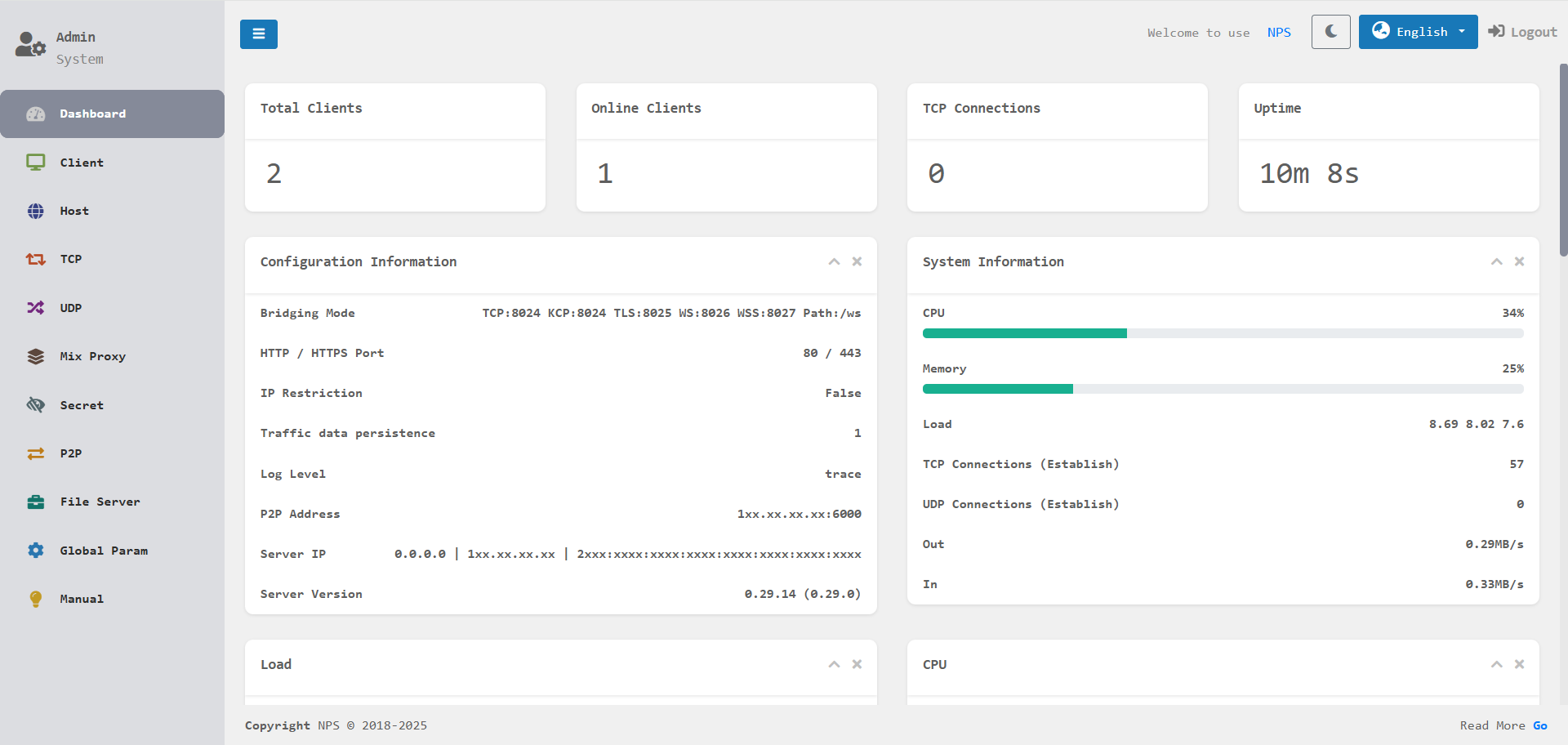
Provides real-time monitoring of traffic, connection status, and client states with an intuitive and user-friendly interface. -
Security and Extensibility
Built-in features such as encrypted transmission, traffic limiting, access expiration controls, certificate management, and certificate renewal help improve security and manageability. -
Multiple Connection Protocols
Supports connecting to the server using TLS, QUIC, WSS and other protocols.
Installation and Usage
For more detailed configuration options, please refer to the Documentation.
Android | OpenWrt
Docker Deployment
If you need to obtain the real client IP, you can use it together with mmproxy. For example: SSH.
NPS Server
docker pull duan2001/nps
docker run -d --restart=always --name nps --net=host -v $(pwd)/conf:/conf -v /etc/localtime:/etc/localtime:ro duan2001/nps
Tip: After installing NPS, edit
nps.conf(for example: listening ports and Web admin credentials) before starting the service.
NPC Client
docker pull duan2001/npc
docker run -d --restart=always --name npc --net=host duan2001/npc -launch="npc://YOUR_VKEY@203.0.113.10:8024?type=tls"
Tip: Get the
-launchcommand from the client page in the NPS Web UI to avoid manual input mistakes.
Server Installation
Linux
# Install (default configuration path: /etc/nps/; binary file path: /usr/bin/)
wget -qO- https://raw.githubusercontent.com/djylb/nps/refs/heads/master/install.sh | sudo sh -s nps
sudo nps install
sudo nps start|stop|restart|uninstall

# Update
sudo nps update
sudo nps update-force
Tip: For first-time setup, edit
/etc/nps/conf/nps.confand verify it before runningnps start.
Windows
Windows 7 users should use the version ending with old: 64 / 32 Install SP1, applicable system updates and current root certificates first; see Windows 7 setup and troubleshooting.
.\nps.exe install
.\nps.exe start|stop|restart|uninstall

# Update
.\nps.exe update
.\nps.exe update-force
Client Installation
Linux
wget -qO- https://raw.githubusercontent.com/djylb/nps/refs/heads/master/install.sh | sudo sh -s npc
sudo /usr/bin/npc install -launch="npc://YOUR_VKEY@203.0.113.10:8024?type=tls"
sudo npc start|stop|restart|uninstall

# Update
sudo npc update
sudo npc update-force
Tip: For
npc install, use the command generated on the client page in the NPS Web UI.
Windows
Windows 7 users should use the version ending with old: 64 / 32 Install SP1, applicable system updates and current root certificates first; see Windows 7 setup and troubleshooting.
.\npc.exe install -launch="npc://YOUR_VKEY@203.0.113.10:8024?type=tls"
.\npc.exe start|stop|restart|uninstall

# Update
.\npc.exe update
.\npc.exe update-force
Tip: The client supports connecting to multiple servers simultaneously: repeat
-launch, one per server.
 Directories

| Path | Synopsis |
|---|---|
|
legacy
Package legacy is nps's one door to the wire protocol that released npc speak: it alone turns protocol messages into nps's own types.
|
Package legacy is nps's one door to the wire protocol that released npc speak: it alone turns protocol messages into nps's own types. |
|
launch
Package launch resolves what npc is told to start into one model, a list of Profile: launch links, configuration files, -L accesses and the flags and file forms of earlier versions (compat.go) all end there and run the same way.
|
Package launch resolves what npc is told to start into one model, a list of Profile: launch links, configuration files, -L accesses and the flags and file forms of earlier versions (compat.go) all end there and run the same way. |
|
legacy
Package legacyclient is the old protocol as npc spoke it: a client for tests of a server that accepts old npc; npc itself no longer links it.
|
Package legacyclient is the old protocol as npc spoke it: a client for tests of a server that accepts old npc; npc itself no longer links it. |
|
cmd
|
|
|
npc
command
|
|
|
nps
command
|
|
|
internal
|
|
|
cliargs
Package cliargs prepares the command line of nps and npc for pflag.
|
Package cliargs prepares the command line of nps and npc for pflag. |
|
coreproto/connect
Package connect makes the outer session of an npc profile on the core protocol from the settings of npc.conf, a launch payload or the command line, which all arrive as a config.CommonConfig.
|
Package connect makes the outer session of an npc profile on the core protocol from the settings of npc.conf, a launch payload or the command line, which all arrive as a config.CommonConfig. |
|
coreproto/coreapi
Package coreapi is the boundary between the core protocol and the code that uses it: the bridge and the client see only these interfaces, with no zmux or wire type, as they see the old protocol only through bridge/legacy.
|
Package coreapi is the boundary between the core protocol and the code that uses it: the bridge and the client see only these interfaces, with no zmux or wire type, as they see the old protocol only through bridge/legacy. |
|
coreproto/session
Package session runs the core protocol on zmux: Admission on the shared bridge ports, Establish on both sides, the client table and the sessions.
|
Package session runs the core protocol on zmux: Admission on the shared bridge ports, Establish on both sides, the client table and the sessions. |
|
coreproto/wire
Package wire is the wire format of the core protocol: varints, fields, the numbering tables, Hello, OPEN_INFO, reply heads, the CONFIG snapshot and the key derivation.
|
Package wire is the wire format of the core protocol: varints, fields, the numbering tables, Hello, OPEN_INFO, reply heads, the CONFIG snapshot and the key derivation. |
|
fieldtest
Package fieldtest helps tests check that code handling every field of a struct keeps up with fields added to it.
|
Package fieldtest helps tests check that code handling every field of a struct keeps up with fields added to it. |
|
logsetup
Package logsetup turns the log settings of nps and npc into slogx configuration, the same way for both.
|
Package logsetup turns the log settings of nps and npc into slogx configuration, the same way for both. |
|
tunnelwire
Package tunnelwire implements the wire protocol between a tunnel client and its server.
|
Package tunnelwire implements the wire protocol between a tunnel client and its server. |
|
tunnelwire/control
Package control holds the messages of the protocol's control streams.
|
Package control holds the messages of the protocol's control streams. |
|
lib
|
|
|
acl
Package acl compiles and evaluates the access lists of nps on top of geomatch: the source lists (who may connect) of the global, client and tunnel or host levels, and the destination list of a proxy tunnel.
|
Package acl compiles and evaluates the access lists of nps on top of geomatch: the source lists (who may connect) of the global, client and tunnel or host levels, and the destination list of a proxy tunnel. |
|
auth
Package auth checks Basic credentials against single and multiple accounts, validates proof-of-work answers and matches trusted proxies.
|
Package auth checks Basic credentials against single and multiple accounts, validates proof-of-work answers and matches trusted proxies. |
|
clock
Package clock corrects the local clock by an NTP offset and sets the process time zone.
|
Package clock corrects the local clock by an NTP offset and sets the process time zone. |
|
connprofile
Package connprofile parses the server address of one npc connection, a profile: one or more carrier candidates separated by "|".
|
Package connprofile parses the server address of one npc connection, a profile: one or more carrier candidates separated by "|". |
|
event
Package event is a small in-process hub.
|
Package event is a small in-process hub. |
|
healthcheck
Package healthcheck holds the messages of server-given health checks, apart from any protocol that carries them.
|
Package healthcheck holds the messages of server-given health checks, apart from any protocol that carries them. |
|
instancekey
Package instancekey loads persistent instance secrets and derives purpose-specific keys.
|
Package instancekey loads persistent instance secrets and derives purpose-specific keys. |
|
ipreg
Package ipreg keeps the visitor addresses registered for clients whose entries only allow registered addresses.
|
Package ipreg keeps the visitor addresses registered for clients whose entries only allow registered addresses. |
|
logevent
Package logevent is the table of nps and npc events: their names, levels, and whether they also go to the security log or the event bus (webhook).
|
Package logevent is the table of nps and npc events: their names, levels, and whether they also go to the security log or the event bus (webhook). |
|
netaddr
Package netaddr parses host and port strings, picks local and outbound IP addresses, builds bind addresses and routes lookups to a custom DNS server.
|
Package netaddr parses host and port strings, picks local and outbound IP addresses, builds bind addresses and routes lookups to a custom DNS server. |
|
rate
Package rate limits the bytes a client's connections transfer, on top of github.com/djylb/byterate.
|
Package rate limits the bytes a client's connections transfer, on top of github.com/djylb/byterate. |
|
runenv
Package runenv locates the run, install, log and config paths of the process, reports its uptime and serves pprof on request.
|
Package runenv locates the run, install, log and config paths of the process, reports its uptime and serves pprof on request. |
|
slogxzap
Package slogxzap gives libraries that log with zap (certmagic, acmez) a *zap.Logger whose lines go to a *slog.Logger.
|
Package slogxzap gives libraries that log with zap (certmagic, acmez) a *zap.Logger whose lines go to a *slog.Logger. |
|
textutil
Package textutil parses loosely written configuration values and lists and normalizes line endings.
|
Package textutil parses loosely written configuration values and lists and normalizes line endings. |
|
webhook
Package webhook delivers the events of a subscription as signed HTTP POSTs.
|
Package webhook delivers the events of a subscription as signed HTTP POSTs. |
|
ports
Package ports checks and picks the ports that tunnels listen on, within the ports the server config allows.
|
Package ports checks and picks the ports that tunnels listen on, within the ports the server config allows. |
|
stats
Package stats samples the load, memory and traffic of the server for the dashboard.
|
Package stats samples the load, memory and traffic of the server for the dashboard. |
|
web
|
|