

 README

README

golook
golook is meant to show you a high level view of any golang project. It gives you crude details that can let you decide where to sink your teeth into the project. Its like skimming over a book before starting to read it.
The reason I made this is to get a feel for very large projects like Kubernetes and Docker and to make sense of where the code was written and what the scope of the project was.
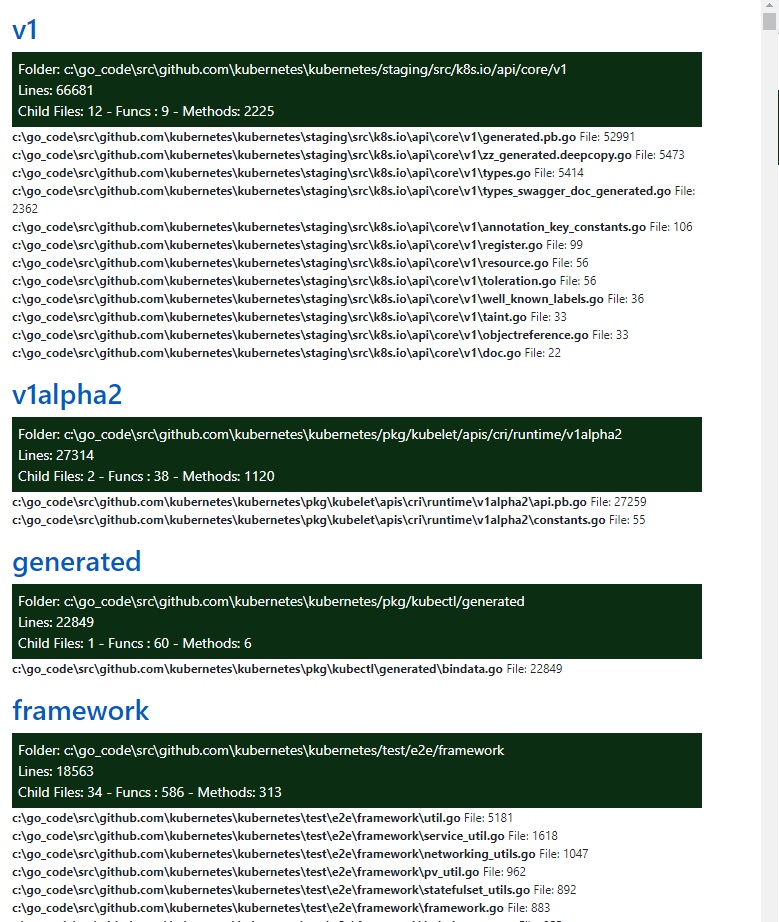
For any golang project you can get high level stats like:
- Packages sorted by number of lines of code.
- How many Functions, Methods and Structs are in that package.
- A sorted list of files in that package and how many lines of code exist in each of them.
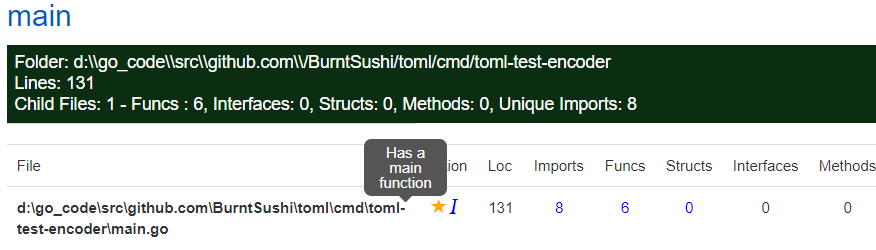
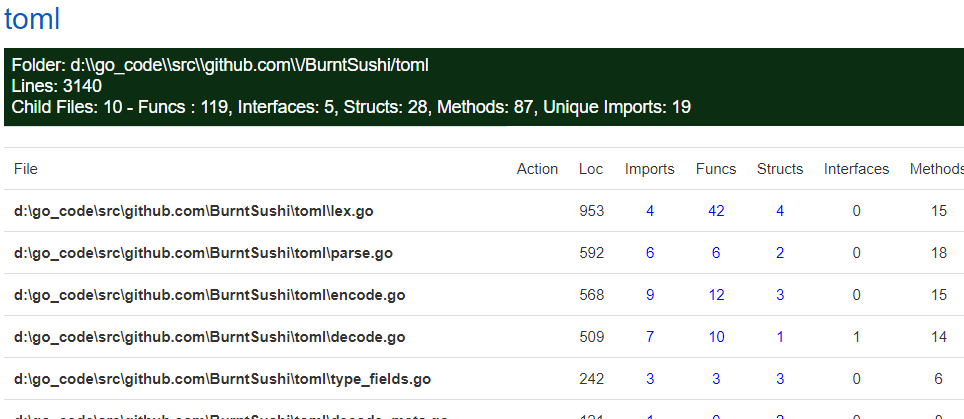
Couple of examples of what it looks like:
builds\golook.exe --dir c:\go_code\src\github.com\docker\engine
Now when you visit : http://127.0.0.1:8081/static/html
You will see something like this:

builds\golook.exe --dir c:\go_code\src\github.com\kubernetes\kubernetes
Kubernetes:
- The application uses gin to serve the web pages
- There is also a command line option that is currently disabled that shows the actual structs and lets you see and hide a bunch of information like counts of public, private methods, details of Imports etc.
Installing
Assuming you have a golang setup already.
- In your src/github.com folder create a folder for dminGod
- Clone the code from here into this folder using
git clone https://github.com/dminGod/golook.git
- Build the app using:
go get
go build -o goolook *.go
You can now call the binary using :
golook --dir {{path to the project you want to analyze}}
I will be pushing the binaries to release soon, that will let you skip the build step
 Documentation

Documentation


There is no documentation for this package.
 Source Files
 Directories