

 README

README

lleme
Run local LLMs from Hugging Face with a single command. Drop-in replacement for OpenAI and Anthropic APIs — works with Claude Code and any other tool that speaks either protocol.

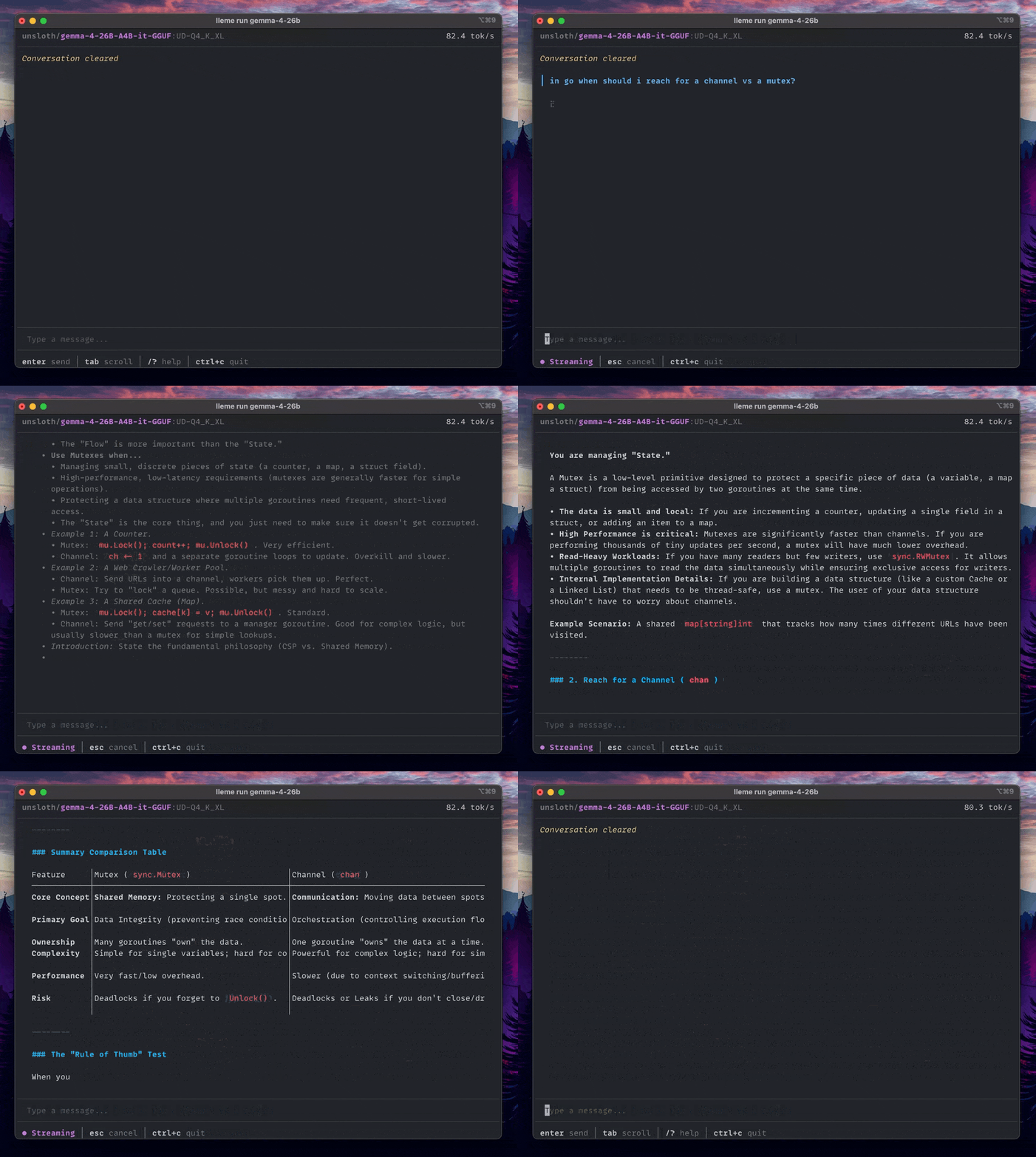
- Run any model from Hugging Face. No custom registries or manual setup. Just
lleme run user/repoto start chatting immediately. - OpenAI & Anthropic APIs. A single port serves both protocols natively. It's a drop-in replacement for Claude Code, Aider, and any other AI tool.
- Automatic model management. Models load on demand and unload when idle. You never have to manually start servers or worry about freeing up VRAM.
- Good defaults, easy config. Works well out of the box with sensible settings for most models, but easy to customize when you want to.
- Powerful CLI. A modern terminal interface with markdown support, streaming, and full control over your models.
- Clean Web UI. A polished browser-based chat interface available at
http://localhost:11313.
Installation
Homebrew (macOS/Linux):
brew install nchapman/tap/lleme
Go (requires Go 1.25+):
go install github.com/nchapman/lleme@latest
Build from source:
git clone https://github.com/nchapman/lleme
cd lleme
go build -o lleme .
llama.cpp is downloaded and installed automatically on first run. On Apple Silicon, SwiftLM is also auto-installed the first time you pull an MLX model (see Backends below).
Quickstart
Run any GGUF model from Hugging Face:
lleme run unsloth/gemma-4-E2B-it-GGUF
That's it. lleme picks a sensible quantization (Q4_K_M by default, ~3 GB plus a ~1 GB vision projector for this model), starts a proxy, and drops you into an interactive chat.
One-shot prompts and piped input work too:
lleme run unsloth/gemma-4-E2B-it-GGUF "Explain quantum computing in one sentence"

cat bug-report.md | lleme run unsloth/gemma-4-E2B-it-GGUF "summarize this"
Partial names resolve automatically — lleme run gemma-4 matches unsloth/gemma-4-E2B-it-GGUF:Q4_K_M as long as the name is unique. (The :quant suffix selects a specific quantization; omit it and lleme picks the best one available locally.)
Backends
lleme runs models through one of two inference backends, picked automatically from the model's repo:
llama.cpp(GGUF) — recommended. Cross-platform, Metal/Vulkan/CUDA acceleration, supports every architecture llama.cpp does.- MLX via SwiftLM — experimental, Apple Silicon only. Native MLX inference for any MLX-format repo on Hugging Face.
lleme run mlx-community/Qwen3.6-35B-A3B-mxfp4    # MLX (Apple Silicon)
lleme run unsloth/gemma-4-E2B-it-GGUF            # GGUF (everywhere)
Both backends share the same proxy, OpenAI/Anthropic surface, persona system, and config. The MLX path is marked experimental because:
- SwiftLM is younger than llama.cpp and has narrower model coverage.
- Some output normalization (e.g. gpt-oss harmony channel parsing) is unimplemented upstream — raw
<|channel|>tokens may appear incontentfor affected models. - Tool-call template patches that lleme applies for llama.cpp don't reach the MLX path; tool-call quality on a few model families is degraded.
If something breaks on MLX, falling back to the GGUF version of the same model is usually one command away.
Use with Claude Code
lleme's Anthropic-compatible endpoint makes it a drop-in backend for Claude Code:
lleme pull unsloth/Qwen3.6-35B-A3B-GGUF
lleme server start -d
ANTHROPIC_BASE_URL=http://127.0.0.1:11313 \
  claude --model unsloth/Qwen3.6-35B-A3B-GGUF
Claude Code issues requests to lleme, which loads the model on demand.
Features
OpenAI & Anthropic Support
OpenAI and Anthropic protocols live on the same endpoint. Point any existing client at http://localhost:11313 — no other changes needed.
Automatic Model Serving
A reverse-proxy manages multiple backends. Models load on demand, unload after a configurable idle timeout, and the least-recently-used model is evicted once the memory limit is reached.
Terminal & Web UI
- CLI: A terminal chat with markdown rendering and streaming.
- Web: A modern browser interface built on assistant-ui, available at
http://localhost:11313.
Personas
Save a system prompt, a model, and settings under a named persona. Use it anywhere you'd use a model name:
lleme persona create life-coach
lleme run life-coach "help me plan this week"
Model Discovery
Search, track trending models, and manage your local library:
lleme search mistral     # search Hugging Face
lleme trending           # see what's popular
lleme list               # show downloaded models
lleme remove --older-than 30d
Commands
| Category | Command | Description |
|---|---|---|
| Model | run <model|persona> [prompt] |
Chat with a model (auto-downloads if needed) |
| Model | pull <model> |
Download a model from Hugging Face |
| Model | list / ls |
List downloaded models |
| Model | remove [pattern] / rm |
Delete models by name, pattern, age, or size |
| Model | unload <model> |
Unload a running model |
| Model | status / ps |
Show server status and loaded models |
| Personas | persona list/show/create/edit/rm |
Manage personas |
| Server | server start/stop/restart |
Manage the proxy server |
| Discovery | search <query> |
Search Hugging Face for GGUF and MLX models |
| Discovery | trending |
Show trending GGUF and MLX models |
| Discovery | info <model> / show |
Show model details |
| Config | config show/edit/path/get/set/reset |
Manage configuration |
| Other | update |
Update lleme and llama.cpp |
| Other | version |
Show version information |
Run lleme <command> --help for detailed flags.
Removing models
The remove command supports patterns and filters, which can be combined:
lleme remove user/repo:quant         # specific quantization
lleme remove user/repo               # all quantizations of a model
lleme remove user/*                  # all models from a user
lleme remove *                       # everything
lleme remove --older-than 30d        # unused in 30 days (also accepts h, w)
lleme remove --larger-than 10GB      # larger than 10GB
lleme remove user/* --older-than 7d  # combine pattern and filter
Use -f / --force to skip the confirmation prompt.
Configuration
Config lives at ~/.lleme/config.yaml. View with lleme config show, edit with lleme config edit, or set keys directly:
lleme config set server.port 11314
lleme config set huggingface.default_quant Q6_K
lleme config set huggingface.token hf_xxxxx   # or export HF_TOKEN
Any llama-server flag can be set under llamacpp.options:
huggingface:
  token: ""              # or set HF_TOKEN (required for gated models)
  default_quant: Q4_K_M

server:
  host: 127.0.0.1        # bind address (0.0.0.0 for all interfaces)
  port: 11313
  max_models: 3          # concurrent models in memory
  idle_timeout: 10m      # unload after this duration (30s, 10m, 1h)

llamacpp:
  options:
    ctx-size: 8192       # context size
    gpu-layers: -1       # -1 = all layers on GPU
    flash-attn: auto
    parallel: 4          # concurrent requests per backend
See llama-server docs for the complete option list.
Settings priority
CLI flags always win, followed by persona settings, then global config. This means you can rely on global defaults for most models and override them only when needed for a specific task.
Requirements
- macOS (Apple Silicon or Intel) or Linux (x86_64, ARM64).
- GPU: Metal (macOS) and Vulkan (Linux) are supported via
llama.cpp. NVIDIA, AMD, and Intel GPUs work through the Vulkan backend whenlibvulkanis present. - Memory: 8GB RAM is enough for small models; 32GB+ is recommended for 30B+ models.
- Disk: Models range from 2GB to 50GB+. Check
lleme info <model>before pulling.
Troubleshooting
- Authentication: If a model is "gated," set
HF_TOKENor runhf auth login. - Port Busy: Change the port with
lleme config set server.port <port>. - Out of Memory: Use a smaller quantization or lower
ctx-sizein your config. - Slow Performance: Ensure GPU offload is active with
lleme config set llamacpp.options.gpu-layers -1.
Data and logs
Everything is stored in ~/.lleme/:
config.yaml: Your settings.models/: Downloaded GGUF and MLX models.personas/: Saved system prompts and settings.logs/: Logs for the proxy and individual model backends.
Privacy
lleme sends no telemetry. Network calls happen only when you explicitly pull a model (Hugging Face), run lleme update (GitHub releases), or on first run when llama.cpp is downloaded.
Contributing
Bug reports and PRs are welcome. For larger changes, please open an issue first to discuss direction. See AGENTS.md for project conventions.
Acknowledgments
- llama.cpp — the GGUF inference engine
- SwiftLM — the MLX inference server (Apple Silicon)
- Hugging Face — model hosting and discovery
- Charmbracelet —
bubbletea,lipgloss, andglamourpower the TUI - assistant-ui — the web chat interface
- Unsloth — high-quality GGUF quantizations referenced in the examples
License
MIT — see LICENSE.
 Documentation

Documentation


There is no documentation for this package.
 Source Files
 Directories

Directories

| Path | Synopsis |
|---|---|
|
internal
|
|
|
binaryrelease
Package binaryrelease contains platform-agnostic primitives for installing third-party release artifacts (tarballs hosted on GitHub releases, fetched over HTTPS, pinned by tag, activated via a "current" symlink).
|
Package binaryrelease contains platform-agnostic primitives for installing third-party release artifacts (tarballs hosted on GitHub releases, fetched over HTTPS, pinned by tag, activated via a "current" symlink). |
|
logs
Package logs provides log file management with rotation for lleme.
|
Package logs provides log file management with rotation for lleme. |
|
proxy/normalize
Package normalize patches subtle divergences in backend OpenAI surfaces (llama-server, SwiftLM) into a single canonical shape before responses reach OpenAI clients or the in-proxy Anthropic translator.
|
Package normalize patches subtle divergences in backend OpenAI surfaces (llama-server, SwiftLM) into a single canonical shape before responses reach OpenAI clients or the in-proxy Anthropic translator. |
|
styles
Package styles provides shared color definitions and styling utilities.
|
Package styles provides shared color definitions and styling utilities. |
|
swiftlm
Package swiftlm manages the SwiftLM server binary — a self-contained macOS/arm64 executable from SharpAI/SwiftLM that serves MLX models over an OpenAI-compatible HTTP API.
|
Package swiftlm manages the SwiftLM server binary — a self-contained macOS/arm64 executable from SharpAI/SwiftLM that serves MLX models over an OpenAI-compatible HTTP API. |
|
version
Package version provides version information for lleme.
|
Package version provides version information for lleme. |