

 README

gim - Grid Based Image Merge Library
gim is a image merging library that can accept image paths as input, read the image contents, merge them into a grid with the desired size.

Table of Contents
Overview
gim provides an easy way to merge images into a flexible grid system.
The main purpose of the library is to help creating image collages programmatically.
Installation
go get -u github.com/ozankasikci/go-image-merge
Getting Started
Import the library and give the image paths and grid size as the minimum required arguments.
Basic usage:
import gim "github.com/ozankasikci/go-image-merge"

// accepts image paths, grid size x, grid size y
// returns an *image.RGBA object
rgba, err := gim.New([]string{ "./cmd/gim/kitten.jpg" }, 2, 1).Merge()

// save the output to jpg or png
file, err := os.Create("file/path.jpg|png")
err = jpeg.Encode(file, rgba, &jpeg.Options{Quality: 80})
err = png.Encode(file, rgba)
Examples
Grid Unit Count - Horizontal
paths := []string{
	"./cmd/gim/kitten.jpg",
	"./cmd/gim/kitten.jpg",
	"./cmd/gim/kitten.jpg"
}
rgba, err := gim.New(paths, 3, 1).Merge()
Output

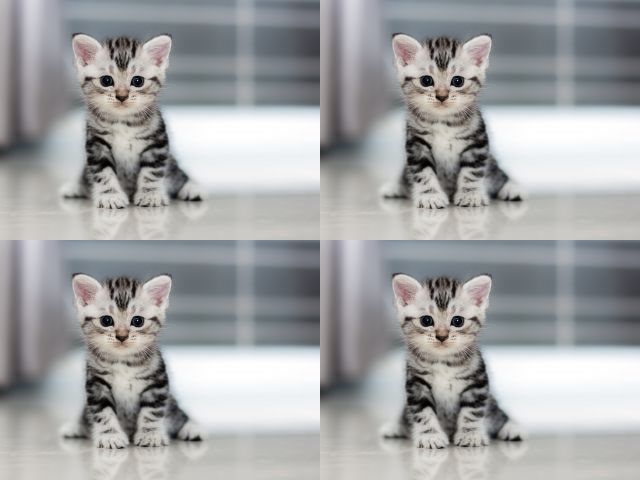
Grid Unit Count - Vertical & Horizontal
paths := []string{
	"./cmd/gim/kitten.jpg",
	"./cmd/gim/kitten.jpg",
	"./cmd/gim/kitten.jpg",
	"./cmd/gim/kitten.jpg"
}
rgba, err := gim.New(paths, 2, 2).Merge()
Output
Functional Options - BaseDir
// you can omit the full if you set a base dir
paths := []string{
	"kitten.jpg",
	"kitten.jpg"
}
rgba, err := gim.New(paths, 1, 2, gim.OptBaseDir("./cmd/gim")).Merge()
Functional Options - GridSize
// you can resize the grids in pixels
paths := []string{
	"kitten.jpg",
	"kitten.jpg"
}
rgba, err := gim.New( paths, 2, 1,
	gim.OptBaseDir("./cmd/gim"),
	gim.OptGridSize(200,150),
).Merge()
Output

TODO
- Add colored background support
 Documentation

Index 
Constants 
This section is empty.
Variables 
This section is empty.
Functions 
func OptBaseDir 
func OptBaseDir(dir string) func(*MergeImage)
OptBaseDir is an functional option to set the BaseDir field
func OptGridSize 
func OptGridSize(sizeX, sizeY int) func(*MergeImage)
OptGridSize is an functional option to set the GridSize X & Y
func OptGridSizeFromNthImageSize 
func OptGridSizeFromNthImageSize(n int) func(*MergeImage)
OptGridSizeFromNthImageSize is an functional option to set the GridSize from the nth image
Types 
type MergeImage 
type MergeImage struct {
	ImageFilePaths  []string
	ImageCountDX    int
	ImageCountDY    int
	BaseDir         string
	FixedGridSizeX  int
	FixedGridSizeY  int
	GridSizeMode    gridSizeMode
	GridSizeFromNth int
}
MergeImage is the struct that is responsible for merging the given images
func New 
func New(paths []string, imageCountDX, imageCountDY int, opts ...func(*MergeImage)) *MergeImage
New returns a new *MergeImage instance
 Source Files
 Directories