


 README

💻 PTerm | Pretty Terminal Printer
A modern Go framework to make beautiful CLIs




PTerm.sh | Installation | Getting Started | Documentation | Examples | Q&A | Discord
📦 Installation
To make PTerm available in your project, you can run the following command.
Make sure to run this command inside your project, when you're using go modules 😉
go get github.com/pterm/pterm
⭐ Main Features
| Feature | Description |
|---|---|
| 🪀 Easy to use | PTerm emphasizes ease of use, with examples and consistent component design. |
| 🤹♀️ Cross-Platform | PTerm works on various OS and terminals, including Windows CMD, macOS iTerm2, and in CI systems like GitHub Actions. |
| 🧪 Well tested | A high test coverage and 1538 automated tests ensure PTerm's reliability. |
| ✨ Consistent Colors | PTerm uses the ANSI color scheme for uniformity and supports TrueColor for advanced terminals. |
| 📚 Component system | PTerm's flexible Printers can be used individually or combined to generate beautiful console output. |
| 🛠 Configurable | PTerm is ready to use without configuration but allows easy customization for unique terminal output. |
| ✏ Documentation | Access comprehensive docs on pkg.go.dev and view practical examples in the examples section. |
Printers (Components)
| Feature | Feature | Feature | Feature | Feature |
|---|---|---|---|---|
| Area (Examples) |
Barchart (Examples) |
Basictext (Examples) |
Bigtext (Examples) |
Box (Examples) |
| Bulletlist (Examples) |
Center (Examples) |
Coloring (Examples) |
Header (Examples) |
Heatmap (Examples) |
| Interactive confirm (Examples) |
Interactive continue (Examples) |
Interactive multiselect (Examples) |
Interactive select (Examples) |
Interactive textinput (Examples) |
| Logger (Examples) |
Multiple-live-printers (Examples) |
Panel (Examples) |
Paragraph (Examples) |
Prefix (Examples) |
| Progressbar (Examples) |
Section (Examples) |
Slog (Examples) |
Spinner (Examples) |
Style (Examples) |
| Table (Examples) |
Test.sh (Examples) |
Theme (Examples) |
Tree (Examples) |
🦸♂️ Sponsors

🧪 Examples
|
‼️ You can find all the examples, in a much better structure and their source code, in "_examples" ‼️ Click on the link above to show the examples folder. |
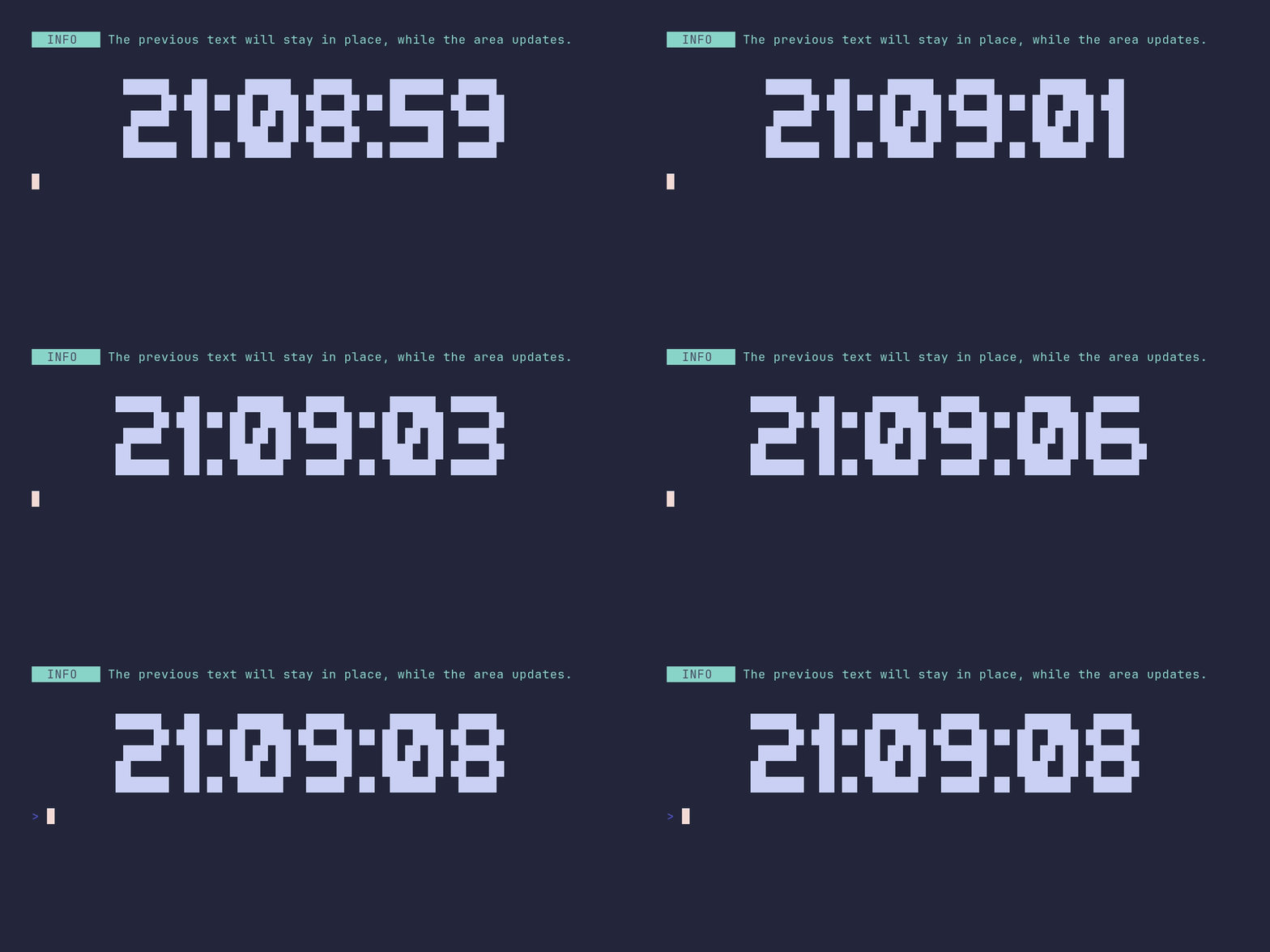
area/demo
SHOW SOURCE
package main

import (
	"time"

	"github.com/pterm/pterm"
	"github.com/pterm/pterm/putils"
)

func main() {
	// A live clock: only the area redraws, anything printed before it stays put.
	pterm.Info.Println("The previous text will stay in place, while the area updates.")
	pterm.Print("\n\n")

	area, _ := pterm.DefaultArea.WithCenter().Start()

	for range 10 {
		// Render the current time as big letters into a string, then swap it
		// into the area. Srender returns the output instead of printing it.
		str, _ := pterm.DefaultBigText.WithLetters(putils.LettersFromString(time.Now().Format("15:04:05"))).Srender()
		area.Update(str)
		time.Sleep(time.Second)
	}

	area.Stop()
}
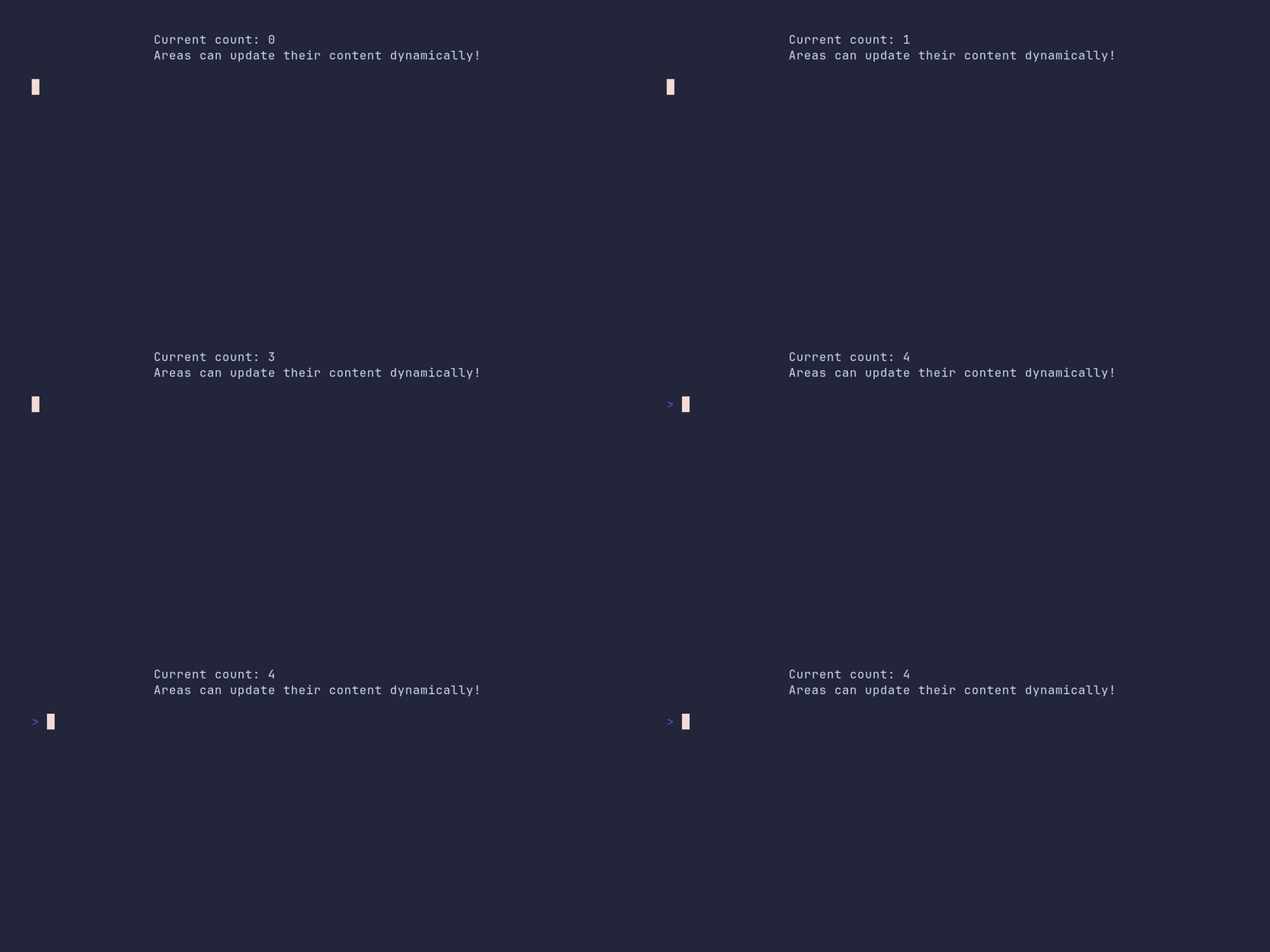
area/center
SHOW SOURCE
package main

import (
	"time"

	"github.com/pterm/pterm"
)

func main() {
	// WithCenter horizontally centers the area's content in the terminal.
	area, _ := pterm.DefaultArea.WithCenter().Start()

	// Each Update redraws the area in place instead of appending new lines.
	for i := range 5 {
		area.Update(pterm.Sprintfln("Current count: %d\nAreas can update their content dynamically!", i))
		time.Sleep(time.Second)
	}

	area.Stop()
}
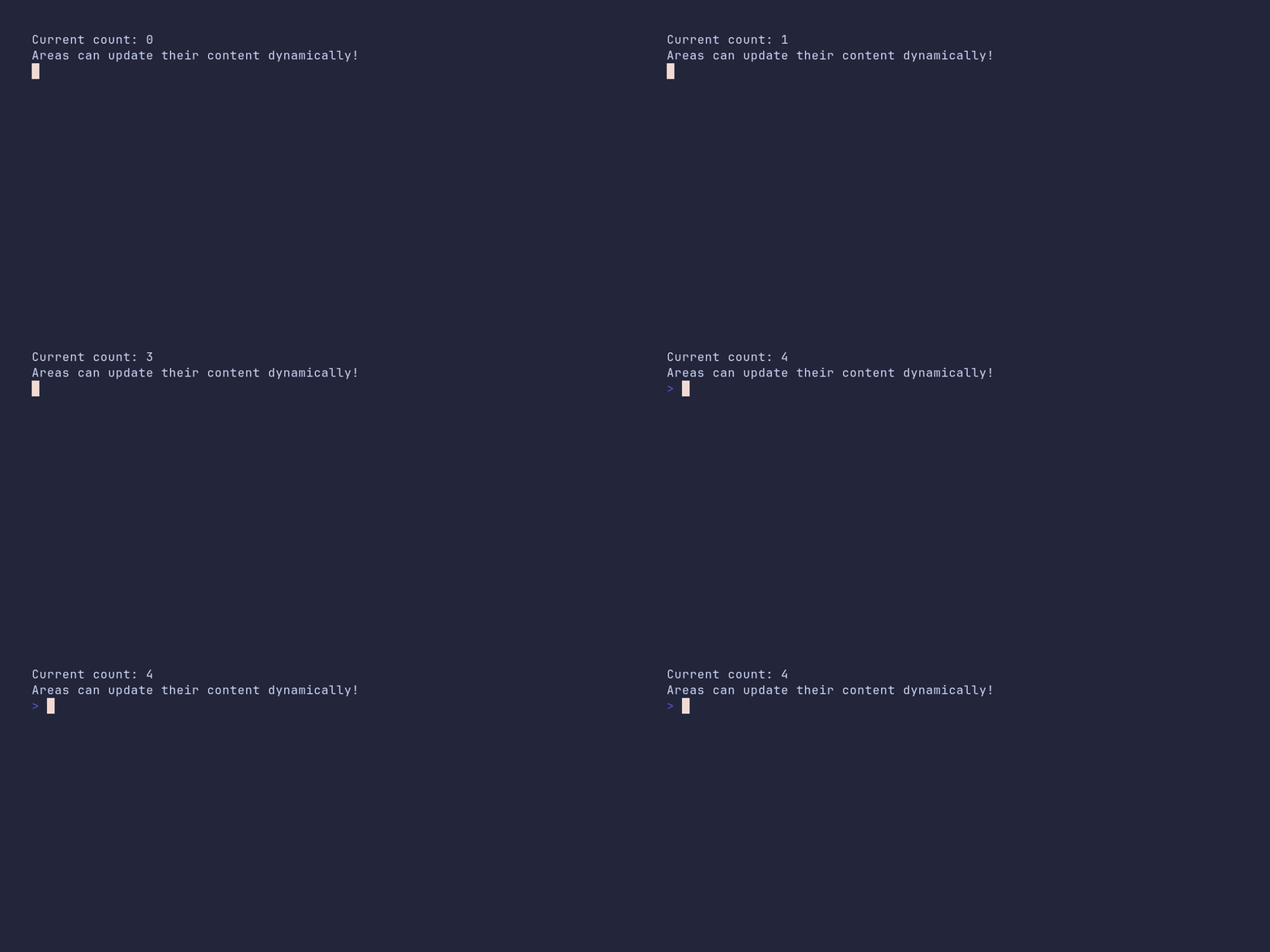
area/default
SHOW SOURCE
package main

import (
	"time"

	"github.com/pterm/pterm"
)

func main() {
	area, _ := pterm.DefaultArea.Start()

	// Each Update redraws the area in place instead of appending new lines.
	for i := range 5 {
		area.Update(pterm.Sprintfln("Current count: %d\nAreas can update their content dynamically!", i))
		time.Sleep(time.Second)
	}

	area.Stop()
}
area/dynamic-chart

SHOW SOURCE
package main

import (
	"time"

	"github.com/pterm/pterm"
)

func main() {
	// A live bar chart: render the chart to a string each tick and let the
	// area redraw it in place. Fullscreen gives the area the whole terminal.
	area, _ := pterm.DefaultArea.WithFullscreen().WithCenter().Start()
	defer area.Stop()

	for i := range 10 {
		barchart := pterm.DefaultBarChart.WithBars(dynamicBars(i))
		content, _ := barchart.Srender()
		area.Update(content)
		time.Sleep(500 * time.Millisecond)
	}
}

// dynamicBars returns the chart data for the given tick. B and D grow over
// time, A and C stay constant.
func dynamicBars(i int) pterm.Bars {
	return pterm.Bars{
		{Label: "A", Value: 10},
		{Label: "B", Value: 20 * i},
		{Label: "C", Value: 30},
		{Label: "D", Value: 40 + i},
	}
}
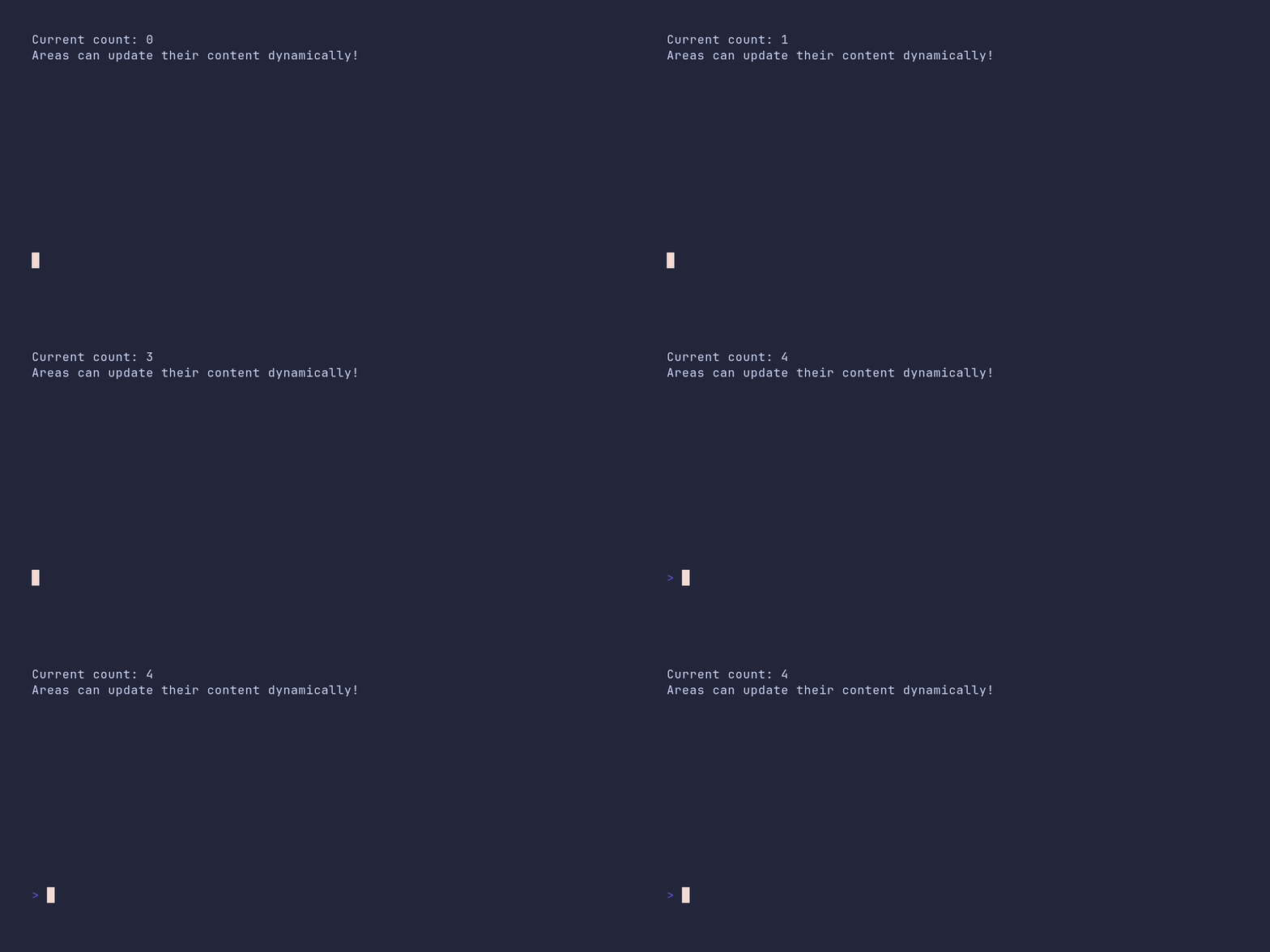
area/fullscreen
SHOW SOURCE
package main

import (
	"time"

	"github.com/pterm/pterm"
)

func main() {
	// Fullscreen clears the terminal and gives the area the whole screen.
	area, _ := pterm.DefaultArea.WithFullscreen().Start()

	// Each Update redraws the area in place instead of appending new lines.
	for i := range 5 {
		area.Update(pterm.Sprintf("Current count: %d\nAreas can update their content dynamically!", i))
		time.Sleep(time.Second)
	}

	// Stop clears the area and restores the terminal.
	area.Stop()
}
area/fullscreen-center
SHOW SOURCE
package main

import (
	"time"

	"github.com/pterm/pterm"
)

func main() {
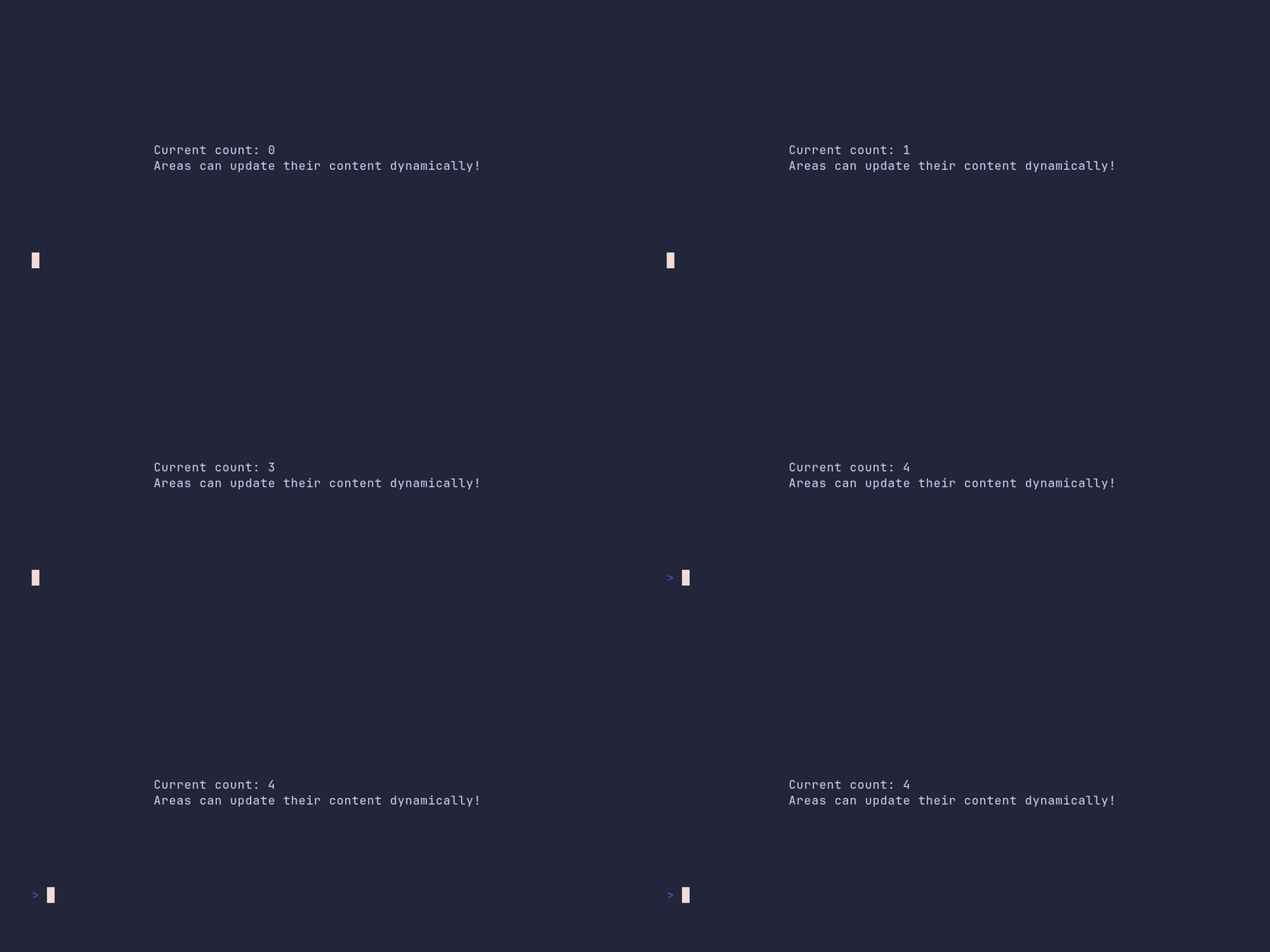
	// Fullscreen takes over the whole terminal; WithCenter centers the
	// content within it.
	area, _ := pterm.DefaultArea.WithFullscreen().WithCenter().Start()

	// Each Update redraws the area in place instead of appending new lines.
	for i := range 5 {
		area.Update(pterm.Sprintf("Current count: %d\nAreas can update their content dynamically!", i))
		time.Sleep(time.Second)
	}

	// Stop clears the area and restores the terminal.
	area.Stop()
}
barchart/demo
SHOW SOURCE
package main

import (
	"github.com/pterm/pterm"
)

func main() {
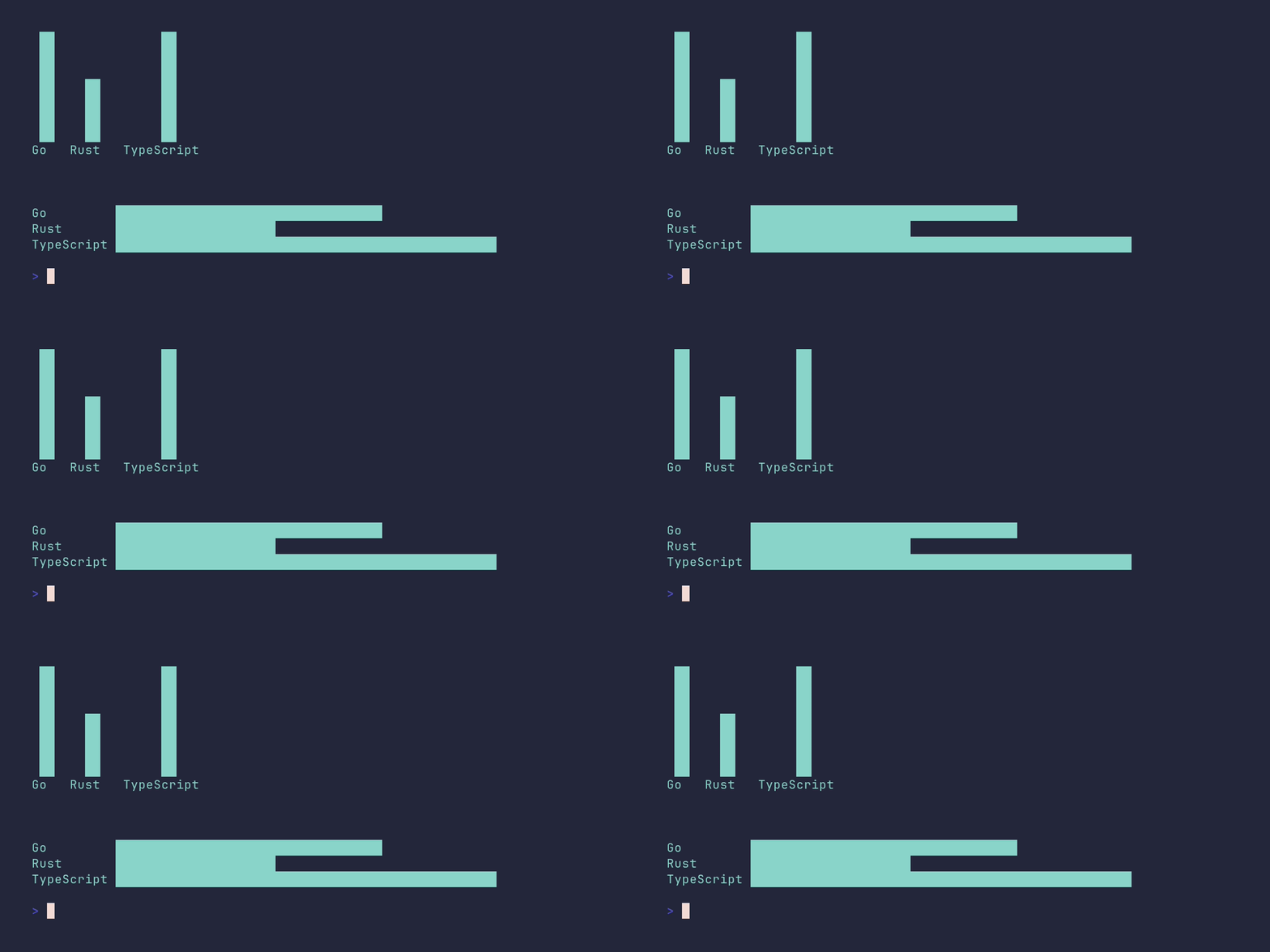
	// One deliberately longer label shows how the horizontal chart
	// aligns all bars to the widest label.
	bars := []pterm.Bar{
		{Label: "Go", Value: 5},
		{Label: "Rust", Value: 3},
		{Label: "TypeScript", Value: 7},
	}

	pterm.Info.Println("Chart example with positive values only (bars use the full chart area)")

	pterm.DefaultBarChart.WithBars(bars).Render()

	// The same data rendered horizontally.
	pterm.DefaultBarChart.WithHorizontal().WithBars(bars).Render()
}
barchart/custom-height

SHOW SOURCE
package main

import "github.com/pterm/pterm"

func main() {
	bars := []pterm.Bar{
		{Label: "A", Value: 10},
		{Label: "B", Value: 20},
		{Label: "C", Value: 30},
		{Label: "D", Value: 40},
		{Label: "E", Value: 50},
		{Label: "F", Value: 40},
		{Label: "G", Value: 30},
		{Label: "H", Value: 20},
		{Label: "I", Value: 10},
	}

	// WithHeight caps the chart at 5 rows; the bar values are scaled to fit.
	pterm.DefaultBarChart.WithBars(bars).WithHeight(5).Render()
}
barchart/custom-width

SHOW SOURCE
package main

import "github.com/pterm/pterm"

func main() {
	barData := []pterm.Bar{
		{Label: "A", Value: 10},
		{Label: "B", Value: 20},
		{Label: "C", Value: 30},
		{Label: "D", Value: 40},
		{Label: "E", Value: 50},
		{Label: "F", Value: 40},
		{Label: "G", Value: 30},
		{Label: "H", Value: 20},
		{Label: "I", Value: 10},
	}

	// In a horizontal chart, WithWidth limits how far the bars extend
	// to the right; the values are scaled to fit into 5 columns.
	pterm.DefaultBarChart.WithBars(barData).WithHorizontal().WithWidth(5).Render()
}
barchart/default

SHOW SOURCE
package main

import "github.com/pterm/pterm"

func main() {
	bars := []pterm.Bar{
		{Label: "A", Value: 10},
		{Label: "B", Value: 20},
		{Label: "C", Value: 30},
		{Label: "D", Value: 40},
		{Label: "E", Value: 50},
		{Label: "F", Value: 40},
		{Label: "G", Value: 30},
		{Label: "H", Value: 20},
		{Label: "I", Value: 10},
	}

	// By default the chart is drawn vertically, with each label under its bar.
	pterm.DefaultBarChart.WithBars(bars).Render()
}
barchart/horizontal

SHOW SOURCE
package main

import "github.com/pterm/pterm"

func main() {
	bars := []pterm.Bar{
		{Label: "A", Value: 10},
		{Label: "B", Value: 20},
		{Label: "C", Value: 30},
		{Label: "D", Value: 40},
		{Label: "E", Value: 50},
		{Label: "F", Value: 40},
		{Label: "G", Value: 30},
		{Label: "H", Value: 20},
		{Label: "I", Value: 10},
	}

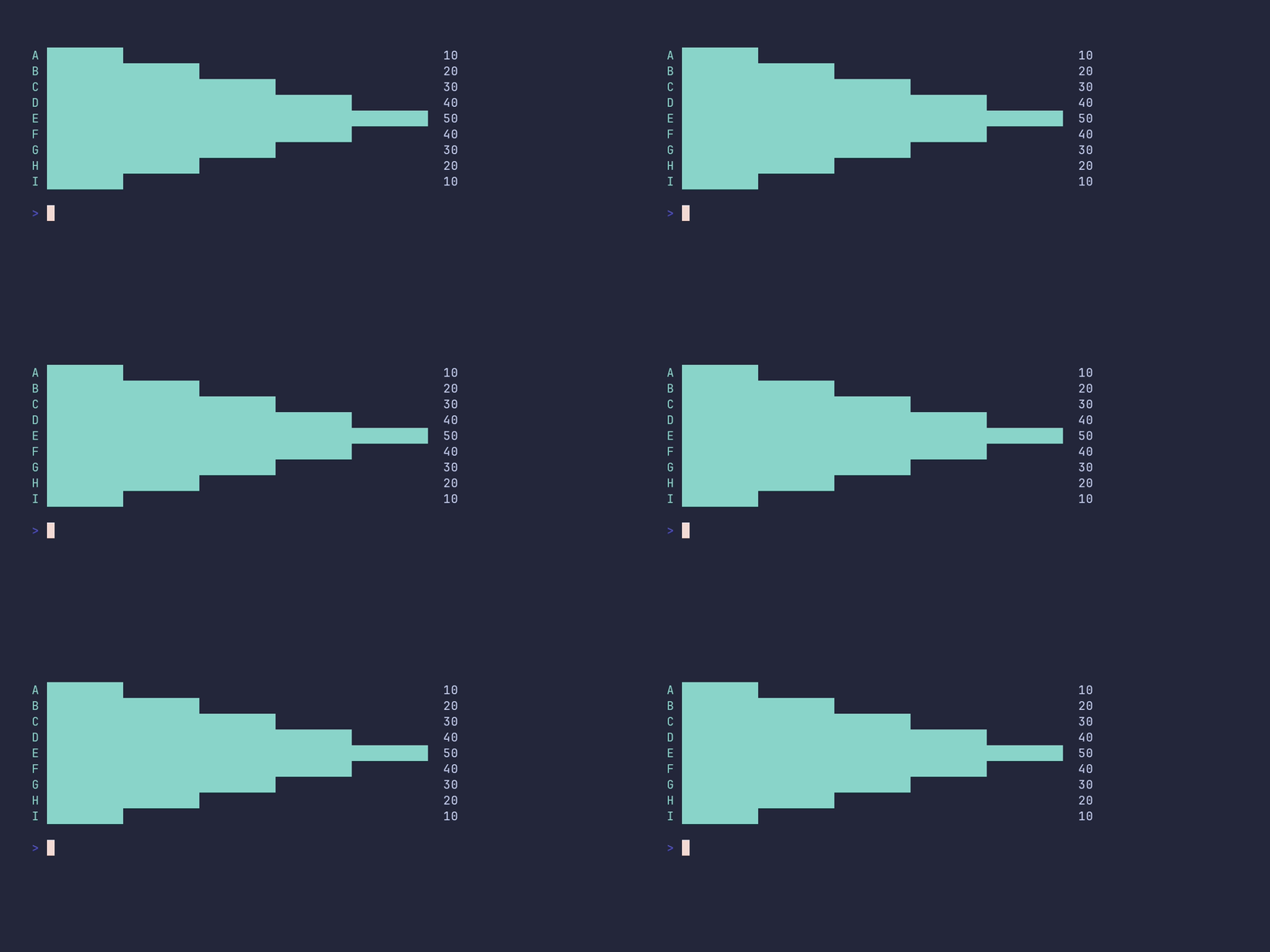
	// WithHorizontal draws one bar per line, left to right, with the
	// label in front of each bar.
	pterm.DefaultBarChart.WithBars(bars).WithHorizontal().Render()
}
barchart/horizontal-show-value
SHOW SOURCE
package main

import "github.com/pterm/pterm"

func main() {
	barData := []pterm.Bar{
		{Label: "A", Value: 10},
		{Label: "B", Value: 20},
		{Label: "C", Value: 30},
		{Label: "D", Value: 40},
		{Label: "E", Value: 50},
		{Label: "F", Value: 40},
		{Label: "G", Value: 30},
		{Label: "H", Value: 20},
		{Label: "I", Value: 10},
	}

	// WithShowValue prints each bar's numeric value at the end of the bar.
	pterm.DefaultBarChart.WithBars(barData).WithHorizontal().WithShowValue().Render()
}
barchart/mixed-values
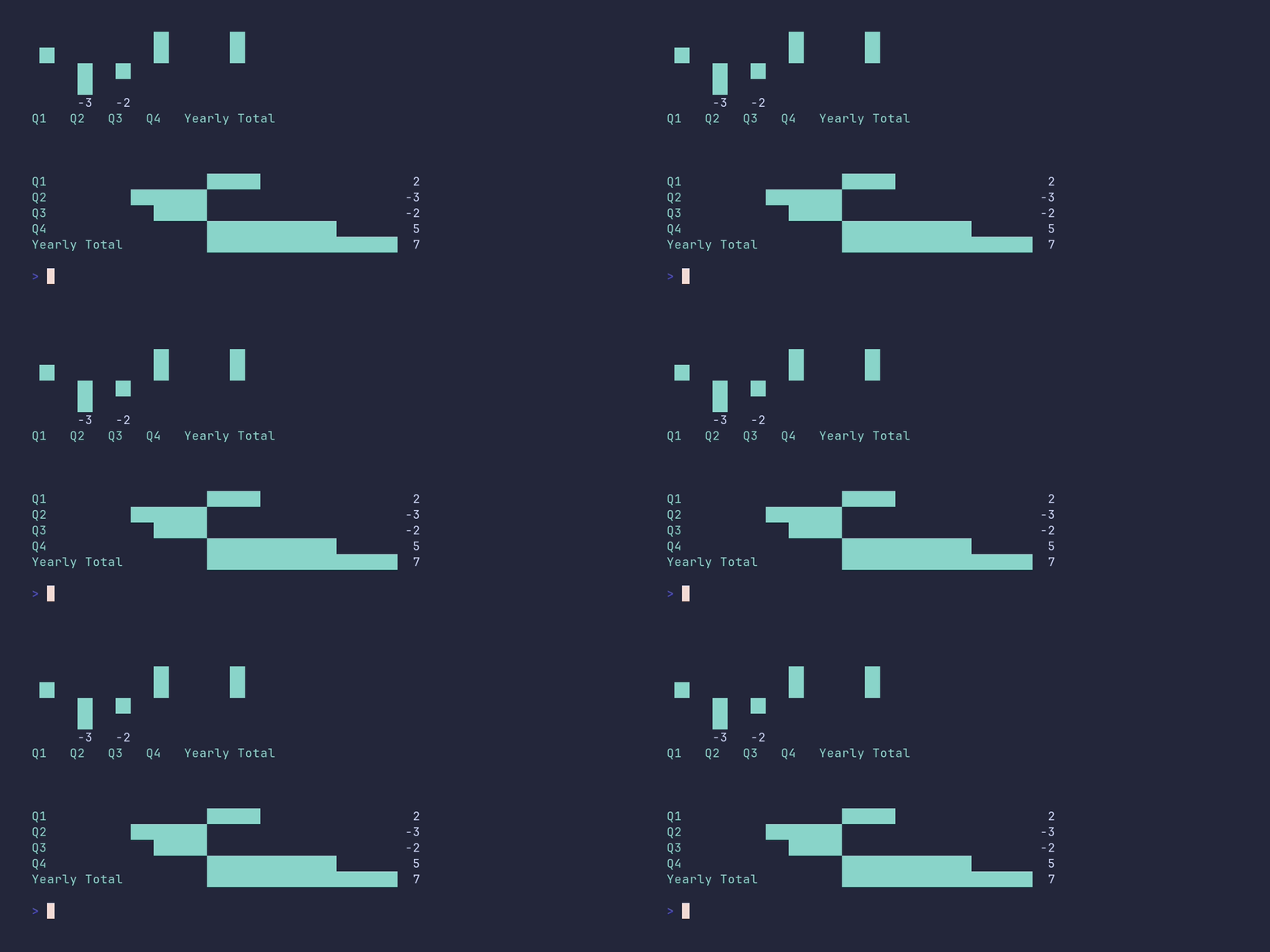
SHOW SOURCE
package main

import (
	"github.com/pterm/pterm"
)

func main() {
	// Quarterly results with both gains and losses. The longer label
	// shows how the horizontal chart aligns bars to the widest label.
	bars := []pterm.Bar{
		{Label: "Q1", Value: 2},
		{Label: "Q2", Value: -3},
		{Label: "Q3", Value: -2},
		{Label: "Q4", Value: 5},
		{Label: "Yearly Total", Value: 7},
	}

	pterm.DefaultSection.Println("Chart example with mixed values (the chart area is split between the positive and negative side, so bars get less space when the absolute values differ a lot)")

	pterm.DefaultBarChart.WithBars(bars).WithShowValue().Render()

	// The same data rendered horizontally.
	pterm.DefaultBarChart.WithHorizontal().WithBars(bars).WithShowValue().Render()
}
barchart/negative-values
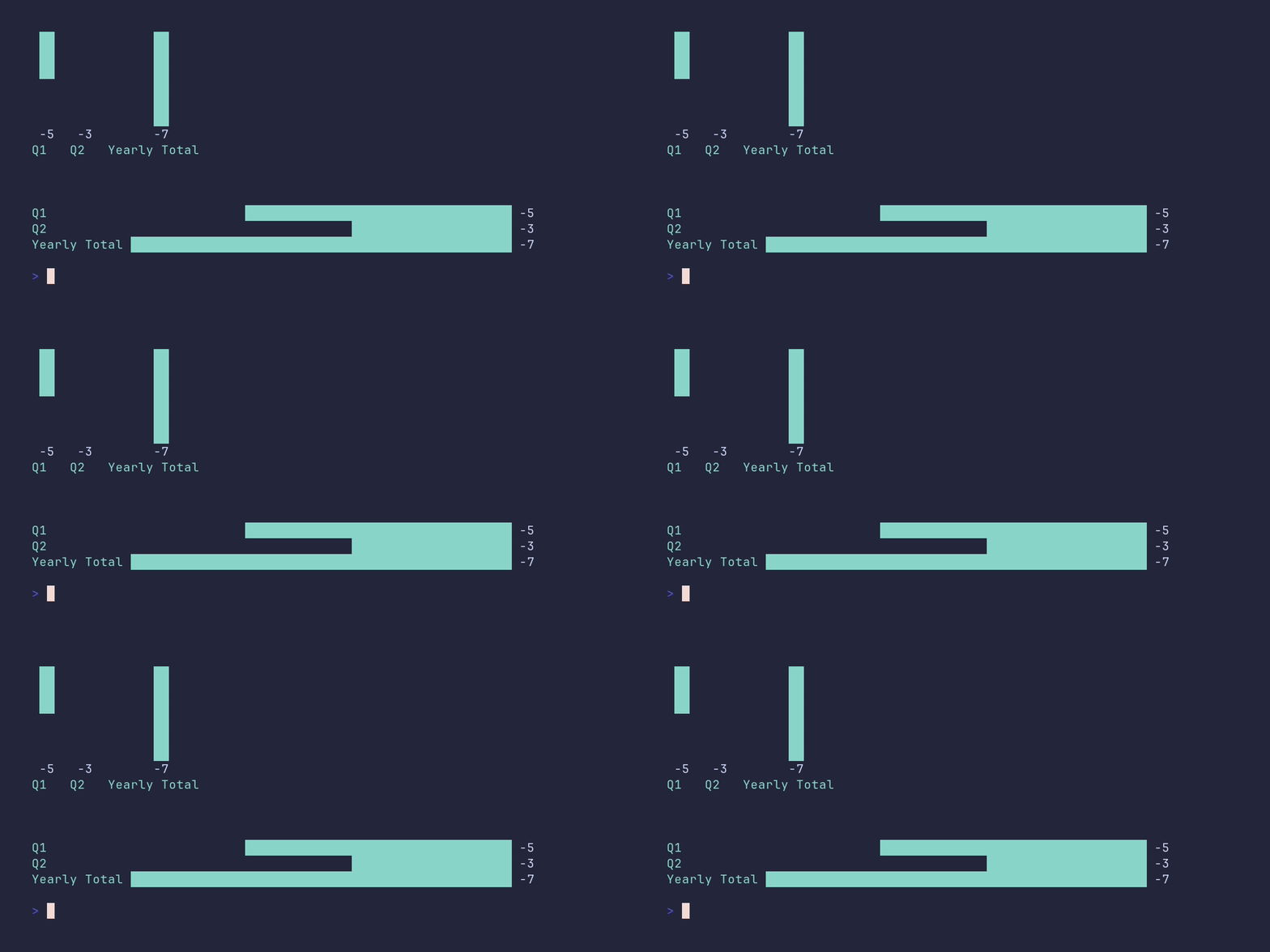
SHOW SOURCE
package main

import (
	"github.com/pterm/pterm"
)

func main() {
	// With only negative values there is no positive side to draw, so the
	// bars still use the full chart area. The longer label shows how the
	// horizontal chart aligns bars to the widest label.
	negativeBars := pterm.Bars{
		{Label: "Q1", Value: -5},
		{Label: "Q2", Value: -3},
		{Label: "Yearly Total", Value: -7},
	}

	pterm.Info.Println("Chart example with negative values only (bars use the full chart area)")

	_ = pterm.DefaultBarChart.WithBars(negativeBars).WithShowValue().Render()

	// The same data rendered horizontally.
	_ = pterm.DefaultBarChart.WithHorizontal().WithBars(negativeBars).WithShowValue().Render()
}
barchart/show-value
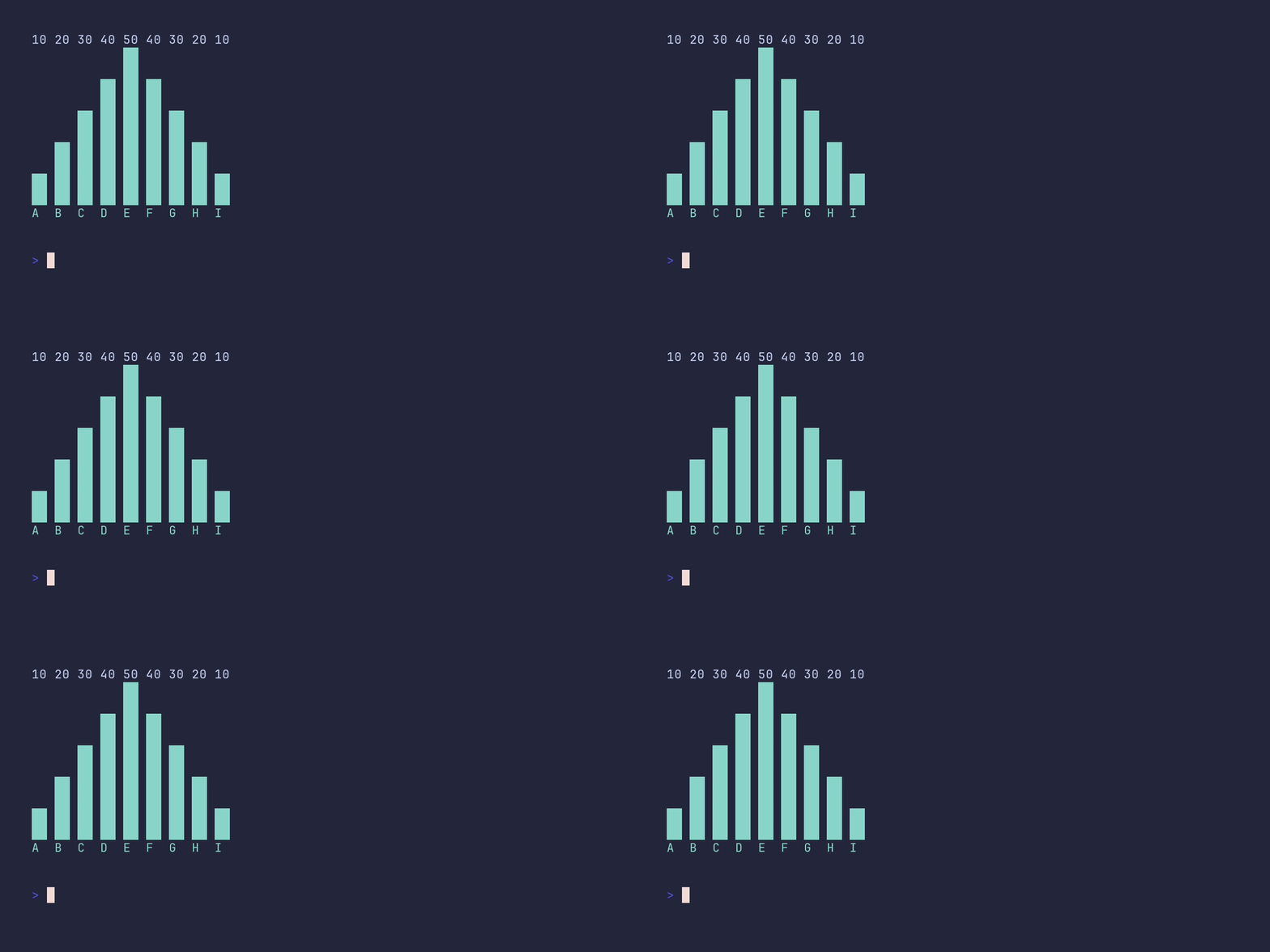
SHOW SOURCE
package main

import "github.com/pterm/pterm"

func main() {
	bars := []pterm.Bar{
		{Label: "A", Value: 10},
		{Label: "B", Value: 20},
		{Label: "C", Value: 30},
		{Label: "D", Value: 40},
		{Label: "E", Value: 50},
		{Label: "F", Value: 40},
		{Label: "G", Value: 30},
		{Label: "H", Value: 20},
		{Label: "I", Value: 10},
	}

	// WithShowValue prints each bar's numeric value above the bar.
	pterm.DefaultBarChart.WithBars(bars).WithShowValue().Render()
}
basictext/demo
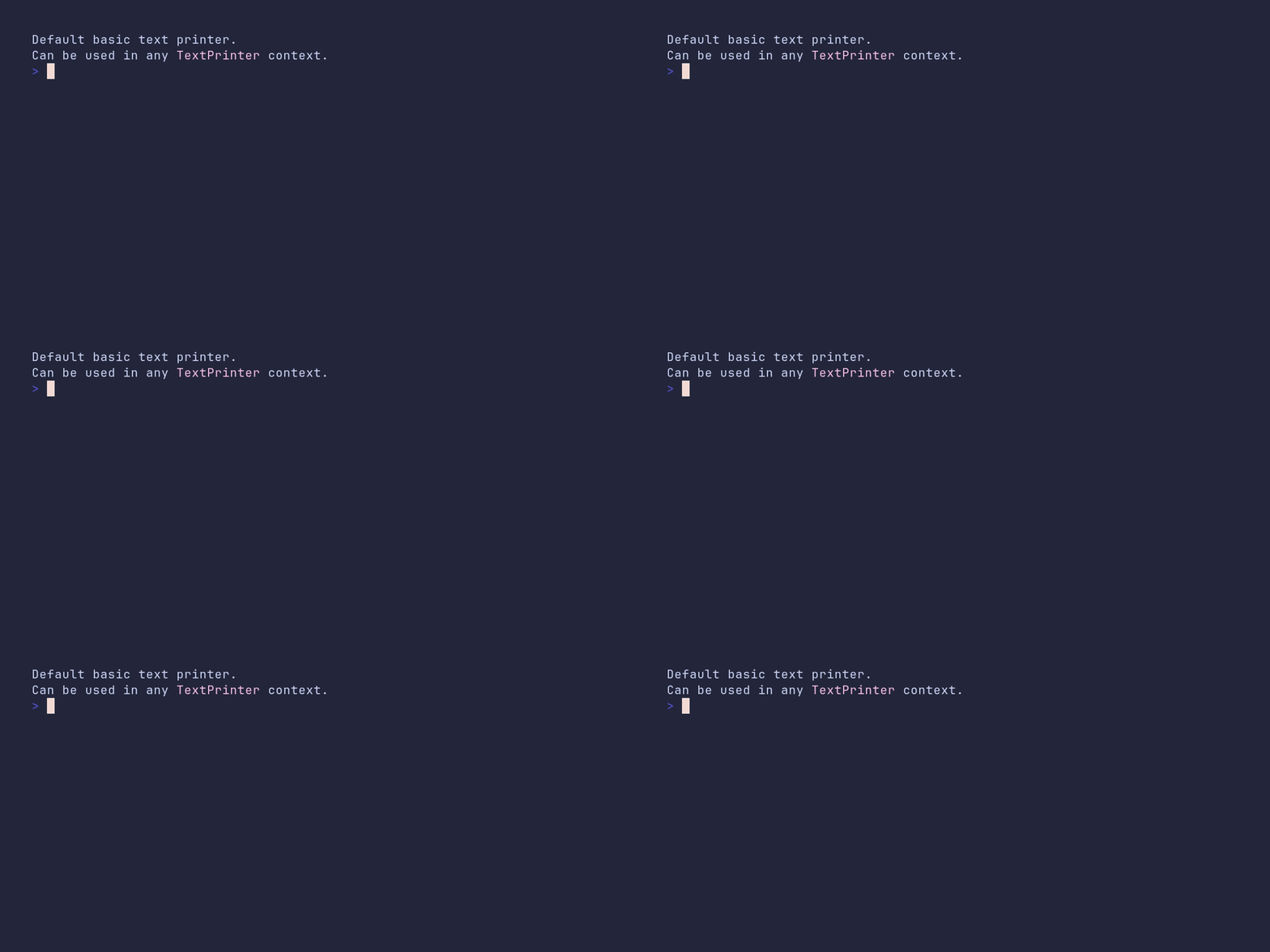
SHOW SOURCE
package main

import "github.com/pterm/pterm"

func main() {
	// DefaultBasicText prints plain, unstyled text. Its value is that it
	// satisfies the TextPrinter interface, so it can be passed anywhere a
	// styled printer would go.
	pterm.DefaultBasicText.Println("Default basic text printer.")
	pterm.DefaultBasicText.Println("Can be used in any" + pterm.LightMagenta(" TextPrinter ") + "context.")
}
bigtext/demo
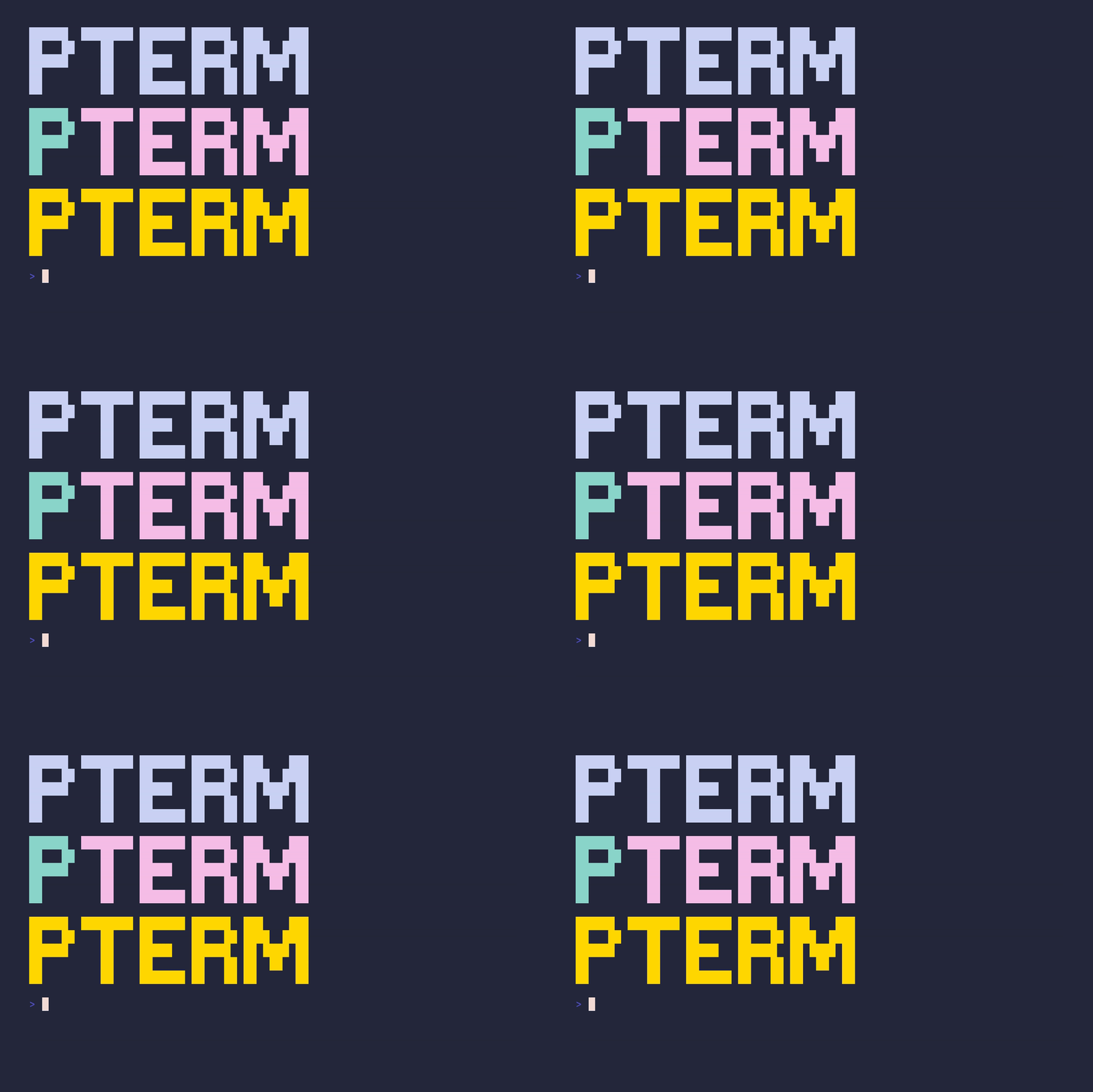
SHOW SOURCE
package main

import (
	"github.com/pterm/pterm"
	"github.com/pterm/pterm/putils"
)

func main() {
	// Big ASCII-art text in the default theme style. Handy for title screens.
	pterm.DefaultBigText.WithLetters(putils.LettersFromString("PTerm")).Render()

	// Each letter group can carry its own style, so parts of the text can be
	// colored independently.
	pterm.DefaultBigText.WithLetters(
		putils.LettersFromStringWithStyle("P", pterm.FgCyan.ToStyle()),
		putils.LettersFromStringWithStyle("Term", pterm.FgLightMagenta.ToStyle()),
	).Render()

	// TrueColor works too. On terminals without TrueColor support, PTerm
	// downsamples the RGB value automatically.
	pterm.DefaultBigText.WithLetters(
		putils.LettersFromStringWithRGB("PTerm", pterm.NewRGB(255, 215, 0)),
	).Render()
}
bigtext/colored
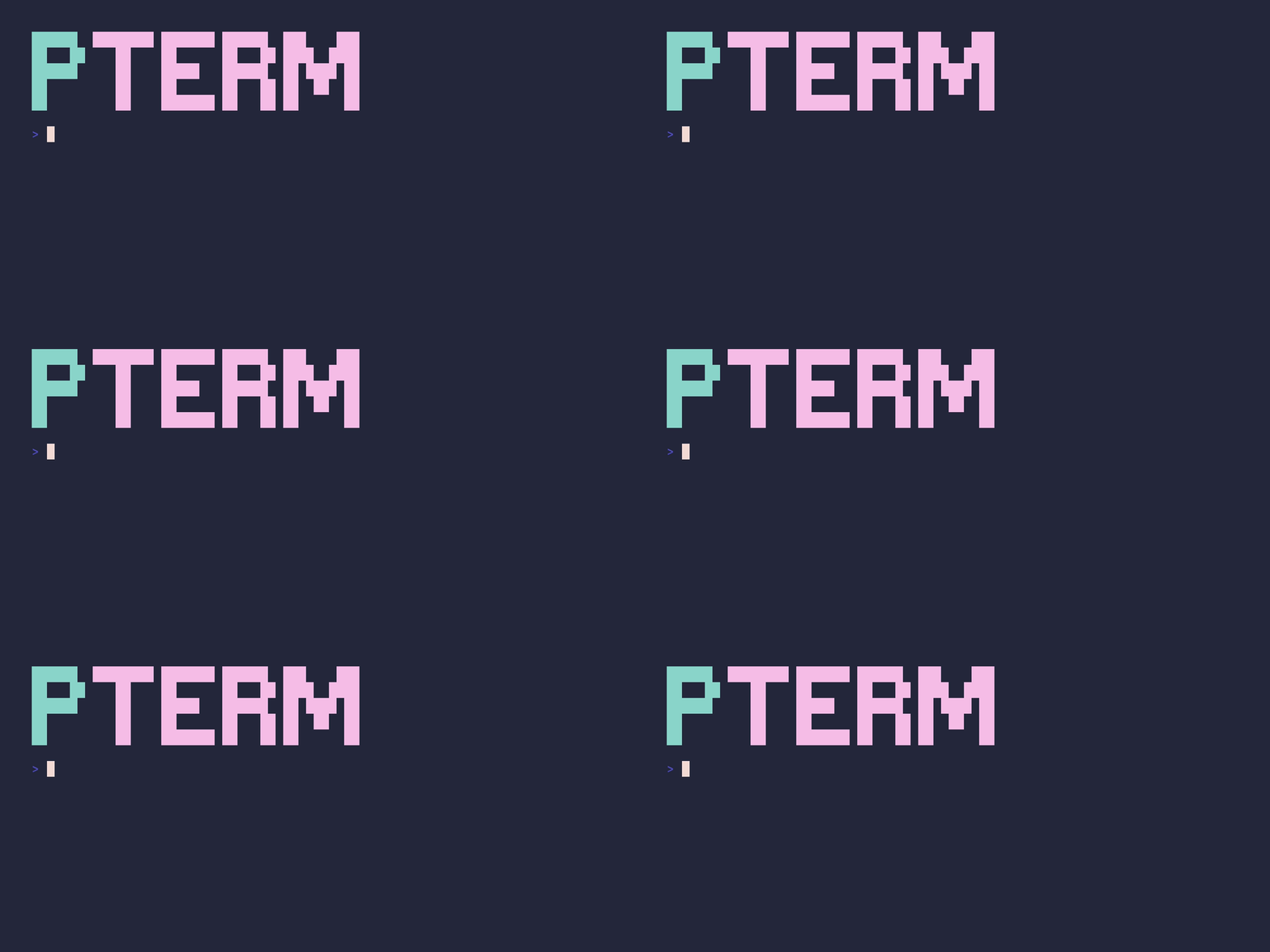
SHOW SOURCE
package main

import (
	"github.com/pterm/pterm"
	"github.com/pterm/pterm/putils"
)

func main() {
	// Each LettersFromStringWithStyle call gets its own color, so parts of
	// the big text can be highlighted independently.
	pterm.DefaultBigText.WithLetters(
		putils.LettersFromStringWithStyle("P", pterm.FgCyan.ToStyle()),
		putils.LettersFromStringWithStyle("Term", pterm.FgLightMagenta.ToStyle())).
		Render()
}
bigtext/default
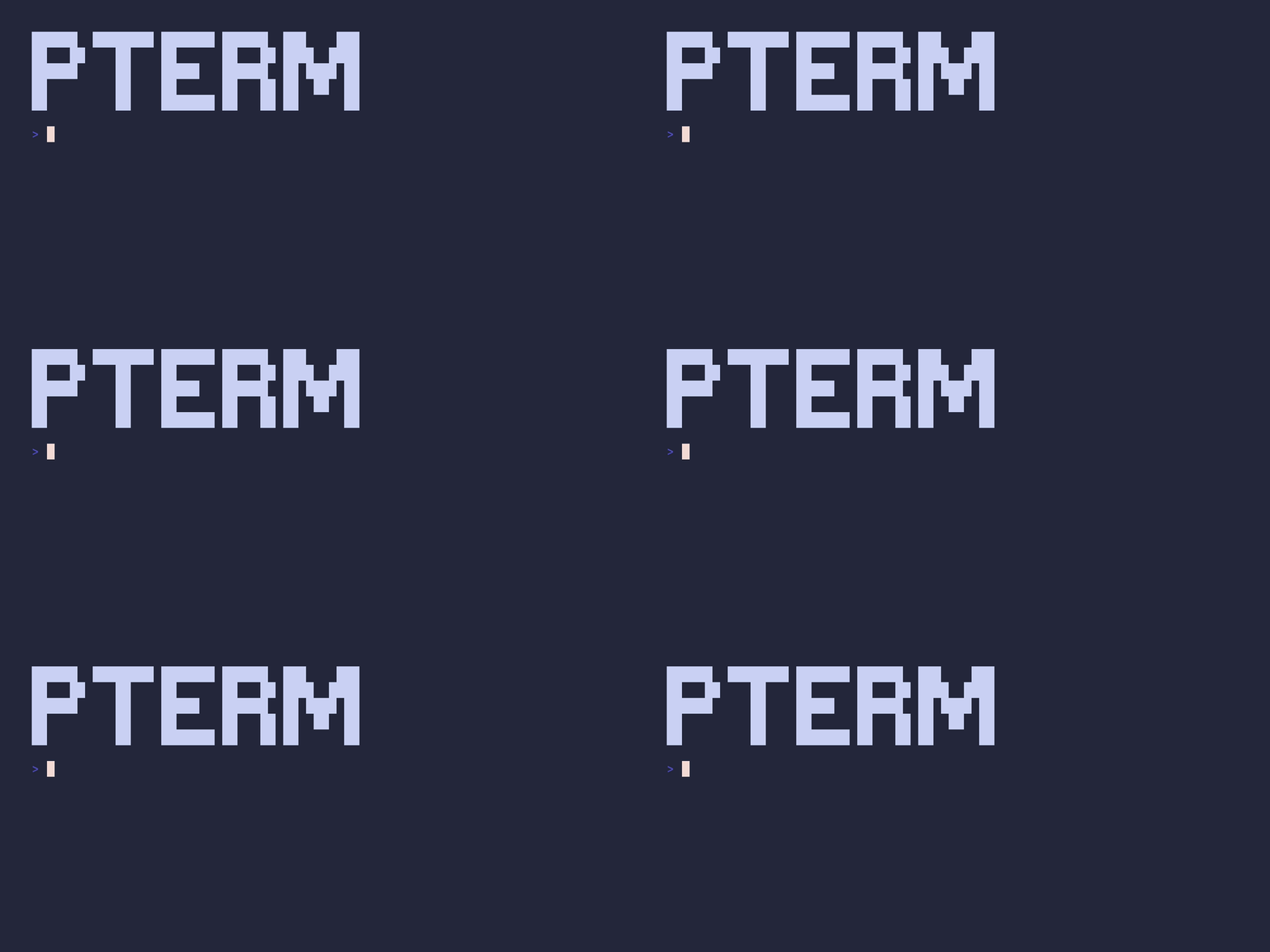
SHOW SOURCE
package main

import (
	"github.com/pterm/pterm"
	"github.com/pterm/pterm/putils"
)

func main() {
	// BigText takes Letters rather than a plain string; putils converts one
	// into the other.
	letters := putils.LettersFromString("PTerm")

	pterm.DefaultBigText.WithLetters(letters).Render()
}
box/demo
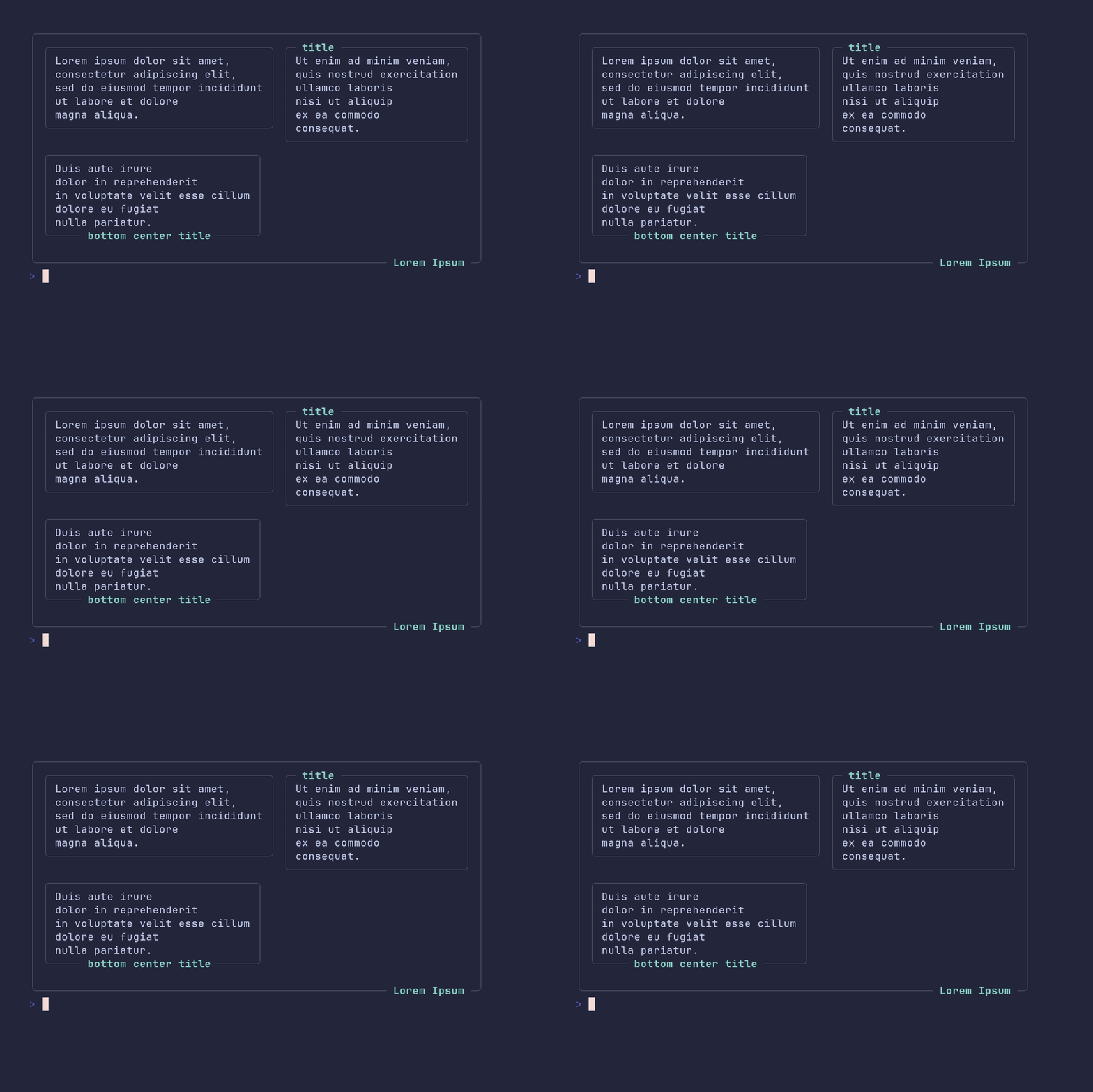
SHOW SOURCE
package main

import "github.com/pterm/pterm"

func main() {
	// Boxes render to strings via Sprint, so they can be nested inside other
	// printers. Titles can be placed on any side of the border.
	panel1 := pterm.DefaultBox.Sprint("Lorem ipsum dolor sit amet,\nconsectetur adipiscing elit,\nsed do eiusmod tempor incididunt\nut labore et dolore\nmagna aliqua.")
	panel2 := pterm.DefaultBox.WithTitle("title").Sprint("Ut enim ad minim veniam,\nquis nostrud exercitation\nullamco laboris\nnisi ut aliquip\nex ea commodo\nconsequat.")
	panel3 := pterm.DefaultBox.WithTitle("bottom center title").WithTitleBottomCenter().Sprint("Duis aute irure\ndolor in reprehenderit\nin voluptate velit esse cillum\ndolore eu fugiat\nnulla pariatur.")

	// Arrange the boxes in a grid: one row with two panels, one row with one.
	panels, _ := pterm.DefaultPanel.WithPanels(pterm.Panels{
		{{Data: panel1}, {Data: panel2}},
		{{Data: panel3}},
	}).Srender()

	// Wrap the whole grid in an outer box.
	pterm.DefaultBox.WithTitle("Lorem Ipsum").WithTitleBottomRight().WithRightPadding(0).WithBottomPadding(0).Println(panels)
}
box/custom-padding
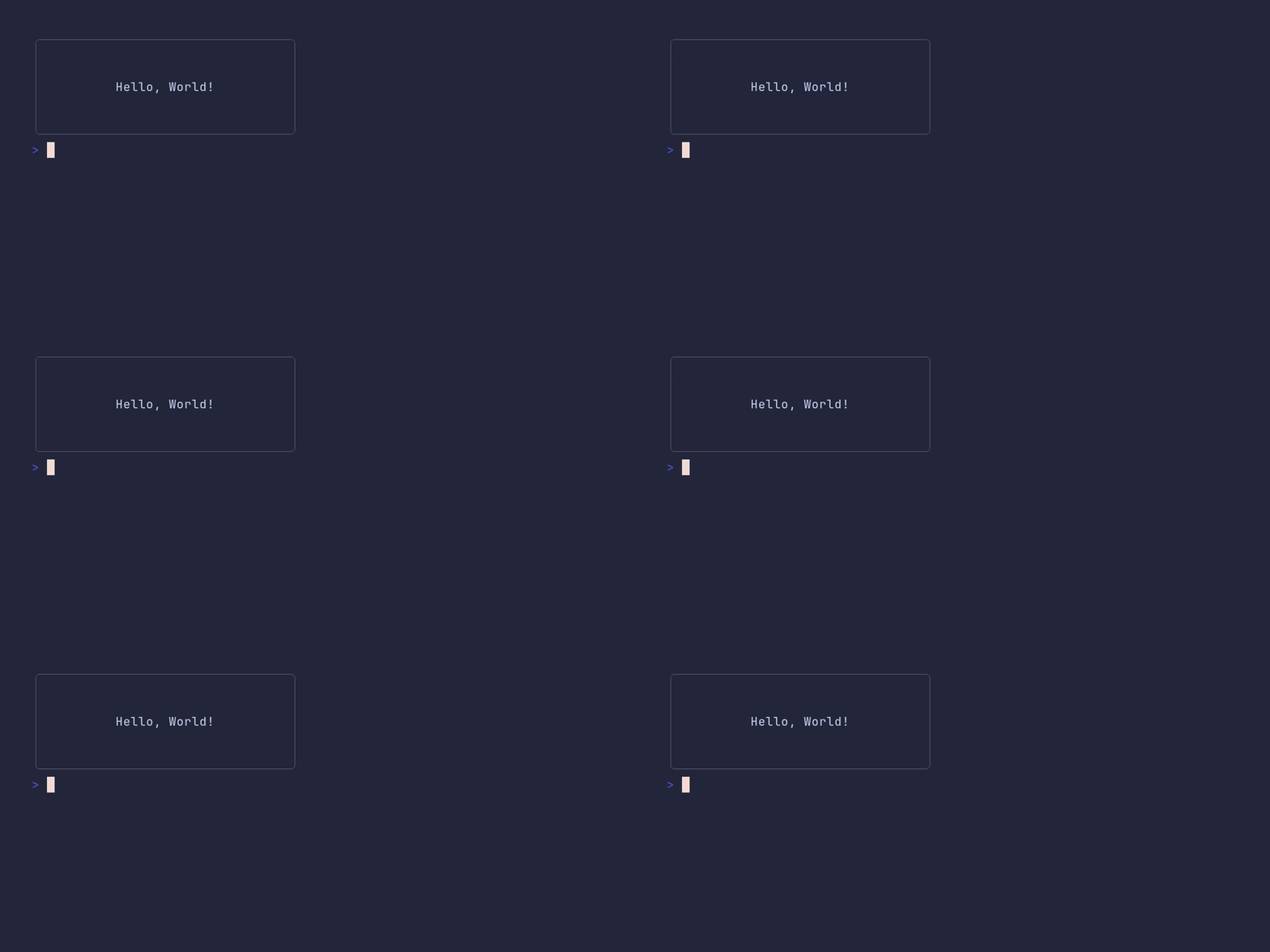
SHOW SOURCE
package main

import "github.com/pterm/pterm"

func main() {
	// Padding adds empty space between the box border and its content,
	// configurable per side.
	pterm.DefaultBox.WithRightPadding(10).WithLeftPadding(10).WithTopPadding(2).WithBottomPadding(2).Println("Hello, World!")
}
box/default
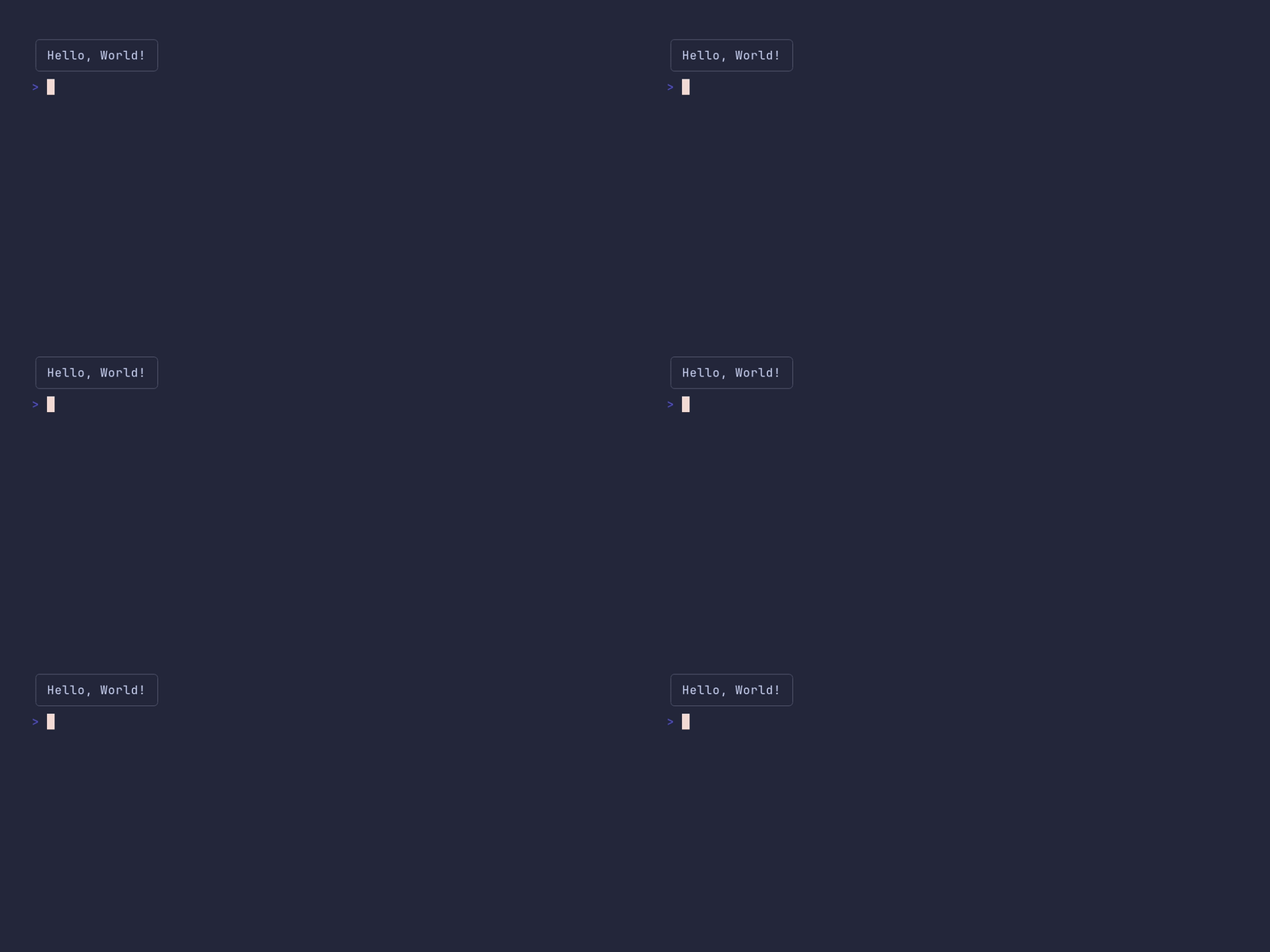
SHOW SOURCE
package main

import "github.com/pterm/pterm"

func main() {
	// The box sizes itself to fit whatever it prints.
	pterm.DefaultBox.Println("Hello, World!")
}
box/title
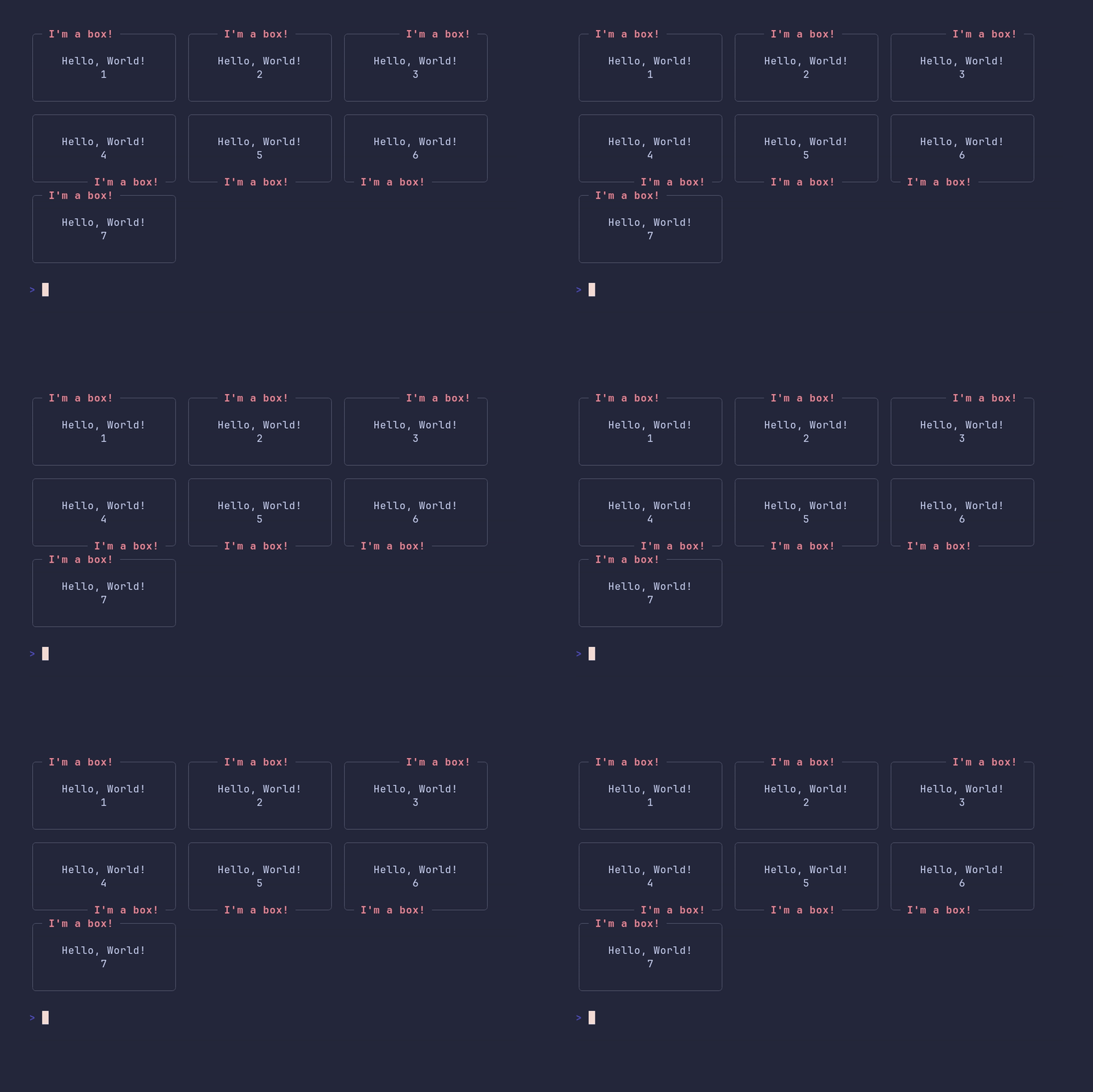
SHOW SOURCE
package main

import "github.com/pterm/pterm"

func main() {
	// One box per title position. WithTitle* methods return a modified copy,
	// so paddedBox can be reused as a template without being changed.
	paddedBox := pterm.DefaultBox.WithLeftPadding(4).WithRightPadding(4).WithTopPadding(1).WithBottomPadding(1)

	// Titles may contain styled text.
	title := pterm.LightRed("I'm a box!")

	box1 := paddedBox.WithTitle(title).Sprint("Hello, World!\n      1") // top left is the default
	box2 := paddedBox.WithTitle(title).WithTitleTopCenter().Sprint("Hello, World!\n      2")
	box3 := paddedBox.WithTitle(title).WithTitleTopRight().Sprint("Hello, World!\n      3")
	box4 := paddedBox.WithTitle(title).WithTitleBottomRight().Sprint("Hello, World!\n      4")
	box5 := paddedBox.WithTitle(title).WithTitleBottomCenter().Sprint("Hello, World!\n      5")
	box6 := paddedBox.WithTitle(title).WithTitleBottomLeft().Sprint("Hello, World!\n      6")
	box7 := paddedBox.WithTitle(title).WithTitleTopLeft().Sprint("Hello, World!\n      7")

	pterm.DefaultPanel.WithPanels([][]pterm.Panel{
		{{box1}, {box2}, {box3}},
		{{box4}, {box5}, {box6}},
		{{box7}},
	}).Render()
}
bulletlist/demo
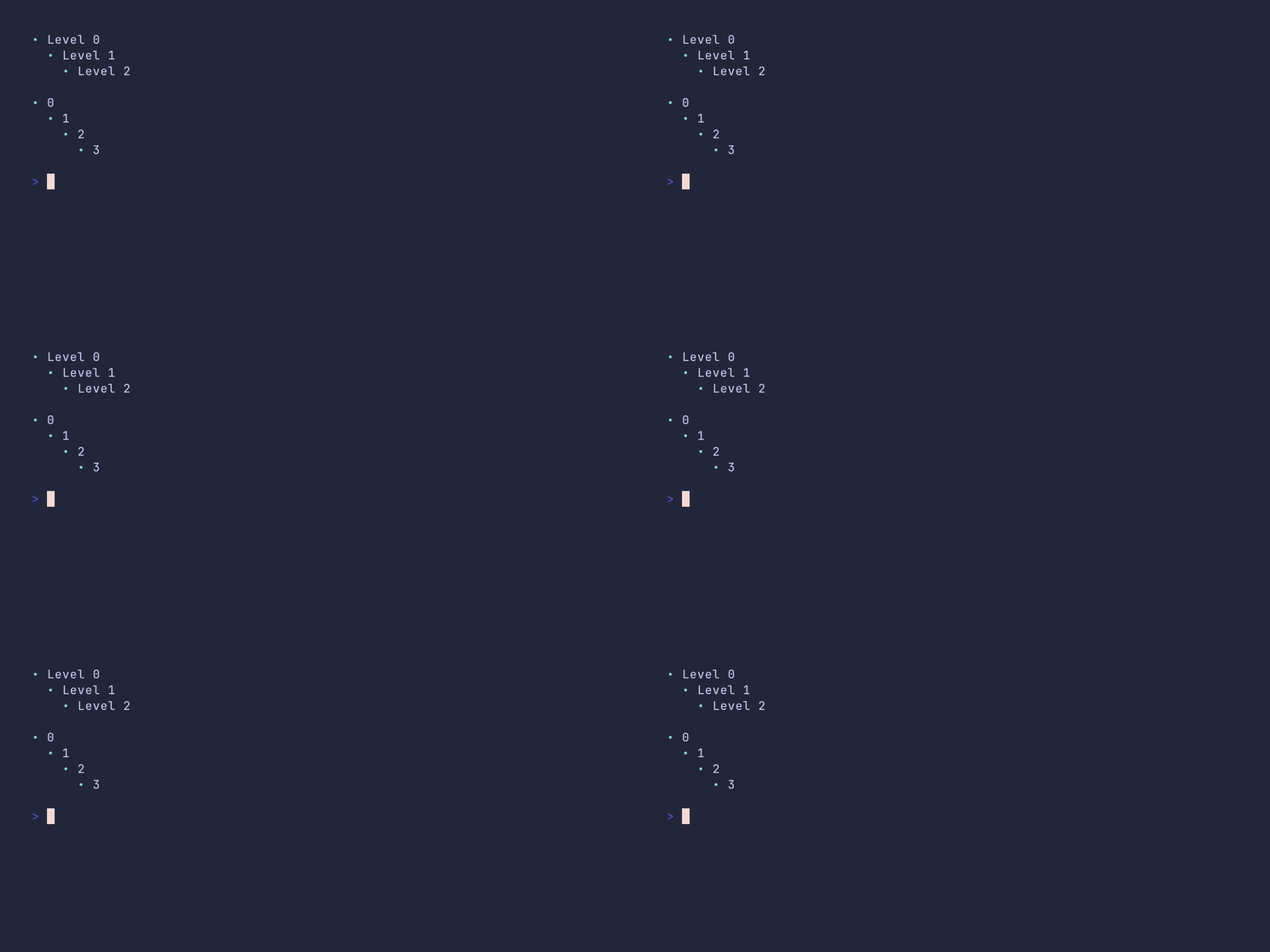
SHOW SOURCE
package main

import (
	"github.com/pterm/pterm"
	"github.com/pterm/pterm/putils"
)

func main() {
	// Level controls the indentation depth of each item.
	bulletListItems := []pterm.BulletListItem{
		{Level: 0, Text: "Level 0"},
		{Level: 1, Text: "Level 1"},
		{Level: 2, Text: "Level 2"},
	}

	pterm.DefaultBulletList.WithItems(bulletListItems).Render()

	// Alternatively, build a list from an indented string. The second
	// argument is the indent unit; one leading space equals one level here.
	text := `0
 1
  2
   3`

	putils.BulletListFromString(text, " ").Render()
}
bulletlist/customized
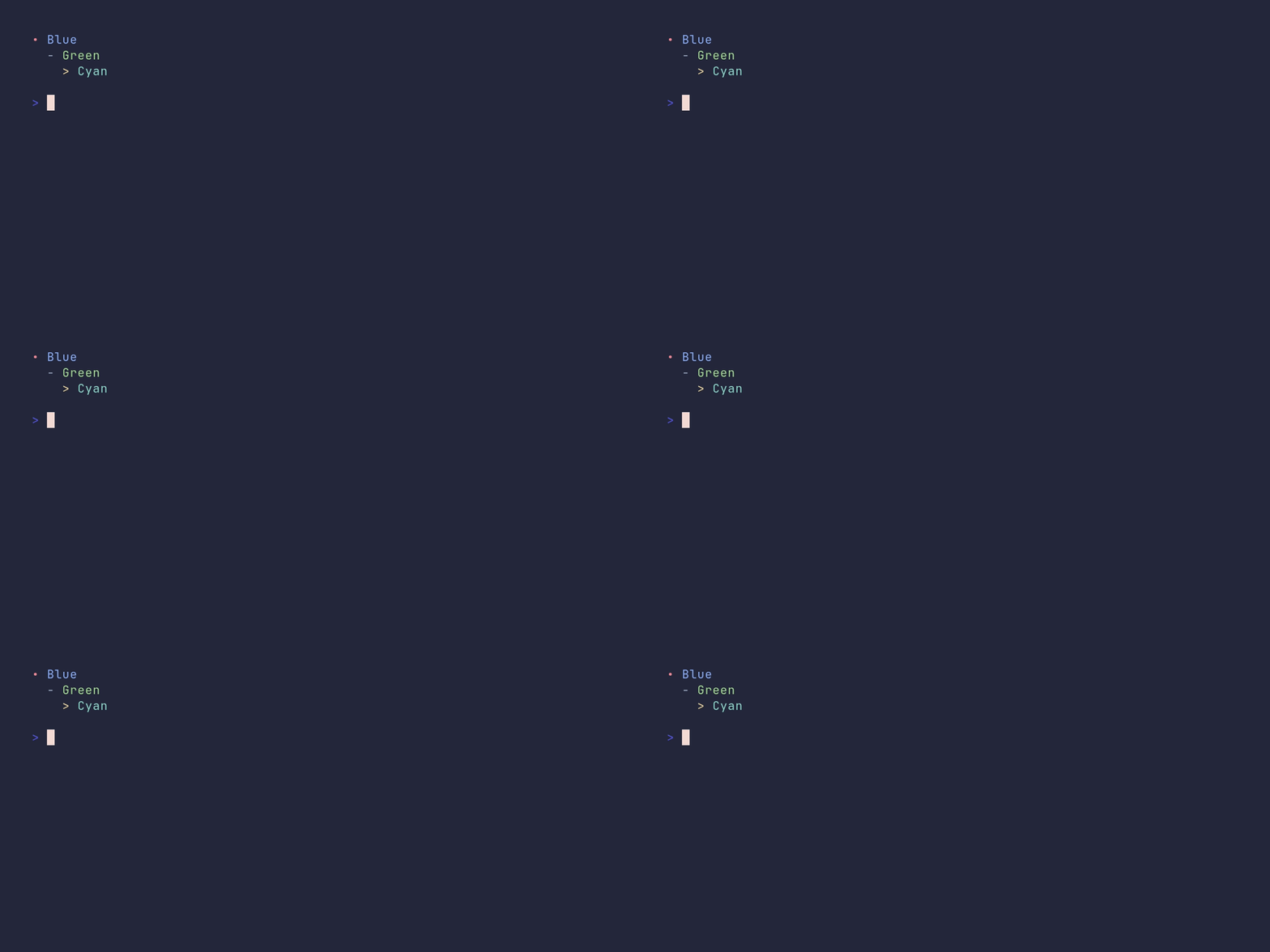
SHOW SOURCE
package main

import (
	"github.com/pterm/pterm"
)

func main() {
	// Every item can override the bullet symbol and style the bullet and
	// text independently. Level controls the indentation depth.
	bulletListItems := []pterm.BulletListItem{
		{
			Level:       0,
			Text:        "Blue",
			TextStyle:   pterm.NewStyle(pterm.FgBlue),
			BulletStyle: pterm.NewStyle(pterm.FgRed),
		},
		{
			Level:       1,
			Text:        "Green",
			TextStyle:   pterm.NewStyle(pterm.FgGreen),
			Bullet:      "-",
			BulletStyle: pterm.NewStyle(pterm.FgLightWhite),
		},
		{
			Level:       2,
			Text:        "Cyan",
			TextStyle:   pterm.NewStyle(pterm.FgCyan),
			Bullet:      ">",
			BulletStyle: pterm.NewStyle(pterm.FgYellow),
		},
	}

	pterm.DefaultBulletList.WithItems(bulletListItems).Render()
}
center/demo
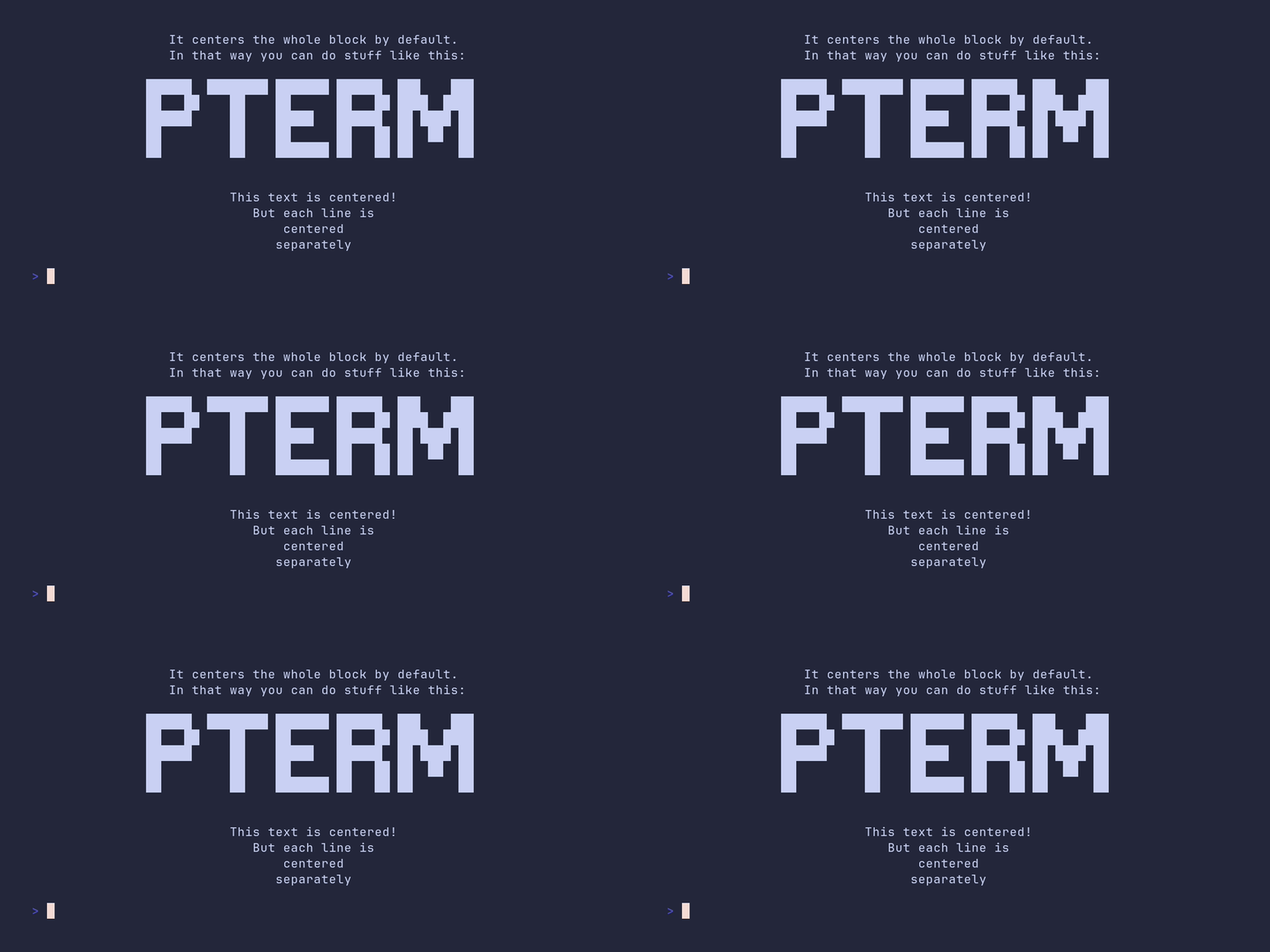
SHOW SOURCE
package main

import (
	"github.com/pterm/pterm"
	"github.com/pterm/pterm/putils"
)

func main() {
	// By default the whole block is centered as one unit, so the lines keep
	// their left alignment relative to each other.
	pterm.DefaultCenter.Println("This text is centered!\nIt centers the whole block by default.\nIn that way you can do stuff like this:")

	// That makes it safe to center multiline output from other printers,
	// like a BigText rendered to a string.
	s, _ := pterm.DefaultBigText.WithLetters(putils.LettersFromString("PTerm")).Srender()
	pterm.DefaultCenter.Println(s)

	// WithCenterEachLineSeparately centers every line on its own instead.
	pterm.DefaultCenter.WithCenterEachLineSeparately().Println("This text is centered!\nBut each line is\ncentered\nseparately")
}
coloring/demo
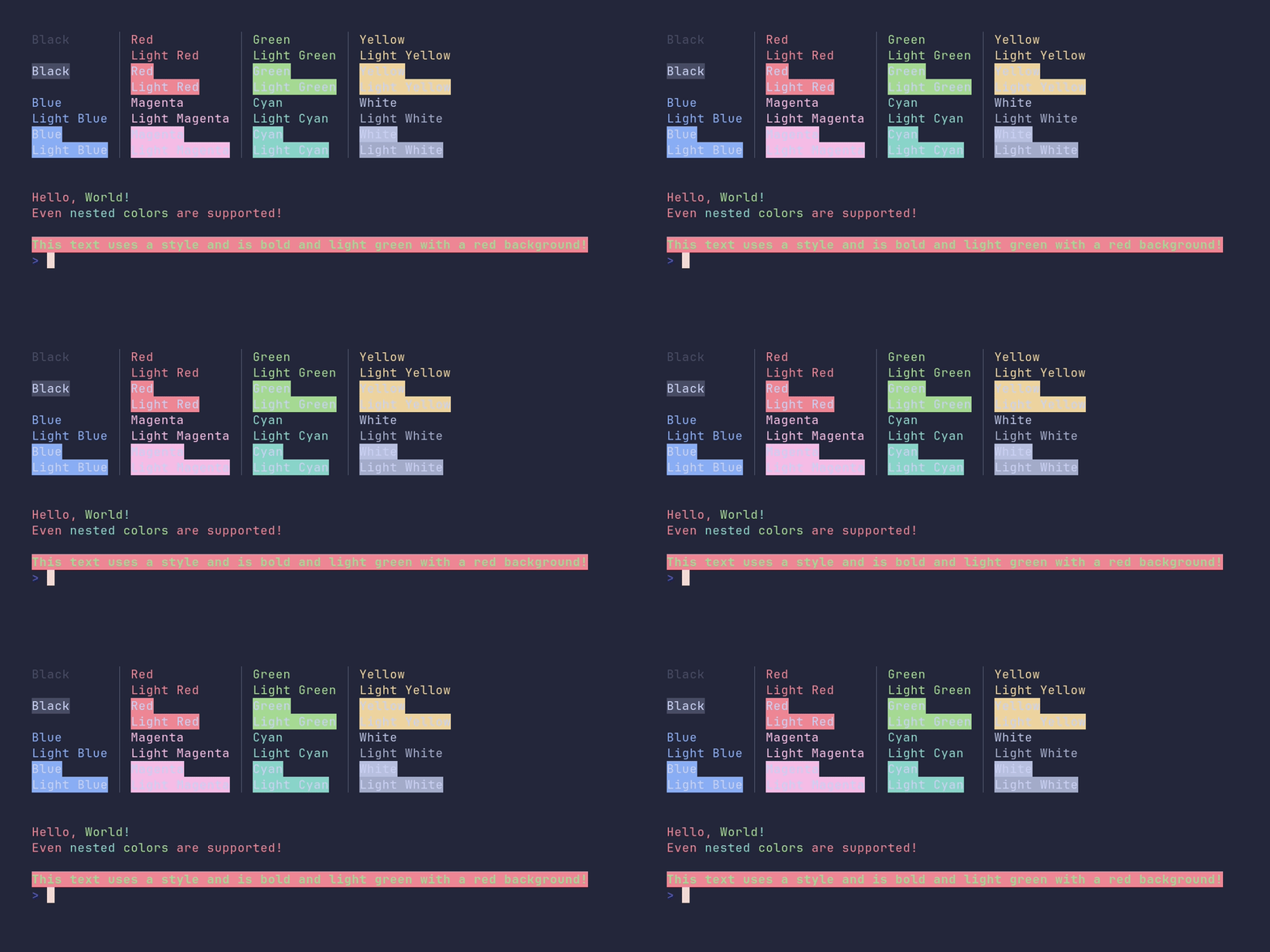
SHOW SOURCE
package main

import "github.com/pterm/pterm"

func main() {
	// Show every built-in foreground (Fg*) and background (Bg*) color in one
	// table. The "Light" variants map to the bright ANSI colors.
	pterm.DefaultTable.WithData([][]string{
		{pterm.FgBlack.Sprint("Black"), pterm.FgRed.Sprint("Red"), pterm.FgGreen.Sprint("Green"), pterm.FgYellow.Sprint("Yellow")},
		{"", pterm.FgLightRed.Sprint("Light Red"), pterm.FgLightGreen.Sprint("Light Green"), pterm.FgLightYellow.Sprint("Light Yellow")},
		{pterm.BgBlack.Sprint("Black"), pterm.BgRed.Sprint("Red"), pterm.BgGreen.Sprint("Green"), pterm.BgYellow.Sprint("Yellow")},
		{"", pterm.BgLightRed.Sprint("Light Red"), pterm.BgLightGreen.Sprint("Light Green"), pterm.BgLightYellow.Sprint("Light Yellow")},
		{pterm.FgBlue.Sprint("Blue"), pterm.FgMagenta.Sprint("Magenta"), pterm.FgCyan.Sprint("Cyan"), pterm.FgWhite.Sprint("White")},
		{pterm.FgLightBlue.Sprint("Light Blue"), pterm.FgLightMagenta.Sprint("Light Magenta"), pterm.FgLightCyan.Sprint("Light Cyan"), pterm.FgLightWhite.Sprint("Light White")},
		{pterm.BgBlue.Sprint("Blue"), pterm.BgMagenta.Sprint("Magenta"), pterm.BgCyan.Sprint("Cyan"), pterm.BgWhite.Sprint("White")},
		{pterm.BgLightBlue.Sprint("Light Blue"), pterm.BgLightMagenta.Sprint("Light Magenta"), pterm.BgLightCyan.Sprint("Light Cyan"), pterm.BgLightWhite.Sprint("Light White")},
	}).Render()

	pterm.Println()

	// Shorthand functions like pterm.Red return colored strings that can be
	// concatenated, even nested inside each other.
	pterm.Println(pterm.Red("Hello, ") + pterm.Green("World") + pterm.Cyan("!"))
	pterm.Println(pterm.Red("Even " + pterm.Cyan("nested ") + pterm.Green("colors ") + "are supported!"))

	pterm.Println()

	// NewStyle combines multiple attributes into a reusable style.
	style := pterm.NewStyle(pterm.BgRed, pterm.FgLightGreen, pterm.Bold)
	style.Println("This text uses a style and is bold and light green with a red background!")
}
coloring/disable-output
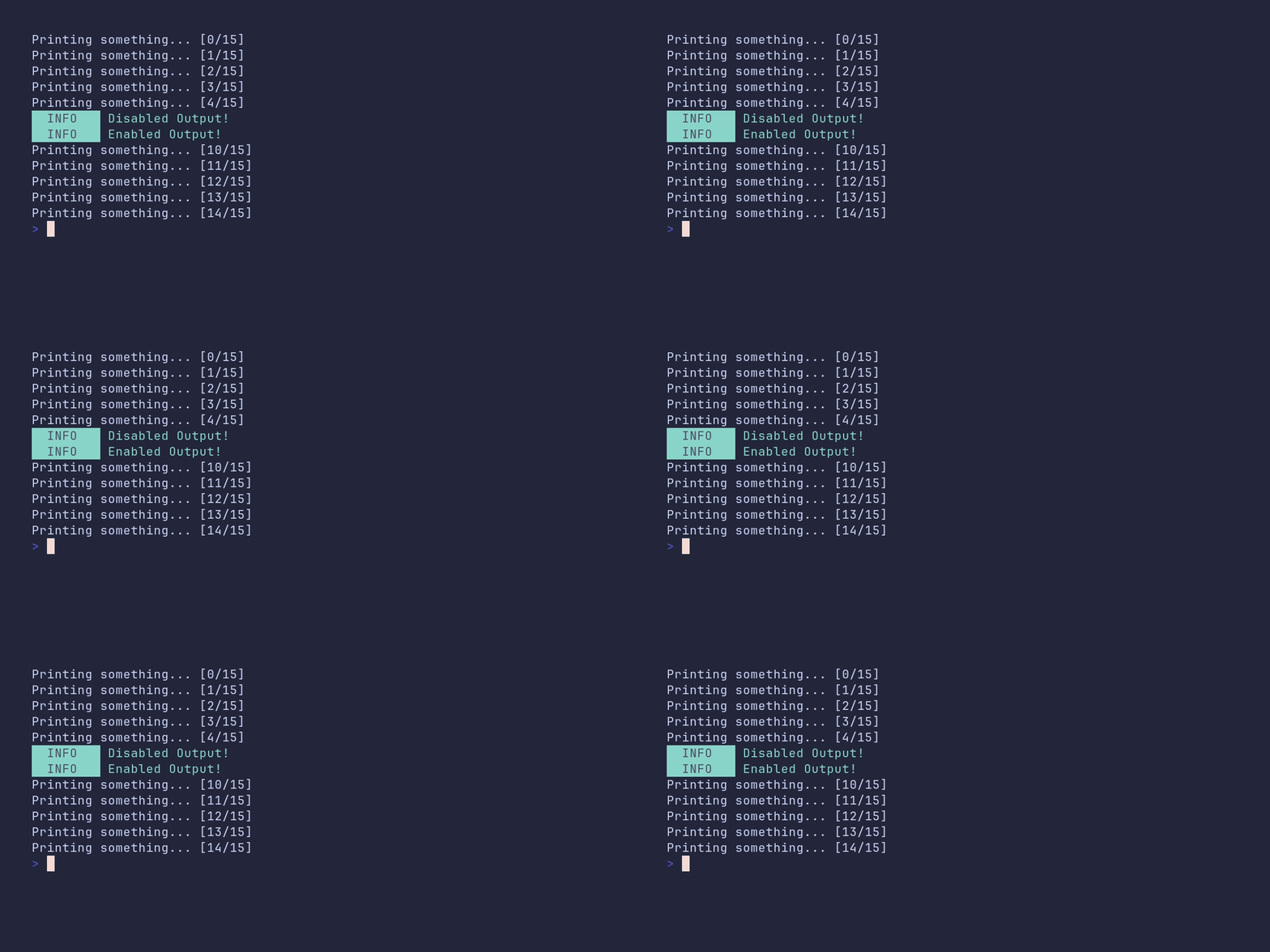
SHOW SOURCE
package main

import "github.com/pterm/pterm"

func main() {
	// DisableOutput silences all PTerm printers globally until EnableOutput
	// is called. Iterations 5-9 below produce no output at all.
	for i := 0; i < 15; i++ {
		switch i {
		case 5:
			pterm.Info.Println("Disabled Output!")
			pterm.DisableOutput()
		case 10:
			pterm.EnableOutput()
			pterm.Info.Println("Enabled Output!")
		}

		pterm.Printf("Printing something... [%d/%d]\n", i, 15)
	}
}
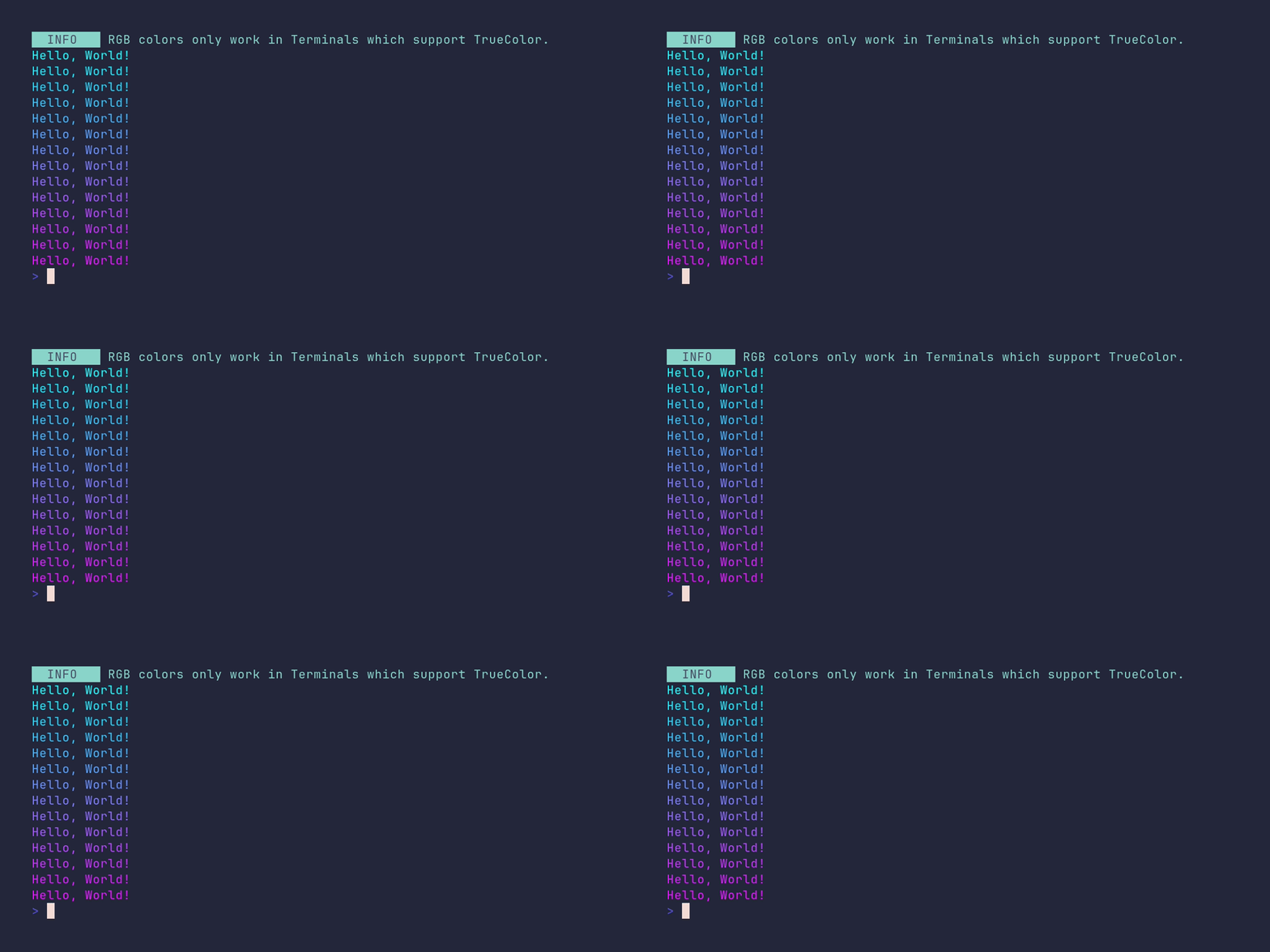
coloring/fade-colors
SHOW SOURCE
package main

import (
	"github.com/pterm/pterm"
)

func main() {
	// RGB colors need a TrueColor terminal; on anything less PTerm
	// downsamples them to the closest supported color.
	pterm.Info.Println("RGB colors only work in Terminals which support TrueColor.")

	startColor := pterm.NewRGB(0, 255, 255) // cyan
	endColor := pterm.NewRGB(255, 0, 255)   // magenta

	// Spread the gradient over the visible terminal height, one line per step.
	terminalHeight := pterm.GetTerminalHeight()

	for i := 0; i < terminalHeight-2; i++ {
		// Fade interpolates between the two colors; the factor 0..1 selects
		// the position on the gradient.
		fadeFactor := float32(i) / float32(terminalHeight-2)
		currentColor := startColor.Fade(0, 1, fadeFactor, endColor)

		currentColor.Println("Hello, World!")
	}
}
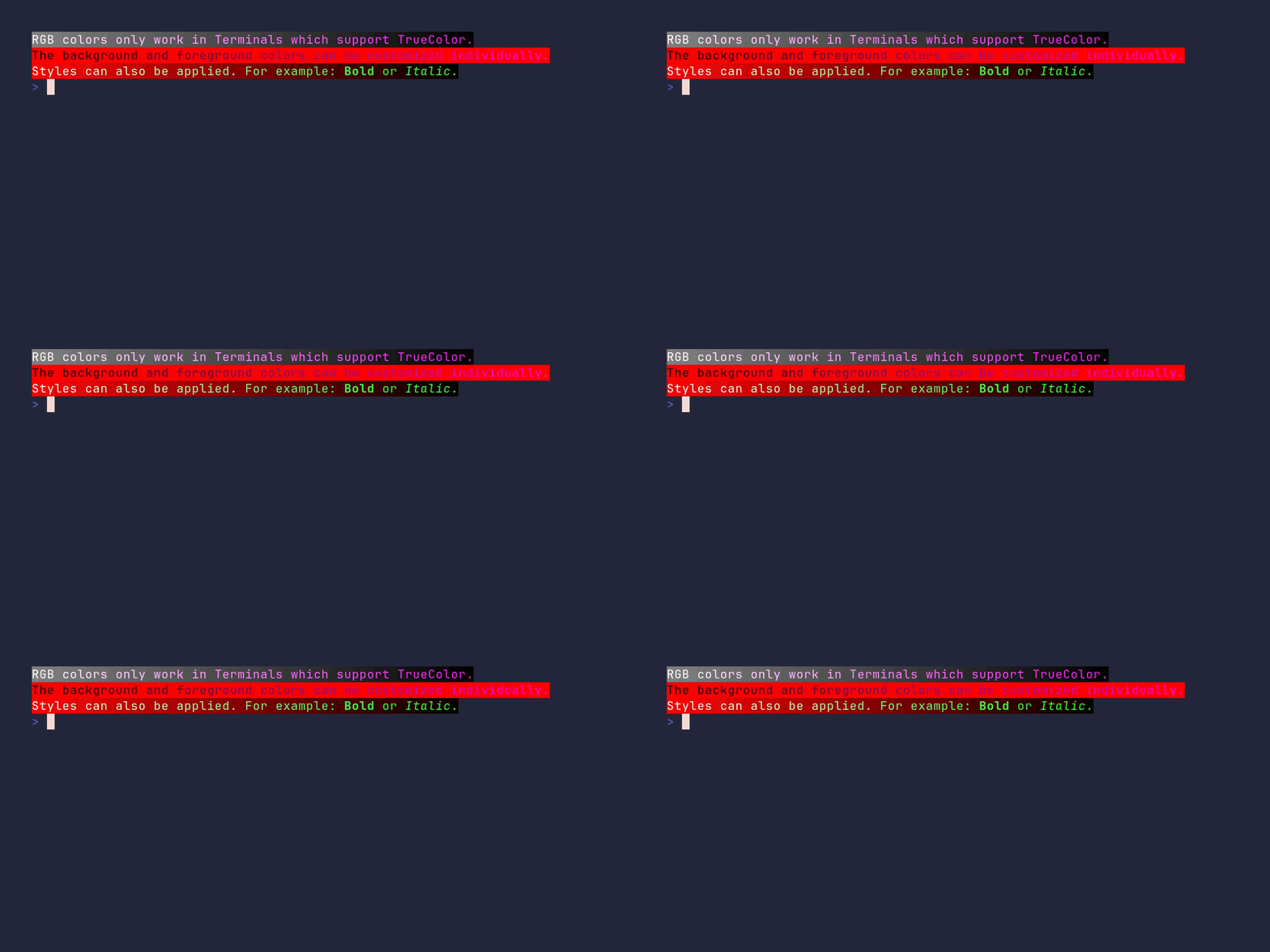
coloring/fade-colors-rgb-style
SHOW SOURCE
package main

import (
	"strings"

	"github.com/pterm/pterm"
)

// Demonstrates RGBStyle: fading the foreground and background independently,
// plus adding options like Bold or Italic on top of an RGB gradient.
// RGB colors need a TrueColor terminal to show up as smooth gradients.
func main() {
	white := pterm.NewRGB(255, 255, 255)
	grey := pterm.NewRGB(128, 128, 128)
	black := pterm.NewRGB(0, 0, 0)
	red := pterm.NewRGB(255, 0, 0)
	purple := pterm.NewRGB(255, 0, 255)
	green := pterm.NewRGB(0, 255, 0)

	str1 := "RGB colors only work in Terminals which support TrueColor."
	str2 := "The background and foreground colors can be customized individually."
	str3 := "Styles can also be applied. For example: Bold or Italic."

	printFadedString(str1, white, purple, grey, black)
	printFadedString(str2, black, purple, red, red)
	printStyledString(str3, white, green, red, black)
}

// printFadedString fades the foreground from fgStart to fgEnd and the
// background from bgStart to bgEnd across the string, one character at a time.
func printFadedString(str string, fgStart, fgEnd, bgStart, bgEnd pterm.RGB) {
	strs := strings.Split(str, "")
	var result string
	for i := 0; i < len(str); i++ {
		style := pterm.NewRGBStyle(fgStart.Fade(0, float32(len(str)), float32(i), fgEnd), bgStart.Fade(0, float32(len(str)), float32(i), bgEnd))
		result += style.Sprint(strs[i])
	}
	pterm.Println(result)
}

// printStyledString does the same fade, but additionally renders the words
// "Bold" and "Italic" in their respective style when they appear in the text.
func printStyledString(str string, fgStart, fgEnd, bgStart, bgEnd pterm.RGB) {
	strs := strings.Split(str, "")
	var result string
	boldStr := strings.Split("Bold", "")
	italicStr := strings.Split("Italic", "")
	bold, italic := 0, 0
	for i := 0; i < len(str); i++ {
		style := pterm.NewRGBStyle(fgStart.Fade(0, float32(len(str)), float32(i), fgEnd), bgStart.Fade(0, float32(len(str)), float32(i), bgEnd))
		// While inside the word "Bold" or "Italic", add the matching option.
		if bold < len(boldStr) && i+len(boldStr)-bold <= len(strs) && strings.Join(strs[i:i+len(boldStr)-bold], "") == strings.Join(boldStr[bold:], "") {
			style = style.AddOptions(pterm.Bold)
			bold++
		} else if italic < len(italicStr) && i+len(italicStr)-italic < len(strs) && strings.Join(strs[i:i+len(italicStr)-italic], "") == strings.Join(italicStr[italic:], "") {
			style = style.AddOptions(pterm.Italic)
			italic++
		}
		result += style.Sprint(strs[i])
	}
	pterm.Println(result)
}
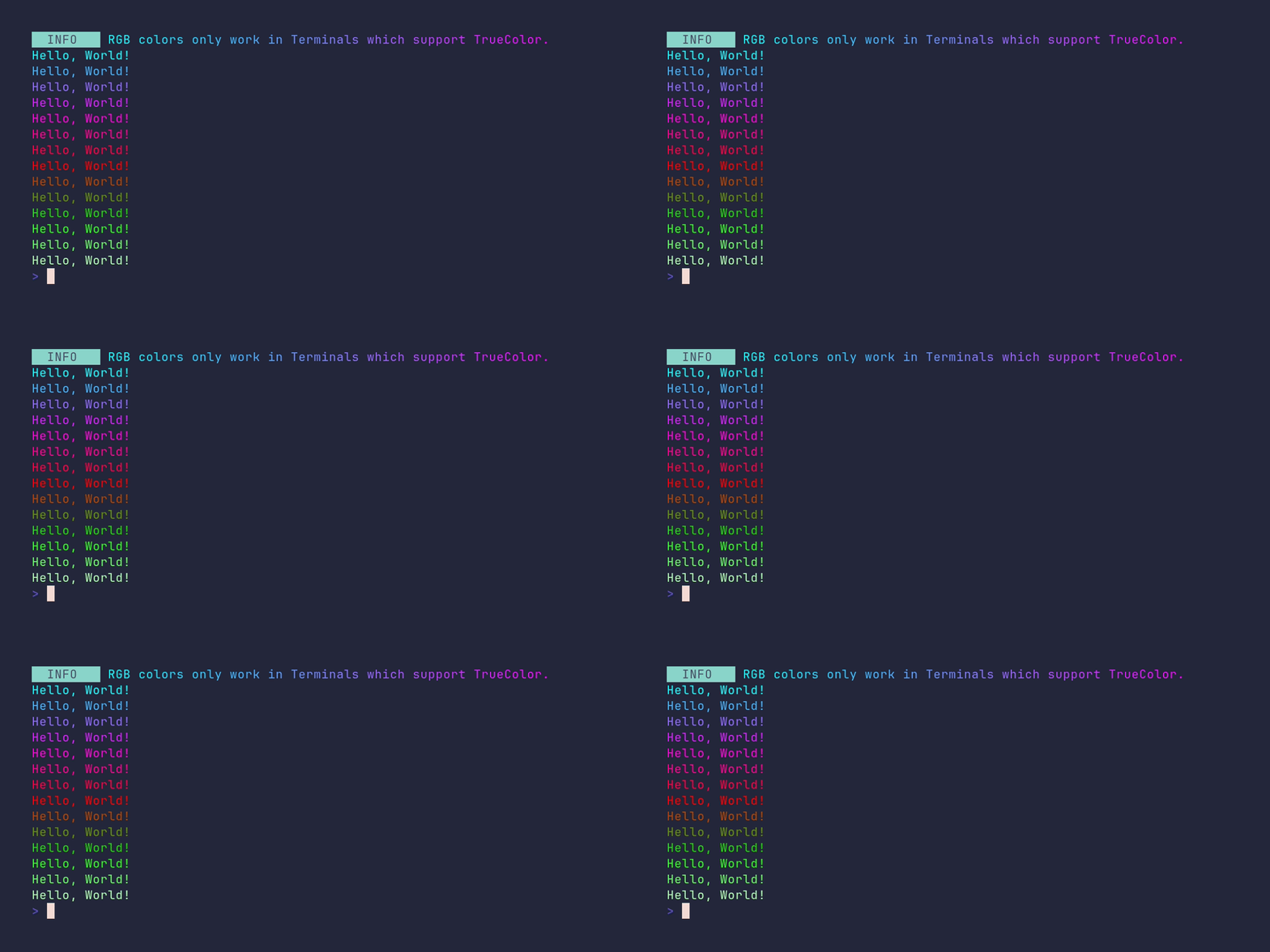
coloring/fade-multiple-colors
SHOW SOURCE
package main

import (
	"strings"

	"github.com/pterm/pterm"
)

func main() {
	// Fade accepts multiple target colors, so a gradient can pass through
	// several points instead of just blending between two.
	startColor := pterm.NewRGB(0, 255, 255)
	firstPoint := pterm.NewRGB(255, 0, 255)
	secondPoint := pterm.NewRGB(255, 0, 0)
	thirdPoint := pterm.NewRGB(0, 255, 0)
	endColor := pterm.NewRGB(255, 255, 255)

	str := "RGB colors only work in Terminals which support TrueColor."
	strs := strings.Split(str, "")

	// Fade a single line horizontally, character by character.
	var fadeInfo string
	for i := 0; i < len(str); i++ {
		fadeInfo += startColor.Fade(0, float32(len(str)), float32(i), firstPoint).Sprint(strs[i])
	}

	pterm.Info.Println(fadeInfo)

	terminalHeight := pterm.GetTerminalHeight()

	// Fade vertically over the visible terminal height, passing through all
	// four gradient points from top to bottom.
	for i := 0; i < terminalHeight-2; i++ {
		startColor.Fade(0, float32(terminalHeight-2), float32(i), firstPoint, secondPoint, thirdPoint, endColor).Println("Hello, World!")
	}
}
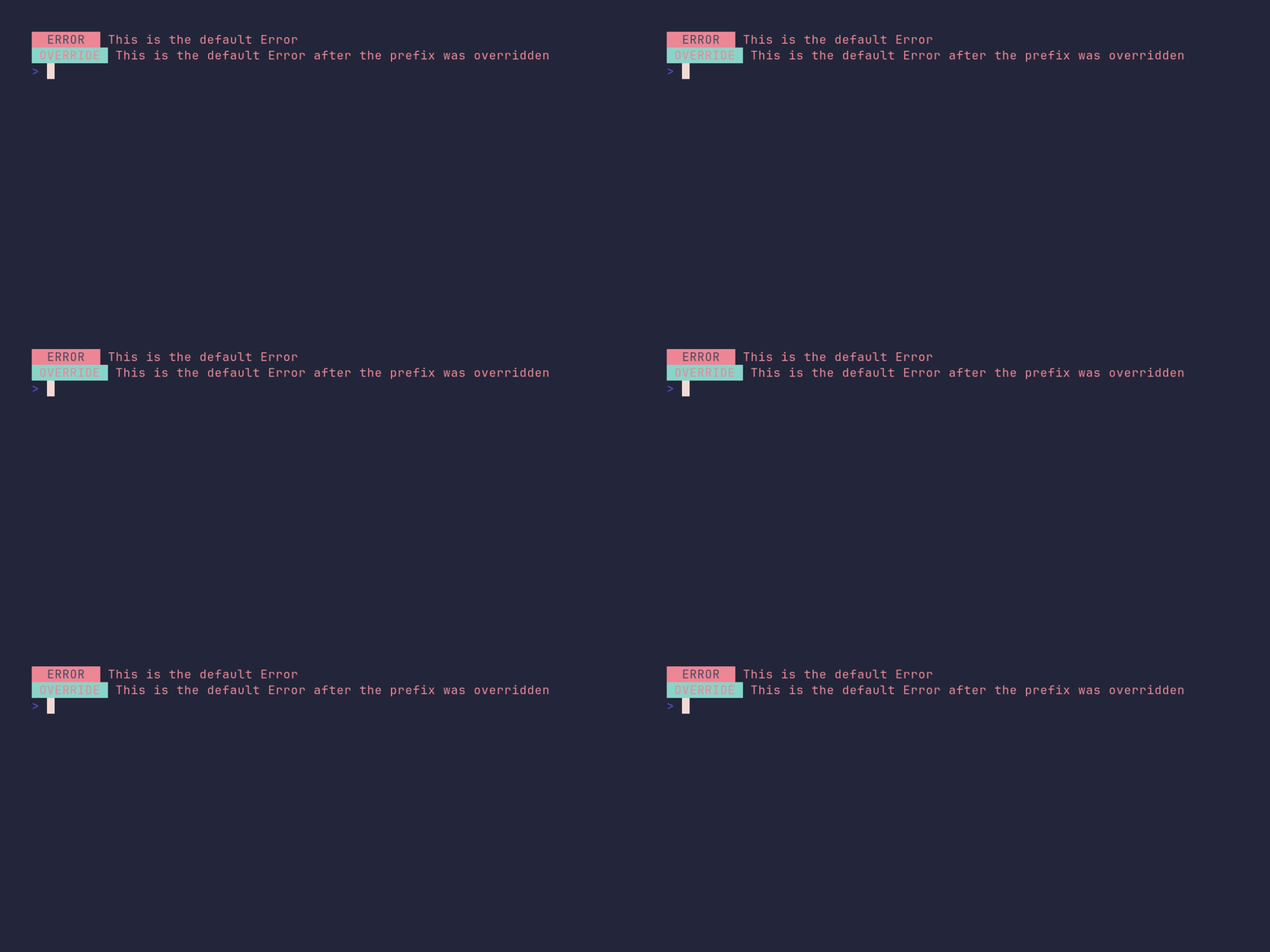
coloring/override-default-printers
SHOW SOURCE
package main

import "github.com/pterm/pterm"

func main() {
	pterm.Error.Println("This is the default Error")

	// The default printers are package-level variables, so their fields can
	// be changed directly. This swaps the Error prefix text and style for
	// every subsequent pterm.Error call in the program.
	pterm.Error.Prefix = pterm.Prefix{Text: "OVERRIDE", Style: pterm.NewStyle(pterm.BgCyan, pterm.FgRed)}

	pterm.Error.Println("This is the default Error after the prefix was overridden")
}
coloring/print-color-rgb
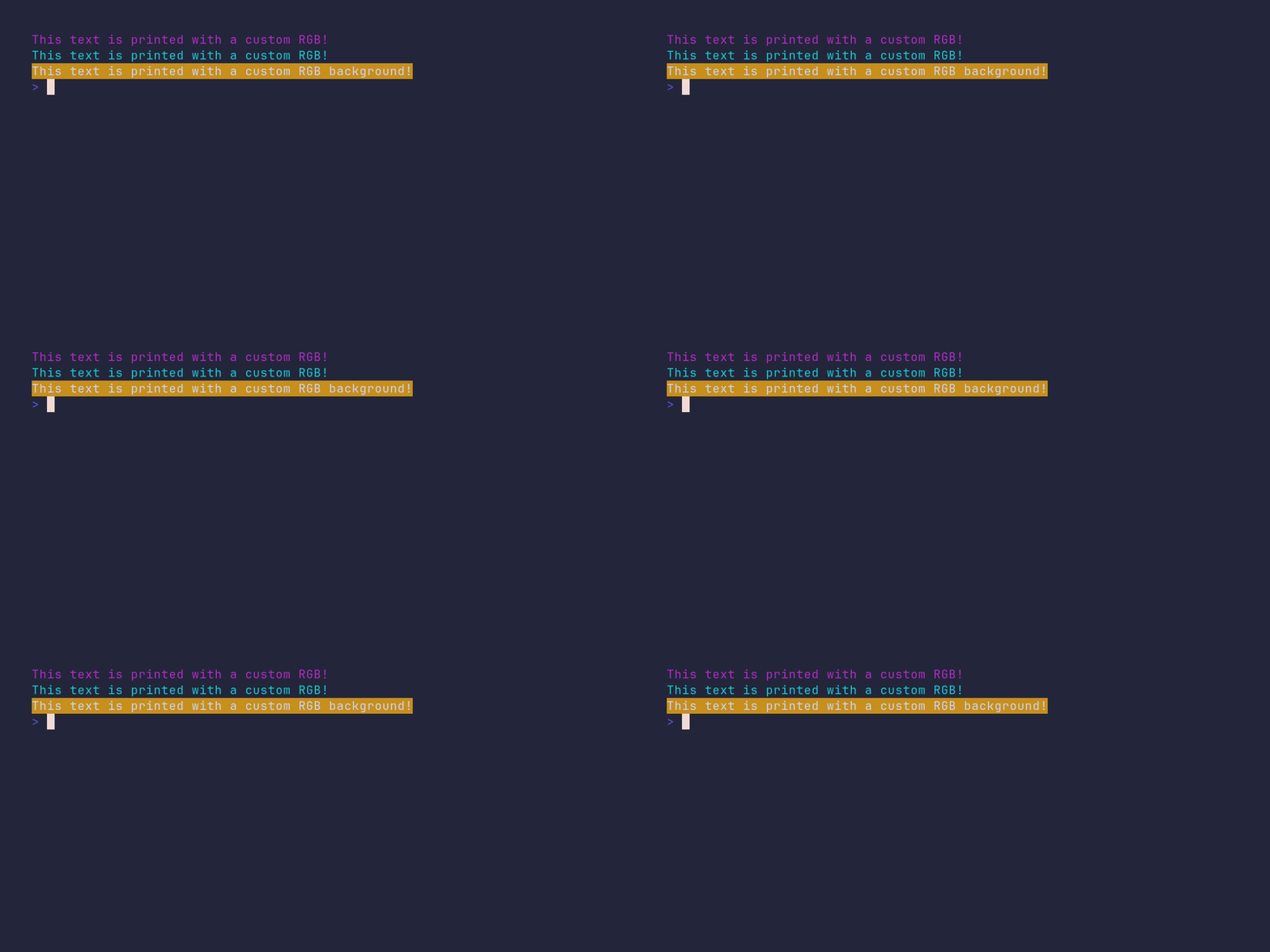
SHOW SOURCE
package main

import "github.com/pterm/pterm"

func main() {
	// NewRGB creates a TrueColor foreground color; every RGB value can be
	// used as a printer directly.
	pterm.NewRGB(178, 44, 199).Println("This text is printed with a custom RGB!")
	pterm.NewRGB(15, 199, 209).Println("This text is printed with a custom RGB!")

	// Passing true as the optional last argument makes the color apply to
	// the background instead of the text.
	pterm.NewRGB(201, 144, 30, true).Println("This text is printed with a custom RGB background!")
}
coloring/print-color-rgb-style
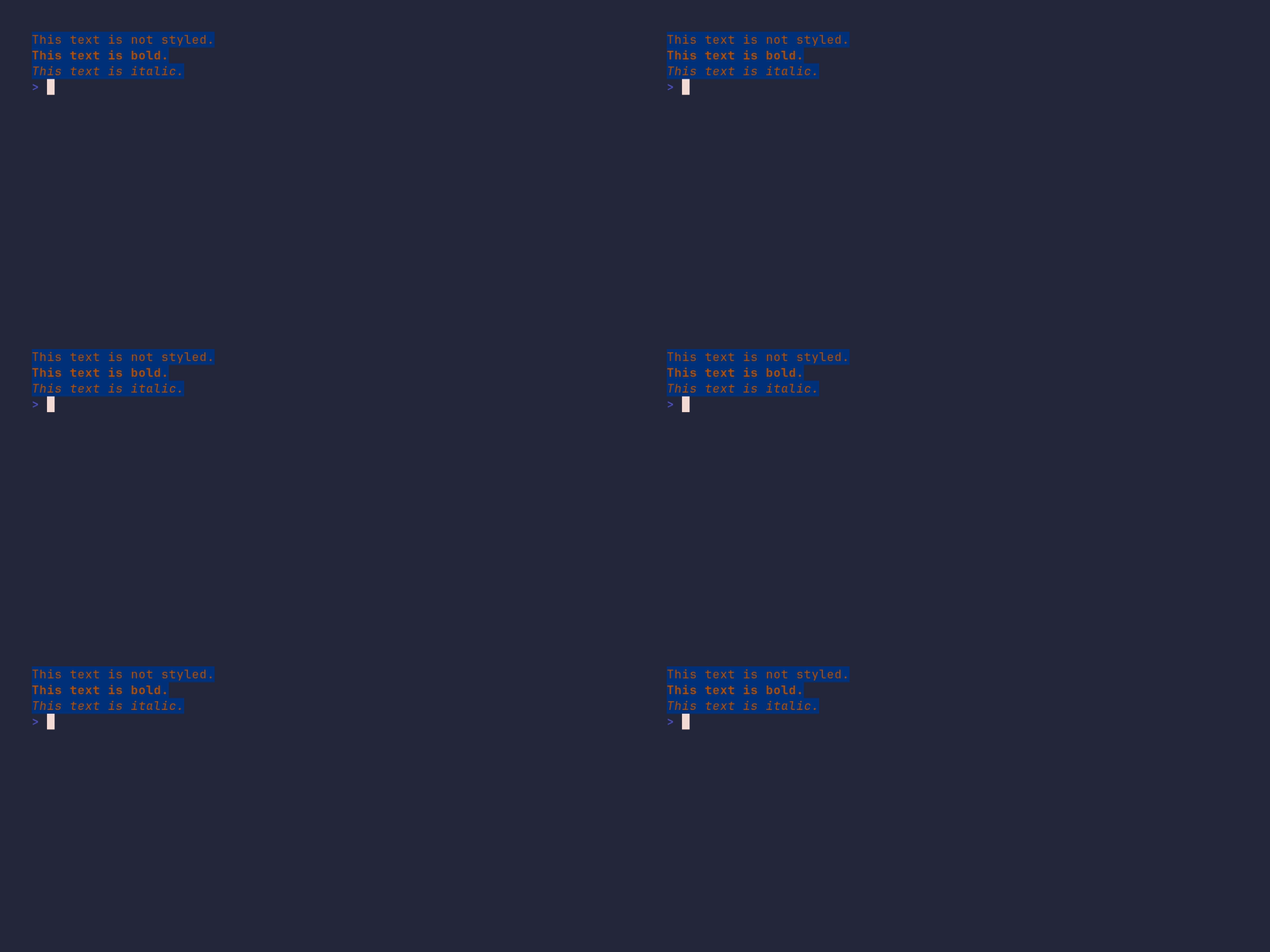
SHOW SOURCE
package main

import (
	"github.com/pterm/pterm"
)

func main() {
	foregroundRGB := pterm.RGB{R: 187, G: 80, B: 0}
	backgroundRGB := pterm.RGB{R: 0, G: 50, B: 123}

	// NewRGBStyle pairs a TrueColor foreground with a background color.
	rgbStyle := pterm.NewRGBStyle(foregroundRGB, backgroundRGB)

	rgbStyle.Println("This text is not styled.")

	// AddOptions returns a new style, so the bold and italic lines below are
	// independent of each other and of rgbStyle.
	rgbStyle.AddOptions(pterm.Bold).Println("This text is bold.")
	rgbStyle.AddOptions(pterm.Italic).Println("This text is italic.")
}
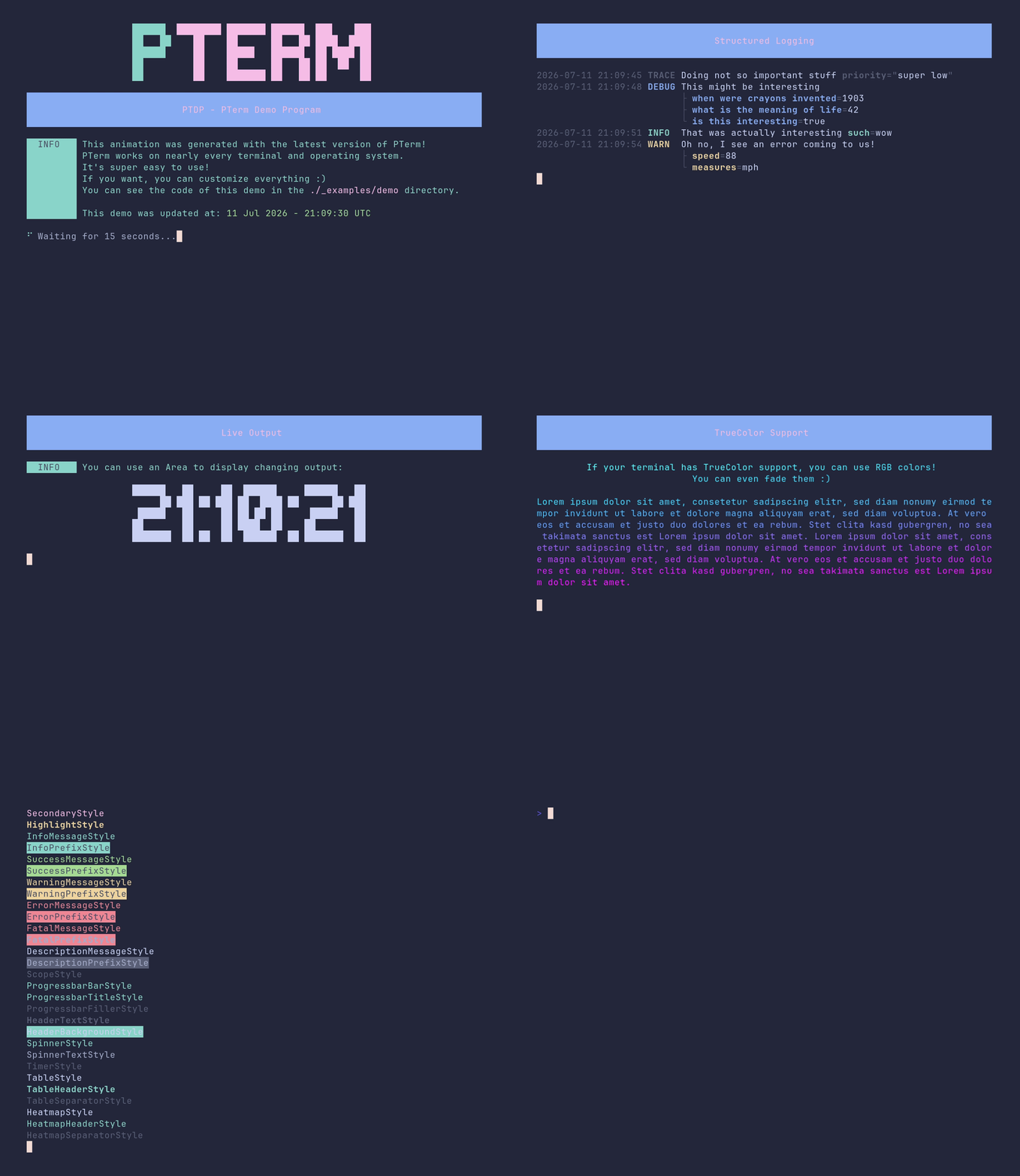
demo/demo
SHOW SOURCE
package main

import (
	"flag"
	"fmt"
	"reflect"
	"strconv"
	"strings"
	"time"

	"github.com/pterm/pterm"
	"github.com/pterm/pterm/putils"
)

var speedup = flag.Bool("speedup", false, "Speed up the demo")
var skipIntro = flag.Bool("skip-intro", false, "Skips the intro")
var second = time.Second
var section = pterm.DefaultHeader.WithBackgroundStyle(pterm.NewStyle(pterm.BgLightBlue)).WithTextStyle(pterm.NewStyle(pterm.FgLightMagenta)).WithFullWidth()

var pseudoProgramList = []string{"excel", "photoshop", "chrome", "outlook", "git", "vscode", "minecraft", "neovim", "gopls"}

func main() {
	setup()

	if !*skipIntro {
		introScreen()
		clear()
	}

	showcase("Structured Logging", 5, func() {
		logger := pterm.DefaultLogger.
			WithLevel(pterm.LogLevelTrace)

		logger.Trace("Doing not so important stuff", logger.Args("priority", "super low"))

		time.Sleep(second * 3)

		interestingStuff := map[string]any{
			"when were crayons invented":  "1903",
			"what is the meaning of life": 42,
			"is this interesting":         true,
		}
		logger.Debug("This might be interesting", logger.ArgsFromMap(interestingStuff))
		time.Sleep(second * 3)

		logger.Info("That was actually interesting", logger.Args("such", "wow"))
		time.Sleep(second * 3)
		logger.Warn("Oh no, I see an error coming to us!", logger.Args("speed", 88, "measures", "mph"))
		time.Sleep(second * 3)
		logger.Error("Damn, here it is!", logger.Args("error", "something went wrong"))
		time.Sleep(second * 3)
		logger.Info("But what's really cool is, that you can print very long logs, and PTerm will automatically wrap them for you! Say goodbye to text, that has weird line breaks!", logger.Args("very", "long"))
	})

	showcase("Progress bar", 2, func() {
		pb, _ := pterm.DefaultProgressbar.WithTotal(len(pseudoProgramList)).WithTitle("Installing stuff").Start()
		for i := 0; i < pb.Total; i++ {
			pb.UpdateTitle("Installing " + pseudoProgramList[i])
			if pseudoProgramList[i] == "pseudo-minecraft" {
				pterm.Warning.Println("Could not install pseudo-minecraft\nThe company policy forbids games.")
			} else {
				pterm.Success.Println("Installing " + pseudoProgramList[i])
			}
			pb.Increment()
			time.Sleep(second / 2)
		}
		pb.Stop()
	})

	showcase("Spinner", 2, func() {
		list := pseudoProgramList[7:]
		spinner, _ := pterm.DefaultSpinner.Start("Installing stuff")
		for i := 0; i < len(list); i++ {
			spinner.UpdateText("Installing " + list[i])
			if list[i] == "pseudo-minecraft" {
				pterm.Warning.Println("Could not install pseudo-minecraft\nThe company policy forbids games.")
			} else {
				pterm.Success.Println("Installing " + list[i])
			}
			time.Sleep(second)
		}
		spinner.Success()
	})

	showcase("Live Output", 2, func() {
		pterm.Info.Println("You can use an Area to display changing output:")
		pterm.Println()
		area, _ := pterm.DefaultArea.WithCenter().Start()
		for i := 0; i < 10; i++ {
			// Render the current time as big text and swap it into the area in place.
			str, _ := pterm.DefaultBigText.WithLetters(putils.LettersFromString(time.Now().Format("15:04:05"))).Srender()
			area.Update(str)
			time.Sleep(second)
		}
		area.Stop()
	})

	showcase("Tables", 4, func() {
		for i := 0; i < 3; i++ {
			pterm.Println()
		}
		td := [][]string{
			{"Library", "Description"},
			{"PTerm", "Make beautiful CLIs"},
			{"Testza", "Programmer friendly test framework"},
			{"Cursor", "Move the cursor around the terminal"},
		}
		table, _ := pterm.DefaultTable.WithHasHeader().WithData(td).Srender()
		boxedTable, _ := pterm.DefaultTable.WithHasHeader().WithData(td).WithBoxed().Srender()
		pterm.DefaultCenter.Println(table)
		pterm.DefaultCenter.Println(boxedTable)
	})

	showcase("TrueColor Support", 7, func() {
		// Fade blends every character from the start color to the end color over the string.
		from := pterm.NewRGB(0, 255, 255)
		to := pterm.NewRGB(255, 0, 255)

		str := "If your terminal has TrueColor support, you can use RGB colors!\nYou can even fade them :)\n\nLorem ipsum dolor sit amet, consetetur sadipscing elitr, sed diam nonumy eirmod tempor invidunt ut labore et dolore magna aliquyam erat, sed diam voluptua. At vero eos et accusam et justo duo dolores et ea rebum. Stet clita kasd gubergren, no sea takimata sanctus est Lorem ipsum dolor sit amet. Lorem ipsum dolor sit amet, consetetur sadipscing elitr, sed diam nonumy eirmod tempor invidunt ut labore et dolore magna aliquyam erat, sed diam voluptua. At vero eos et accusam et justo duo dolores et ea rebum. Stet clita kasd gubergren, no sea takimata sanctus est Lorem ipsum dolor sit amet."
		strs := strings.Split(str, "")

		var fadeInfo string
		for i := 0; i < len(str); i++ {
			fadeInfo += from.Fade(0, float32(len(str)), float32(i), to).Sprint(strs[i])
		}
		pterm.DefaultCenter.WithCenterEachLineSeparately().Println(fadeInfo)
	})

	showcase("Fully Customizable", 2, func() {
		for i := 0; i < 4; i++ {
			pterm.Println()
		}
		text := "All printers are fully customizable!"
		area := pterm.DefaultArea.WithCenter()
		area.Update(pterm.DefaultBox.Sprintln(text))
		time.Sleep(second)
		area.Update(pterm.DefaultBox.WithTopPadding(1).Sprintln(text))
		time.Sleep(second / 3)
		area.Update(pterm.DefaultBox.WithTopPadding(1).WithBottomPadding(1).Sprintln(text))
		time.Sleep(second / 3)
		area.Update(pterm.DefaultBox.WithTopPadding(1).WithBottomPadding(1).WithLeftPadding(1).Sprintln(text))
		time.Sleep(second / 3)
		area.Update(pterm.DefaultBox.WithTopPadding(1).WithBottomPadding(1).WithLeftPadding(1).WithRightPadding(1).Sprintln(text))
		time.Sleep(second / 3)
		area.Update(pterm.DefaultBox.WithTopPadding(1).WithBottomPadding(1).WithLeftPadding(1).WithRightPadding(1).WithTitle("Some title!").WithTitleTopLeft().Sprintln(text))
		time.Sleep(second / 3)
		area.Update(pterm.DefaultBox.WithTopPadding(1).WithBottomPadding(1).WithLeftPadding(1).WithRightPadding(1).WithTitle("Some title!").WithTitleTopCenter().Sprintln(text))
		time.Sleep(second / 3)
		area.Update(pterm.DefaultBox.WithTopPadding(1).WithBottomPadding(1).WithLeftPadding(1).WithRightPadding(1).WithTitle("Some title!").WithTitleTopRight().Sprintln(text))
		time.Sleep(second / 3)
		area.Update(pterm.DefaultBox.WithTopPadding(1).WithBottomPadding(1).WithLeftPadding(1).WithRightPadding(1).WithTitle("Some title!").WithTitleBottomRight().Sprintln(text))
		time.Sleep(second / 3)
		area.Update(pterm.DefaultBox.WithTopPadding(1).WithBottomPadding(1).WithLeftPadding(1).WithRightPadding(1).WithTitle("Some title!").WithTitleBottomCenter().Sprintln(text))
		time.Sleep(second / 3)
		area.Update(pterm.DefaultBox.WithTopPadding(1).WithBottomPadding(1).WithLeftPadding(1).WithRightPadding(1).WithTitle("Some title!").WithTitleBottomLeft().Sprintln(text))
		time.Sleep(second / 3)
		area.Update(pterm.DefaultBox.WithTopPadding(1).WithBottomPadding(1).WithLeftPadding(1).WithRightPadding(1).WithBoxStyle(pterm.NewStyle(pterm.FgCyan)).Sprintln(text))
		time.Sleep(second / 5)
		area.Update(pterm.DefaultBox.WithTopPadding(1).WithBottomPadding(1).WithLeftPadding(1).WithRightPadding(1).WithBoxStyle(pterm.NewStyle(pterm.FgRed)).Sprintln(text))
		time.Sleep(second / 5)
		area.Update(pterm.DefaultBox.WithTopPadding(1).WithBottomPadding(1).WithLeftPadding(1).WithRightPadding(1).WithBoxStyle(pterm.NewStyle(pterm.FgGreen)).Sprintln(text))
		time.Sleep(second / 5)
		area.Update(pterm.DefaultBox.WithTopPadding(1).
			WithBottomPadding(1).
			WithLeftPadding(1).
			WithRightPadding(1).
			WithHorizontalString("═").
			WithVerticalString("║").
			WithBottomLeftCornerString("╗").
			WithBottomRightCornerString("╔").
			WithTopLeftCornerString("╝").
			WithTopRightCornerString("╚").
			Sprintln(text))
		area.Stop()
	})

	showcase("Themes", 2, func() {
		pterm.Info.Println("You can change the color theme of PTerm easily to fit your needs!\nThis is the default one:")
		time.Sleep(second / 2)

		// Print every style of the default theme, each rendered in its own style.
		v := reflect.ValueOf(pterm.ThemeDefault)
		typeOfS := v.Type()

		if typeOfS == reflect.TypeOf(pterm.Theme{}) {
			for i := 0; i < v.NumField(); i++ {
				field, ok := v.Field(i).Interface().(pterm.Style)
				if ok {
					field.Println(typeOfS.Field(i).Name)
				}
				time.Sleep(second / 4)
			}
		}
	})

	showcase("And much more!", 3, func() {
		for i := 0; i < 4; i++ {
			pterm.Println()
		}
		box := pterm.DefaultBox.
			WithBottomPadding(1).
			WithTopPadding(1).
			WithLeftPadding(3).
			WithRightPadding(3).
			Sprintf("Have fun exploring %s!", pterm.Cyan("PTerm"))
		pterm.DefaultCenter.Println(box)
	})
}

func setup() {
	flag.Parse()
	if *speedup {
		second = time.Millisecond * 200
	}
}

func introScreen() {
	ptermLogo, _ := pterm.DefaultBigText.WithLetters(
		putils.LettersFromStringWithStyle("P", pterm.NewStyle(pterm.FgLightCyan)),
		putils.LettersFromStringWithStyle("Term", pterm.NewStyle(pterm.FgLightMagenta))).
		Srender()

	pterm.DefaultCenter.Print(ptermLogo)

	section.Println("PTDP - PTerm Demo Program")

	fmt.Println()

	pterm.Info.Println("This animation was generated with the latest version of PTerm!" +
		"\nPTerm works on nearly every terminal and operating system." +
		"\nIt's super easy to use!" +
		"\nIf you want, you can customize everything :)" +
		"\nYou can see the code of this demo in the " + pterm.LightMagenta("./_examples/demo") + " directory." +
		"\n" +
		"\nThis demo was updated at: " + pterm.Green(time.Now().Format("02 Jan 2006 - 15:04:05 MST")))
	pterm.Println()
	introSpinner, _ := pterm.DefaultSpinner.WithShowTimer(false).WithRemoveWhenDone(true).Start("Waiting for 15 seconds...")
	time.Sleep(second)
	for i := 14; i > 0; i-- {
		if i > 1 {
			introSpinner.UpdateText("Waiting for " + strconv.Itoa(i) + " seconds...")
		} else {
			introSpinner.UpdateText("Waiting for " + strconv.Itoa(i) + " second...")
		}
		time.Sleep(second)
	}
	introSpinner.Stop()
}

func clear() {
	print("\033[H\033[2J")
}

func showcase(title string, seconds int, content func()) {
	section.Println(title)
	pterm.Println()
	time.Sleep(second / 2)
	content()
	time.Sleep(second * time.Duration(seconds))
	print("\033[H\033[2J")
}
header/demo
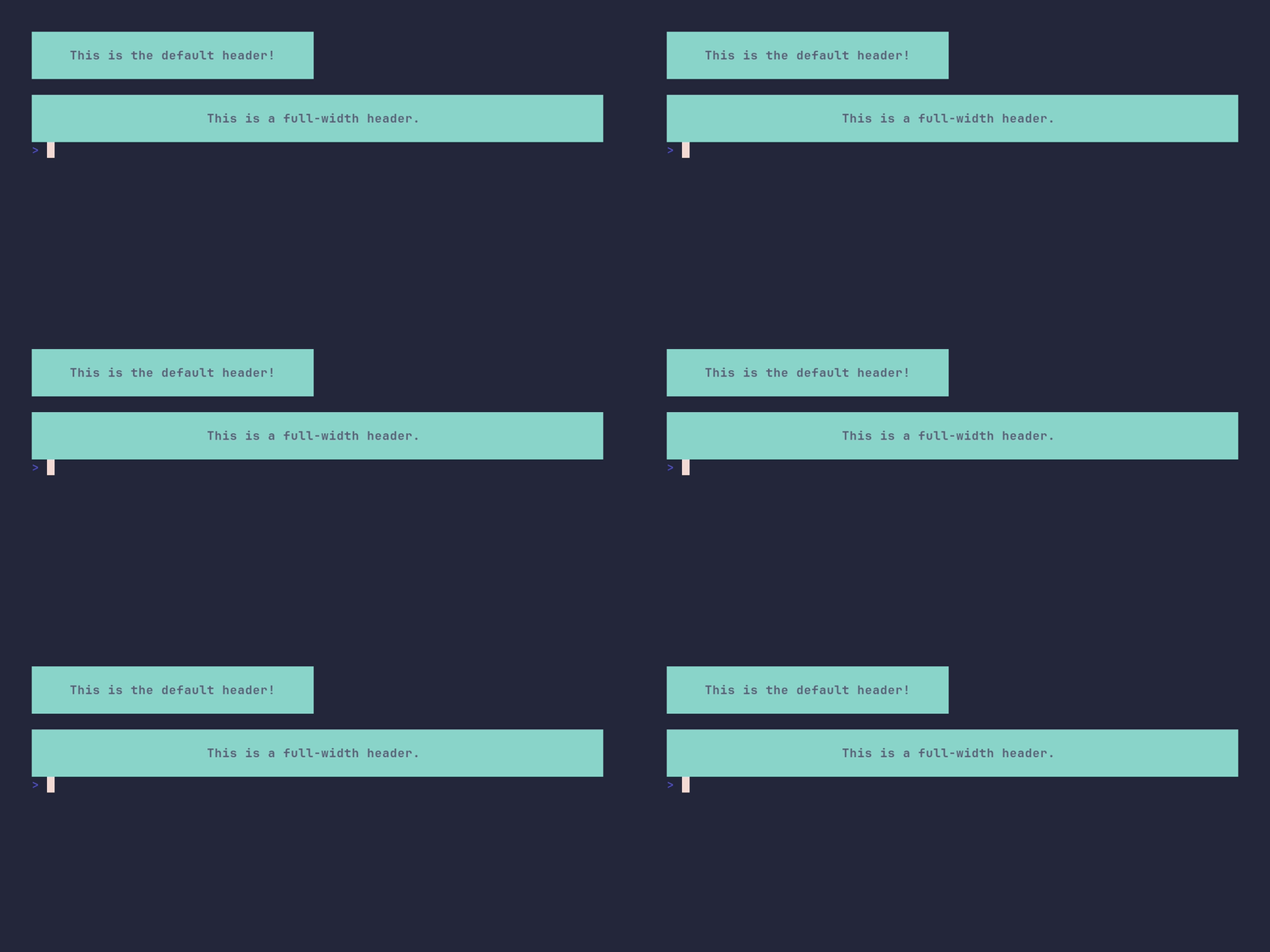
SHOW SOURCE
package main

import "github.com/pterm/pterm"

func main() {
	// By default the header is only as wide as its content plus the margin.
	pterm.DefaultHeader.Println("This is the default header!")

	pterm.Println()

	// WithFullWidth stretches the header background across the whole terminal.
	pterm.DefaultHeader.WithFullWidth().Println("This is a full-width header.")
}
header/custom
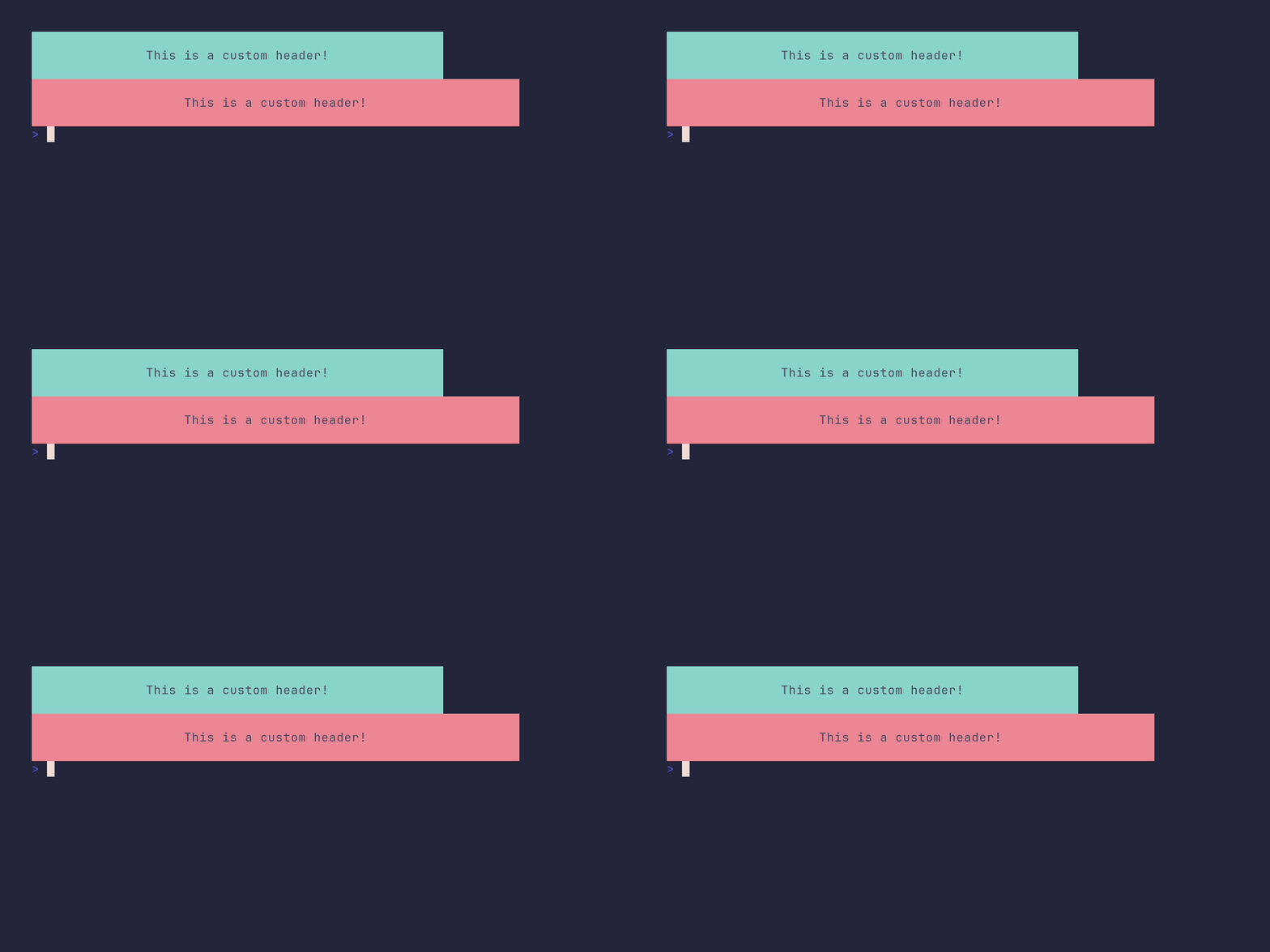
SHOW SOURCE
package main

import "github.com/pterm/pterm"

func main() {
	// Restyle the default header on the fly. The margin adds horizontal
	// padding on both sides of the text.
	pterm.DefaultHeader.WithMargin(15).WithBackgroundStyle(pterm.NewStyle(pterm.BgCyan)).WithTextStyle(pterm.NewStyle(pterm.FgBlack)).Println("This is a custom header!")

	// Alternatively, build a HeaderPrinter from scratch instead of deriving
	// from DefaultHeader.
	newHeader := pterm.HeaderPrinter{
		TextStyle:       pterm.NewStyle(pterm.FgBlack),
		BackgroundStyle: pterm.NewStyle(pterm.BgRed),
		Margin:          20,
	}

	newHeader.Println("This is a custom header!")
}
heatmap/demo
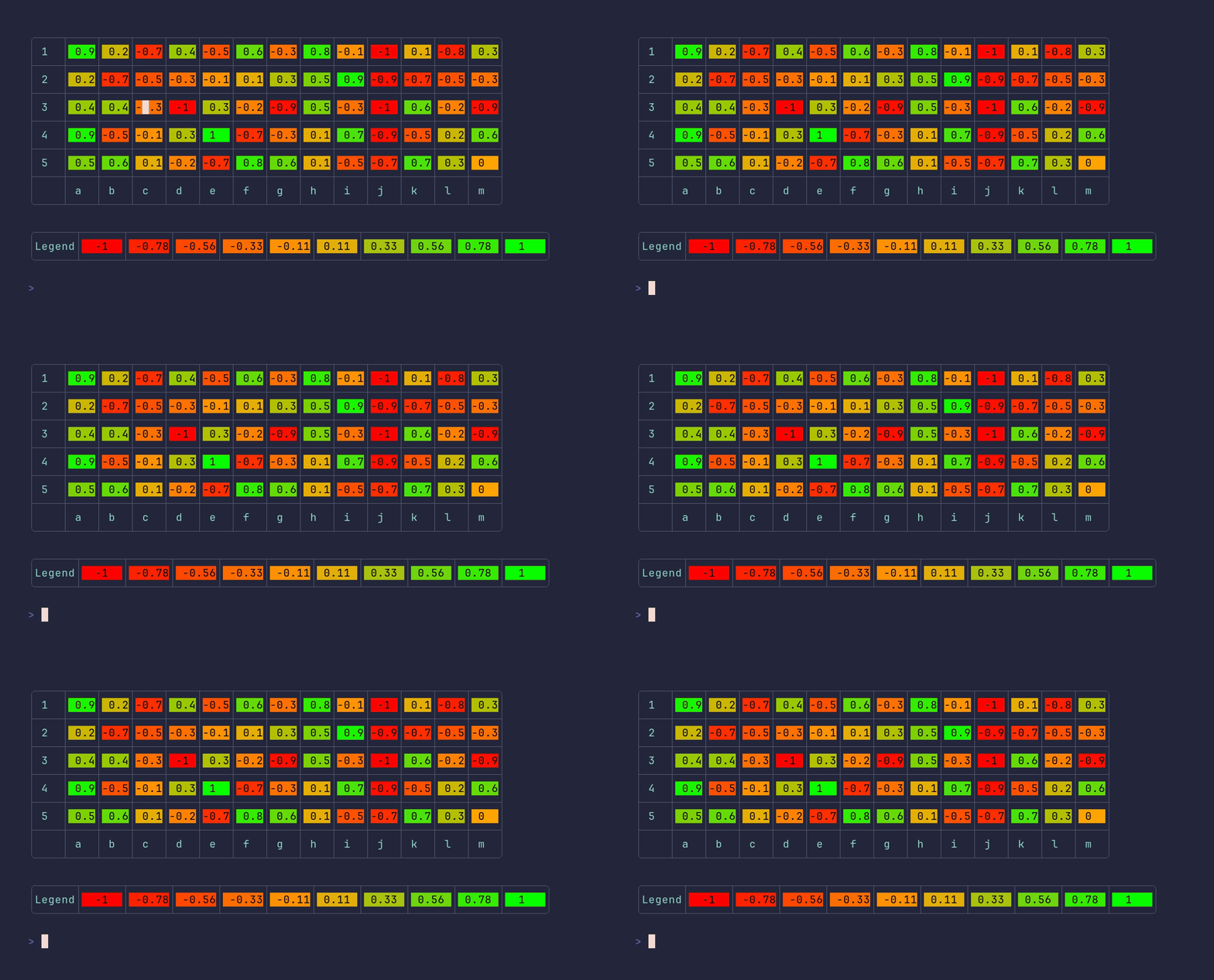
SHOW SOURCE
package main

import (
	"github.com/pterm/pterm"
)

func main() {
	// Each inner slice is one row; cell colors are scaled between the
	// smallest and largest value in the whole matrix.
	data := [][]float32{
		{0.9, 0.2, -0.7, 0.4, -0.5, 0.6, -0.3, 0.8, -0.1, -1.0, 0.1, -0.8, 0.3},
		{0.2, -0.7, -0.5, -0.3, -0.1, 0.1, 0.3, 0.5, 0.9, -0.9, -0.7, -0.5, -0.3},
		{0.4, 0.4, -0.3, -1.0, 0.3, -0.2, -0.9, 0.5, -0.3, -1.0, 0.6, -0.2, -0.9},
		{0.9, -0.5, -0.1, 0.3, 1, -0.7, -0.3, 0.1, 0.7, -0.9, -0.5, 0.2, 0.6},
		{0.5, 0.6, 0.1, -0.2, -0.7, 0.8, 0.6, 0.1, -0.5, -0.7, 0.7, 0.3, 0.0},
	}

	// Axis labels must match the data: one X label per column, one Y label per row.
	headerData := pterm.HeatmapAxis{
		XAxis: []string{"a", "b", "c", "d", "e", "f", "g", "h", "i", "j", "k", "l", "m"},
		YAxis: []string{"1", "2", "3", "4", "5"},
	}

	// WithEnableRGB uses smooth TrueColor gradients instead of the ANSI palette.
	pterm.DefaultHeatmap.WithAxisData(headerData).WithData(data).WithEnableRGB().Render()
}
heatmap/custom_colors
SHOW SOURCE
package main

import (
	"github.com/pterm/pterm"
)

func main() {
	data := [][]float32{
		{0.9, 0.2, -0.7, 0.4, -0.5, 0.6, -0.3, 0.8, -0.1, -1.0, 0.1, -0.8, 0.3},
		{0.2, -0.7, -0.5, -0.3, -0.1, 0.1, 0.3, 0.5, 0.9, -0.9, -0.7, -0.5, -0.3},
		{0.4, 0.4, -0.3, -1.0, 0.3, -0.2, -0.9, 0.5, -0.3, -1.0, 0.6, -0.2, -0.9},
		{0.9, -0.5, -0.1, 0.3, 1, -0.7, -0.3, 0.1, 0.7, -0.9, -0.5, 0.2, 0.6},
		{0.5, 0.6, 0.1, -0.2, -0.7, 0.8, 0.6, 0.1, -0.5, -0.7, 0.7, 0.3, 0.0},
	}

	headerData := pterm.HeatmapAxis{
		XAxis: []string{"a", "b", "c", "d", "e", "f", "g", "h", "i", "j", "k", "l", "m"},
		YAxis: []string{"1", "2", "3", "4", "5"},
	}

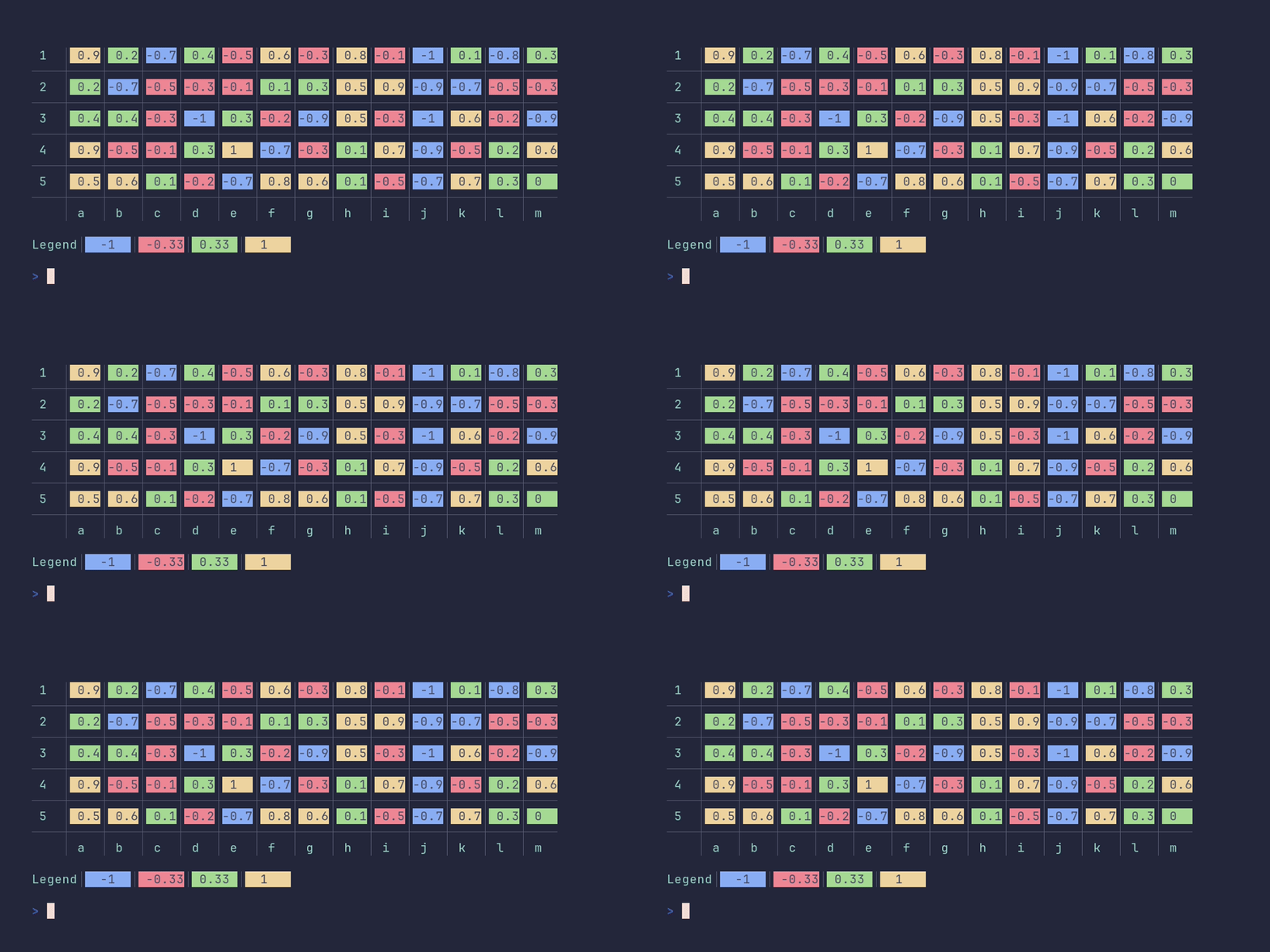
	pterm.Info.Println("The following table has no rgb (supported by every terminal), axis data and a legend.")
	pterm.Println()

	// WithColors replaces the default palette with custom ANSI background
	// colors, mapped from the lowest to the highest value. Unlike RGB mode,
	// this works in every terminal.
	pterm.DefaultHeatmap.
		WithData(data).
		WithBoxed(false).
		WithAxisData(headerData).
		WithColors(pterm.BgBlue, pterm.BgRed, pterm.BgGreen, pterm.BgYellow).
		WithLegend().
		Render()
}
heatmap/custom_legend
SHOW SOURCE
package main

import (
	"github.com/pterm/pterm"
)

func main() {
	data := [][]float32{
		{0.9, 0.2, -0.7, 0.4, -0.5, 0.6, -0.3, 0.8, -0.1, -1.0, 0.1, -0.8, 0.3},
		{0.2, -0.7, -0.5, -0.3, -0.1, 0.1, 0.3, 0.5, 0.9, -0.9, -0.7, -0.5, -0.3},
		{0.4, 0.4, -0.3, -1.0, 0.3, -0.2, -0.9, 0.5, -0.3, -1.0, 0.6, -0.2, -0.9},
		{0.9, -0.5, -0.1, 0.3, 1, -0.7, -0.3, 0.1, 0.7, -0.9, -0.5, 0.2, 0.6},
		{0.5, 0.6, 0.1, -0.2, -0.7, 0.8, 0.6, 0.1, -0.5, -0.7, 0.7, 0.3, 0.0},
	}

	headerData := pterm.HeatmapAxis{
		XAxis: []string{"a", "b", "c", "d", "e", "f", "g", "h", "i", "j", "k", "l", "m"},
		YAxis: []string{"1", "2", "3", "4", "5"},
	}

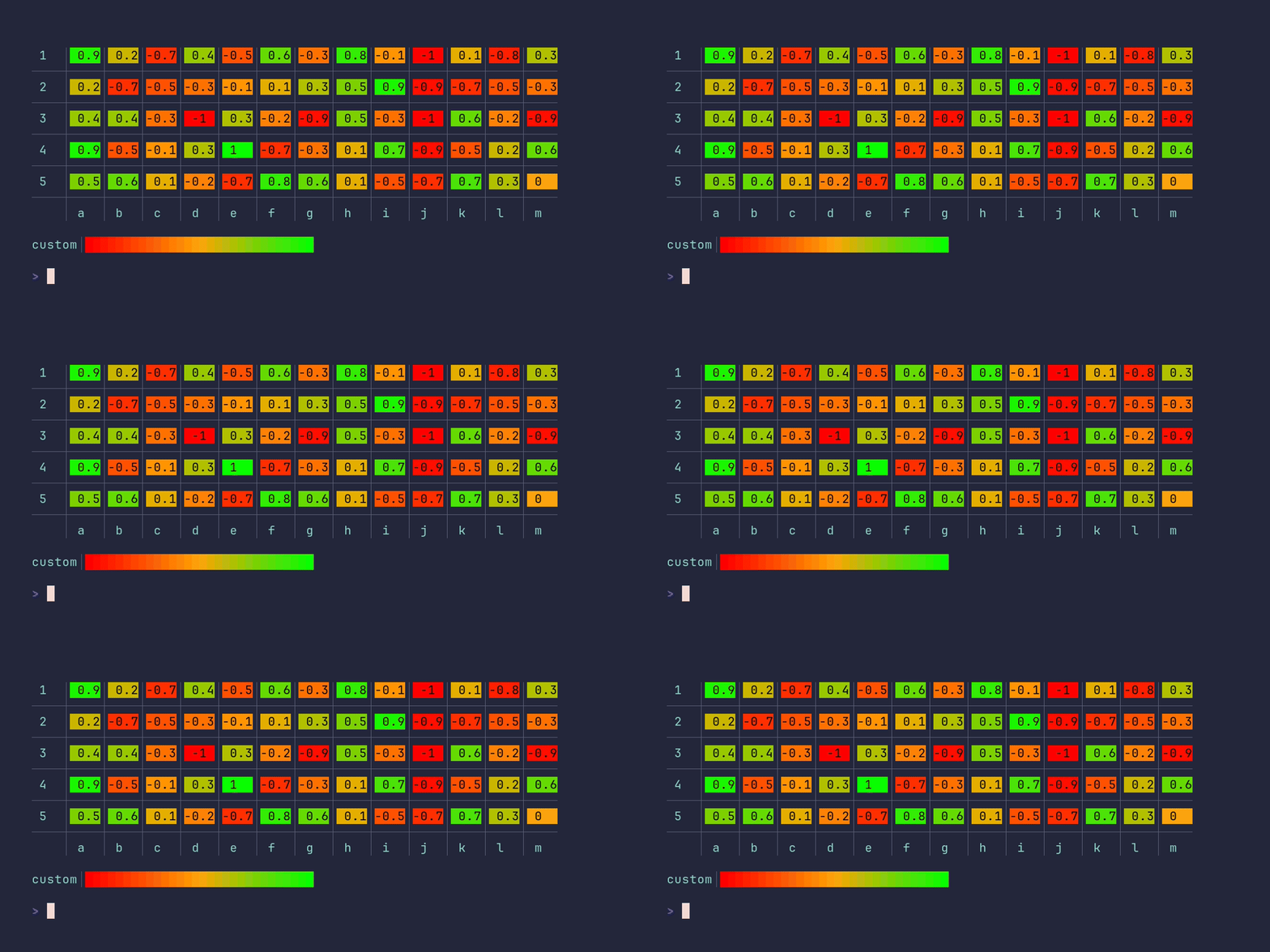
	pterm.Info.Println("The following table has rgb (not supported by every terminal), axis data and a custom legend.")
	pterm.Println()

	// WithLegendLabel changes the legend title, and WithLegendOnlyColoredCells
	// hides the numeric values in the legend, leaving just the color swatches.
	pterm.DefaultHeatmap.
		WithData(data).
		WithBoxed(false).
		WithAxisData(headerData).
		WithEnableRGB().
		WithLegendLabel("custom").
		WithLegendOnlyColoredCells().
		Render()
}
heatmap/custom_rgb
SHOW SOURCE
package main

import (
	"github.com/pterm/pterm"
)

func main() {
	data := [][]float32{
		{0.9, 0.2, -0.7, 0.4, -0.5, 0.6, -0.3, 0.8, -0.1, -1.0, 0.1, -0.8, 0.3},
		{0.2, -0.7, -0.5, -0.3, -0.1, 0.1, 0.3, 0.5, 0.9, -0.9, -0.7, -0.5, -0.3},
		{0.4, 0.4, -0.3, -1.0, 0.3, -0.2, -0.9, 0.5, -0.3, -1.0, 0.6, -0.2, -0.9},
		{0.9, -0.5, -0.1, 0.3, 1, -0.7, -0.3, 0.1, 0.7, -0.9, -0.5, 0.2, 0.6},
		{0.5, 0.6, 0.1, -0.2, -0.7, 0.8, 0.6, 0.1, -0.5, -0.7, 0.7, 0.3, 0.0},
	}

	axisLabels := pterm.HeatmapAxis{
		XAxis: []string{"a", "b", "c", "d", "e", "f", "g", "h", "i", "j", "k", "l", "m"},
		YAxis: []string{"1", "2", "3", "4", "5"},
	}

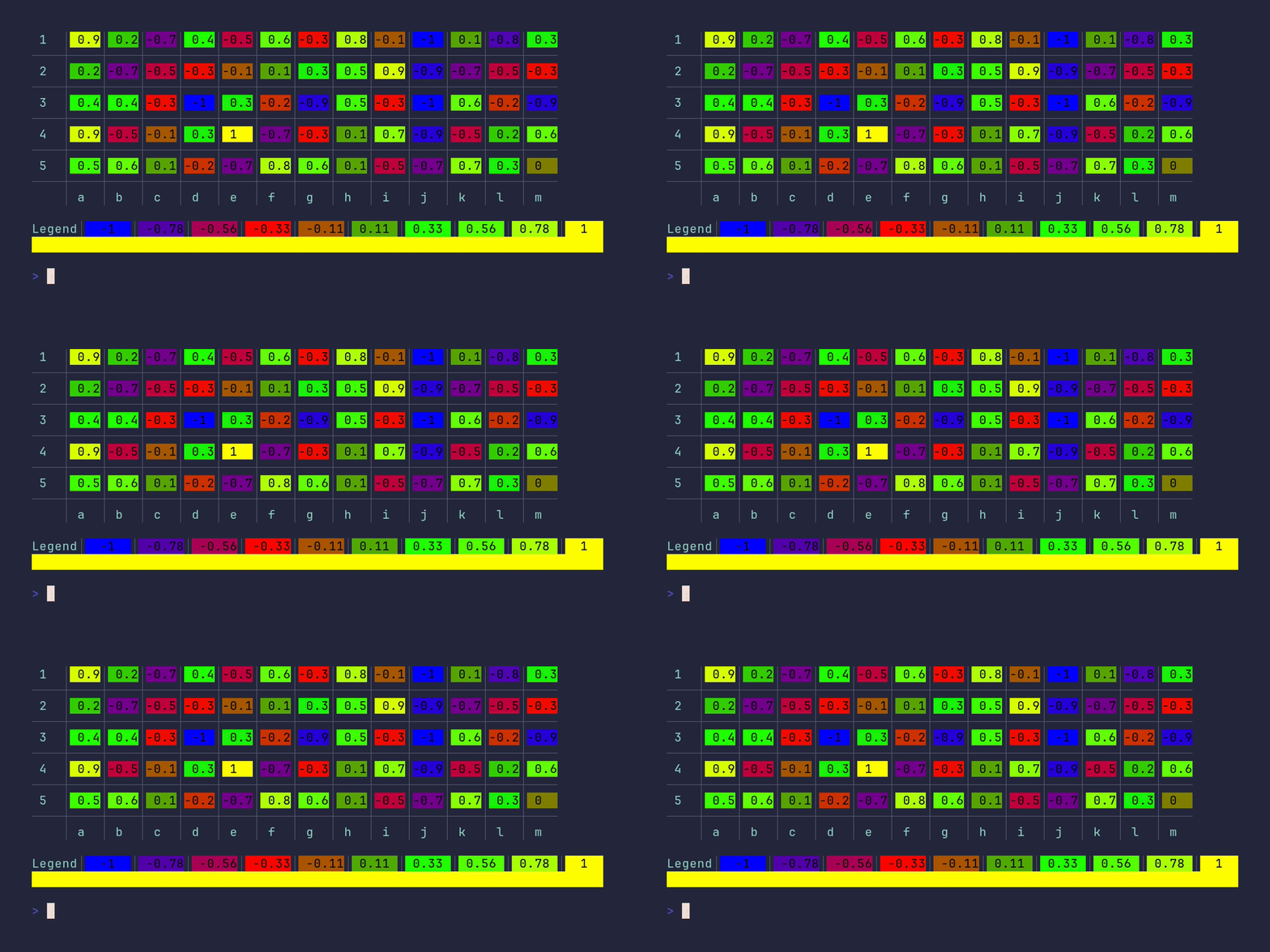
	pterm.Info.Println("The following table has rgb (not supported by every terminal), axis data and a legend.")
	pterm.Println()

	// The RGB range defines the gradient stops: the lowest value gets the
	// first color, the highest the last, and everything in between is faded.
	rgbRange := []pterm.RGB{
		pterm.NewRGB(0, 0, 255),
		pterm.NewRGB(255, 0, 0),
		pterm.NewRGB(0, 255, 0),
		pterm.NewRGB(255, 255, 0),
	}

	pterm.DefaultHeatmap.
		WithData(data).
		WithBoxed(false).
		WithAxisData(axisLabels).
		WithEnableRGB().
		WithRGBRange(rgbRange...).
		Render()
}
heatmap/no_grid
SHOW SOURCE
package main

import (
	"github.com/pterm/pterm"
)

func main() {
	data := [][]float32{
		{0.9, 0.2, -0.7, 0.4, -0.5, 0.6, -0.3, 0.8, -0.1, -1.0, 0.1, -0.8, 0.3},
		{0.2, -0.7, -0.5, -0.3, -0.1, 0.1, 0.3, 0.5, 0.9, -0.9, -0.7, -0.5, -0.3},
		{0.4, 0.4, -0.3, -1.0, 0.3, -0.2, -0.9, 0.5, -0.3, -1.0, 0.6, -0.2, -0.9},
		{0.9, -0.5, -0.1, 0.3, 1, -0.7, -0.3, 0.1, 0.7, -0.9, -0.5, 0.2, 0.6},
		{0.5, 0.6, 0.1, -0.2, -0.7, 0.8, 0.6, 0.1, -0.5, -0.7, 0.7, 0.3, 0.0},
	}

	axisData := pterm.HeatmapAxis{
		XAxis: []string{"a", "b", "c", "d", "e", "f", "g", "h", "i", "j", "k", "l", "m"},
		YAxis: []string{"1", "2", "3", "4", "5"},
	}

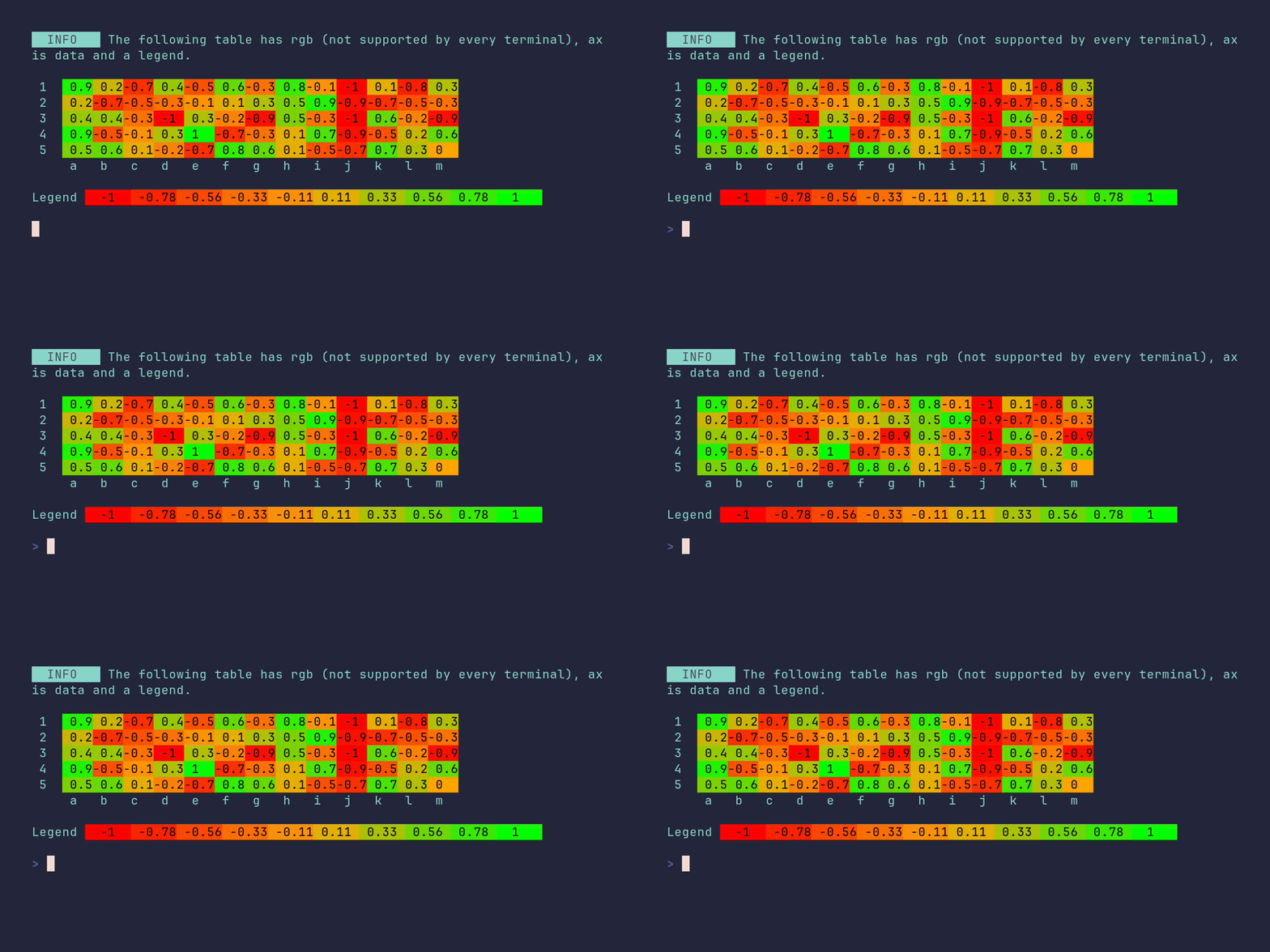
	pterm.Info.Println("The following table has rgb (not supported by every terminal), axis data and a legend.")
	pterm.Println()

	// WithGrid(false) drops the separators between cells, so the colors form
	// one continuous surface.
	pterm.DefaultHeatmap.WithData(data).WithBoxed(false).WithAxisData(axisData).WithEnableRGB().WithLegend().WithGrid(false).Render()
}
heatmap/separated
SHOW SOURCE
package main

import "github.com/pterm/pterm"

func main() {
	data := [][]float32{
		{0.9, 0.2, -0.7, 0.4, -0.5, 0.6, -0.3, 0.8, -0.1, -1.0, 0.1, -0.8, 0.3},
		{0.2, -0.7, -0.5, -0.3, -0.1, 0.1, 0.3, 0.5, 0.9, -0.9, -0.7, -0.5, -0.3},
		{0.4, 0.4, -0.3, -1.0, 0.3, -0.2, -0.9, 0.5, -0.3, -1.0, 0.6, -0.2, -0.9},
		{0.9, -0.5, -0.1, 0.3, 1, -0.7, -0.3, 0.1, 0.7, -0.9, -0.5, 0.2, 0.6},
		{0.5, 0.6, 0.1, -0.2, -0.7, 0.8, 0.6, 0.1, -0.5, -0.7, 0.7, 0.3, 0.0},
	}

	headerData := pterm.HeatmapAxis{
		XAxis: []string{"a", "b", "c", "d", "e", "f", "g", "h", "i", "j", "k", "l", "m"},
		YAxis: []string{"1", "2", "3", "4", "5"},
	}

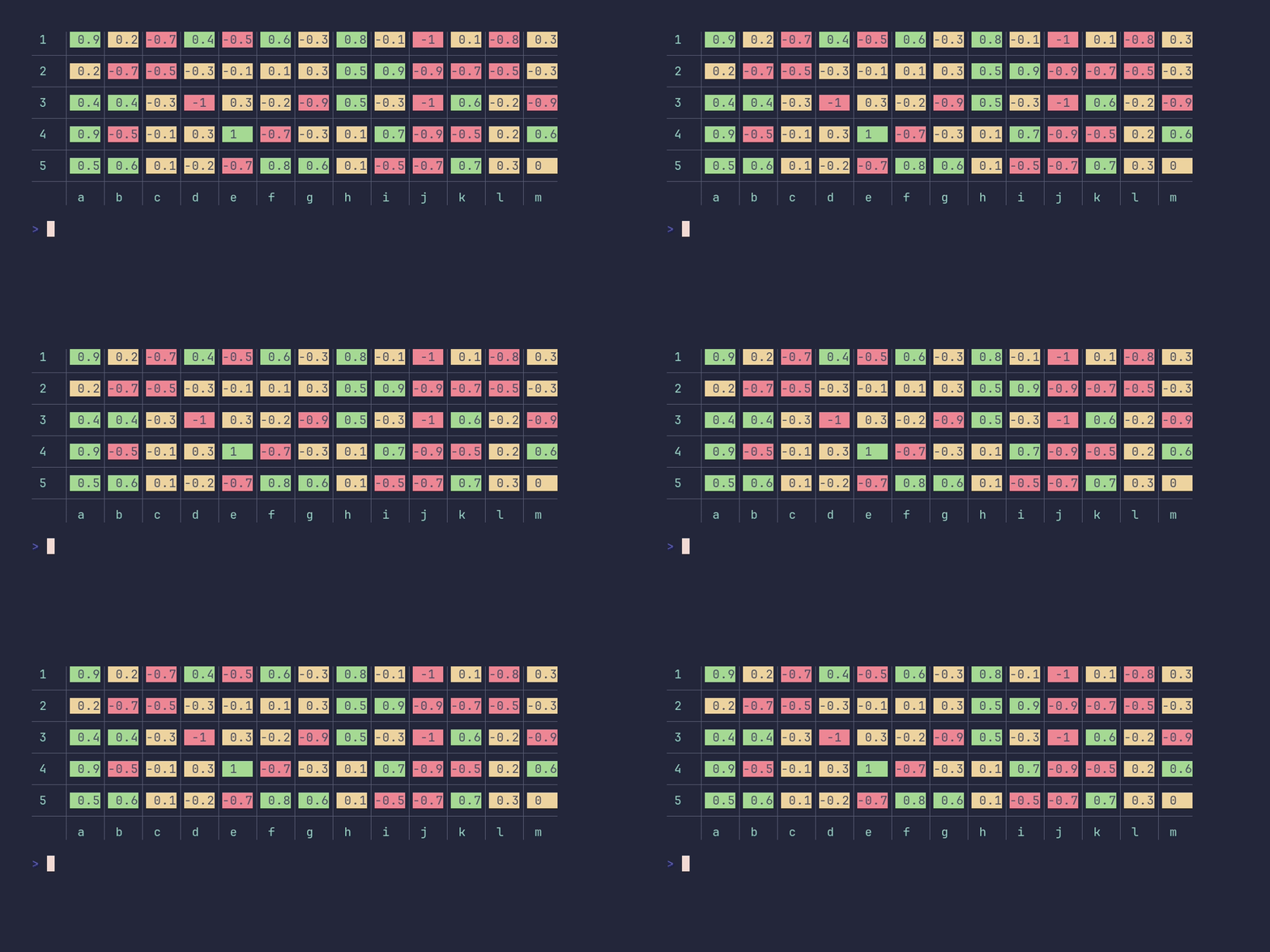
	// Without the surrounding box and legend, only the grid separators remain
	// between the cells.
	pterm.DefaultHeatmap.WithData(data).WithBoxed(false).WithAxisData(headerData).WithLegend(false).Render()
}
interactive_confirm/demo
SHOW SOURCE
package main

import (
	"github.com/pterm/pterm"
)

func main() {
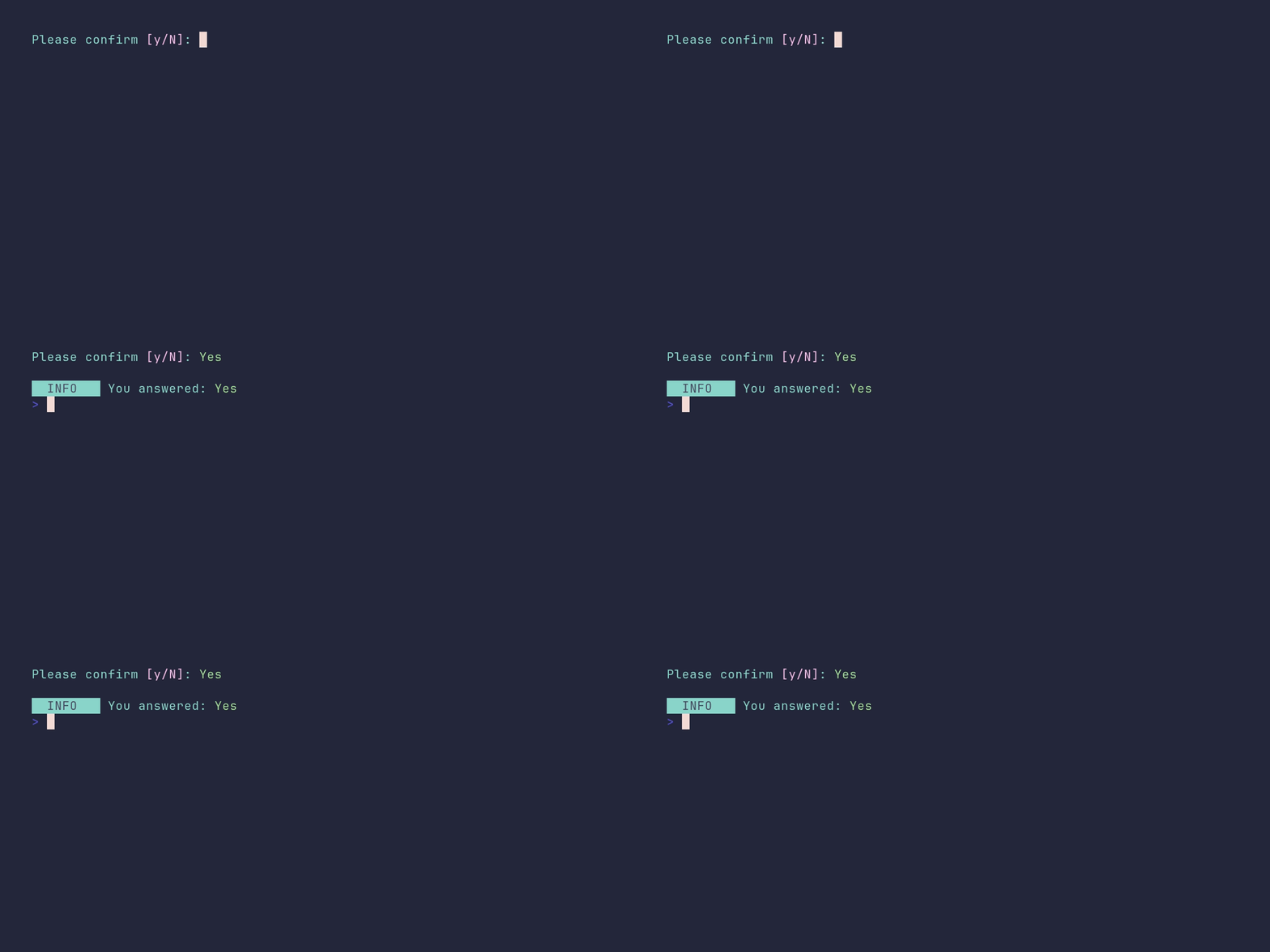
	// The confirm prompt accepts "y" and "n" as shortcuts. Pressing enter
	// answers with the default value, which is "no" unless changed with
	// WithDefaultValue.
	result, _ := pterm.DefaultInteractiveConfirm.Show()

	pterm.Println()
	pterm.Info.Printfln("You answered: %s", boolToText(result))
}

// boolToText renders the answer as a colored "Yes" or "No".
func boolToText(b bool) string {
	if b {
		return pterm.Green("Yes")
	}
	return pterm.Red("No")
}
interactive_confirm/custom-answers
SHOW SOURCE
package main

import (
	"github.com/pterm/pterm"
)

func main() {
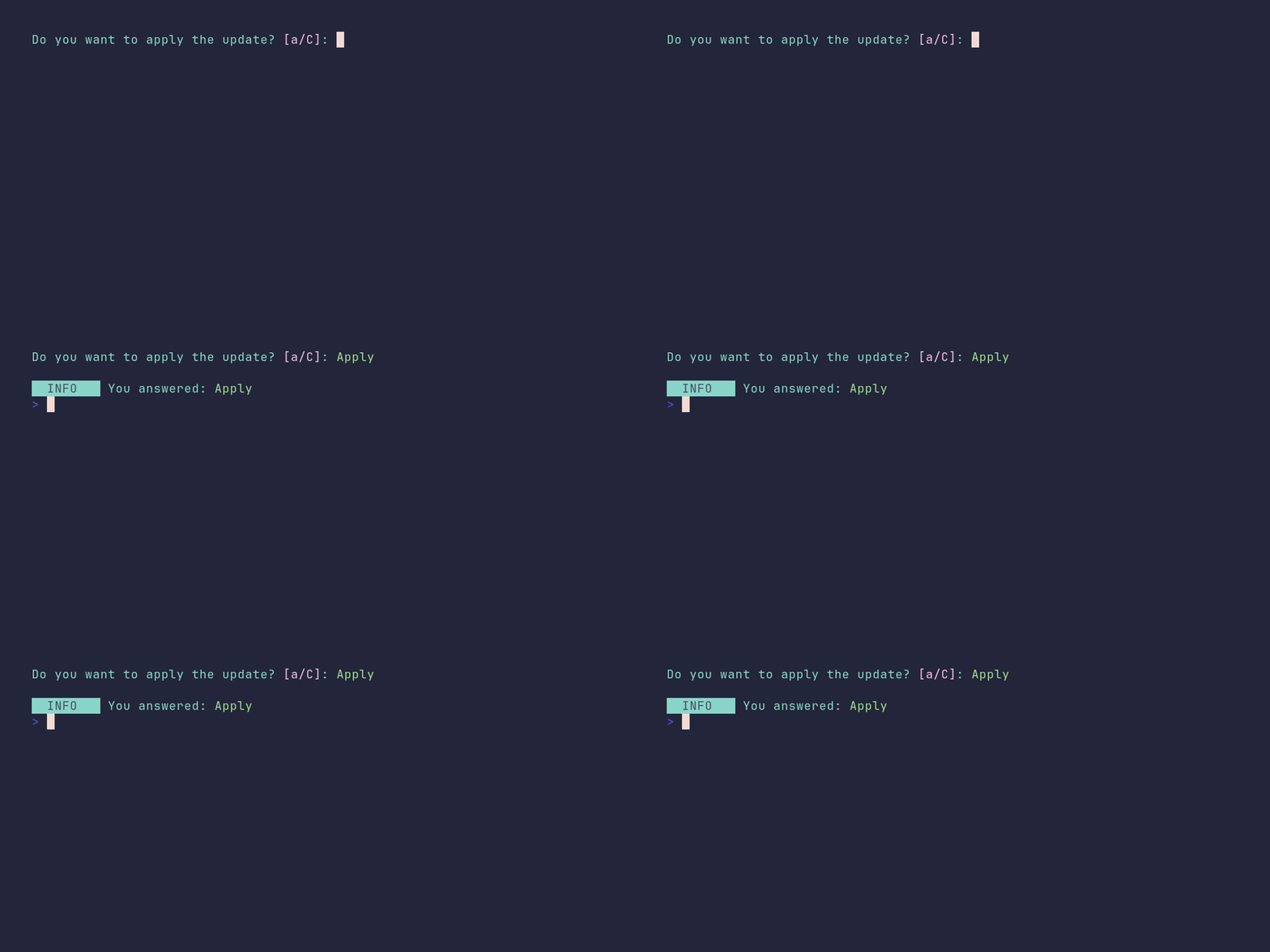
	// The answer texts can be customized. The keyboard shortcuts follow
	// along: the prompt accepts the lowercase first letter of each answer,
	// here "a" for Apply and "c" for Cancel.
	result, _ := pterm.DefaultInteractiveConfirm.
		WithDefaultText("Do you want to apply the update?").
		WithConfirmText("Apply").
		WithRejectText("Cancel").
		Show()

	pterm.Println()
	pterm.Info.Printfln("You answered: %s", boolToText(result))
}

// boolToText renders the answer as a colored "Apply" or "Cancel".
func boolToText(b bool) string {
	if b {
		return pterm.Green("Apply")
	}
	return pterm.Red("Cancel")
}
interactive_continue/demo
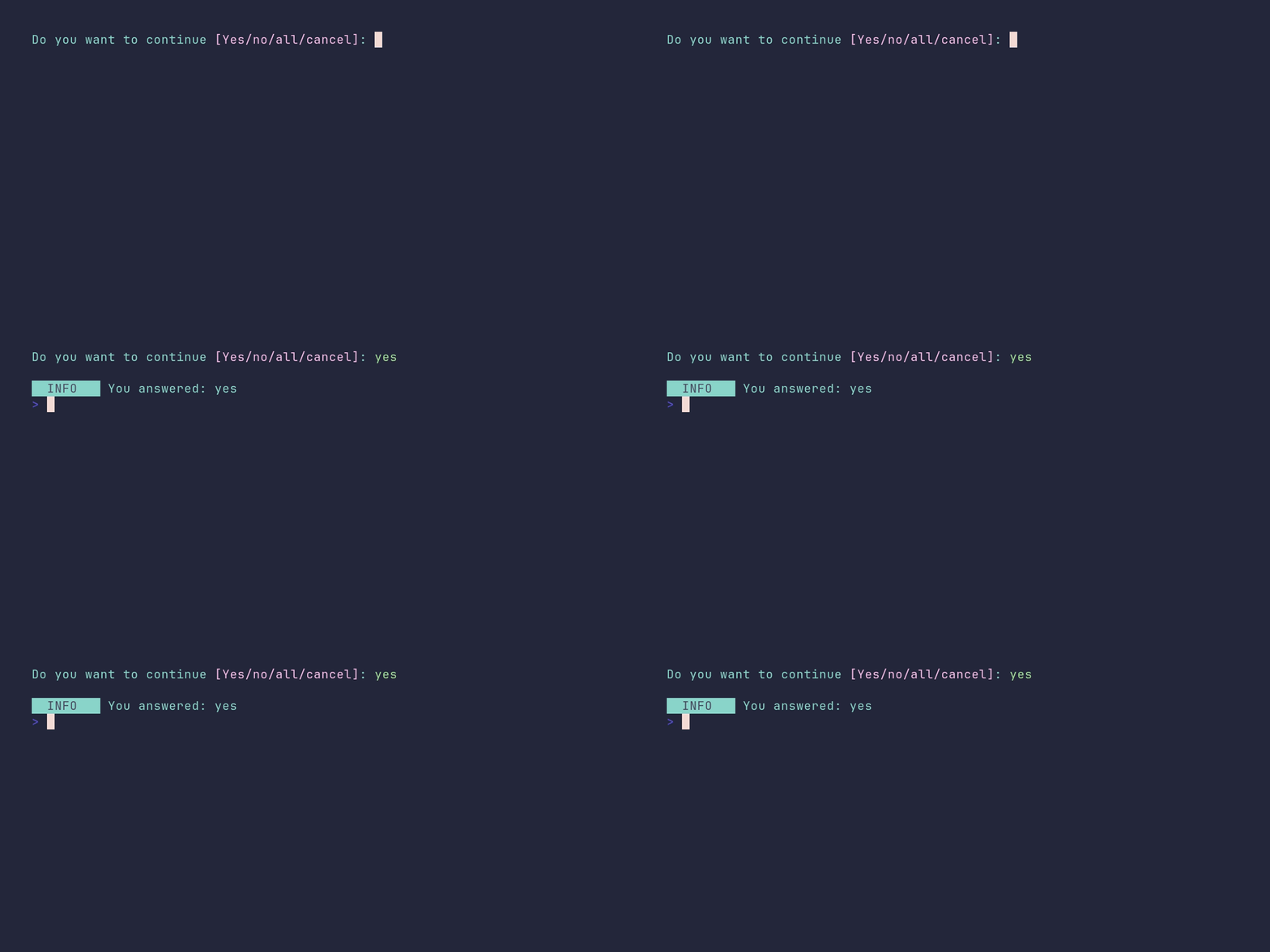
SHOW SOURCE
package main

import (
	"github.com/pterm/pterm"
)

func main() {
	// The continue prompt offers "yes", "no", "all" and "cancel" by default.
	// Each option is chosen by typing its first letter; pressing enter picks
	// the default answer (the first option, unless changed).
	result, _ := pterm.DefaultInteractiveContinue.Show()

	pterm.Println()
	pterm.Info.Printfln("You answered: %s", result)
}
interactive_multiselect/demo
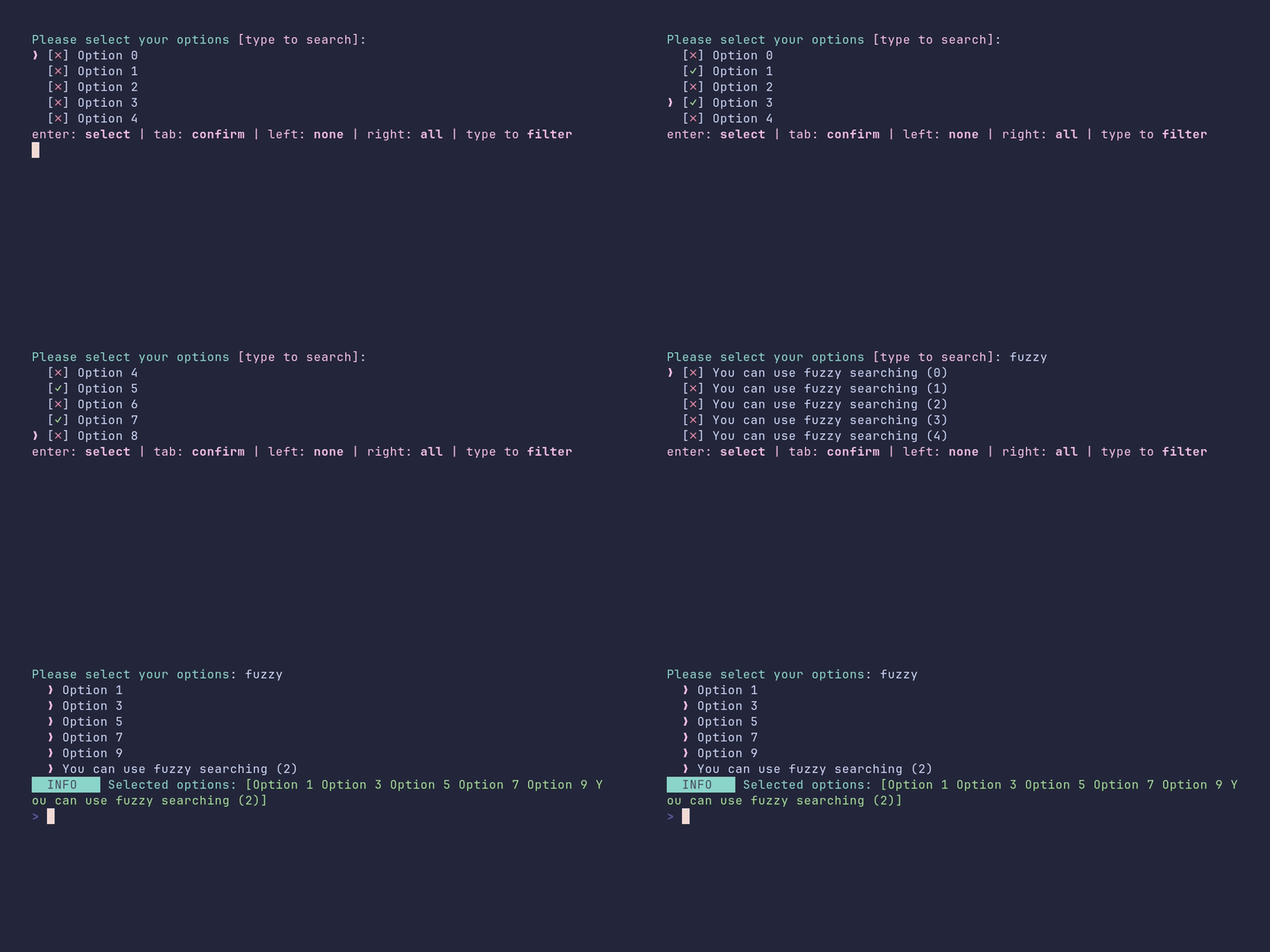
SHOW SOURCE
package main

import (
	"fmt"

	"github.com/pterm/pterm"
)

func main() {
	var options []string
	for i := 0; i < 100; i++ {
		options = append(options, fmt.Sprintf("Option %d", i))
	}

	// A few extra options that are easy to find with the fuzzy search filter.
	for i := 0; i < 5; i++ {
		options = append(options, fmt.Sprintf("You can use fuzzy searching (%d)", i))
	}

	// The multiselect scrolls through long lists and supports fuzzy filtering:
	// just start typing to narrow down the options. By default, enter toggles
	// an option and tab confirms the selection.
	selectedOptions, _ := pterm.DefaultInteractiveMultiselect.WithOptions(options).Show()

	pterm.Info.Printfln("Selected options: %s", pterm.Green(selectedOptions))
}
interactive_multiselect/custom-checkmarks
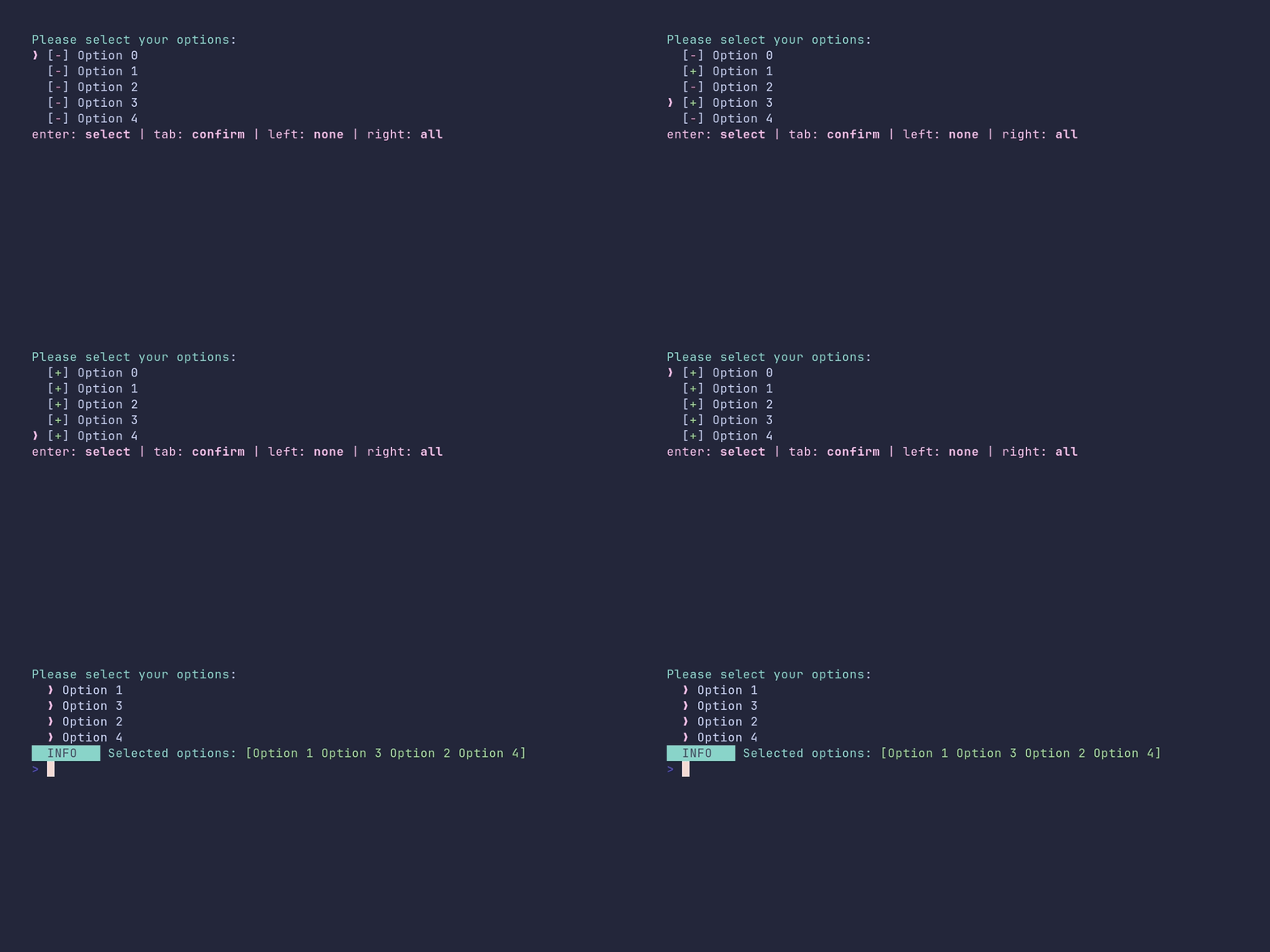
SHOW SOURCE
package main

import (
	"fmt"

	"github.com/pterm/pterm"
)

func main() {
	var options []string
	for i := 0; i < 5; i++ {
		options = append(options, fmt.Sprintf("Option %d", i))
	}

	// The checkmark in front of each option can be any string, here a green
	// plus for selected and a red minus for unselected options. The fuzzy
	// search filter is disabled to keep the list short and static.
	printer := pterm.DefaultInteractiveMultiselect.
		WithOptions(options).
		WithFilter(false).
		WithCheckmark(&pterm.Checkmark{Checked: pterm.Green("+"), Unchecked: pterm.Red("-")})

	selectedOptions, _ := printer.Show()

	pterm.Info.Printfln("Selected options: %s", pterm.Green(selectedOptions))
}
interactive_multiselect/custom-filter-placeholder
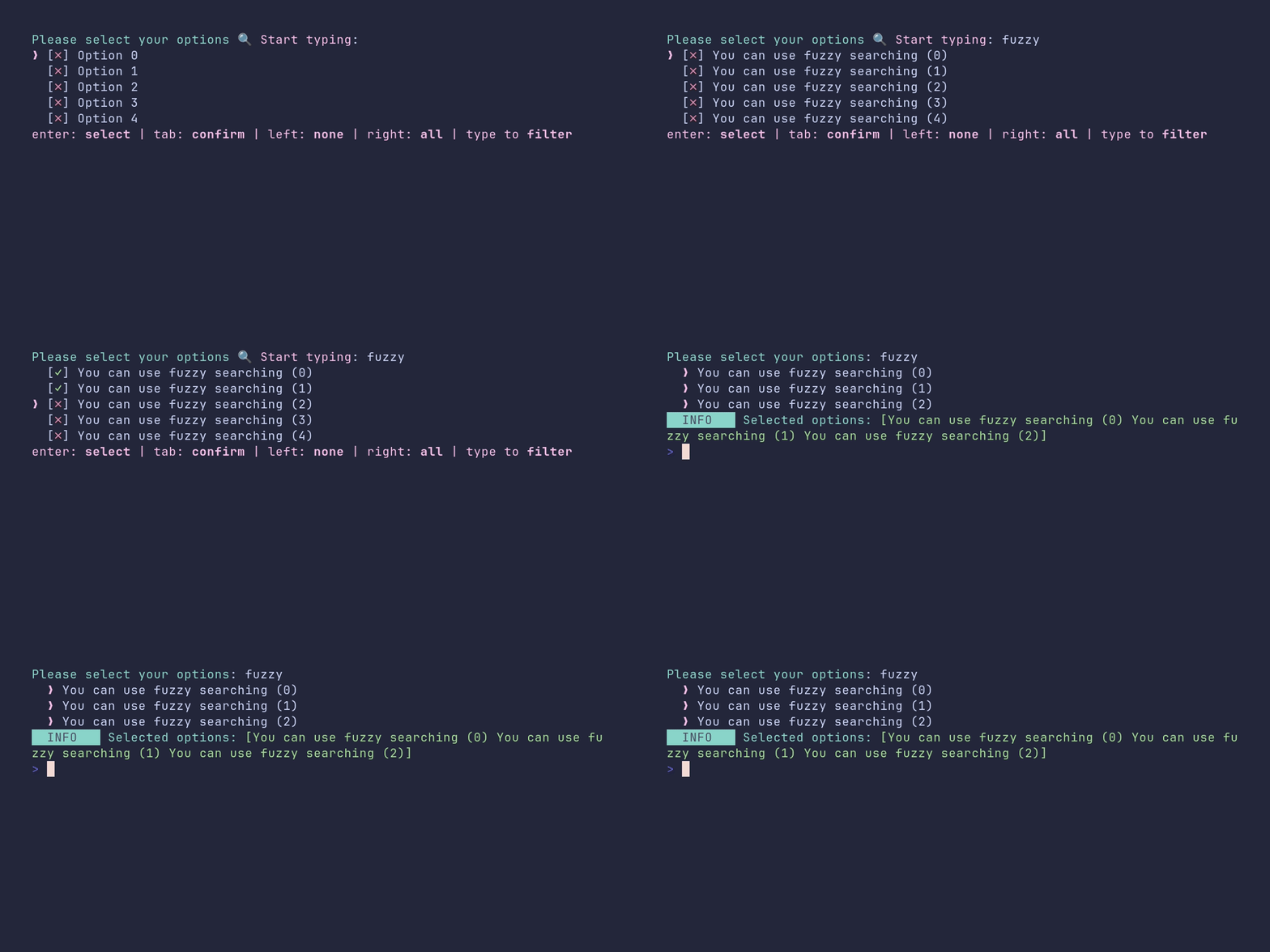
SHOW SOURCE
package main

import (
	"fmt"

	"github.com/pterm/pterm"
)

func main() {
	var options []string
	for i := 0; i < 100; i++ {
		options = append(options, fmt.Sprintf("Option %d", i))
	}

	// A few extra options that are easy to find with the fuzzy search filter.
	for i := 0; i < 5; i++ {
		options = append(options, fmt.Sprintf("You can use fuzzy searching (%d)", i))
	}

	// WithFilterInputPlaceholder replaces the hint text that is shown in the
	// filter input while it is still empty.
	printer := pterm.DefaultInteractiveMultiselect.
		WithOptions(options).
		WithFilterInputPlaceholder("🔍 Start typing")

	selectedOptions, _ := printer.Show()

	pterm.Info.Printfln("Selected options: %s", pterm.Green(selectedOptions))
}
interactive_multiselect/custom-keys
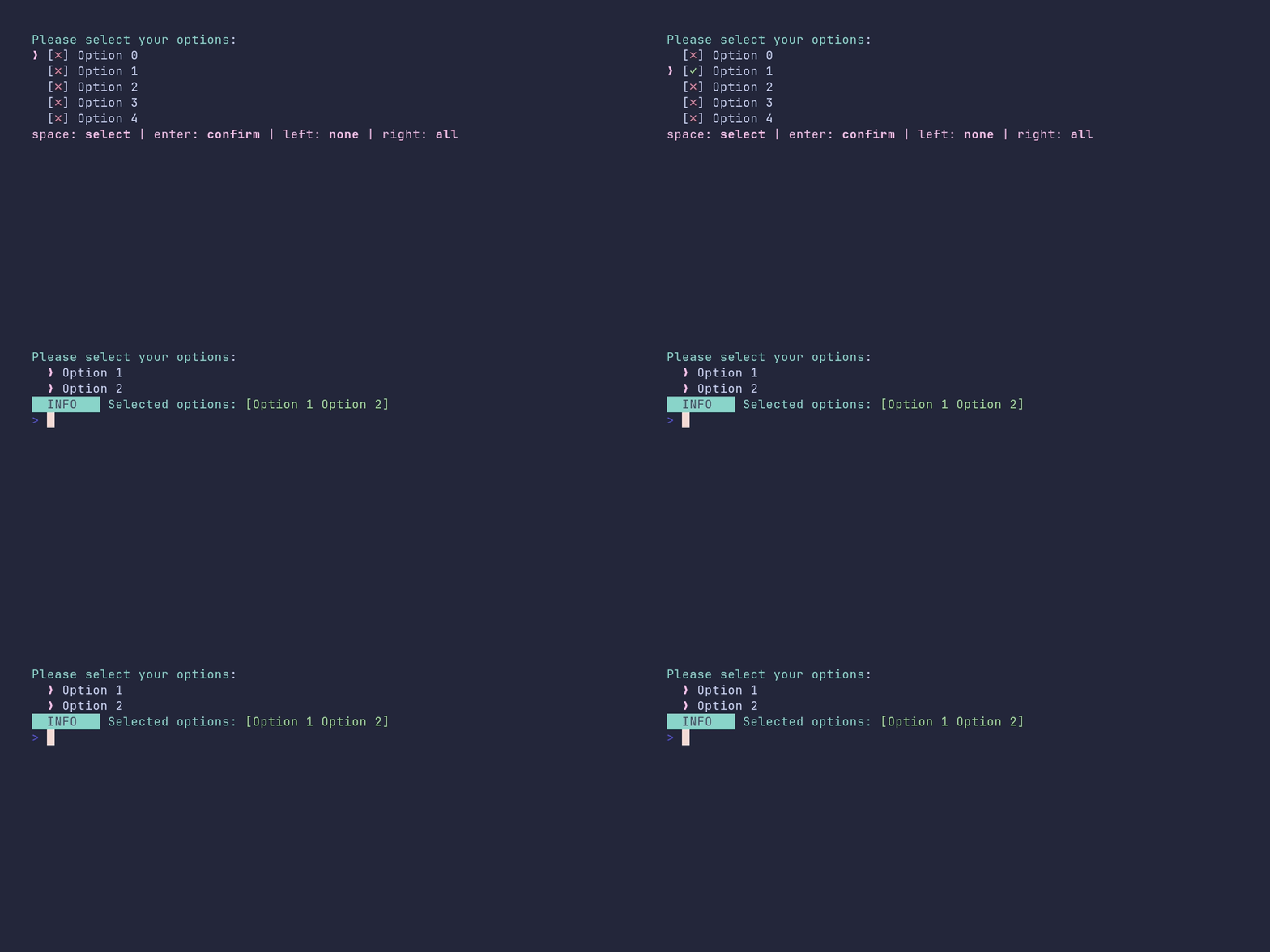
SHOW SOURCE
package main

import (
	"fmt"

	"atomicgo.dev/keyboard/keys"

	"github.com/pterm/pterm"
)

func main() {
	var options []string
	for i := 0; i < 5; i++ {
		options = append(options, fmt.Sprintf("Option %d", i))
	}

	// By default, enter toggles an option and tab confirms the selection.
	// Both keys can be rebound, here to space for toggling and enter for
	// confirming. The filter is disabled so typing is not needed.
	printer := pterm.DefaultInteractiveMultiselect.
		WithOptions(options).
		WithFilter(false).
		WithKeyConfirm(keys.Enter).
		WithKeySelect(keys.Space)

	selectedOptions, _ := printer.Show()

	pterm.Info.Printfln("Selected options: %s", pterm.Green(selectedOptions))
}
interactive_multiselect/show-selected-options
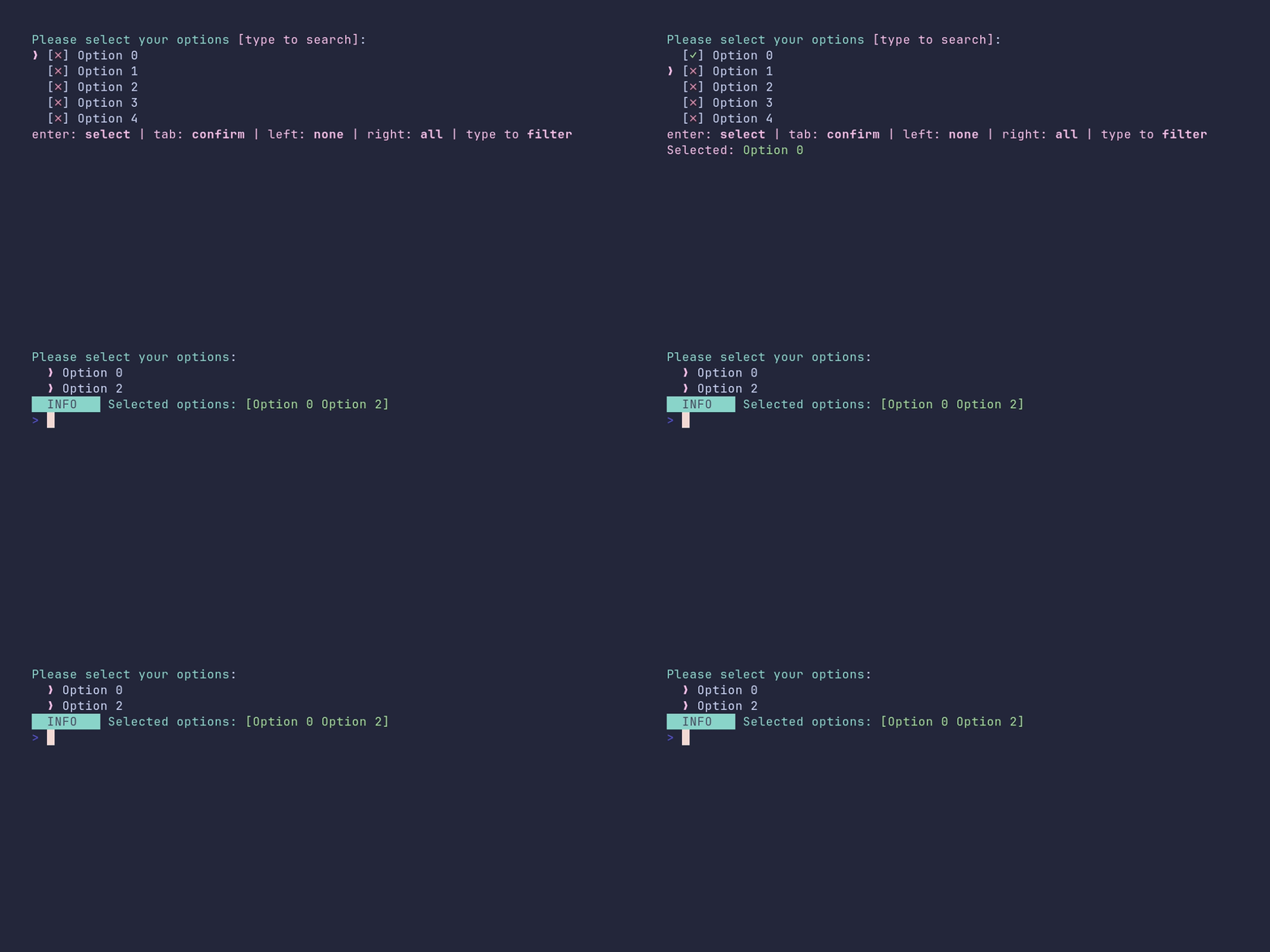
SHOW SOURCE
package main

import (
	"fmt"

	"github.com/pterm/pterm"
)

func main() {
	var options []string
	for i := 0; i < 100; i++ {
		options = append(options, fmt.Sprintf("Option %d", i))
	}

	// WithShowSelectedOptions lists the current selection above the prompt,
	// which is handy when the chosen options are scrolled out of view.
	selectedOptions, _ := pterm.DefaultInteractiveMultiselect.
		WithOptions(options).
		WithShowSelectedOptions(true).
		Show()

	pterm.Info.Printfln("Selected options: %s", pterm.Green(selectedOptions))
}
interactive_select/demo
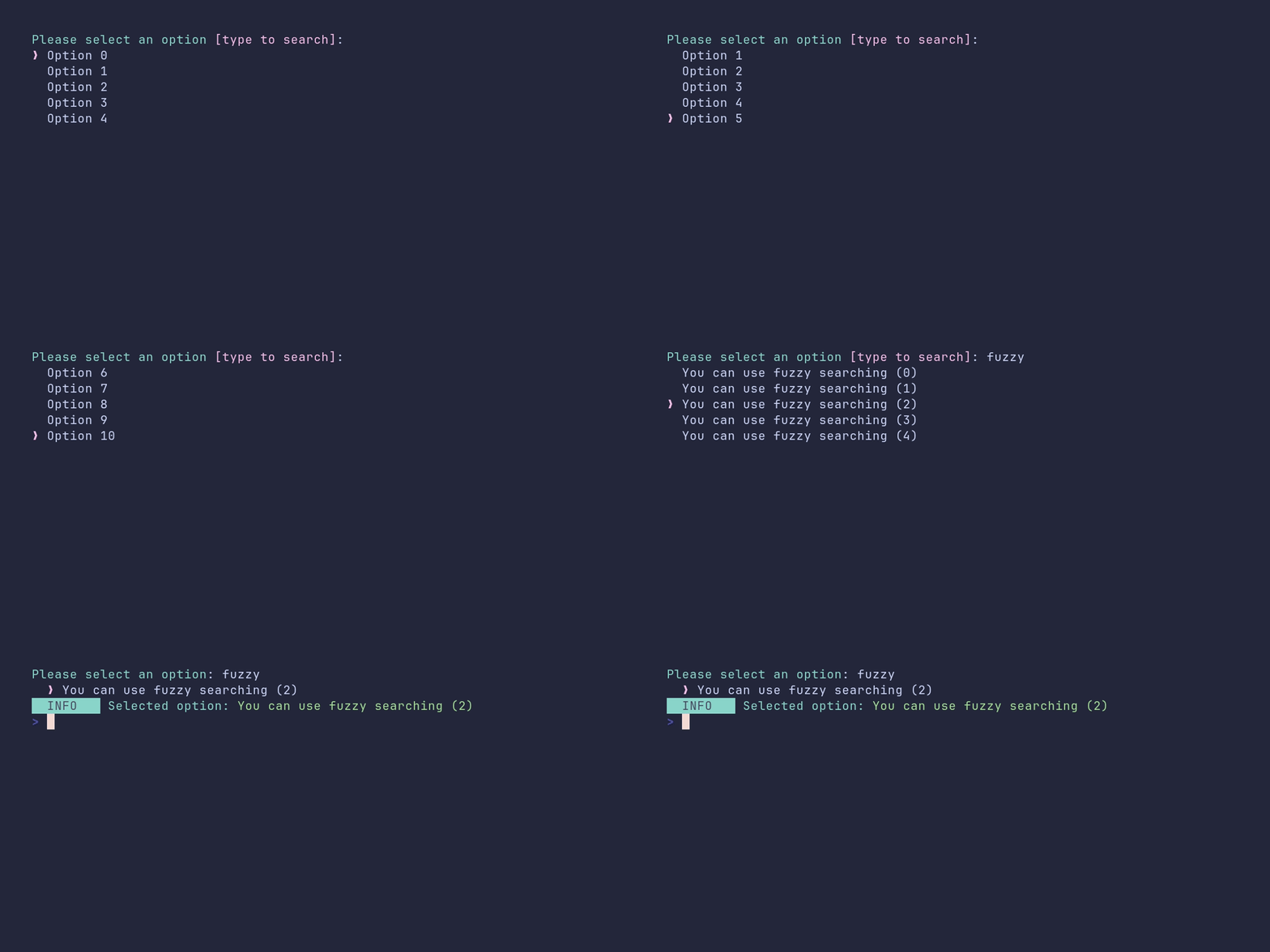
SHOW SOURCE
package main

import (
	"fmt"

	"github.com/pterm/pterm"
)

func main() {
	var options []string
	for i := 0; i < 100; i++ {
		options = append(options, fmt.Sprintf("Option %d", i))
	}

	// A few extra options that are easy to find with the fuzzy search filter.
	for i := 0; i < 5; i++ {
		options = append(options, fmt.Sprintf("You can use fuzzy searching (%d)", i))
	}

	// The select prompt scrolls through long lists and supports fuzzy
	// filtering: just start typing to narrow down the options. Enter picks
	// the highlighted option.
	selectedOption, _ := pterm.DefaultInteractiveSelect.WithOptions(options).Show()

	pterm.Info.Printfln("Selected option: %s", pterm.Green(selectedOption))
}
interactive_select/custom-filter-placeholder
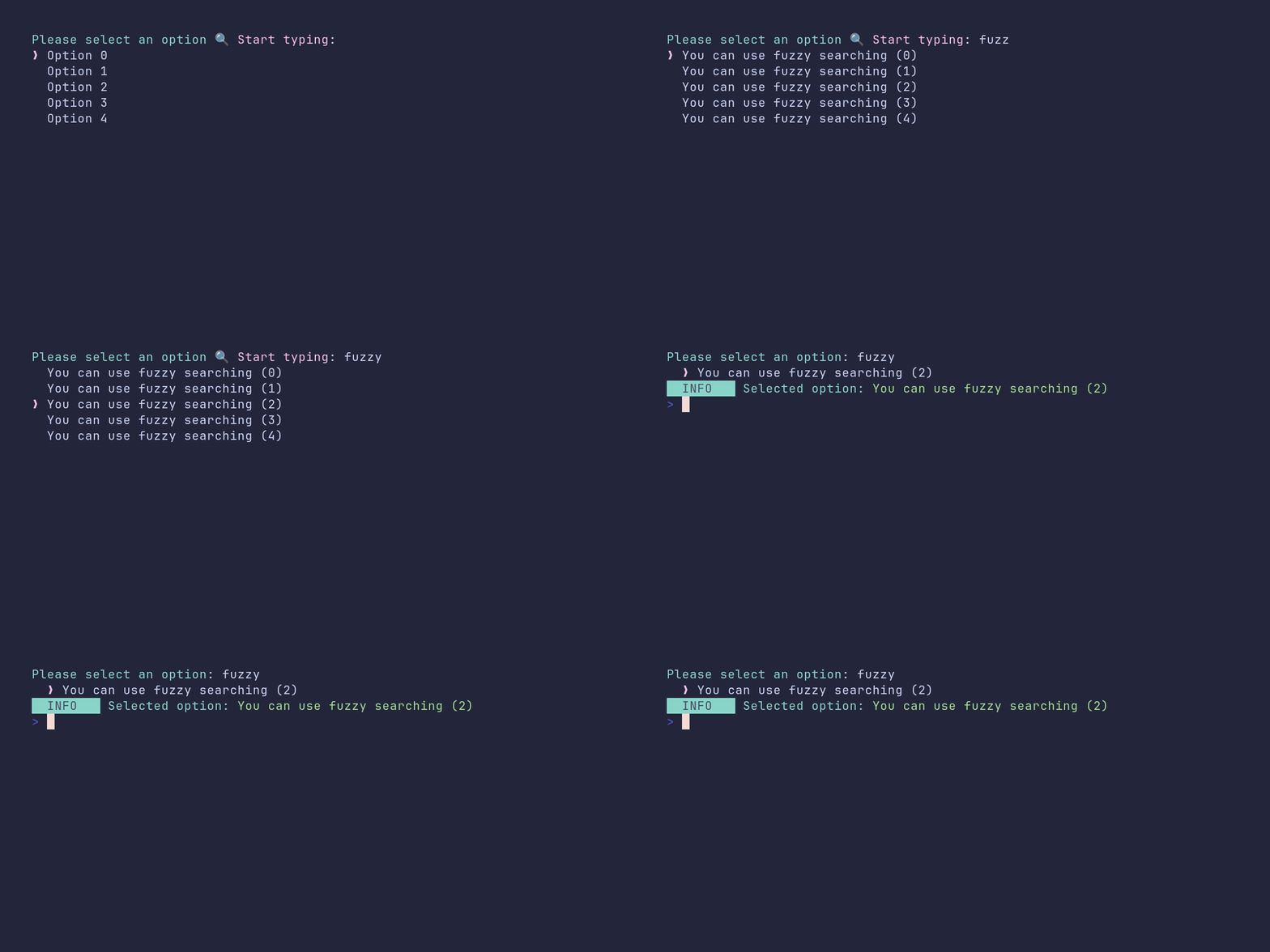
SHOW SOURCE
package main

import (
	"fmt"

	"github.com/pterm/pterm"
)

func main() {
	var options []string
	for i := 0; i < 100; i++ {
		options = append(options, fmt.Sprintf("Option %d", i))
	}

	// A few extra options that are easy to find with the fuzzy search filter.
	for i := 0; i < 5; i++ {
		options = append(options, fmt.Sprintf("You can use fuzzy searching (%d)", i))
	}

	// WithFilterInputPlaceholder replaces the hint text that is shown in the
	// filter input while it is still empty.
	printer := pterm.DefaultInteractiveSelect.
		WithOptions(options).
		WithFilterInputPlaceholder("🔍 Start typing")

	selectedOption, _ := printer.Show()

	pterm.Info.Printfln("Selected option: %s", pterm.Green(selectedOption))
}
interactive_textinput/demo
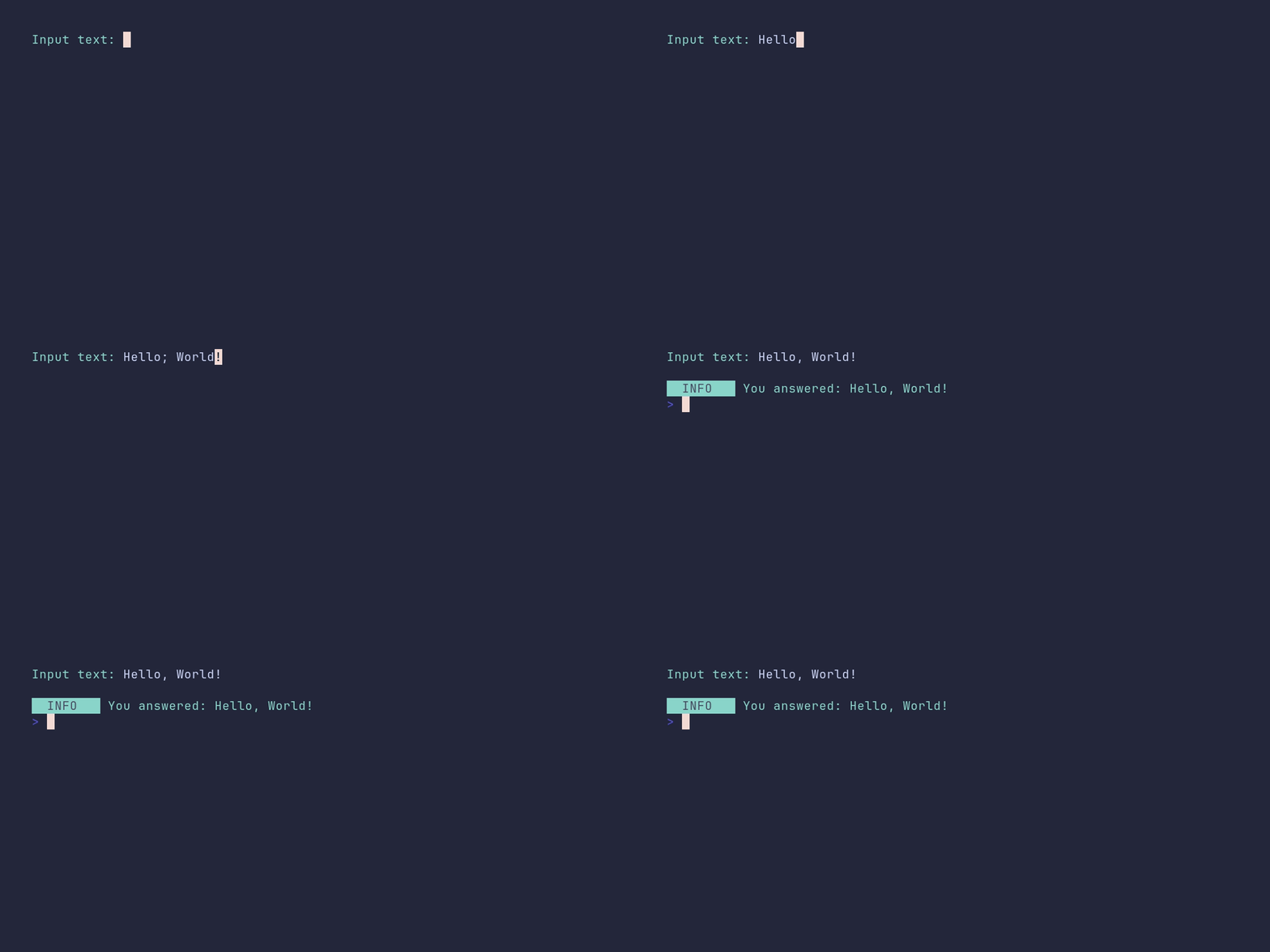
SHOW SOURCE
package main

import (
	"github.com/pterm/pterm"
)

func main() {
	// The text input is single-line by default; enter submits the input.
	result, _ := pterm.DefaultInteractiveTextInput.Show()

	pterm.Println()
	pterm.Info.Printfln("You answered: %s", result)
}
interactive_textinput/default-value
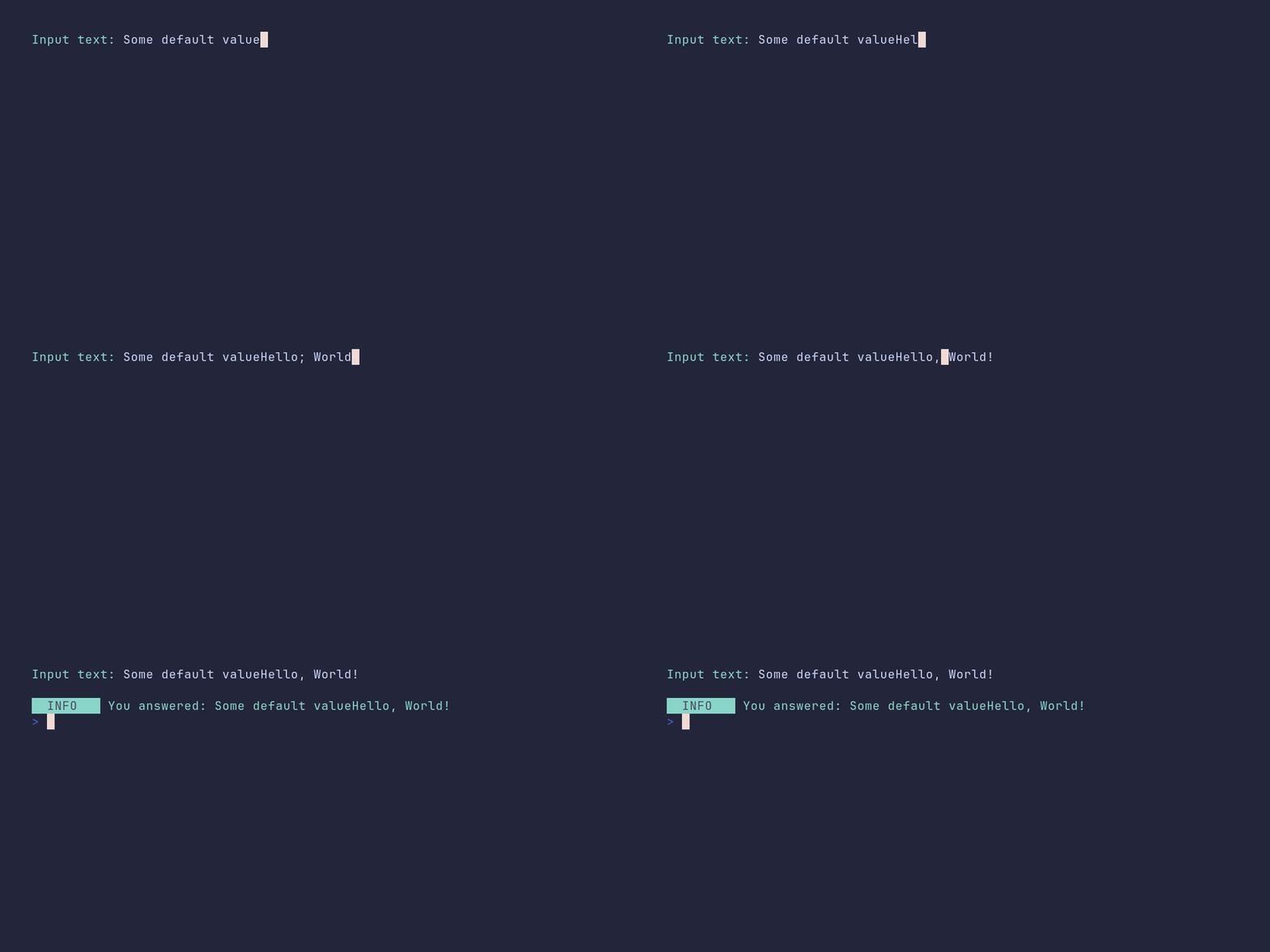
SHOW SOURCE
package main

import (
	"github.com/pterm/pterm"
)

func main() {
	// The default value is shown as a pre-filled suggestion. Pressing enter
	// right away returns it; typing anything replaces it.
	result, _ := pterm.DefaultInteractiveTextInput.WithDefaultValue("Some default value").Show()

	pterm.Println()
	pterm.Info.Printfln("You answered: %s", result)
}
interactive_textinput/multi-line
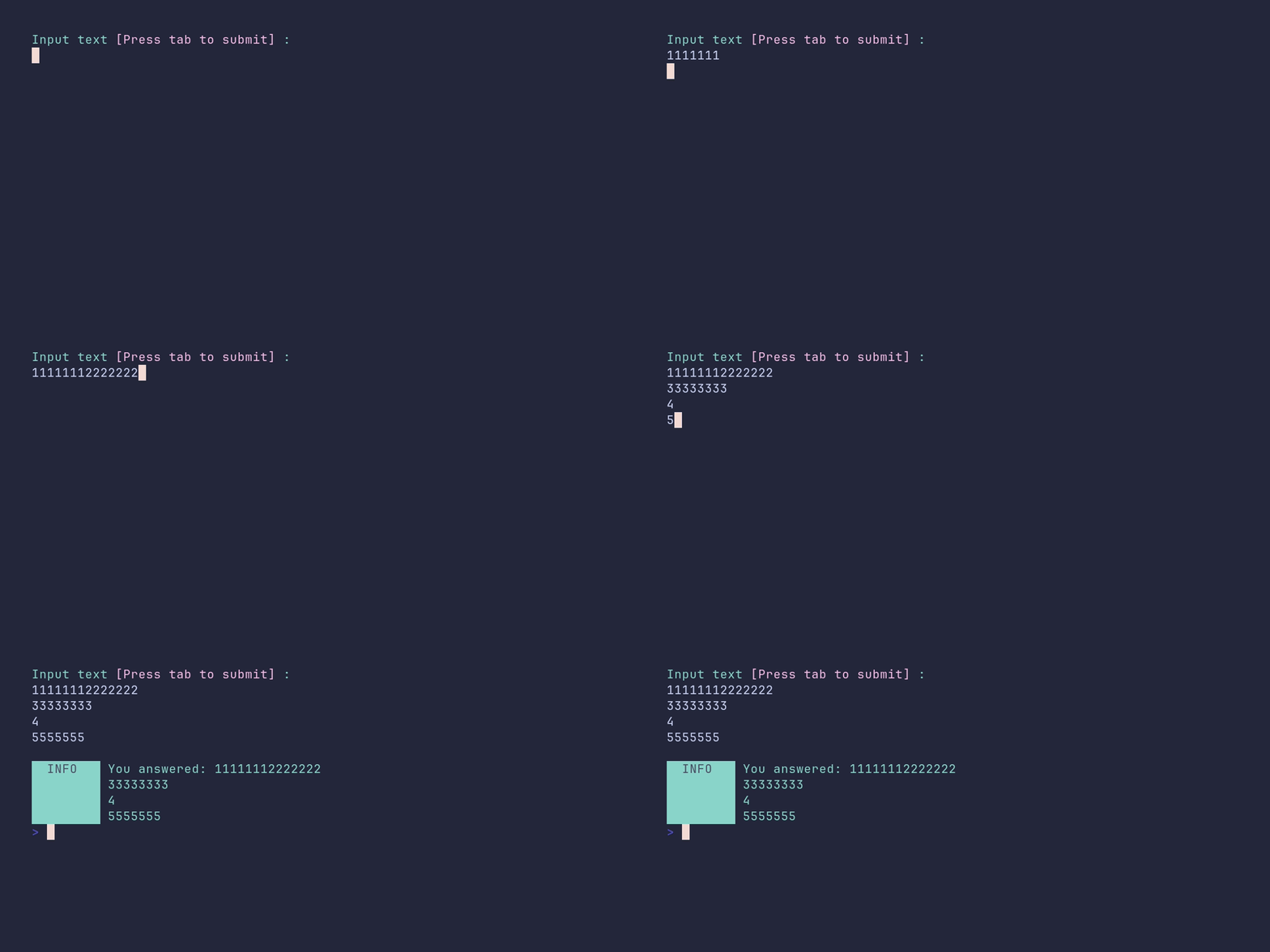
SHOW SOURCE
package main

import (
	"github.com/pterm/pterm"
)

func main() {
	// In multi-line mode, enter inserts a new line and tab submits the input.
	textInput := pterm.DefaultInteractiveTextInput.WithMultiLine()

	result, _ := textInput.Show()

	pterm.Println()
	pterm.Info.Printfln("You answered: %s", result)
}
interactive_textinput/password
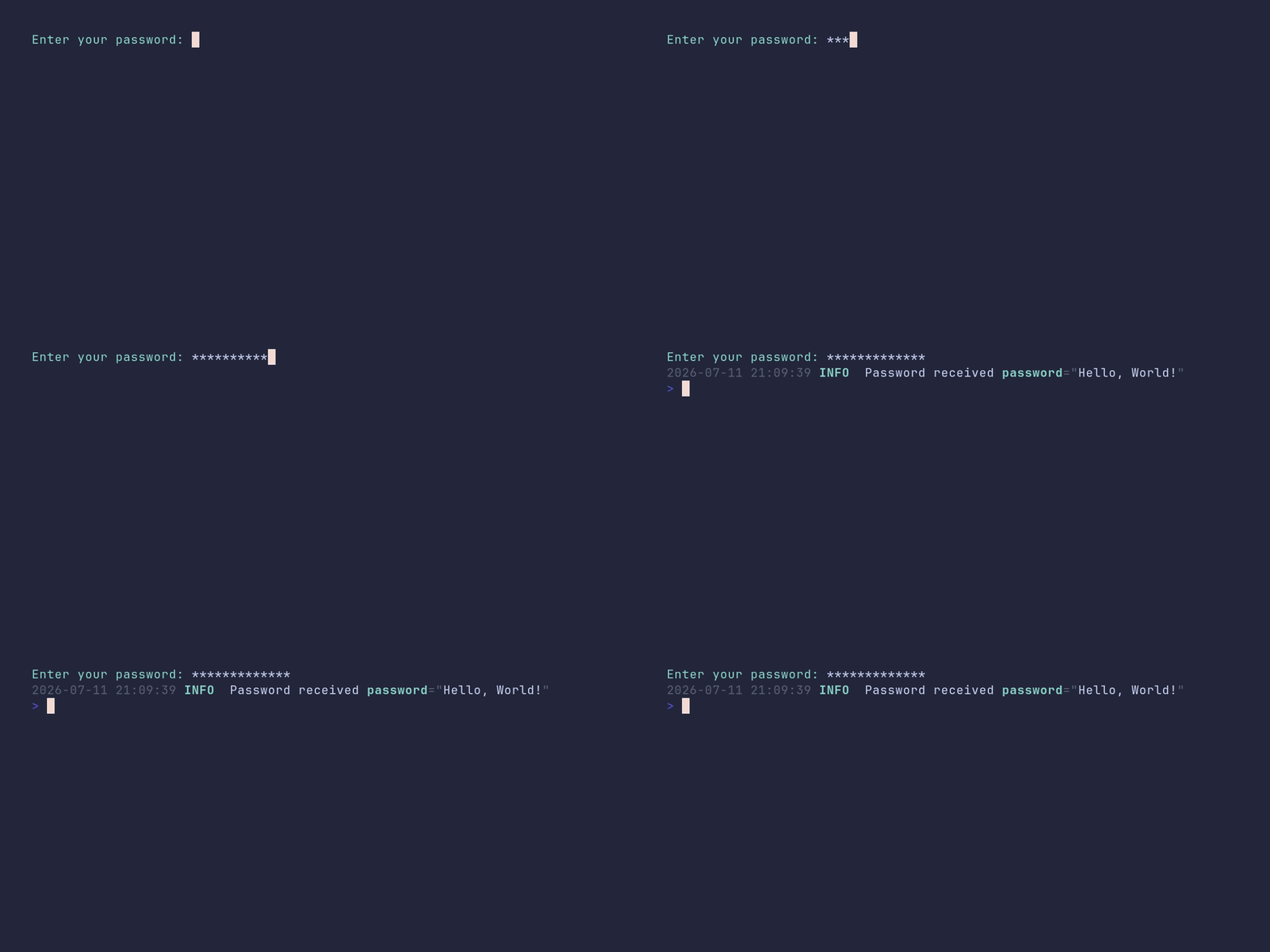
SHOW SOURCE
package main

import "github.com/pterm/pterm"

func main() {
	// WithMask echoes the given string instead of the typed characters,
	// which turns the text input into a password prompt.
	passwordInput := pterm.DefaultInteractiveTextInput.WithMask("*")

	result, _ := passwordInput.Show("Enter your password")

	// Never log passwords in a real application, this is just a demo.
	logger := pterm.DefaultLogger
	logger.Info("Password received", logger.Args("password", result))
}
logger/demo
SHOW SOURCE
package main

import (
	"time"

	"github.com/pterm/pterm"
)

func main() {
	// The default log level is Info. Lower it to Trace so every level shows up.
	logger := pterm.DefaultLogger.WithLevel(pterm.LogLevelTrace)

	// logger.Args pairs up keys and values for structured output.
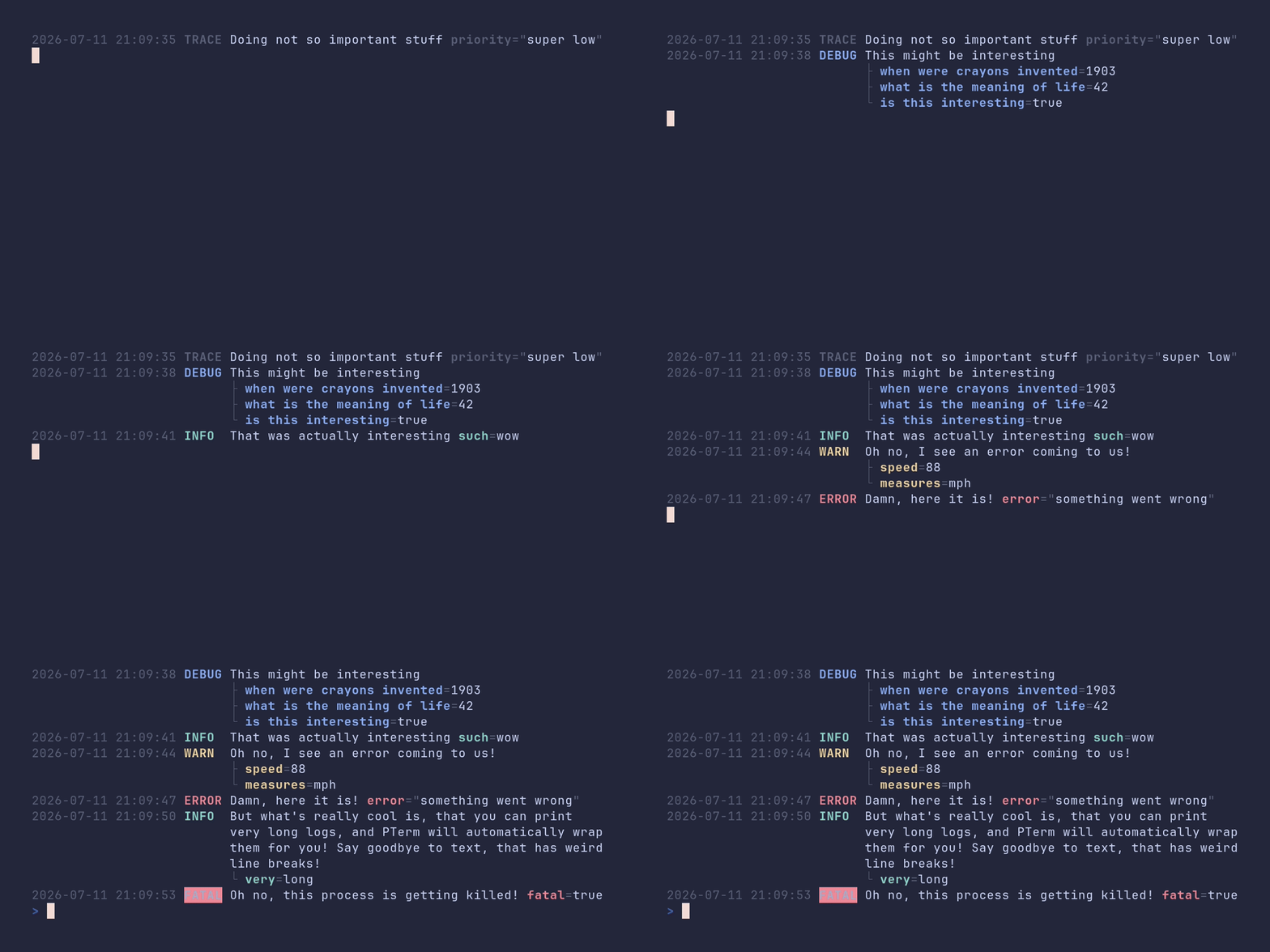
	logger.Trace("Doing not so important stuff", logger.Args("priority", "super low"))

	sleep()

	interestingStuff := map[string]any{
		"when were crayons invented":  "1903",
		"what is the meaning of life": 42,
		"is this interesting":         true,
	}

	// ArgsFromMap turns an existing map into logger arguments.
	logger.Debug("This might be interesting", logger.ArgsFromMap(interestingStuff))

	sleep()

	logger.Info("That was actually interesting", logger.Args("such", "wow"))

	sleep()

	logger.Warn("Oh no, I see an error coming to us!", logger.Args("speed", 88, "measures", "mph"))

	sleep()

	logger.Error("Damn, here it is!", logger.Args("error", "something went wrong"))

	sleep()

	// Long messages are wrapped to the terminal width automatically.
	logger.Info("But what's really cool is, that you can print very long logs, and PTerm will automatically wrap them for you! Say goodbye to text, that has weird line breaks!", logger.Args("very", "long"))

	sleep()

	// Fatal logs the message and then exits the process.
	logger.Fatal("Oh no, this process is getting killed!", logger.Args("fatal", true))
}

func sleep() {
	time.Sleep(time.Second * 3)
}
logger/custom-key-styles
SHOW SOURCE
package main

import "github.com/pterm/pterm"

func main() {
	logger := pterm.DefaultLogger.WithLevel(pterm.LogLevelTrace)

	// WithKeyStyles replaces the whole key style map, so only the keys listed
	// here get a custom style.
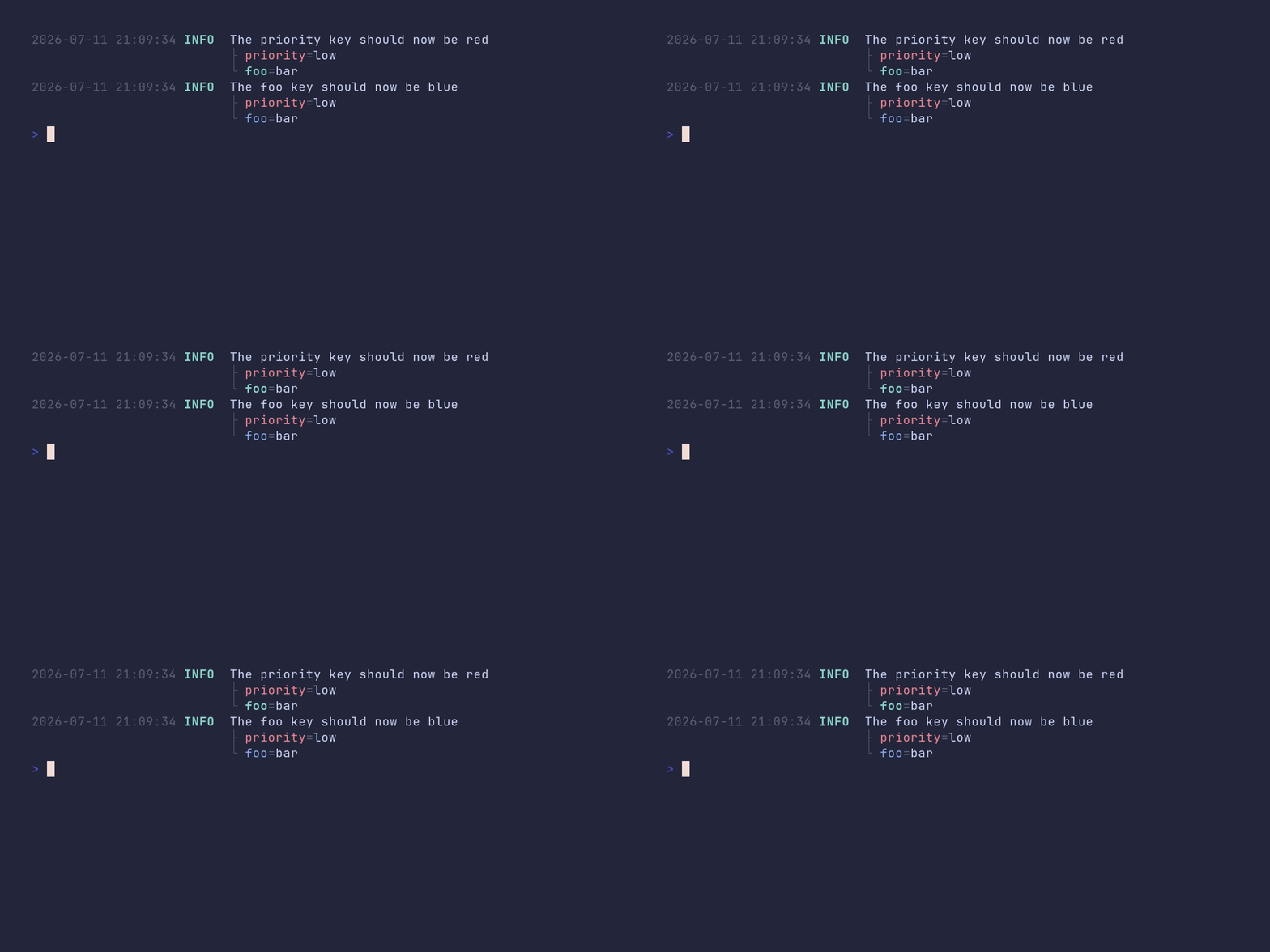
	logger = logger.WithKeyStyles(map[string]pterm.Style{
		"priority": *pterm.NewStyle(pterm.FgRed),
	})

	logger.Info("The priority key should now be red", logger.Args("priority", "low", "foo", "bar"))

	// AppendKeyStyle adds a single key style on top of the existing ones.
	logger.AppendKeyStyle("foo", *pterm.NewStyle(pterm.FgBlue))

	logger.Info("The foo key should now be blue", logger.Args("priority", "low", "foo", "bar"))
}
logger/default
SHOW SOURCE
package main

import (
	"time"

	"github.com/pterm/pterm"
)

func main() {
	// The default log level is Info. Lower it to Trace so every level shows up.
	logger := pterm.DefaultLogger.WithLevel(pterm.LogLevelTrace)

	// logger.Args pairs up keys and values for structured output.
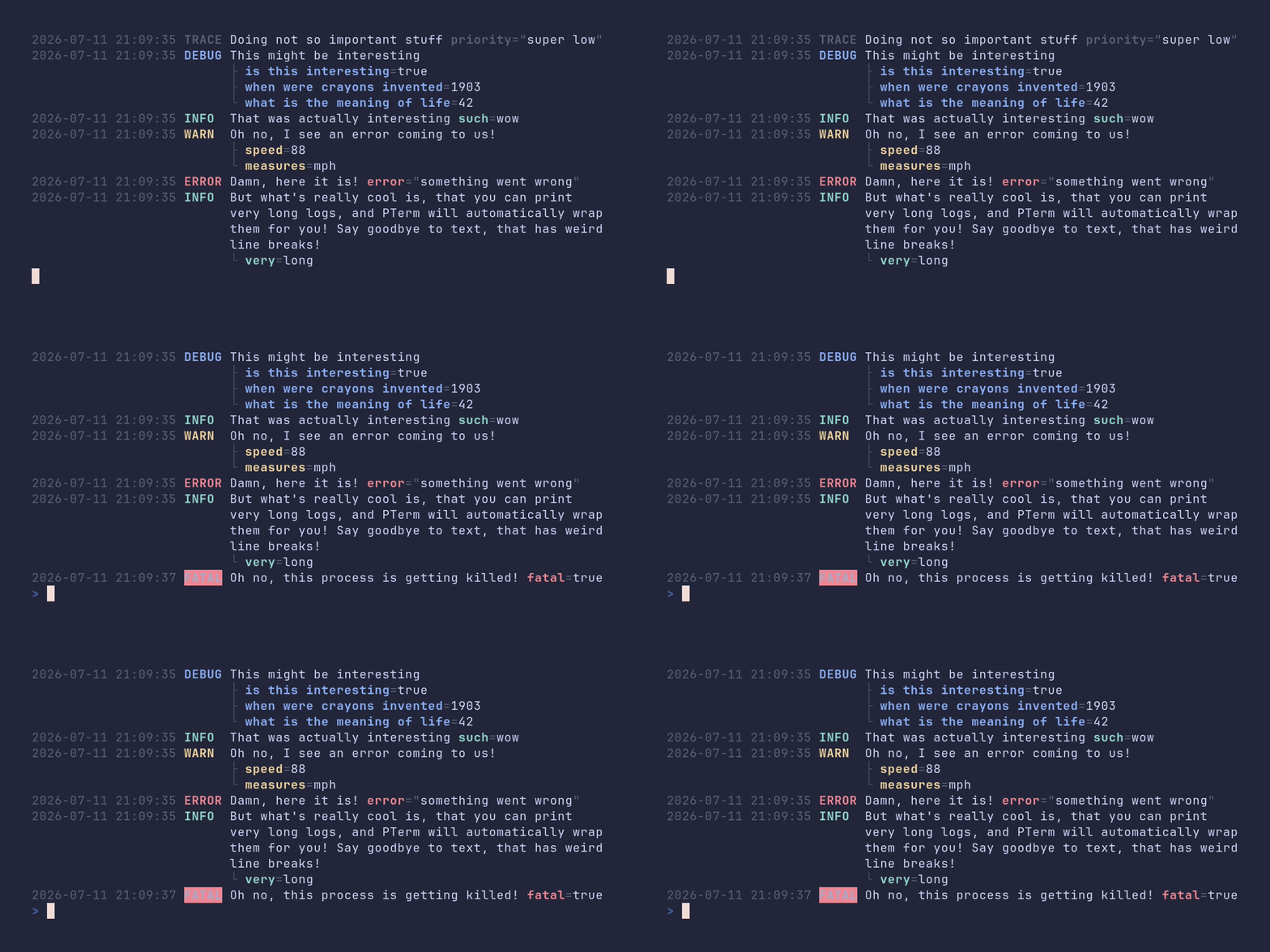
	logger.Trace("Doing not so important stuff", logger.Args("priority", "super low"))

	interestingStuff := map[string]any{
		"when were crayons invented":  "1903",
		"what is the meaning of life": 42,
		"is this interesting":         true,
	}

	// ArgsFromMap turns an existing map into logger arguments.
	logger.Debug("This might be interesting", logger.ArgsFromMap(interestingStuff))

	logger.Info("That was actually interesting", logger.Args("such", "wow"))
	logger.Warn("Oh no, I see an error coming to us!", logger.Args("speed", 88, "measures", "mph"))
	logger.Error("Damn, here it is!", logger.Args("error", "something went wrong"))

	// Long messages are wrapped to the terminal width automatically.
	logger.Info("But what's really cool is, that you can print very long logs, and PTerm will automatically wrap them for you! Say goodbye to text, that has weird line breaks!", logger.Args("very", "long"))

	time.Sleep(time.Second * 2)

	// Fatal logs the message and then exits the process.
	logger.Fatal("Oh no, this process is getting killed!", logger.Args("fatal", true))
}
logger/json
SHOW SOURCE
package main

import "github.com/pterm/pterm"

func main() {
	// The JSON formatter emits one JSON object per log line, which is handy
	// for machine-readable output in production.
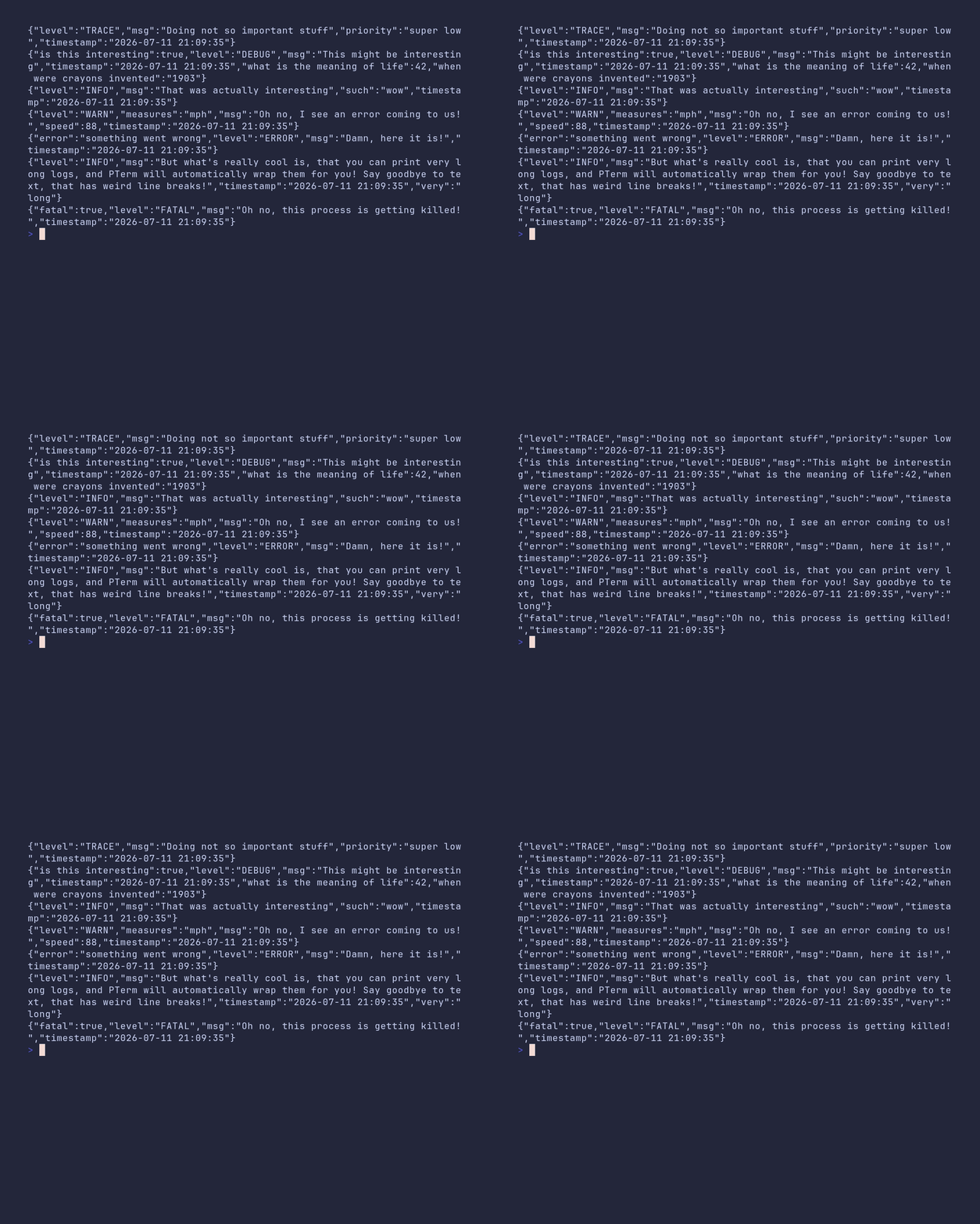
	logger := pterm.DefaultLogger.WithLevel(pterm.LogLevelTrace).WithFormatter(pterm.LogFormatterJSON)

	// logger.Args pairs up keys and values for structured output.
	logger.Trace("Doing not so important stuff", logger.Args("priority", "super low"))

	interestingStuff := map[string]any{
		"when were crayons invented":  "1903",
		"what is the meaning of life": 42,
		"is this interesting":         true,
	}

	// ArgsFromMap turns an existing map into logger arguments.
	logger.Debug("This might be interesting", logger.ArgsFromMap(interestingStuff))

	logger.Info("That was actually interesting", logger.Args("such", "wow"))
	logger.Warn("Oh no, I see an error coming to us!", logger.Args("speed", 88, "measures", "mph"))
	logger.Error("Damn, here it is!", logger.Args("error", "something went wrong"))
	logger.Info("But what's really cool is, that you can print very long logs, and PTerm will automatically wrap them for you! Say goodbye to text, that has weird line breaks!", logger.Args("very", "long"))

	// Fatal logs the message and then exits the process.
	logger.Fatal("Oh no, this process is getting killed!", logger.Args("fatal", true))
}
logger/with-caller
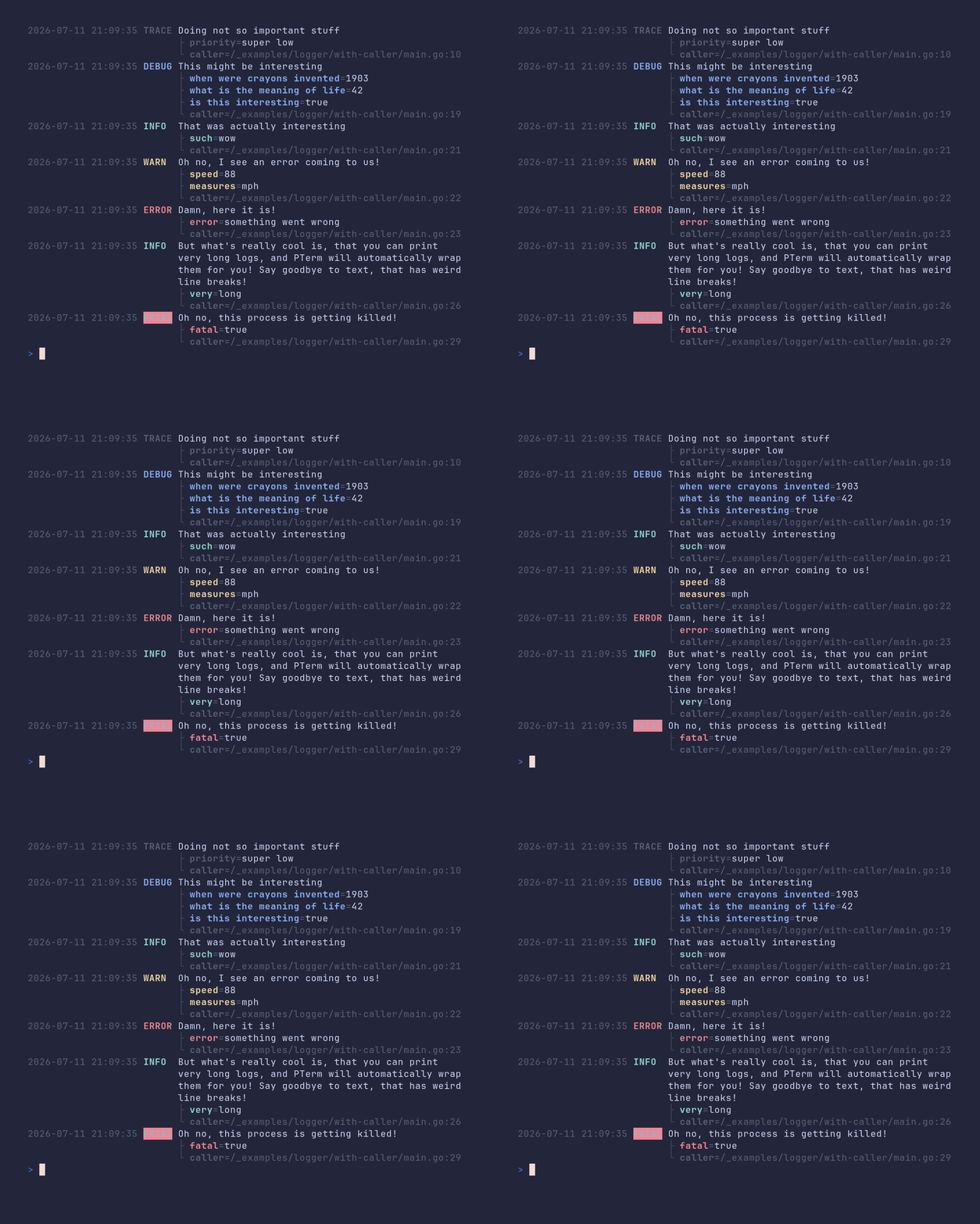
SHOW SOURCE
package main

import "github.com/pterm/pterm"

func main() {
	// WithCaller adds the file and line of the log call to every message.
	logger := pterm.DefaultLogger.WithLevel(pterm.LogLevelTrace).WithCaller()

	// logger.Args pairs up keys and values for structured output.
	logger.Trace("Doing not so important stuff", logger.Args("priority", "super low"))

	interestingStuff := map[string]any{
		"when were crayons invented":  "1903",
		"what is the meaning of life": 42,
		"is this interesting":         true,
	}

	// ArgsFromMap turns an existing map into logger arguments.
	logger.Debug("This might be interesting", logger.ArgsFromMap(interestingStuff))

	logger.Info("That was actually interesting", logger.Args("such", "wow"))
	logger.Warn("Oh no, I see an error coming to us!", logger.Args("speed", 88, "measures", "mph"))
	logger.Error("Damn, here it is!", logger.Args("error", "something went wrong"))

	// Long messages are wrapped to the terminal width automatically.
	logger.Info("But what's really cool is, that you can print very long logs, and PTerm will automatically wrap them for you! Say goodbye to text, that has weird line breaks!", logger.Args("very", "long"))

	// Fatal logs the message and then exits the process.
	logger.Fatal("Oh no, this process is getting killed!", logger.Args("fatal", true))
}
multiple-live-printers/demo

SHOW SOURCE
package main

import (
	"time"

	"github.com/pterm/pterm"
)

func main() {
	// The multi printer renders several live printers at once. Each live
	// printer gets its own line via multi.NewWriter().
	multi := pterm.DefaultMultiPrinter

	spinner1, _ := pterm.DefaultSpinner.WithWriter(multi.NewWriter()).Start("Spinner 1")
	spinner2, _ := pterm.DefaultSpinner.WithWriter(multi.NewWriter()).Start("Spinner 2")

	pb1, _ := pterm.DefaultProgressbar.WithTotal(100).WithWriter(multi.NewWriter()).Start("Progressbar 1")
	pb2, _ := pterm.DefaultProgressbar.WithTotal(100).WithWriter(multi.NewWriter()).Start("Progressbar 2")
	pb3, _ := pterm.DefaultProgressbar.WithTotal(100).WithWriter(multi.NewWriter()).Start("Progressbar 3")
	pb4, _ := pterm.DefaultProgressbar.WithTotal(100).WithWriter(multi.NewWriter()).Start("Progressbar 4")
	pb5, _ := pterm.DefaultProgressbar.WithTotal(100).WithWriter(multi.NewWriter()).Start("Progressbar 5")

	// Nothing is rendered until the multi printer itself is started.
	multi.Start()

	// Advance the printers at different rates to show that they update
	// independently.
	for i := 1; i <= 100; i++ {
		pb1.Increment()

		if i%2 == 0 {
			pb2.Add(3)
		}

		if i%5 == 0 {
			pb3.Increment()
		}

		if i%10 == 0 {
			pb4.Increment()
		}

		if i%3 == 0 {
			pb5.Increment()
		}

		if i%50 == 0 {
			spinner1.Success("Spinner 1 is done!")
		}

		if i%60 == 0 {
			spinner2.Fail("Spinner 2 failed!")
		}

		time.Sleep(time.Millisecond * 50)
	}

	multi.Stop()
}
panel/demo
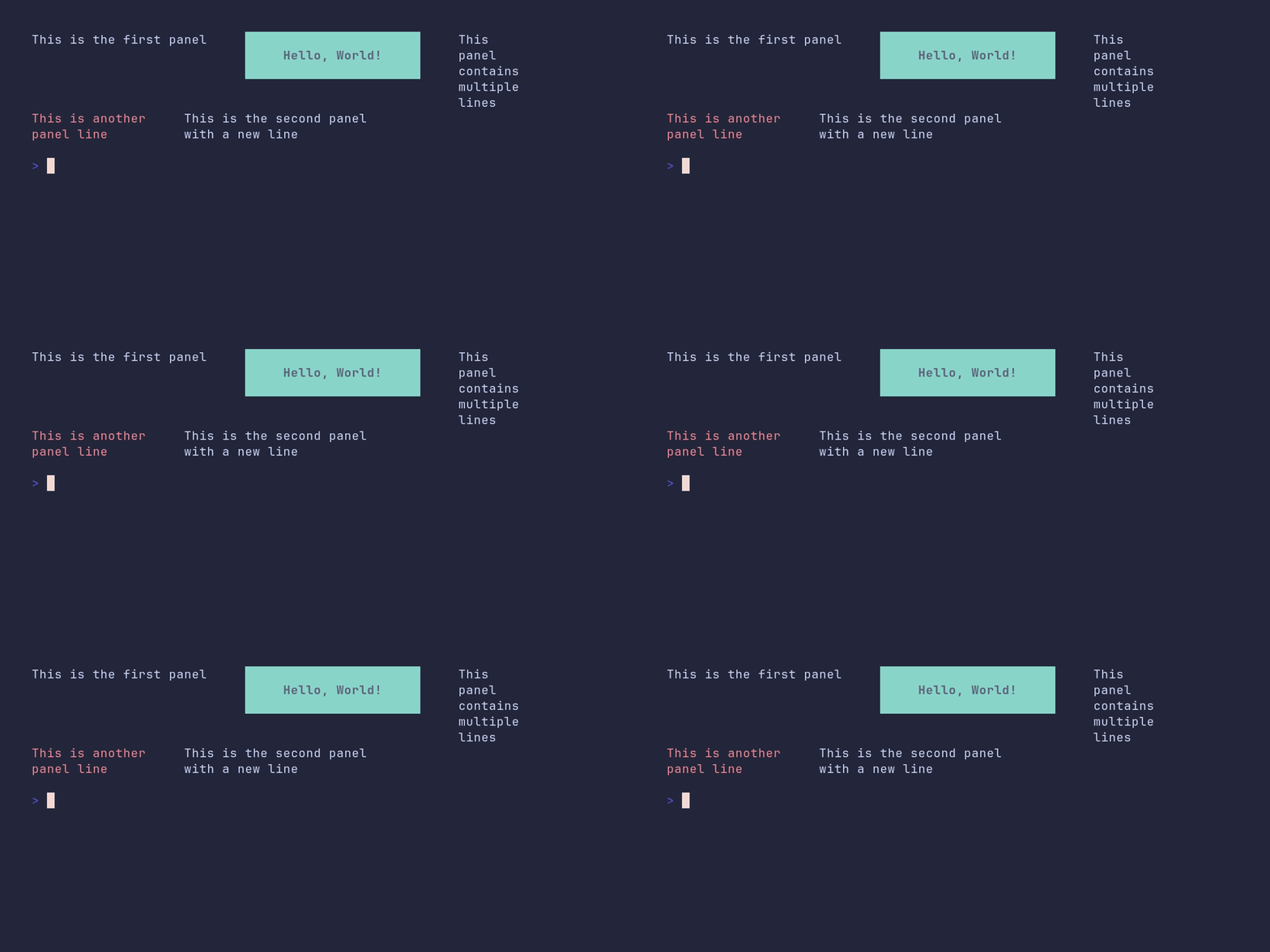
SHOW SOURCE
package main

import "github.com/pterm/pterm"

func main() {
	// Panels form a 2D grid: the outer slice holds rows, the inner slices hold
	// the panels of each row. Panel content can be multiline and may come from
	// other printers.
	panels := pterm.Panels{
		{
			{Data: "This is the first panel"},
			{Data: pterm.DefaultHeader.Sprint("Hello, World!")},
			{Data: "This\npanel\ncontains\nmultiple\nlines"},
		},
		{
			{Data: pterm.Red("This is another\npanel line")},
			{Data: "This is the second panel\nwith a new line"},
		},
	}

	// Padding controls the horizontal space between panels in a row.
	_ = pterm.DefaultPanel.WithPanels(panels).WithPadding(5).Render()
}
panel/boxed
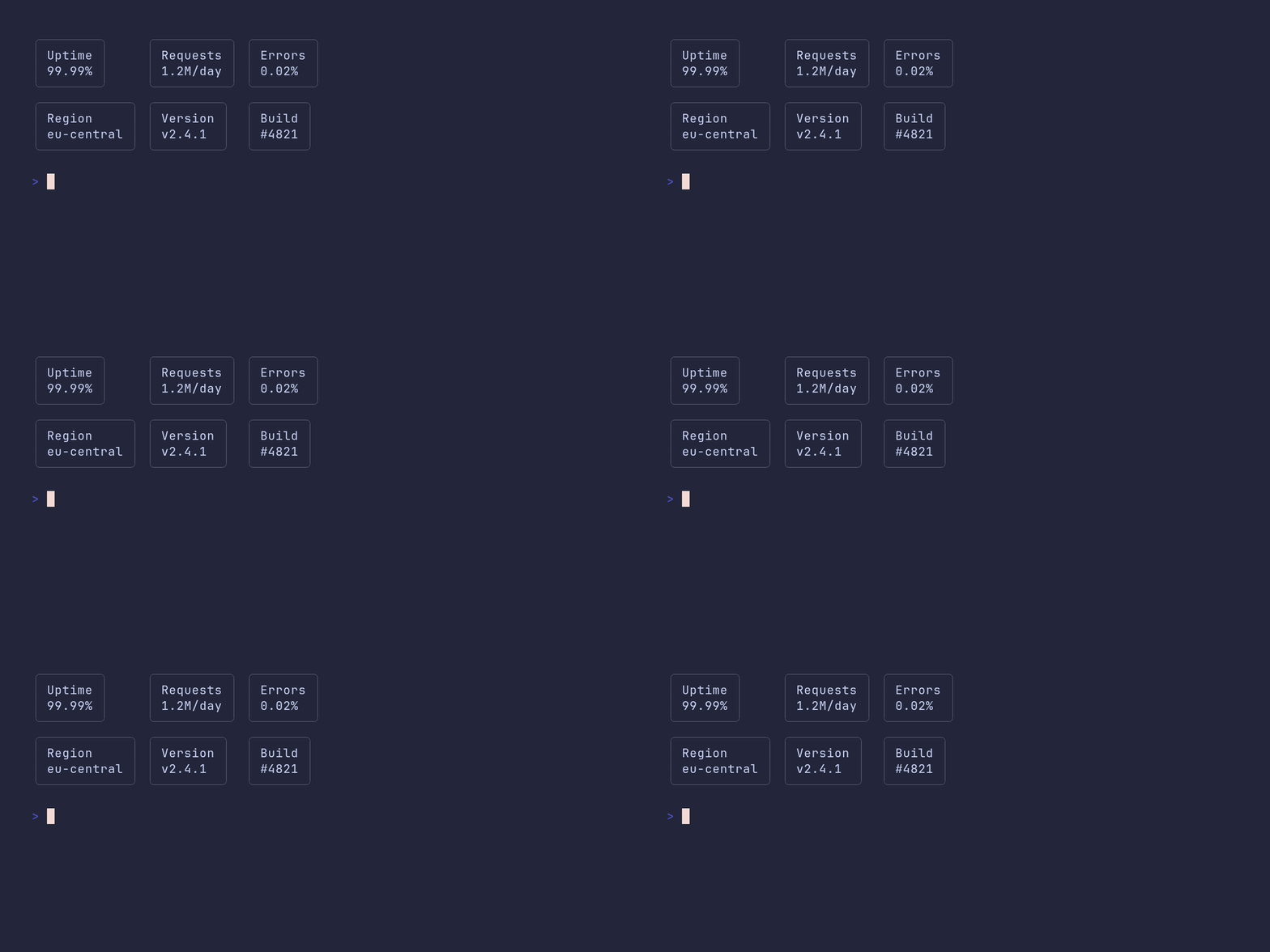
SHOW SOURCE
package main

import "github.com/pterm/pterm"

func main() {
	// Panels form a 2D grid: the outer slice holds rows, the inner slices hold
	// the panels of each row.
	panels := pterm.Panels{
		{
			{Data: "Uptime\n99.99%"},
			{Data: "Requests\n1.2M/day"},
			{Data: "Errors\n0.02%"},
		},
		{
			{Data: "Region\neu-central"},
			{Data: "Version\nv2.4.1"},
			{Data: "Build\n#4821"},
		},
	}

	// WithBoxPrinter draws each panel inside a box. WithSameColumnWidth pads
	// every panel of a column to the widest one, so the boxes line up.
	_ = pterm.DefaultPanel.
		WithPanels(panels).
		WithBoxPrinter(pterm.DefaultBox).
		WithSameColumnWidth().
		Render()
}
paragraph/demo
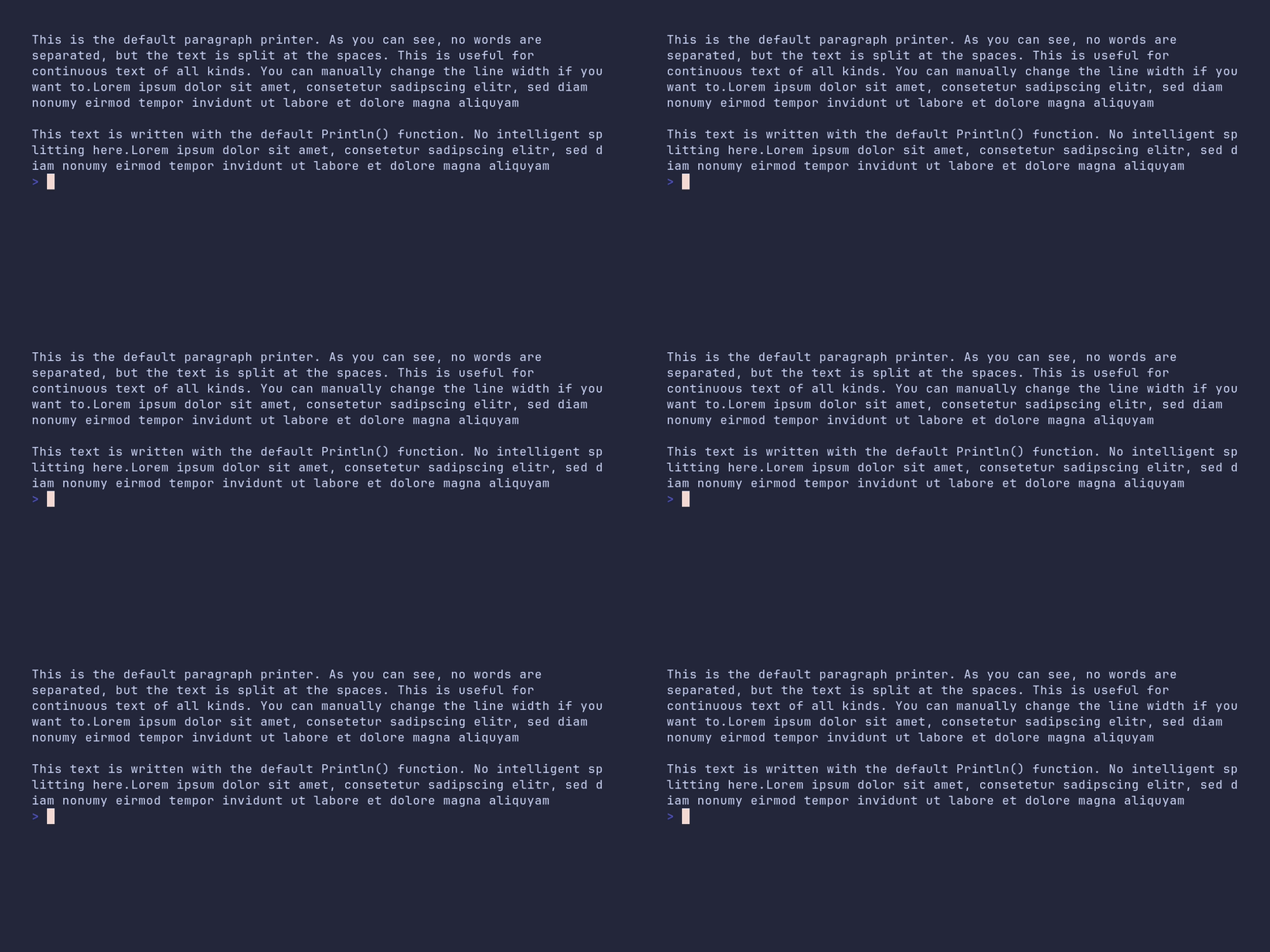
SHOW SOURCE
package main

import "github.com/pterm/pterm"

func main() {
	// The paragraph printer wraps long text at word boundaries so it fits the
	// terminal width without breaking words apart.
	pterm.DefaultParagraph.Println("This is the default paragraph printer. As you can see, no words are separated, " +
		"but the text is split at the spaces. This is useful for continuous text of all kinds. You can manually change the line width if you want to." +
		"Lorem ipsum dolor sit amet, consetetur sadipscing elitr, sed diam nonumy eirmod tempor invidunt ut labore et dolore magna aliquyam")

	pterm.Println()

	// For comparison: plain Println lets the terminal break lines wherever
	// they happen to overflow, even in the middle of a word.
	pterm.Println("This text is written with the default Println() function. No intelligent splitting here." +
		"Lorem ipsum dolor sit amet, consetetur sadipscing elitr, sed diam nonumy eirmod tempor invidunt ut labore et dolore magna aliquyam")
}
paragraph/customized
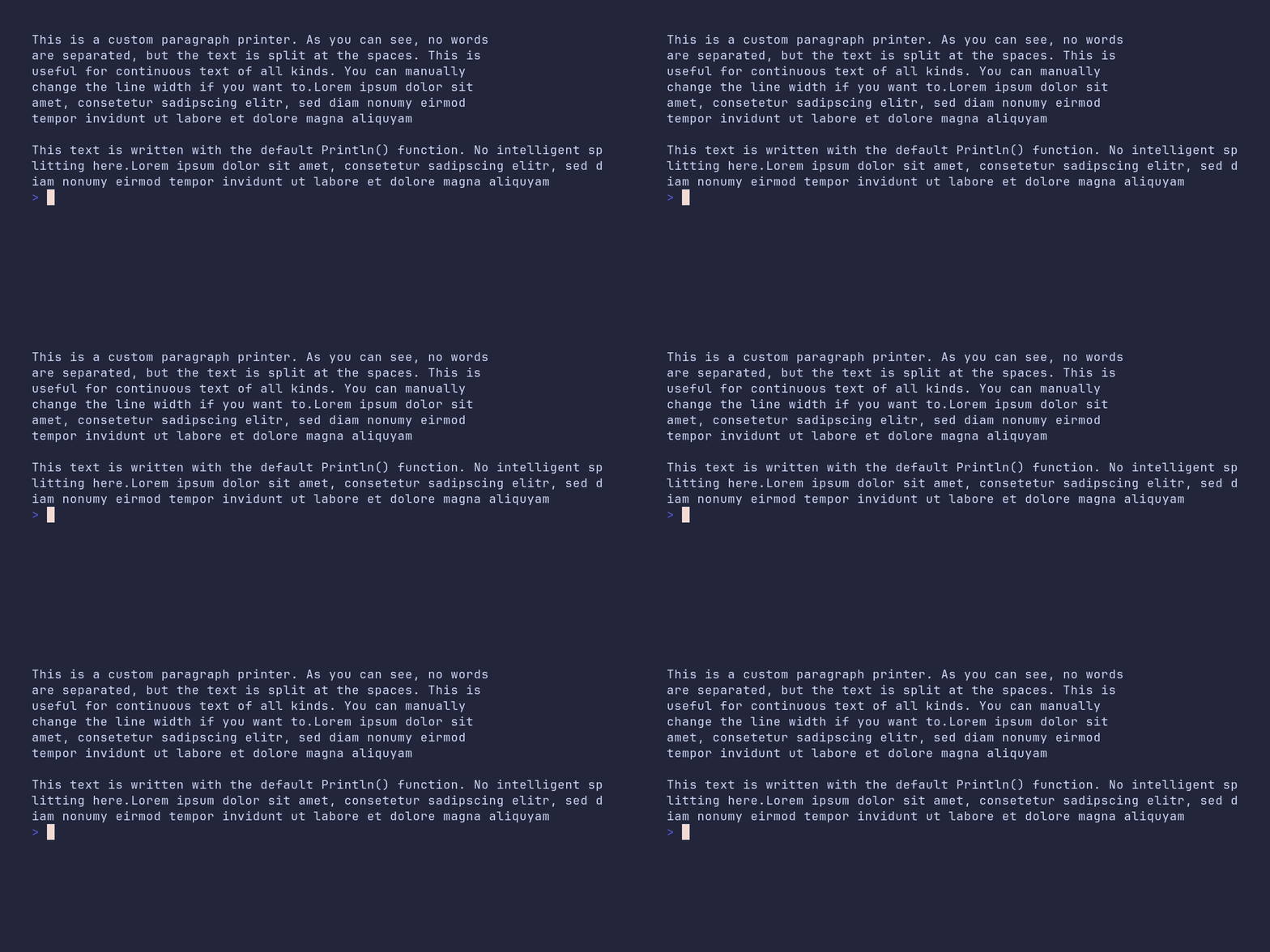
SHOW SOURCE
package main

import "github.com/pterm/pterm"

func main() {
	longText := "This is a custom paragraph printer. As you can see, no words are separated, " +
		"but the text is split at the spaces. This is useful for continuous text of all kinds. You can manually change the line width if you want to." +
		"Lorem ipsum dolor sit amet, consetetur sadipscing elitr, sed diam nonumy eirmod tempor invidunt ut labore et dolore magna aliquyam"

	// The paragraph printer wraps at word boundaries. WithMaxWidth caps the
	// line width instead of using the full terminal width.
	pterm.DefaultParagraph.WithMaxWidth(60).Println(longText)

	pterm.Println()

	longTextWithoutParagraph := "This text is written with the default Println() function. No intelligent splitting here." +
		"Lorem ipsum dolor sit amet, consetetur sadipscing elitr, sed diam nonumy eirmod tempor invidunt ut labore et dolore magna aliquyam"

	// For comparison: plain Println lets the terminal break lines wherever
	// they happen to overflow, even in the middle of a word.
	pterm.Println(longTextWithoutParagraph)
}
prefix/demo
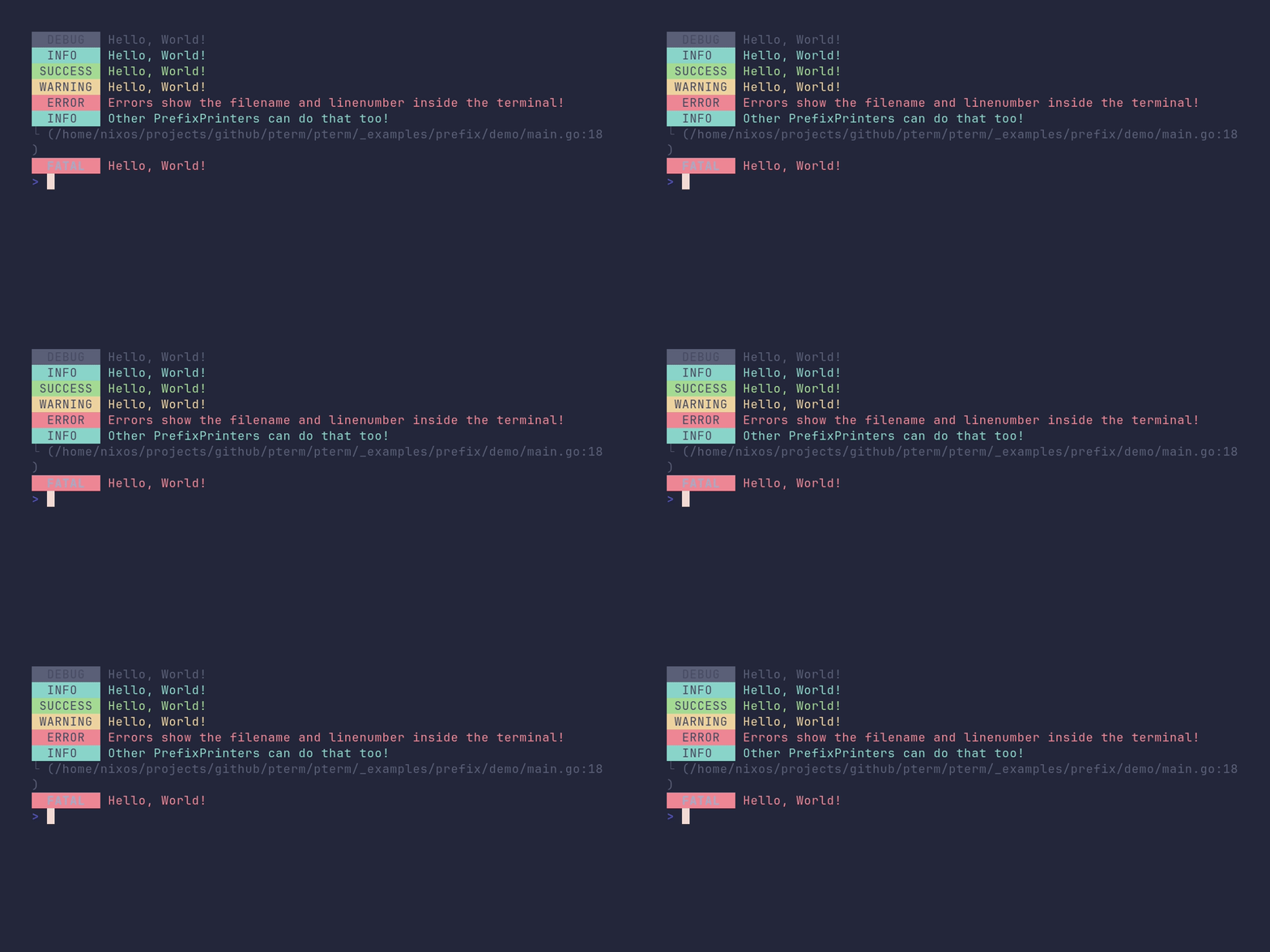
SHOW SOURCE
package main

import "github.com/pterm/pterm"

func main() {
	// Debug messages are hidden by default. Enable them so pterm.Debug prints.
	pterm.EnableDebugMessages()

	pterm.Debug.Println("Hello, World!")
	pterm.Info.Println("Hello, World!")
	pterm.Success.Println("Hello, World!")
	pterm.Warning.Println("Hello, World!")

	// Error prints the filename and line number of the call site.
	pterm.Error.Println("Errors show the filename and linenumber inside the terminal!")

	// Any PrefixPrinter can show line numbers via WithShowLineNumber.
	pterm.Info.WithShowLineNumber().Println("Other PrefixPrinters can do that too!")

	// Fatal would normally terminate the program. WithFatal(false) turns that
	// off so this demo keeps running.
	pterm.Fatal.WithFatal(false).Println("Hello, World!")
}
prefix/custom
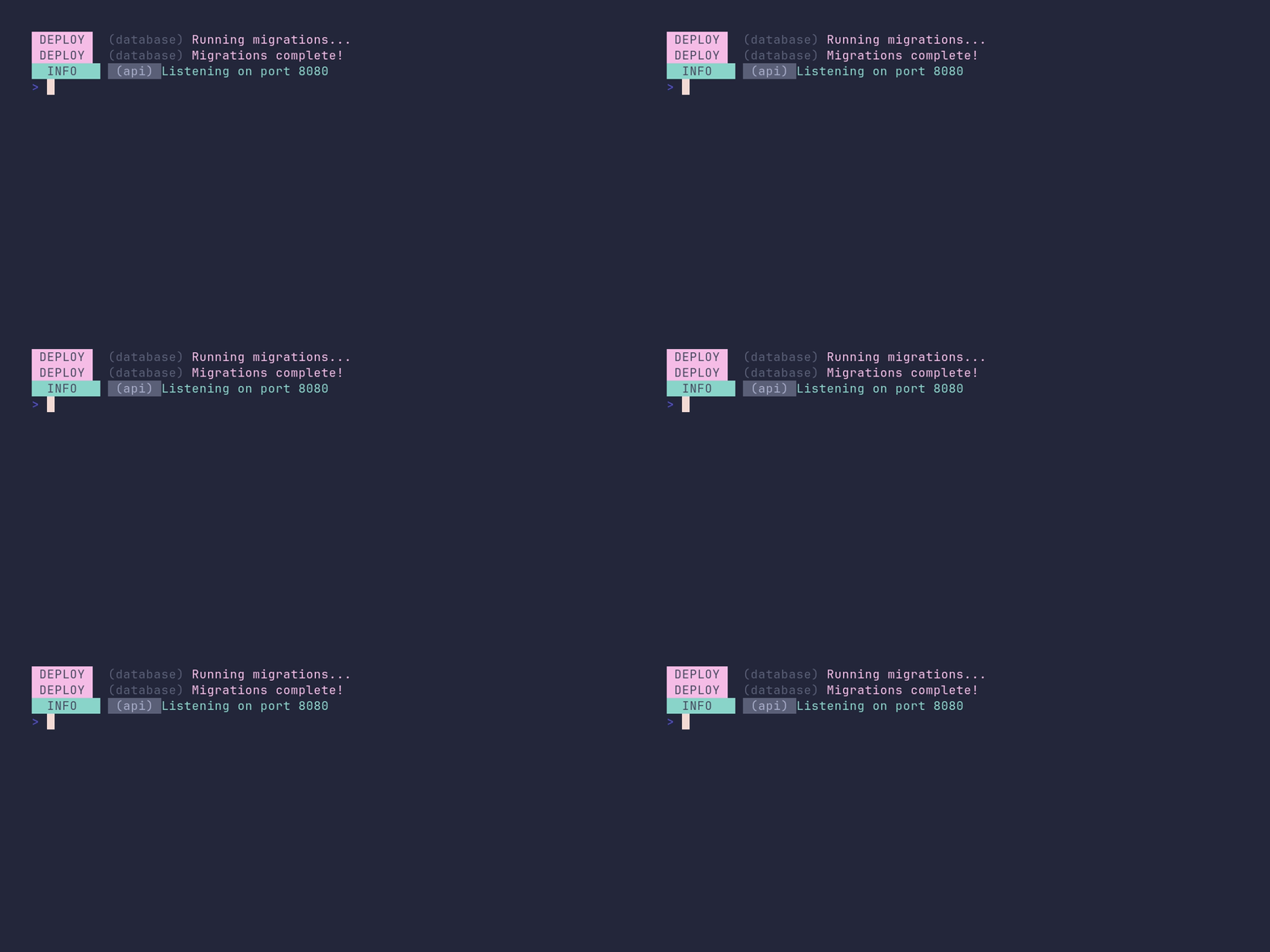
SHOW SOURCE
package main

import "github.com/pterm/pterm"

func main() {
	// A PrefixPrinter is just a struct, so custom printers can be built from
	// scratch. The built-ins (Info, Success, ...) are constructed the same way.
	deploy := pterm.PrefixPrinter{
		Prefix: pterm.Prefix{
			Text:  "DEPLOY",
			Style: pterm.NewStyle(pterm.BgLightMagenta, pterm.FgBlack),
		},
		// The scope is printed after the prefix in brackets. Useful for
		// tagging messages with a subsystem or component name.
		Scope: pterm.Scope{
			Text:  "database",
			Style: pterm.NewStyle(pterm.FgGray),
		},
		MessageStyle: pterm.NewStyle(pterm.FgLightMagenta),
	}

	deploy.Println("Running migrations...")
	deploy.Println("Migrations complete!")

	// Existing printers can be tweaked on the fly. With* methods return a
	// modified copy, so pterm.Info itself stays untouched.
	pterm.Info.WithScope(pterm.Scope{
		Text:  "api",
		Style: pterm.NewStyle(pterm.BgGray, pterm.FgLightWhite),
	}).Println("Listening on port 8080")
}
progressbar/demo
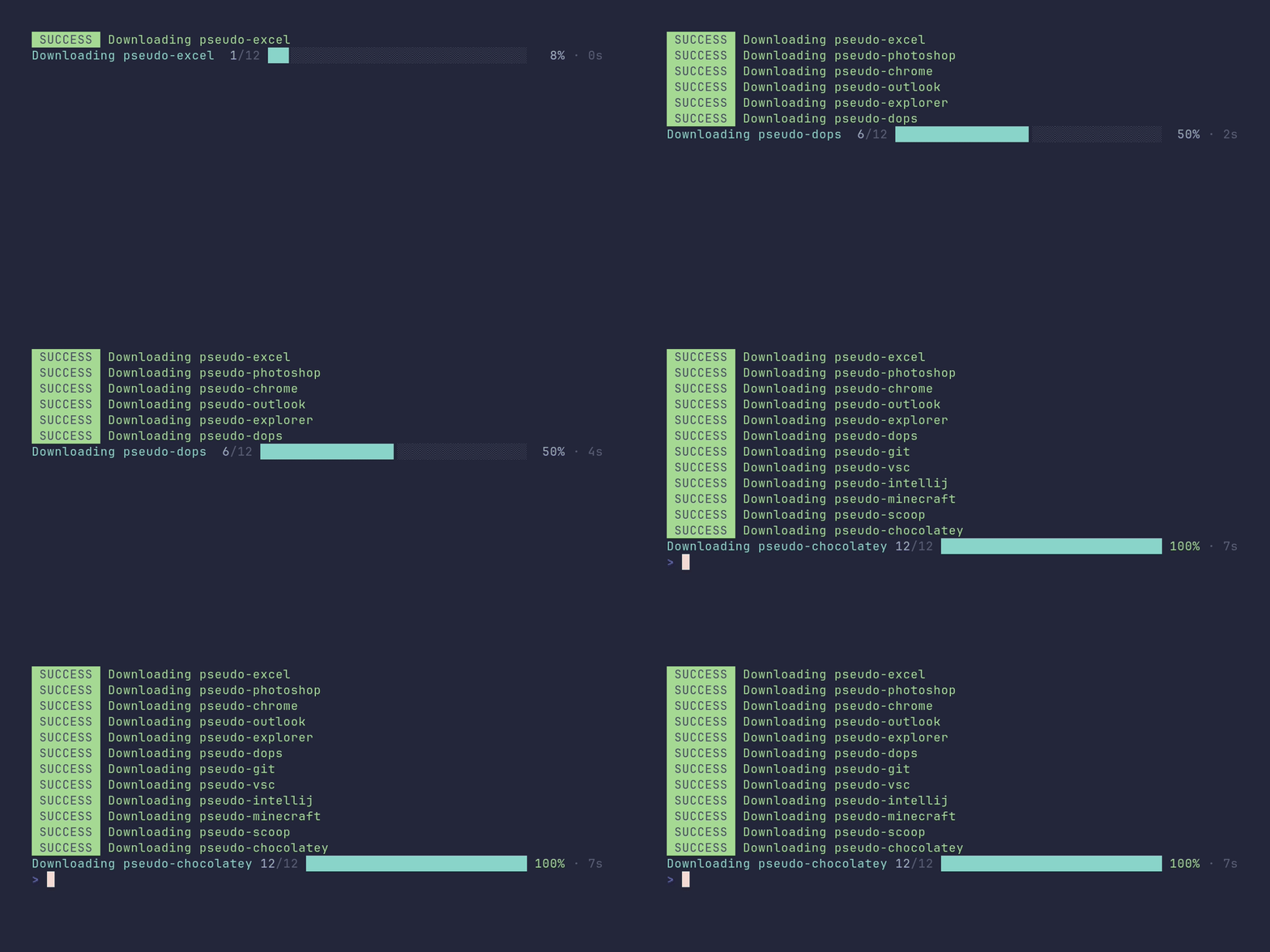
SHOW SOURCE
package main

import (
	"strings"
	"time"

	"github.com/pterm/pterm"
)

// Pretend we have a list of packages to download.
var fakeInstallList = strings.Split("pseudo-excel pseudo-photoshop pseudo-chrome pseudo-outlook pseudo-explorer "+
	"pseudo-dops pseudo-git pseudo-vsc pseudo-intellij pseudo-minecraft pseudo-scoop pseudo-chocolatey", " ")

func main() {
	p, _ := pterm.DefaultProgressbar.WithTotal(len(fakeInstallList)).WithTitle("Downloading stuff").Start()

	for i := 0; i < p.Total; i++ {
		// Simulate one download taking much longer than the rest.
		if i == 6 {
			time.Sleep(time.Second * 3)
		}

		p.UpdateTitle("Downloading " + fakeInstallList[i])

		// Printing through pterm while the progressbar runs places the output
		// above the bar instead of breaking it.
		pterm.Success.Println("Downloading " + fakeInstallList[i])
		p.Increment()
		time.Sleep(time.Millisecond * 350)
	}
}
progressbar/custom-style
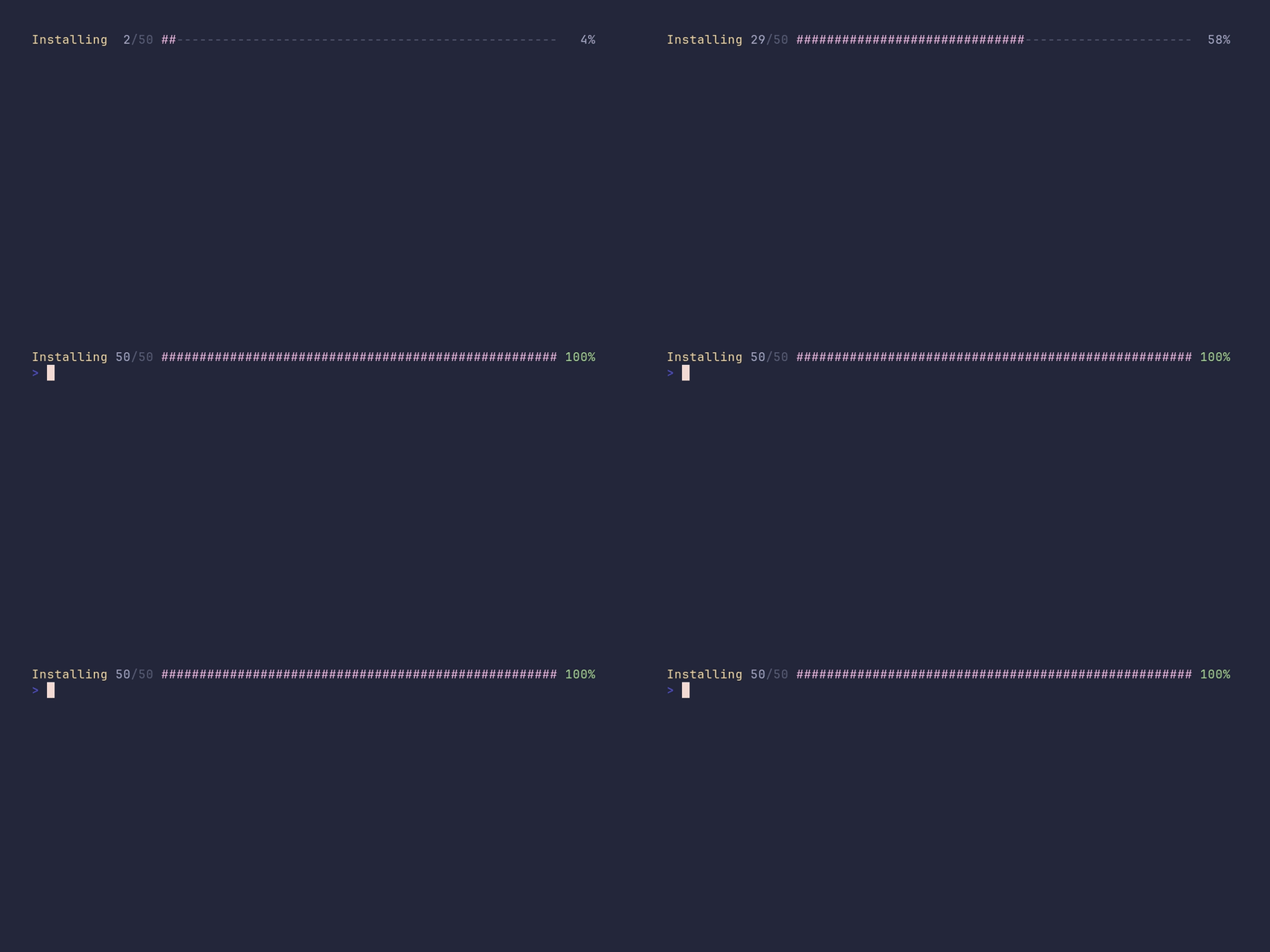
SHOW SOURCE
package main

import (
	"time"

	"github.com/pterm/pterm"
)

func main() {
	// Every visual part of the progressbar can be swapped out. Here the bar
	// gets a retro ASCII look; clearing BarPartialCharacters disables the
	// smooth block-glyph edge, which would clash with plain "#".
	p, _ := pterm.DefaultProgressbar.
		WithTotal(50).
		WithTitle("Installing").
		WithBarCharacter("#").
		WithLastCharacter("#").
		WithBarFiller("-").
		WithBarPartialCharacters(nil).
		WithTitleStyle(pterm.NewStyle(pterm.FgLightYellow)).
		WithBarStyle(pterm.NewStyle(pterm.FgLightMagenta)).
		WithShowElapsedTime(false).
		Start()

	for i := 0; i < p.Total; i++ {
		p.Increment()
		time.Sleep(time.Millisecond * 60)
	}
}
progressbar/multiple

SHOW SOURCE
package main

import (
	"time"

	"github.com/pterm/pterm"
)

func main() {
	// A MultiPrinter renders several live printers at once. Each progressbar
	// writes to its own writer obtained from the multi printer.
	multi := pterm.DefaultMultiPrinter

	pb1, _ := pterm.DefaultProgressbar.WithTotal(100).WithWriter(multi.NewWriter()).Start("Progressbar 1")
	pb2, _ := pterm.DefaultProgressbar.WithTotal(100).WithWriter(multi.NewWriter()).Start("Progressbar 2")
	pb3, _ := pterm.DefaultProgressbar.WithTotal(100).WithWriter(multi.NewWriter()).Start("Progressbar 3")
	pb4, _ := pterm.DefaultProgressbar.WithTotal(100).WithWriter(multi.NewWriter()).Start("Progressbar 4")
	pb5, _ := pterm.DefaultProgressbar.WithTotal(100).WithWriter(multi.NewWriter()).Start("Progressbar 5")

	multi.Start()

	// Advance the bars at different speeds so they visibly run independently.
	for i := 1; i <= 100; i++ {
		pb1.Increment()

		if i%2 == 0 {
			pb2.Add(3)
		}

		if i%5 == 0 {
			pb3.Increment()
		}

		if i%10 == 0 {
			pb4.Increment()
		}

		if i%3 == 0 {
			pb5.Increment()
		}

		time.Sleep(time.Millisecond * 50)
	}

	multi.Stop()
}
section/demo
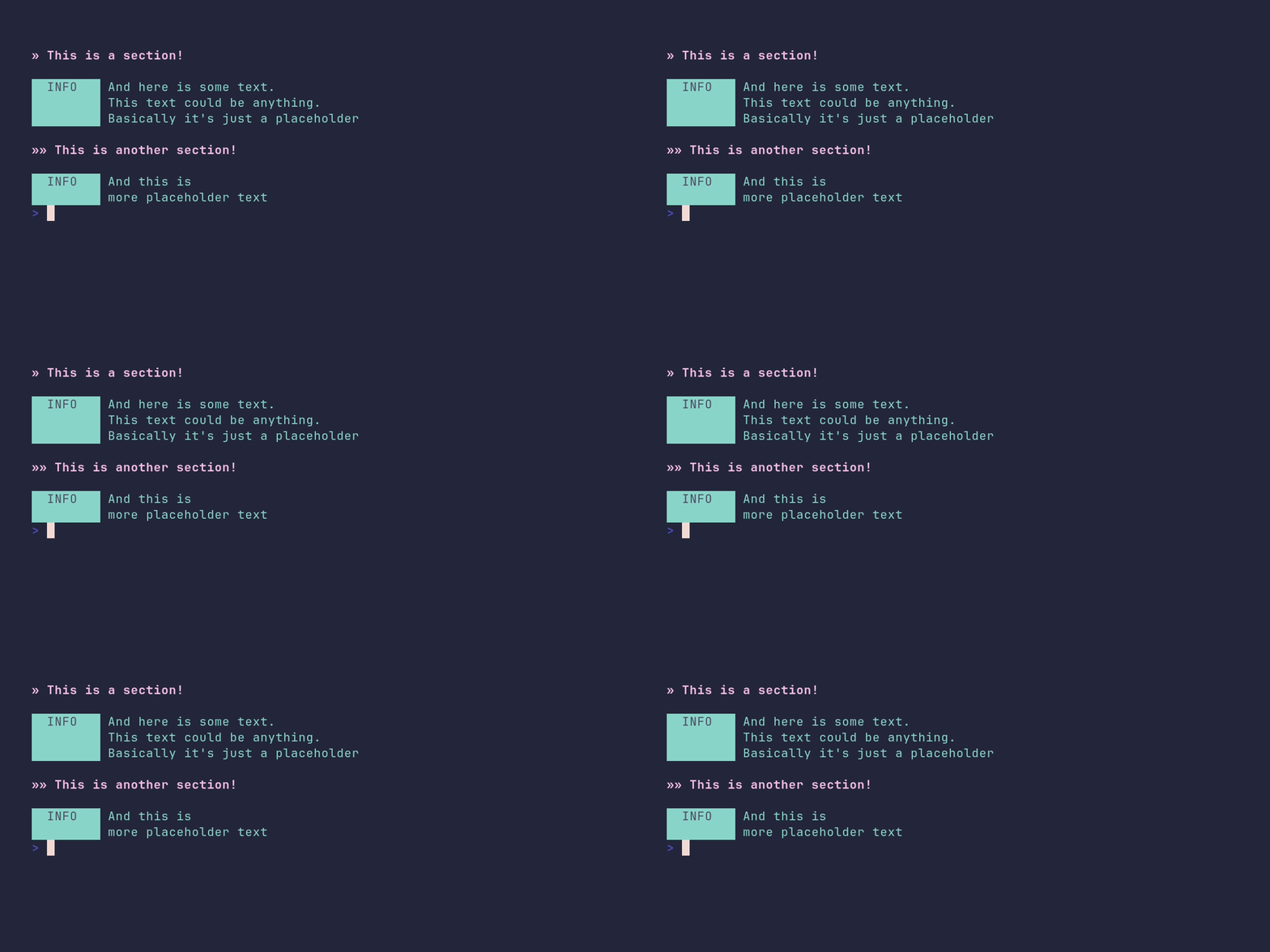
SHOW SOURCE
package main

import "github.com/pterm/pterm"

func main() {
	// Sections structure long output into headed blocks, like chapters.
	pterm.DefaultSection.Println("This is a section!")
	pterm.Info.Println("And here is some text.\nThis text could be anything.\nBasically it's just a placeholder")

	// Higher levels render as smaller subsections.
	pterm.DefaultSection.WithLevel(2).Println("This is another section!")
	pterm.Info.Println("And this is\nmore placeholder text")
}
slog/demo
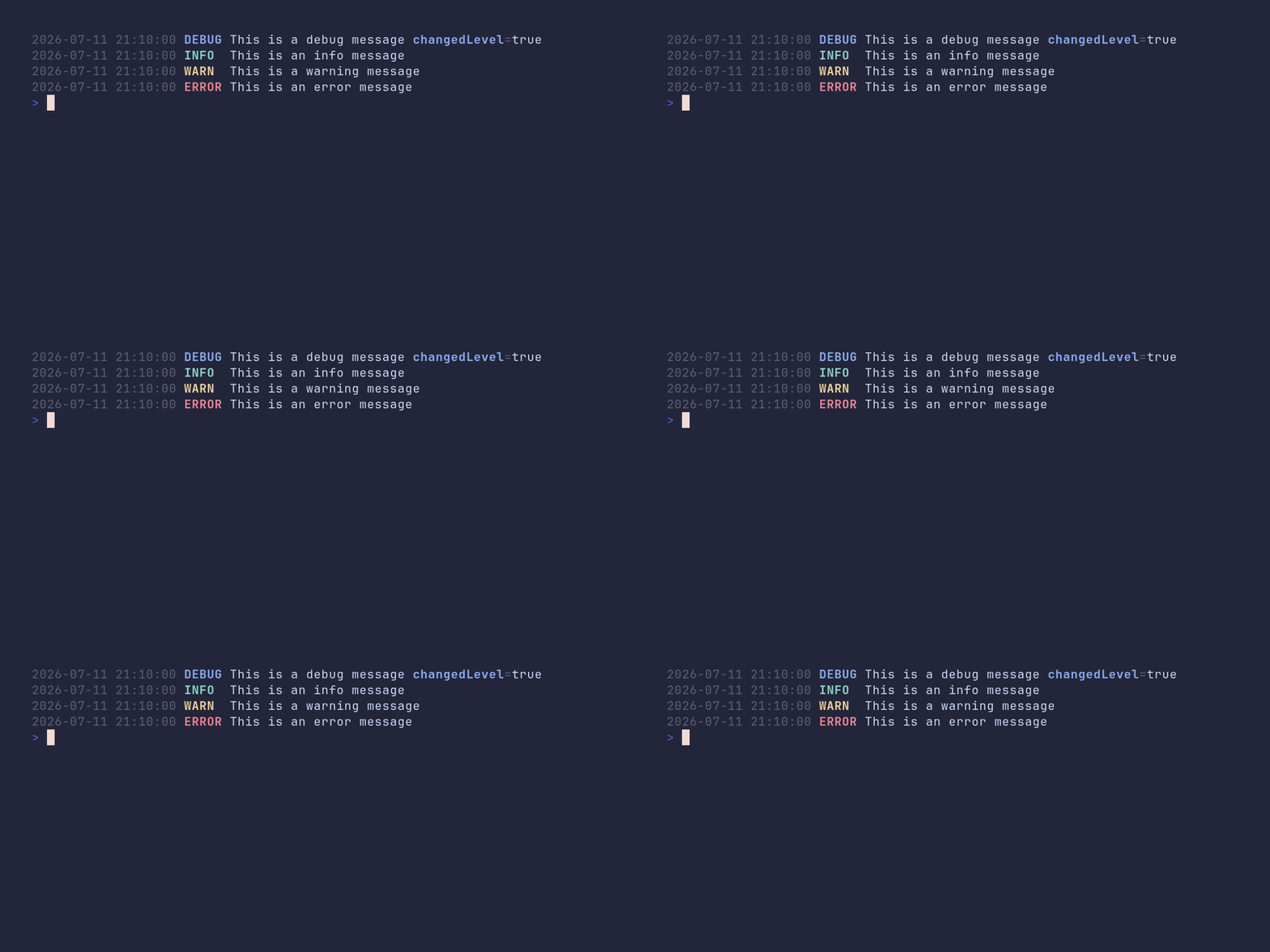
SHOW SOURCE
package main

import (
	"log/slog"

	"github.com/pterm/pterm"
)

func main() {
	// PTerm's logger can act as a handler for the standard library's slog
	// package, so existing slog code gets styled output for free.
	handler := pterm.NewSlogHandler(&pterm.DefaultLogger)
	logger := slog.New(handler)

	// The PTerm logger decides which levels are shown. Its default level is
	// Info, so this debug message is dropped.
	logger.Debug("This is a debug message that won't show")

	// Lowering the level on the PTerm logger takes effect immediately.
	pterm.DefaultLogger.Level = pterm.LogLevelDebug

	logger.Debug("This is a debug message", "changedLevel", true)
	logger.Info("This is an info message")
	logger.Warn("This is a warning message")
	logger.Error("This is an error message")
}
spinner/demo
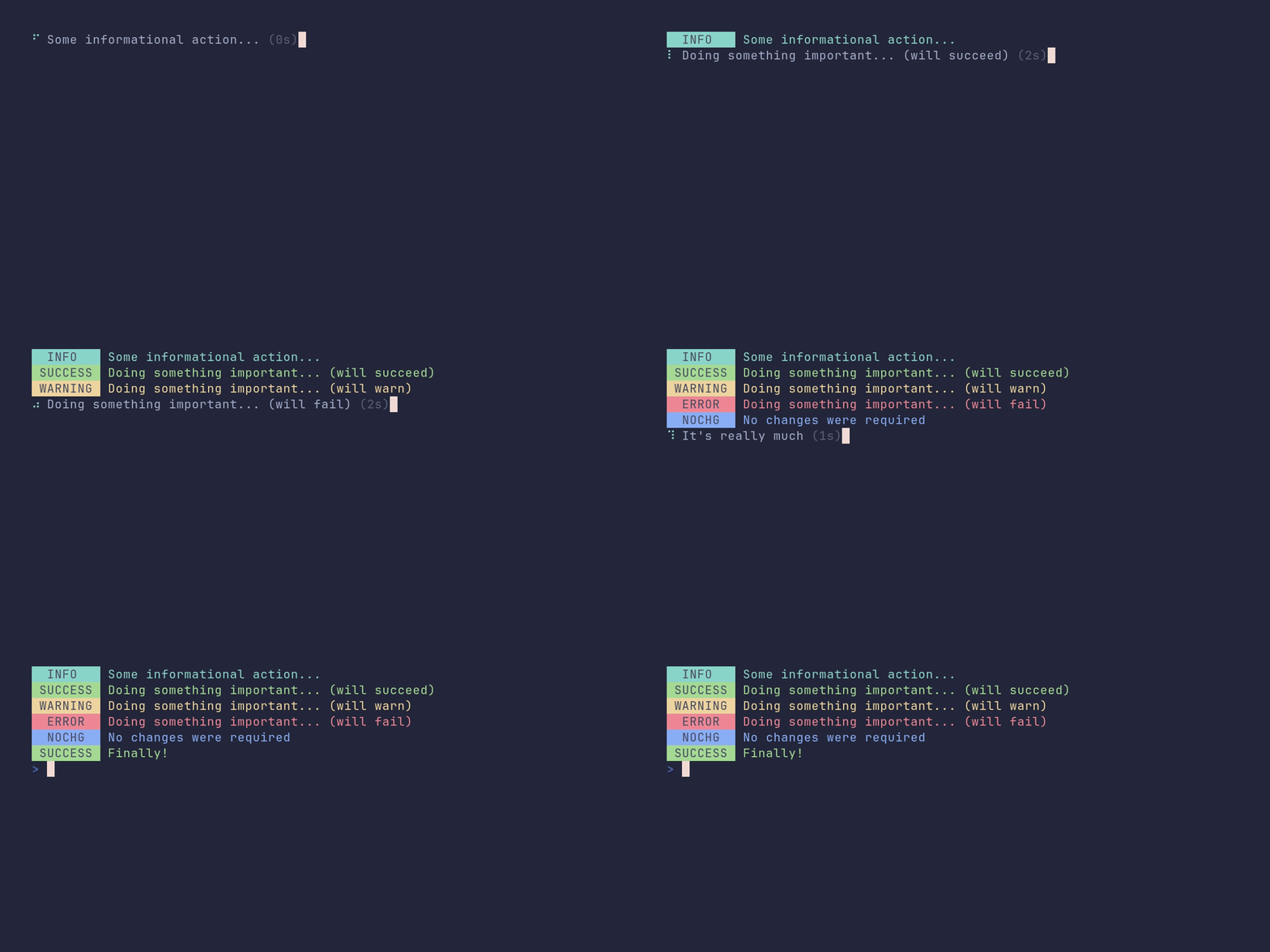
SHOW SOURCE
package main

import (
	"time"

	"github.com/pterm/pterm"
)

func main() {
	// A spinner can resolve as Info, Success, Warning or Fail. The spinner
	// line is replaced by the matching prefix printer output.
	spinnerInfo, _ := pterm.DefaultSpinner.Start("Some informational action...")
	time.Sleep(time.Second * 2)
	spinnerInfo.Info()

	spinnerSuccess, _ := pterm.DefaultSpinner.Start("Doing something important... (will succeed)")
	time.Sleep(time.Second * 2)
	spinnerSuccess.Success()

	spinnerWarning, _ := pterm.DefaultSpinner.Start("Doing something important... (will warn)")
	time.Sleep(time.Second * 2)
	spinnerWarning.Warning()

	spinnerFail, _ := pterm.DefaultSpinner.Start("Doing something important... (will fail)")
	time.Sleep(time.Second * 2)
	spinnerFail.Fail()

	// The resolve printers are plain PrefixPrinters, so they can be swapped
	// out. Here Info resolves with a custom "NOCHG" prefix instead.
	spinnerNochange, _ := pterm.DefaultSpinner.Start("Checking something important... (will result in no change)")
	spinnerNochange.InfoPrinter = &pterm.PrefixPrinter{
		MessageStyle: &pterm.Style{pterm.FgLightBlue},
		Prefix: pterm.Prefix{
			Style: &pterm.Style{pterm.FgBlack, pterm.BgLightBlue},
			Text:  " NOCHG ",
		},
	}

	time.Sleep(time.Second * 2)
	spinnerNochange.Info("No changes were required")

	// The text can be updated while the spinner keeps running.
	spinnerLiveText, _ := pterm.DefaultSpinner.Start("Doing a lot of stuff...")
	time.Sleep(time.Second)
	spinnerLiveText.UpdateText("It's really much")
	time.Sleep(time.Second)
	spinnerLiveText.UpdateText("We're nearly done!")
	time.Sleep(time.Second)
	spinnerLiveText.Success("Finally!")
}
spinner/custom

SHOW SOURCE
package main

import (
	"time"

	"github.com/pterm/pterm"
)

func main() {
	// The spinner animation is just a sequence of frames, so any set of
	// strings works. WithStyle colors the animation.
	spinner, _ := pterm.DefaultSpinner.
		WithSequence("▁", "▃", "▅", "▇", "▅", "▃").
		WithStyle(pterm.NewStyle(pterm.FgCyan)).
		Start("Uploading assets...")

	time.Sleep(time.Second * 2)

	// The text can change while the spinner keeps running.
	spinner.UpdateText("Finalizing upload...")
	time.Sleep(time.Second * 2)

	spinner.Success("Upload complete")
}
spinner/multiple

SHOW SOURCE
package main

import (
	"time"

	"github.com/pterm/pterm"
)

func main() {
	// A MultiPrinter lets several spinners run at the same time. Each spinner
	// writes to its own writer obtained from the multi printer.
	multi := pterm.DefaultMultiPrinter

	spinner1, _ := pterm.DefaultSpinner.WithWriter(multi.NewWriter()).Start("Spinner 1")
	spinner2, _ := pterm.DefaultSpinner.WithWriter(multi.NewWriter()).Start("Spinner 2")
	spinner3, _ := pterm.DefaultSpinner.WithWriter(multi.NewWriter()).Start("Spinner 3")

	multi.Start()

	// Each spinner can resolve on its own while the others keep spinning.
	time.Sleep(time.Millisecond * 1000)
	spinner1.Success("Spinner 1 is done!")

	time.Sleep(time.Millisecond * 750)
	spinner2.Fail("Spinner 2 failed!")

	time.Sleep(time.Millisecond * 500)
	spinner3.Warning("Spinner 3 has a warning!")

	multi.Stop()
}
style/demo
SHOW SOURCE
package main

import "github.com/pterm/pterm"

func main() {
	// A Style combines any number of colors and text options.
	// It can be reused anywhere PTerm accepts a style.
	primary := pterm.NewStyle(pterm.FgLightCyan, pterm.BgGray, pterm.Bold)
	secondary := pterm.NewStyle(pterm.FgLightGreen, pterm.BgWhite, pterm.Italic)

	// Styles are also TextPrinters, so they can print directly.
	primary.Println("Hello, World!")
	secondary.Println("Hello, World!")
}
table/demo
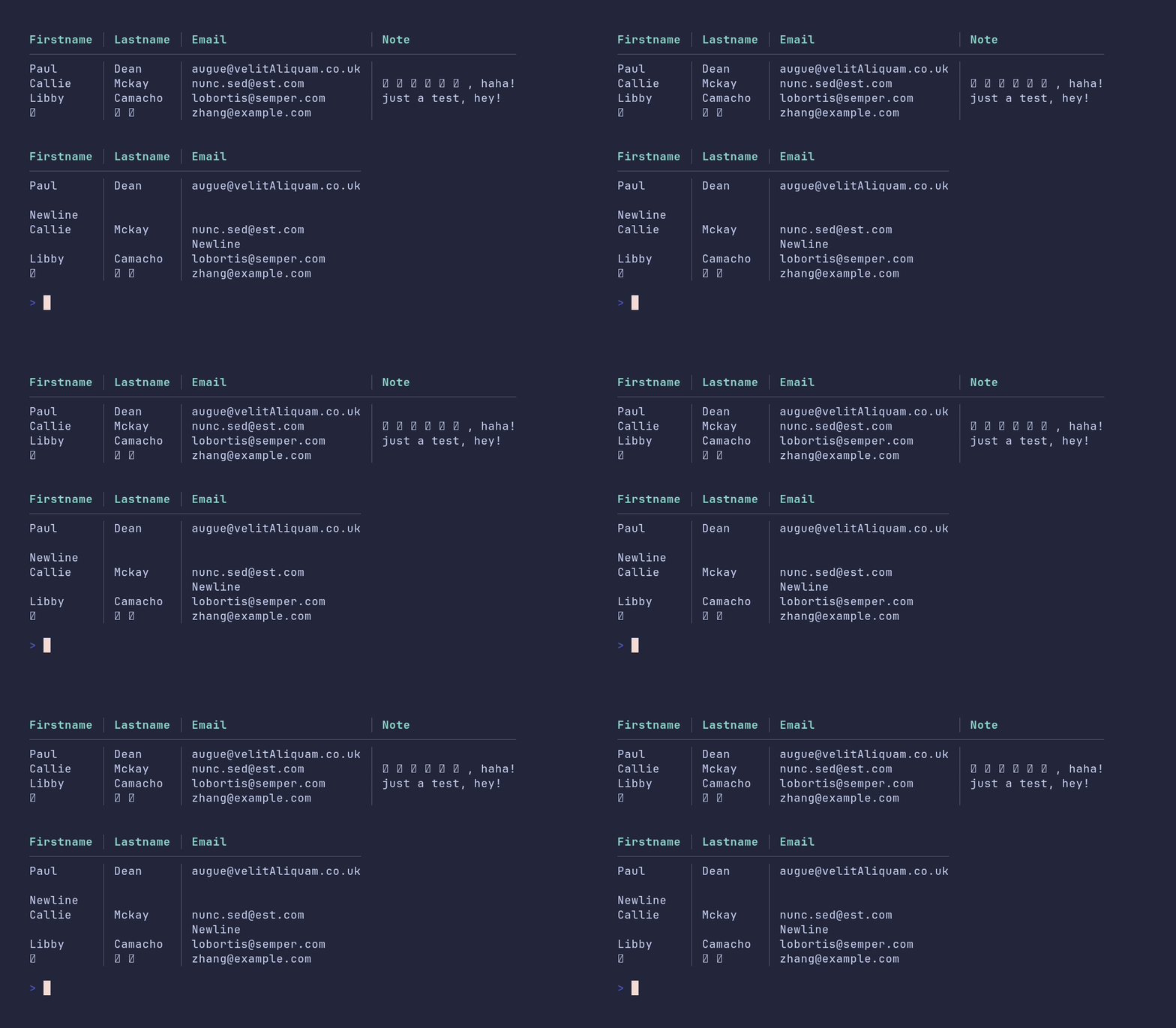
SHOW SOURCE
package main

import "github.com/pterm/pterm"

func main() {
	// With WithHasHeader the first row is styled as the header. The CJK
	// characters are measured by display width, so the columns stay aligned.
	tableData1 := pterm.TableData{
		{"Firstname", "Lastname", "Email", "Note"},
		{"Paul", "Dean", "augue@velitAliquam.co.uk", ""},
		{"Callie", "Mckay", "nunc.sed@est.com", "这是一个测试, haha!"},
		{"Libby", "Camacho", "lobortis@semper.com", "just a test, hey!"},
		{"张", "小宝", "zhang@example.com", ""},
	}

	pterm.DefaultTable.WithHasHeader().WithData(tableData1).Render()

	pterm.Println()

	// Cells may contain newlines; a row grows to fit its tallest cell.
	tableData2 := pterm.TableData{
		{"Firstname", "Lastname", "Email"},
		{"Paul\n\nNewline", "Dean", "augue@velitAliquam.co.uk"},
		{"Callie", "Mckay", "nunc.sed@est.com\nNewline"},
		{"Libby", "Camacho", "lobortis@semper.com"},
		{"张", "小宝", "zhang@example.com"},
	}

	pterm.DefaultTable.WithHasHeader().WithData(tableData2).Render()
}
table/alternate-row-style
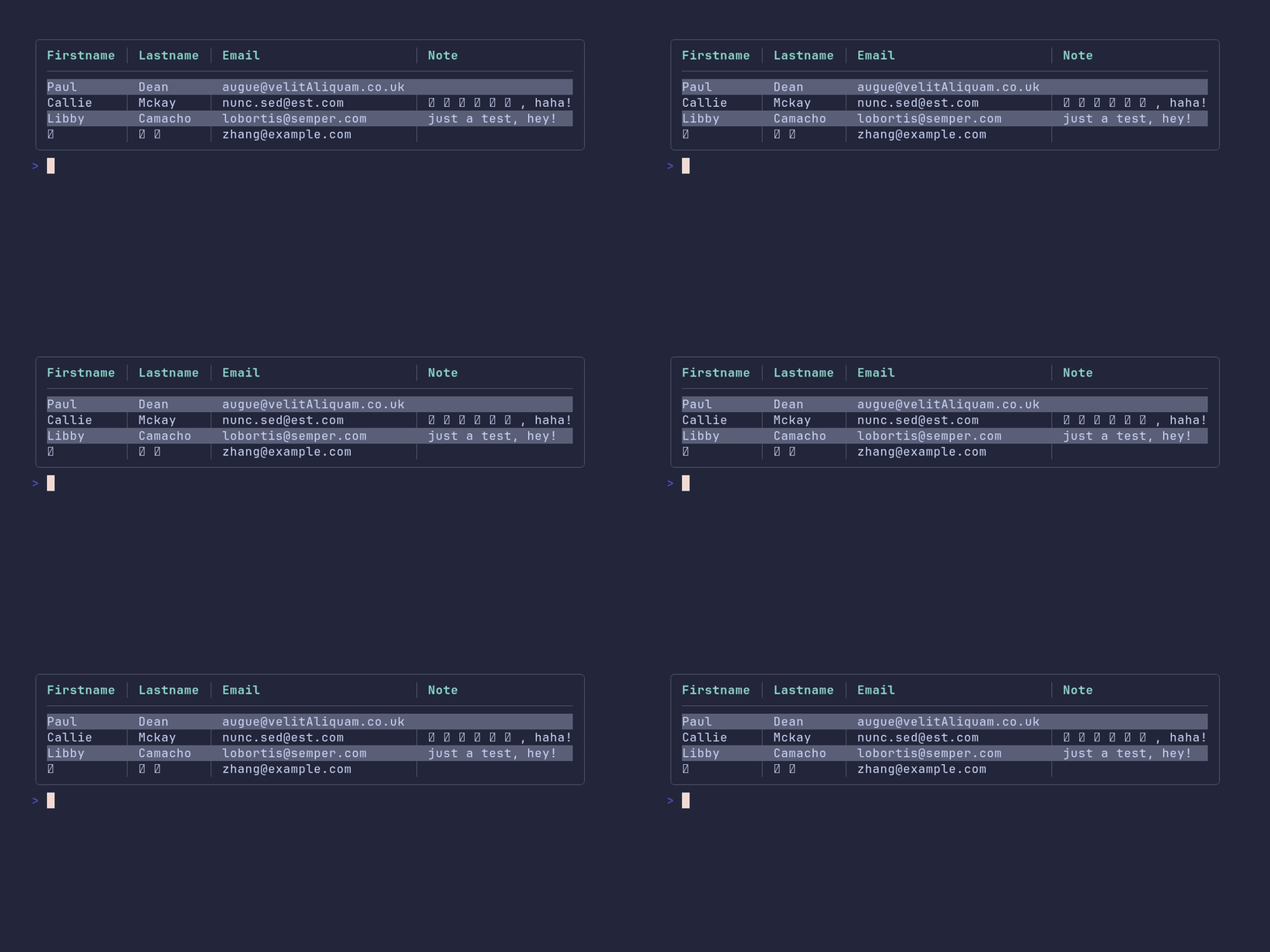
SHOW SOURCE
package main

import "github.com/pterm/pterm"

func main() {
	// WithAlternateRowStyle applies this style to every second data row,
	// which makes wide tables easier to scan.
	alternateStyle := pterm.NewStyle(pterm.BgDarkGray)

	tableData := pterm.TableData{
		{"Firstname", "Lastname", "Email", "Note"},
		{"Paul", "Dean", "augue@velitAliquam.co.uk", ""},
		{"Callie", "Mckay", "nunc.sed@est.com", "这是一个测试, haha!"},
		{"Libby", "Camacho", "lobortis@semper.com", "just a test, hey!"},
		{"张", "小宝", "zhang@example.com", ""},
	}

	pterm.DefaultTable.WithHasHeader().WithBoxed().WithData(tableData).WithAlternateRowStyle(alternateStyle).Render()
}
table/boxed
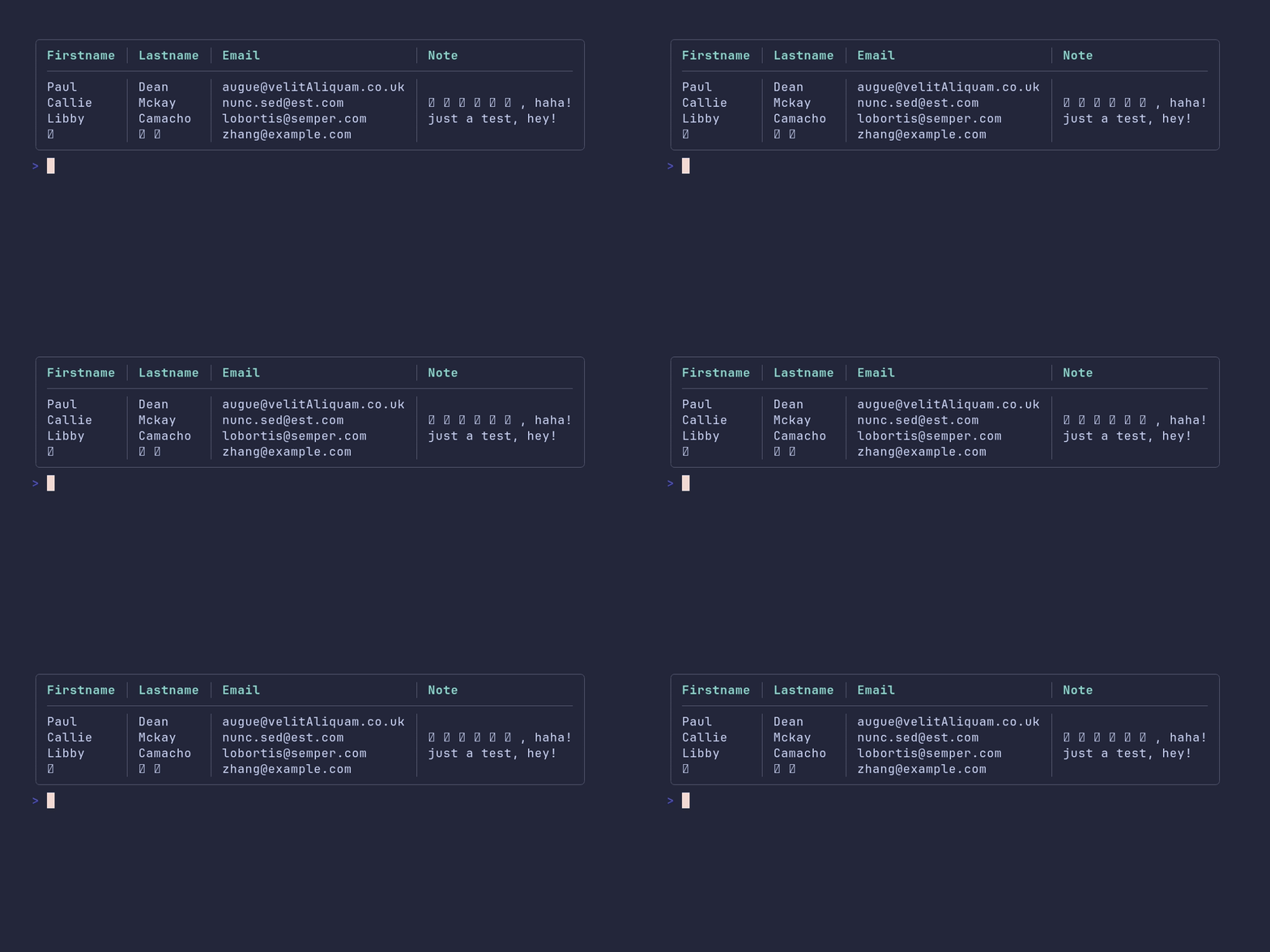
SHOW SOURCE
package main

import "github.com/pterm/pterm"

func main() {
	// The first row becomes the header via WithHasHeader.
	tableData := pterm.TableData{
		{"Firstname", "Lastname", "Email", "Note"},
		{"Paul", "Dean", "augue@velitAliquam.co.uk", ""},
		{"Callie", "Mckay", "nunc.sed@est.com", "这是一个测试, haha!"},
		{"Libby", "Camacho", "lobortis@semper.com", "just a test, hey!"},
		{"张", "小宝", "zhang@example.com", ""},
	}

	// WithBoxed draws a box around the whole table.
	pterm.DefaultTable.WithHasHeader().WithBoxed().WithData(tableData).Render()
}
table/from-csv
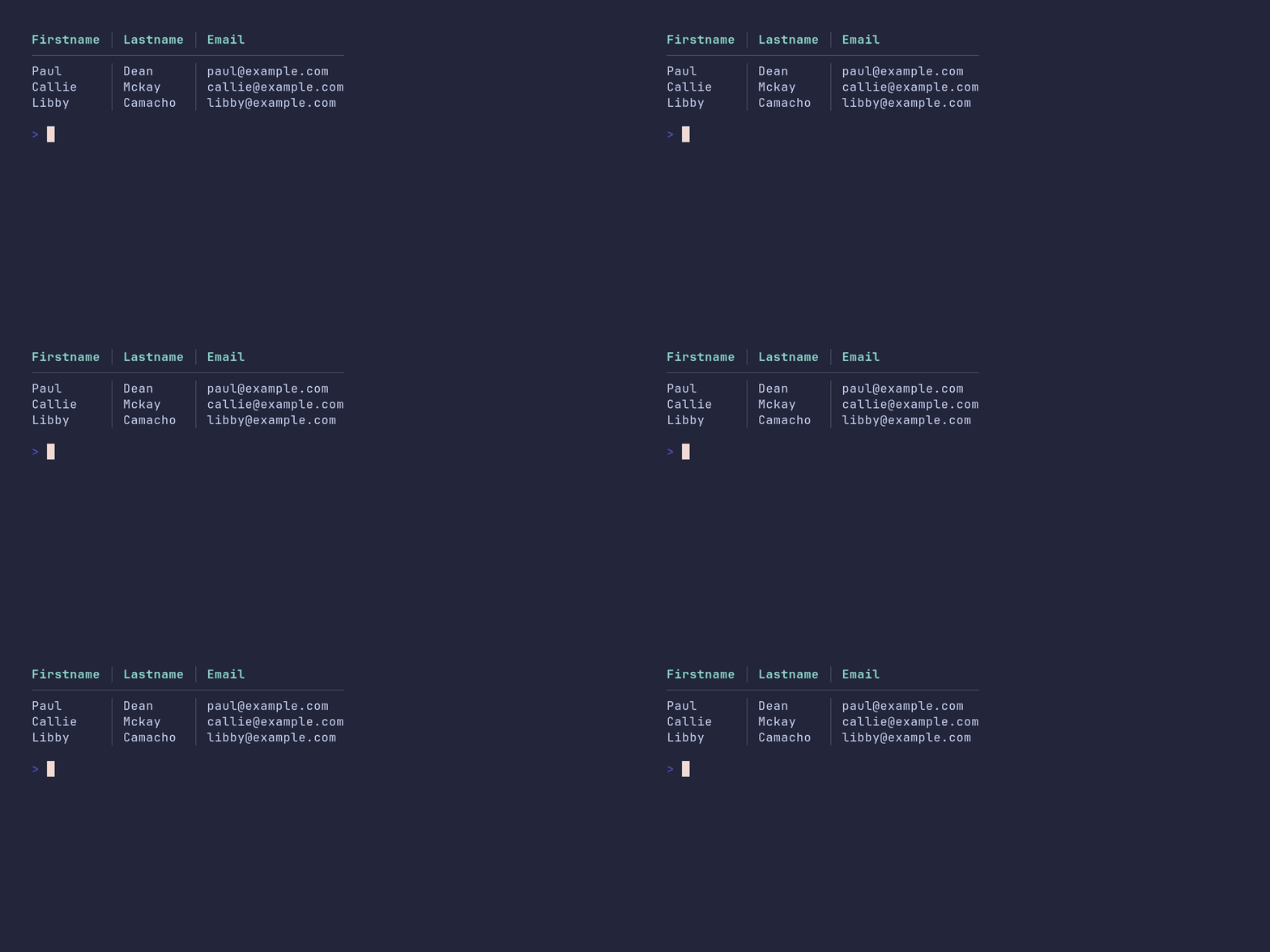
SHOW SOURCE
package main

import (
	"github.com/pterm/pterm"
	"github.com/pterm/pterm/putils"
)

func main() {
	csv := `Firstname,Lastname,Email
Paul,Dean,paul@example.com
Callie,Mckay,callie@example.com
Libby,Camacho,libby@example.com`

	// TableDataFromCSV converts raw CSV into pterm.TableData. The CSV header
	// line ends up as the first row, so WithHasHeader renders it as such.
	pterm.DefaultTable.WithHasHeader().WithData(putils.TableDataFromCSV(csv)).Render()
}
table/from-structs
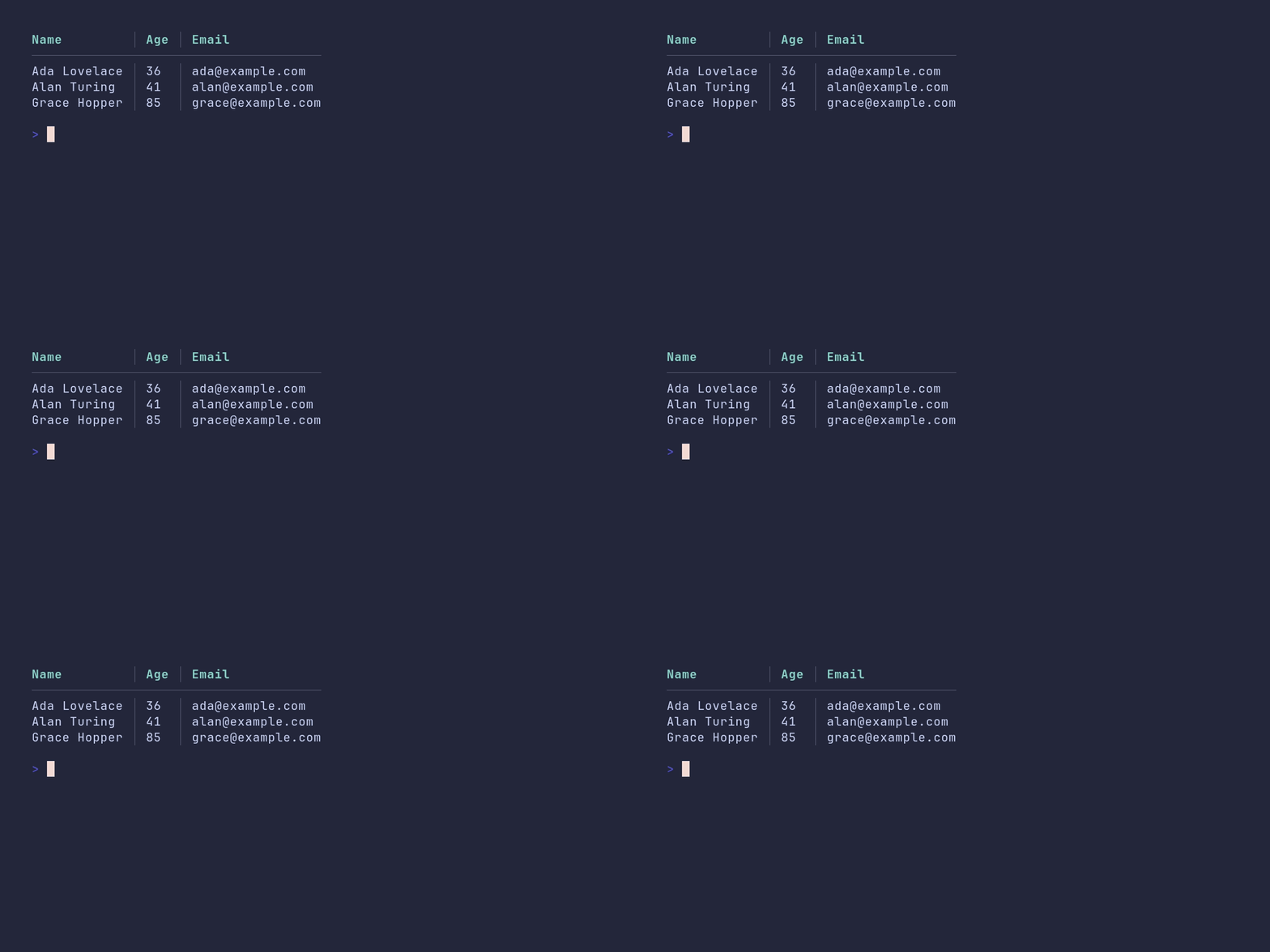
SHOW SOURCE
package main

import (
	"github.com/pterm/pterm/putils"
)

// User is a regular struct; no tags or interfaces are needed.
type User struct {
	Name  string
	Age   int
	Email string
}

func main() {
	users := []User{
		{Name: "Ada Lovelace", Age: 36, Email: "ada@example.com"},
		{Name: "Alan Turing", Age: 41, Email: "alan@example.com"},
		{Name: "Grace Hopper", Age: 85, Email: "grace@example.com"},
	}

	// DefaultTableFromStructSlice fills the default table via reflection: the
	// field names become the first row, so WithHasHeader styles them as the
	// header.
	putils.DefaultTableFromStructSlice(users).WithHasHeader().Render()
}
table/multiple-lines
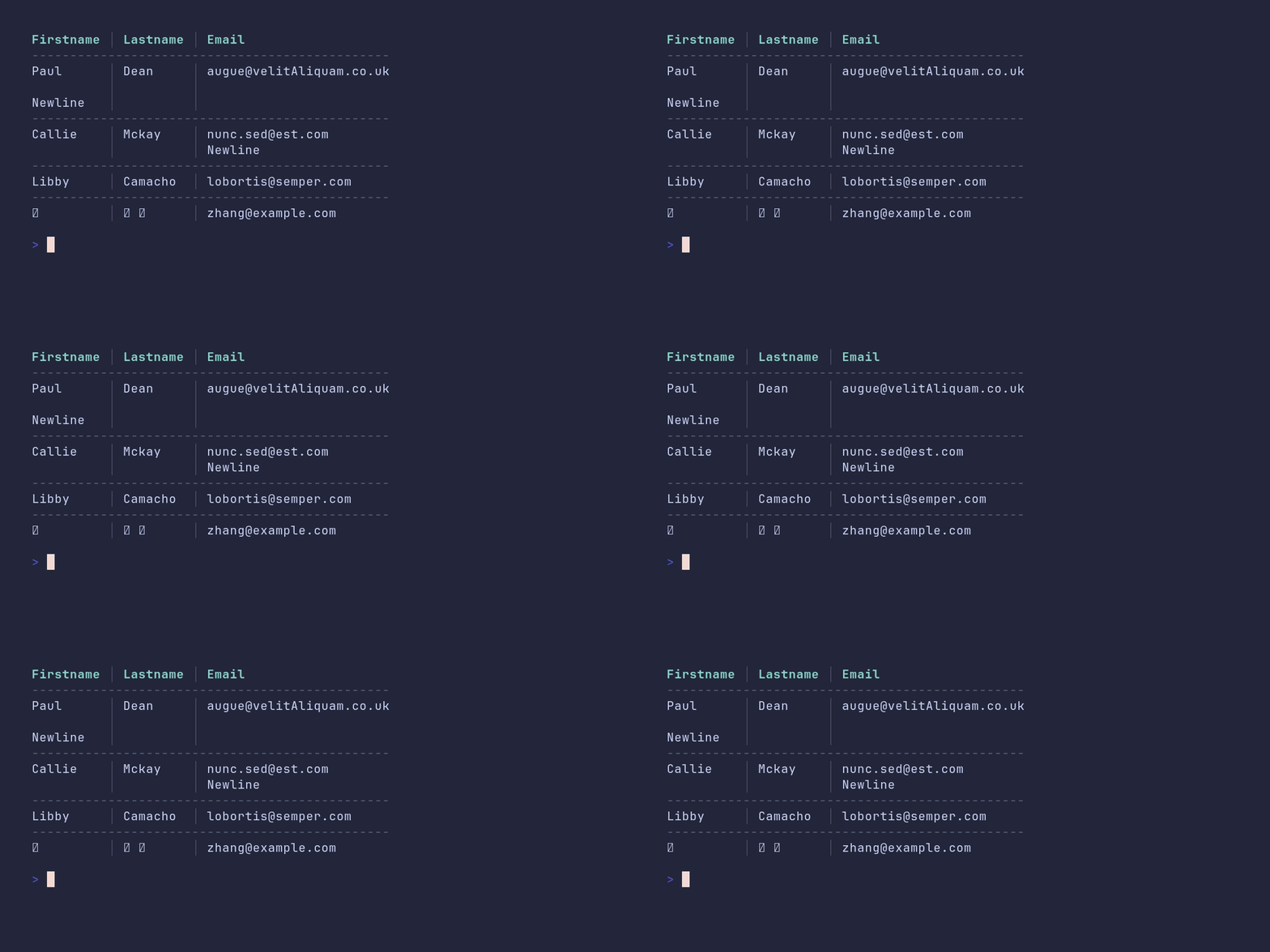
SHOW SOURCE
package main

import "github.com/pterm/pterm"

func main() {
	// Cells may contain newlines; a row grows to fit its tallest cell.
	data := pterm.TableData{
		{"Firstname", "Lastname", "Email"},
		{"Paul\n\nNewline", "Dean", "augue@velitAliquam.co.uk"},
		{"Callie", "Mckay", "nunc.sed@est.com\nNewline"},
		{"Libby", "Camacho", "lobortis@semper.com"},
		{"张", "小宝", "zhang@example.com"},
	}

	// Row separators keep multi-line rows visually apart.
	pterm.DefaultTable.WithHasHeader().WithRowSeparator("-").WithHeaderRowSeparator("-").WithData(data).Render()
}
table/right-alignment
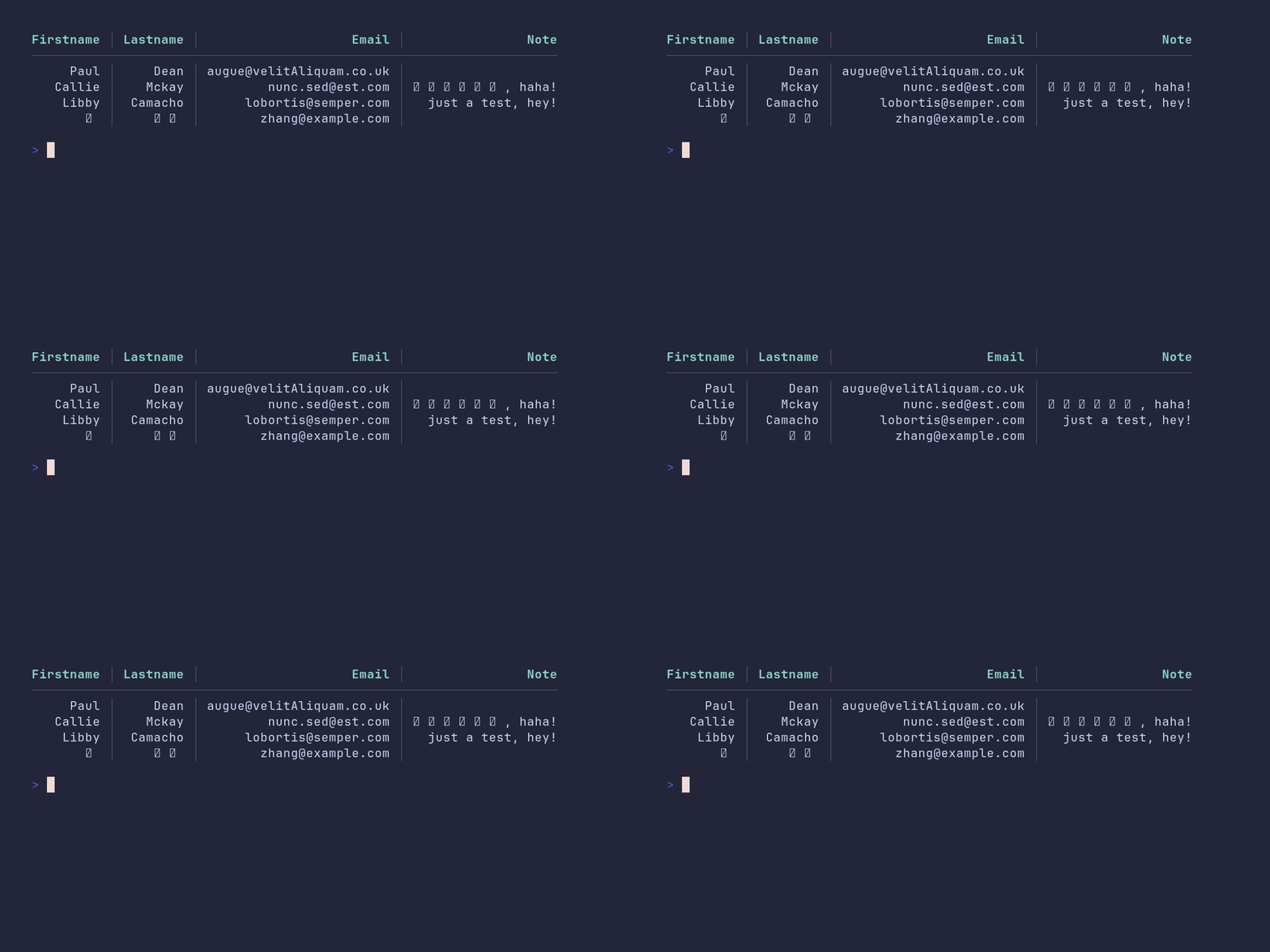
SHOW SOURCE
package main

import "github.com/pterm/pterm"

func main() {
	// The first row becomes the header via WithHasHeader.
	tableData := pterm.TableData{
		{"Firstname", "Lastname", "Email", "Note"},
		{"Paul", "Dean", "augue@velitAliquam.co.uk", ""},
		{"Callie", "Mckay", "nunc.sed@est.com", "这是一个测试, haha!"},
		{"Libby", "Camacho", "lobortis@semper.com", "just a test, hey!"},
		{"张", "小宝", "zhang@example.com", ""},
	}

	// WithRightAlignment right-aligns every cell in the table.
	pterm.DefaultTable.WithHasHeader().WithRightAlignment().WithData(tableData).Render()
}
theme/demo
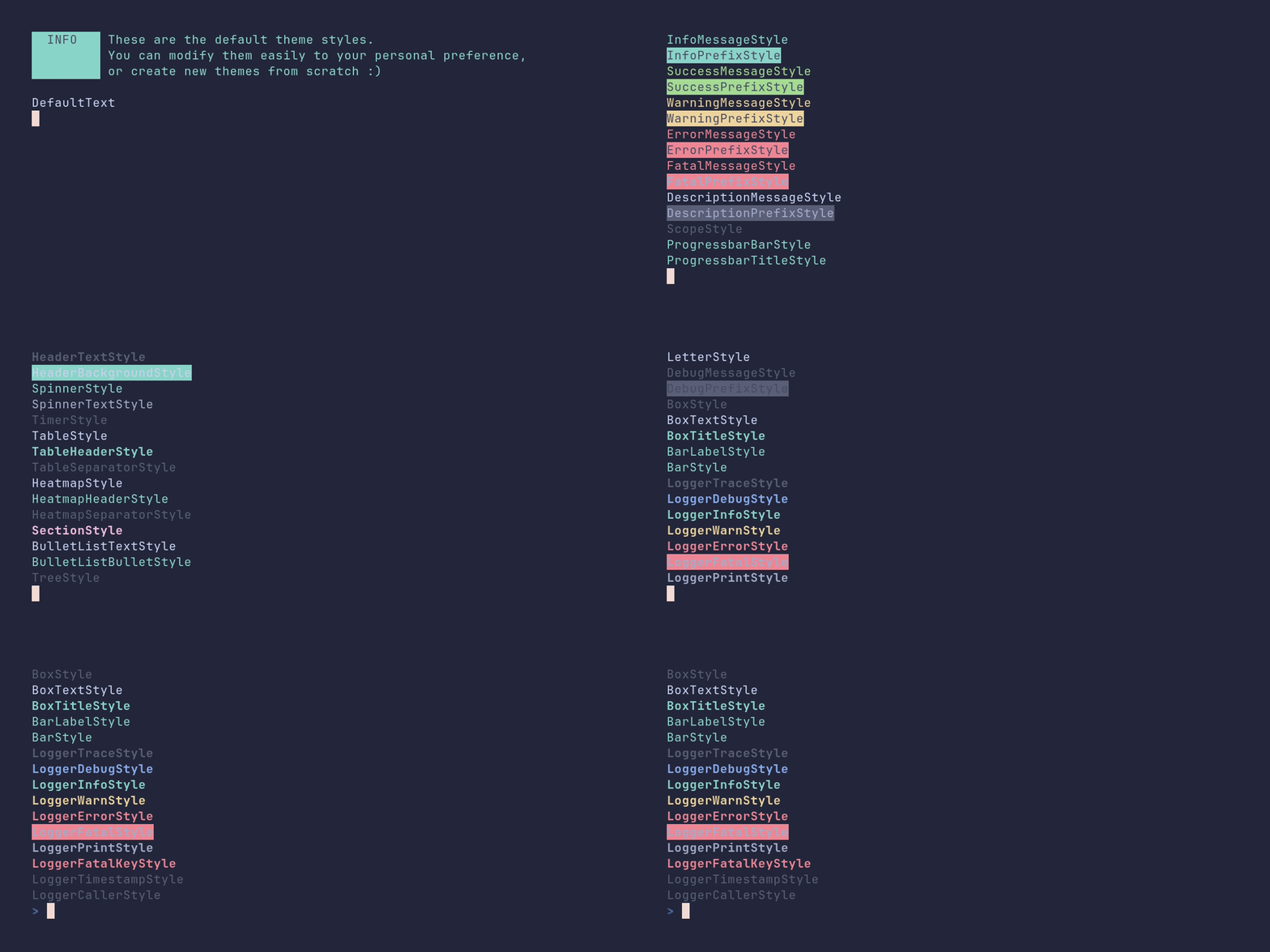
SHOW SOURCE
package main

import (
	"reflect"
	"time"

	"github.com/pterm/pterm"
)

func main() {
	pterm.Info.Println("These are the default theme styles.\nYou can modify them easily to your personal preference,\nor create new themes from scratch :)")

	pterm.Println()

	// The theme fields are plain pterm.Style values, so we can walk them with
	// reflection and print every style the theme defines without listing each
	// field by hand. Overriding one is as simple as assigning a new Style.
	v := reflect.ValueOf(pterm.ThemeDefault)
	typeOfS := v.Type()

	if typeOfS == reflect.TypeOf(pterm.Theme{}) {
		for i := 0; i < v.NumField(); i++ {
			field, ok := v.Field(i).Interface().(pterm.Style)
			if ok {
				// Print each field name in its own style, so you can see
				// exactly how it looks.
				field.Println(typeOfS.Field(i).Name)
			}

			time.Sleep(time.Millisecond * 250)
		}
	}
}
tree/demo
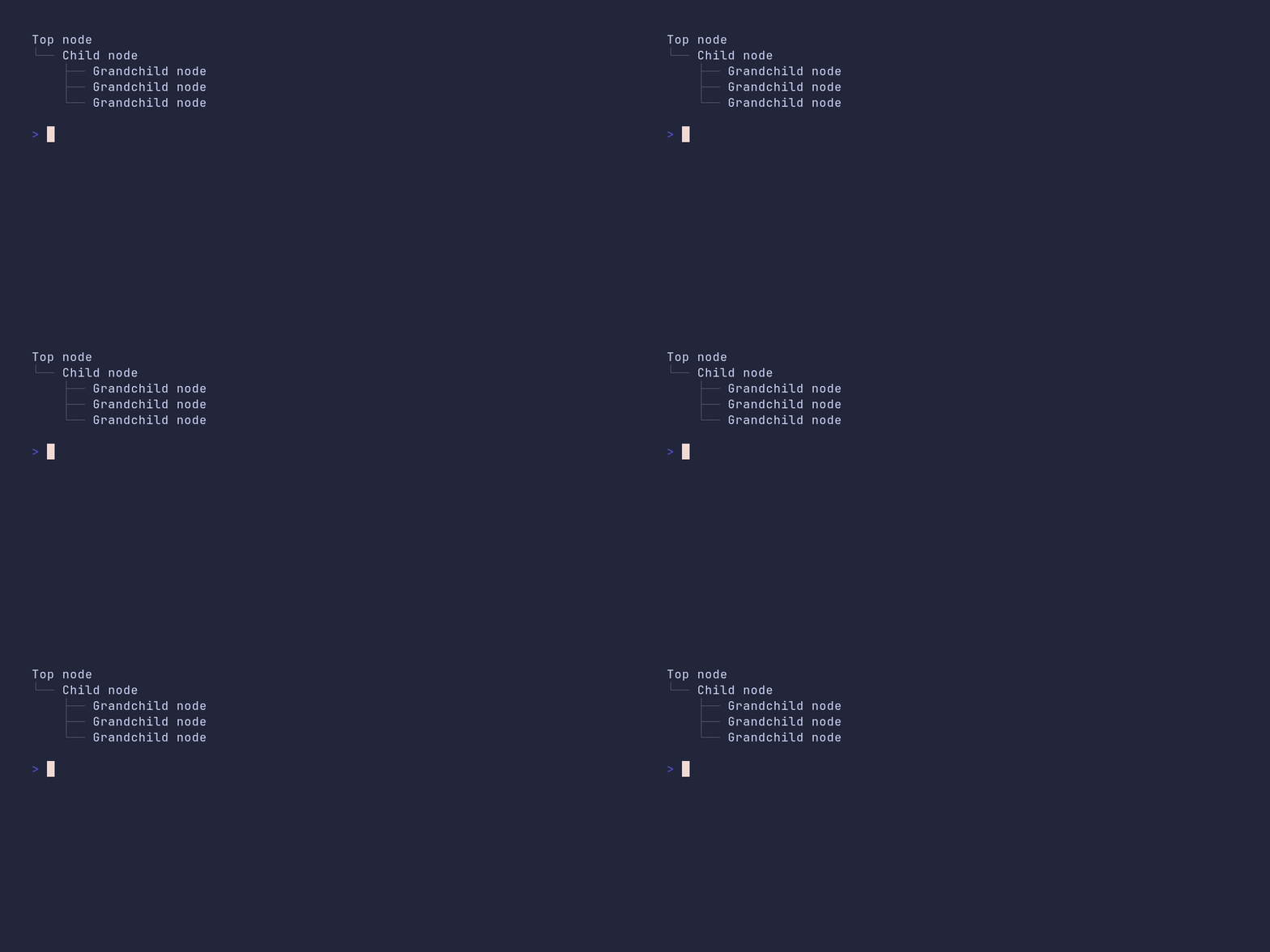
SHOW SOURCE
package main

import (
	"github.com/pterm/pterm"
)

func main() {
	// A tree is described by nesting TreeNodes; each node holds its text and
	// its children.
	tree := pterm.TreeNode{
		Text: "Top node",
		Children: []pterm.TreeNode{{
			Text: "Child node",
			Children: []pterm.TreeNode{
				{Text: "Grandchild node"},
				{Text: "Grandchild node"},
				{Text: "Grandchild node"},
			},
		}},
	}

	pterm.DefaultTree.WithRoot(tree).Render()
}
tree/from-leveled-list
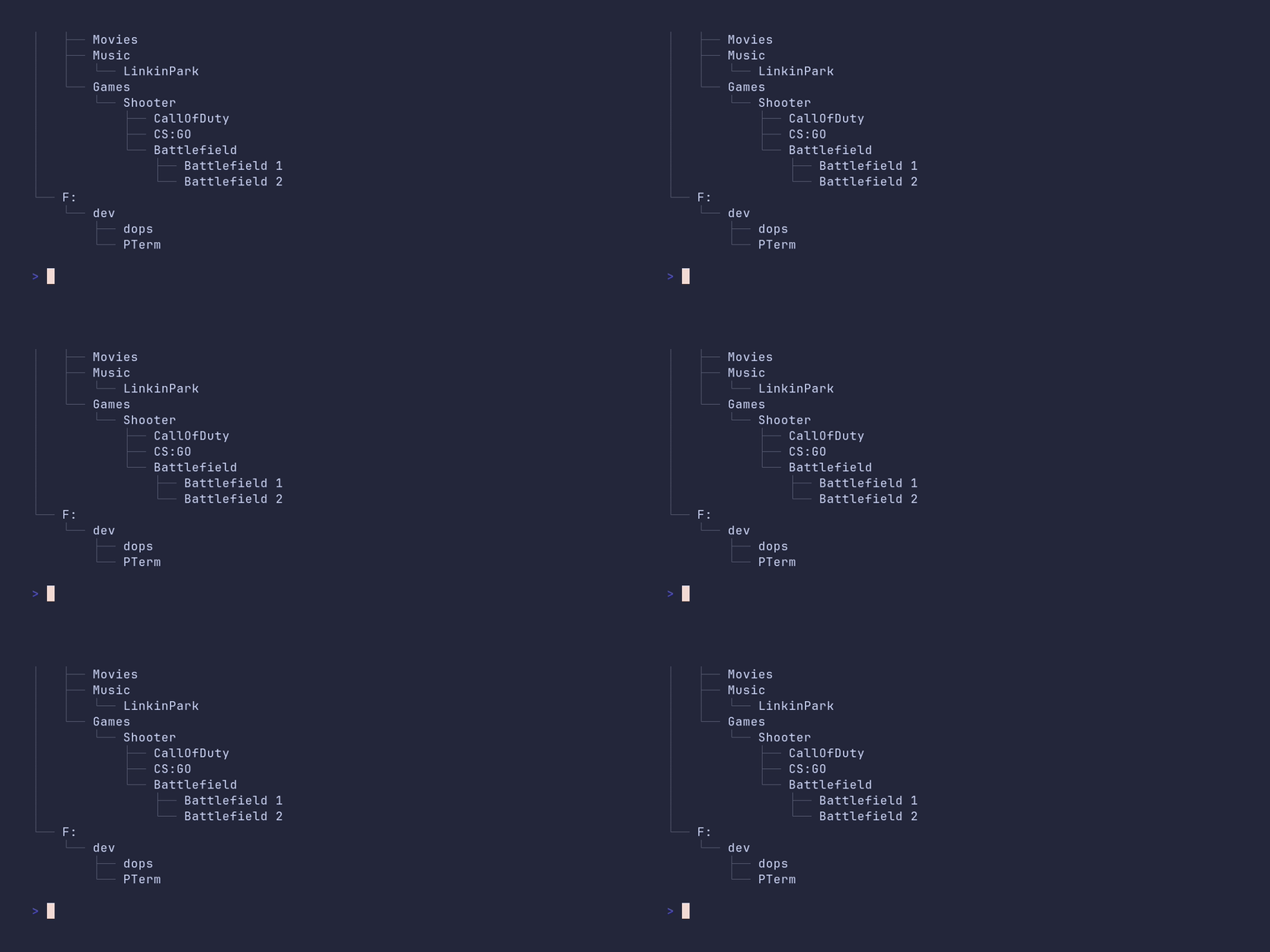
SHOW SOURCE
package main

import (
	"github.com/pterm/pterm"
	"github.com/pterm/pterm/putils"
)

func main() {
	// A LeveledList is a flat alternative to nesting TreeNodes by hand: each
	// entry states its own depth.
	leveledList := pterm.LeveledList{
		{Level: 0, Text: "C:"},
		{Level: 1, Text: "Users"},
		{Level: 1, Text: "Windows"},
		{Level: 1, Text: "Programs"},
		{Level: 1, Text: "Programs(x86)"},
		{Level: 1, Text: "dev"},
		{Level: 0, Text: "D:"},
		{Level: 0, Text: "E:"},
		{Level: 1, Text: "Movies"},
		{Level: 1, Text: "Music"},
		{Level: 2, Text: "LinkinPark"},
		{Level: 1, Text: "Games"},
		{Level: 2, Text: "Shooter"},
		{Level: 3, Text: "CallOfDuty"},
		{Level: 3, Text: "CS:GO"},
		{Level: 3, Text: "Battlefield"},
		{Level: 4, Text: "Battlefield 1"},
		{Level: 4, Text: "Battlefield 2"},
		{Level: 0, Text: "F:"},
		{Level: 1, Text: "dev"},
		{Level: 2, Text: "dops"},
		{Level: 2, Text: "PTerm"},
	}

	// TreeFromLeveledList converts the list into a TreeNode; the returned
	// root just needs a name.
	root := putils.TreeFromLeveledList(leveledList)
	root.Text = "Computer"

	pterm.DefaultTree.WithRoot(root).Render()
}
tree/styled
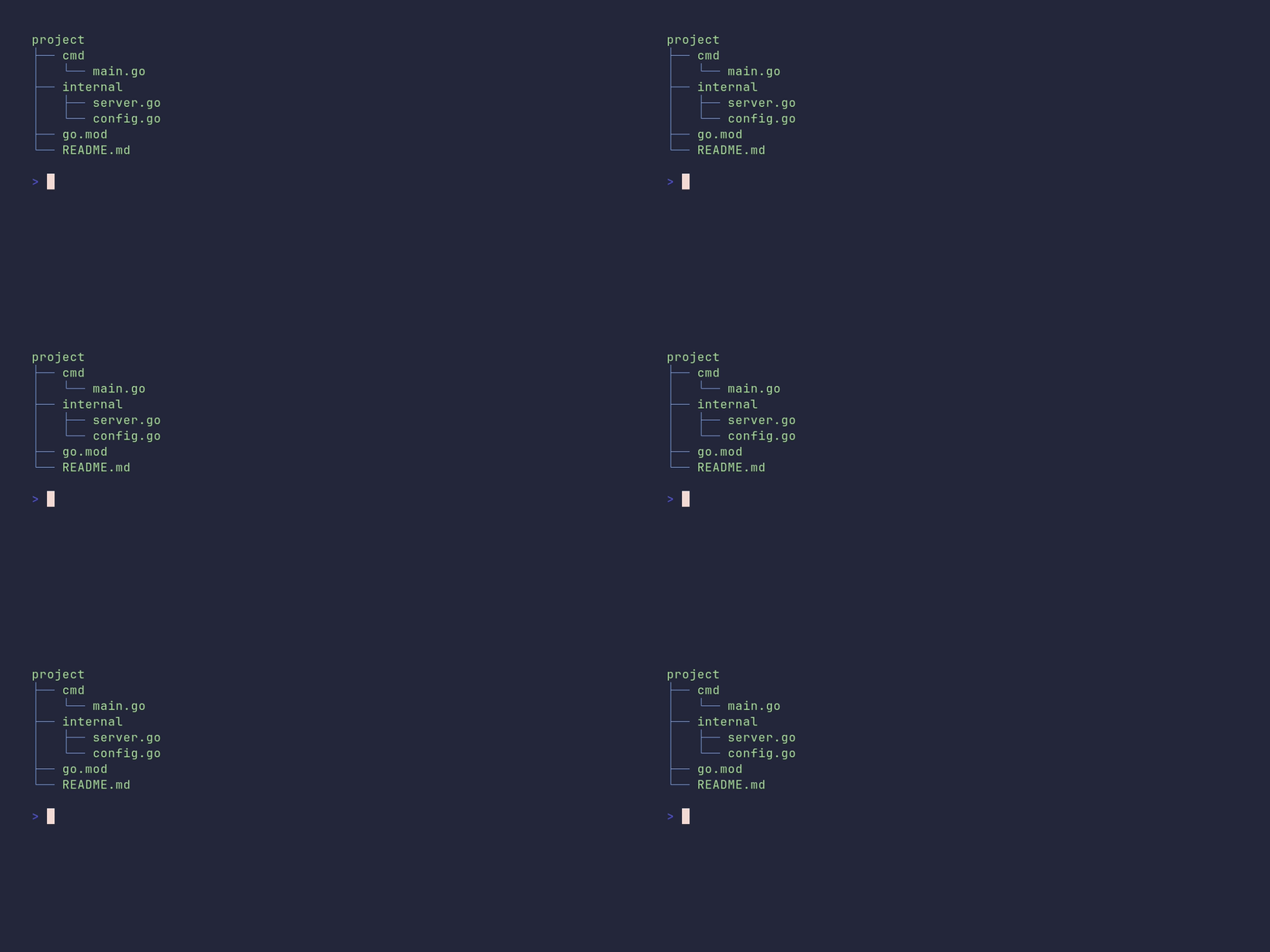
SHOW SOURCE
package main

import (
	"github.com/pterm/pterm"
)

func main() {
	tree := pterm.TreeNode{
		Text: "project",
		Children: []pterm.TreeNode{
			{Text: "cmd", Children: []pterm.TreeNode{
				{Text: "main.go"},
			}},
			{Text: "internal", Children: []pterm.TreeNode{
				{Text: "server.go"},
				{Text: "config.go"},
			}},
			{Text: "go.mod"},
			{Text: "README.md"},
		},
	}

	// WithTreeStyle colors the branch lines, WithTextStyle the node text.
	pterm.DefaultTree.
		WithRoot(tree).
		WithTreeStyle(pterm.NewStyle(pterm.FgLightBlue)).
		WithTextStyle(pterm.NewStyle(pterm.FgLightGreen)).
		Render()
}
GitHub @pterm · Author @MarvinJWendt (mjw.dev) | PTerm.sh
 Documentation

Overview 
Package pterm is a modern go module to beautify console output. It can be used without configuration, but if desired, everything can be customized down to the smallest detail.
Official docs are available at: https://docs.pterm.sh
View the animated examples here: https://github.com/pterm/pterm#-examples
Index 
- Variables
- func DisableColor()
- func DisableDebugMessages()
- func DisableOutput()
- func DisableStyling()
- func EnableColor()
- func EnableDebugMessages()
- func EnableOutput()
- func EnableStyling()
- func Fprint(writer io.Writer, a ...any)
- func Fprintln(writer io.Writer, a ...any)
- func Fprinto(w io.Writer, a ...any)
- func GetDefaultOutput() io.Writer
- func GetTerminalHeight() int
- func GetTerminalSize() (width, height int, err error)
- func GetTerminalWidth() int
- func Print(a ...any)
- func PrintOnError(a ...any)
- func PrintOnErrorf(format string, a ...any)
- func Printf(format string, a ...any)
- func Printfln(format string, a ...any)
- func Println(a ...any)
- func Printo(a ...any)
- func RecalculateTerminalSize()
- func RemoveColorFromString(a ...any) string
- func SetDefaultOutput(w io.Writer)
- func SetForcedTerminalSize(width int, height int)
- func Sprint(a ...any) string
- func Sprintf(format string, a ...any) string
- func Sprintfln(format string, a ...any) string
- func Sprintln(a ...any) string
- func Sprinto(a ...any) string
- type AreaPrinter
- func (p *AreaPrinter) Clear()
- func (p *AreaPrinter) GenericStart() (*LivePrinter, error)
- func (p *AreaPrinter) GenericStop() (*LivePrinter, error)
- func (p *AreaPrinter) GetContent() string
- func (p *AreaPrinter) SetWriter(writer io.Writer)
- func (p *AreaPrinter) Start(text ...any) (*AreaPrinter, error)
- func (p *AreaPrinter) Stop() error
- func (p *AreaPrinter) Update(text ...any)
- func (p AreaPrinter) WithCenter(b ...bool) *AreaPrinter
- func (p AreaPrinter) WithFullscreen(b ...bool) *AreaPrinter
- func (p AreaPrinter) WithRemoveWhenDone(b ...bool) *AreaPrinter
- type Bar
- type BarChartPrinter
- func (p BarChartPrinter) Render() error
- func (p BarChartPrinter) Srender() (string, error)
- func (p BarChartPrinter) WithBars(bars Bars) *BarChartPrinter
- func (p BarChartPrinter) WithHeight(value int) *BarChartPrinter
- func (p BarChartPrinter) WithHorizontal(b ...bool) *BarChartPrinter
- func (p BarChartPrinter) WithHorizontalBarCharacter(char string) *BarChartPrinter
- func (p BarChartPrinter) WithShowValue(b ...bool) *BarChartPrinter
- func (p BarChartPrinter) WithVerticalBarCharacter(char string) *BarChartPrinter
- func (p BarChartPrinter) WithWidth(value int) *BarChartPrinter
- func (p BarChartPrinter) WithWriter(writer io.Writer) *BarChartPrinter
- type Bars
- type BasicTextPrinter
- func (p *BasicTextPrinter) Print(a ...any) *TextPrinter
- func (p *BasicTextPrinter) PrintOnError(a ...any) *TextPrinter
- func (p *BasicTextPrinter) PrintOnErrorf(format string, a ...any) *TextPrinter
- func (p *BasicTextPrinter) Printf(format string, a ...any) *TextPrinter
- func (p *BasicTextPrinter) Printfln(format string, a ...any) *TextPrinter
- func (p *BasicTextPrinter) Println(a ...any) *TextPrinter
- func (p BasicTextPrinter) Sprint(a ...any) string
- func (p BasicTextPrinter) Sprintf(format string, a ...any) string
- func (p BasicTextPrinter) Sprintfln(format string, a ...any) string
- func (p BasicTextPrinter) Sprintln(a ...any) string
- func (p BasicTextPrinter) WithStyle(style *Style) *BasicTextPrinter
- func (p BasicTextPrinter) WithWriter(writer io.Writer) *BasicTextPrinter
- type BigTextPrinter
- func (p BigTextPrinter) Render() error
- func (p BigTextPrinter) Srender() (string, error)
- func (p BigTextPrinter) WithBigCharacters(chars map[string]string) *BigTextPrinter
- func (p BigTextPrinter) WithLetters(letters ...Letters) *BigTextPrinter
- func (p BigTextPrinter) WithWriter(writer io.Writer) *BigTextPrinter
- type BoxPrinter
- func (p BoxPrinter) Print(a ...any) *TextPrinter
- func (p BoxPrinter) PrintOnError(a ...any) *TextPrinter
- func (p BoxPrinter) PrintOnErrorf(format string, a ...any) *TextPrinter
- func (p BoxPrinter) Printf(format string, a ...any) *TextPrinter
- func (p BoxPrinter) Printfln(format string, a ...any) *TextPrinter
- func (p BoxPrinter) Println(a ...any) *TextPrinter
- func (p BoxPrinter) Sprint(a ...any) string
- func (p BoxPrinter) Sprintf(format string, a ...any) string
- func (p BoxPrinter) Sprintfln(format string, a ...any) string
- func (p BoxPrinter) Sprintln(a ...any) string
- func (p BoxPrinter) WithBottomLeftCornerString(str string) *BoxPrinter
- func (p BoxPrinter) WithBottomPadding(padding int) *BoxPrinter
- func (p BoxPrinter) WithBottomRightCornerString(str string) *BoxPrinter
- func (p BoxPrinter) WithBoxStyle(style *Style) *BoxPrinter
- func (p BoxPrinter) WithHorizontalPadding(padding int) *BoxPrinter
- func (p BoxPrinter) WithHorizontalString(str string) *BoxPrinter
- func (p BoxPrinter) WithLeftPadding(padding int) *BoxPrinter
- func (p BoxPrinter) WithPadding(padding int) *BoxPrinter
- func (p BoxPrinter) WithRightPadding(padding int) *BoxPrinter
- func (p BoxPrinter) WithTextStyle(style *Style) *BoxPrinter
- func (p BoxPrinter) WithTitle(str string) *BoxPrinter
- func (p BoxPrinter) WithTitleBottomCenter(b ...bool) *BoxPrinter
- func (p BoxPrinter) WithTitleBottomLeft(b ...bool) *BoxPrinter
- func (p BoxPrinter) WithTitleBottomRight(b ...bool) *BoxPrinter
- func (p BoxPrinter) WithTitleStyle(style *Style) *BoxPrinter
- func (p BoxPrinter) WithTitleTopCenter(b ...bool) *BoxPrinter
- func (p BoxPrinter) WithTitleTopLeft(b ...bool) *BoxPrinter
- func (p BoxPrinter) WithTitleTopRight(b ...bool) *BoxPrinter
- func (p BoxPrinter) WithTopLeftCornerString(str string) *BoxPrinter
- func (p BoxPrinter) WithTopPadding(padding int) *BoxPrinter
- func (p BoxPrinter) WithTopRightCornerString(str string) *BoxPrinter
- func (p BoxPrinter) WithVerticalPadding(padding int) *BoxPrinter
- func (p BoxPrinter) WithVerticalString(str string) *BoxPrinter
- func (p BoxPrinter) WithWriter(writer io.Writer) *BoxPrinter
- type BulletListItem
- func (p BulletListItem) WithBullet(bullet string) *BulletListItem
- func (p BulletListItem) WithBulletStyle(style *Style) *BulletListItem
- func (p BulletListItem) WithLevel(level int) *BulletListItem
- func (p BulletListItem) WithText(text string) *BulletListItem
- func (p BulletListItem) WithTextStyle(style *Style) *BulletListItem
- type BulletListPrinter
- func (l BulletListPrinter) Render() error
- func (l BulletListPrinter) Srender() (string, error)
- func (l BulletListPrinter) WithBullet(bullet string) *BulletListPrinter
- func (l BulletListPrinter) WithBulletStyle(style *Style) *BulletListPrinter
- func (l BulletListPrinter) WithItems(items []BulletListItem) *BulletListPrinter
- func (l BulletListPrinter) WithTextStyle(style *Style) *BulletListPrinter
- func (l BulletListPrinter) WithWriter(writer io.Writer) *BulletListPrinter
- type CenterPrinter
- func (p CenterPrinter) Print(a ...any) *TextPrinter
- func (p CenterPrinter) PrintOnError(a ...any) *TextPrinter
- func (p CenterPrinter) PrintOnErrorf(format string, a ...any) *TextPrinter
- func (p CenterPrinter) Printf(format string, a ...any) *TextPrinter
- func (p CenterPrinter) Printfln(format string, a ...any) *TextPrinter
- func (p CenterPrinter) Println(a ...any) *TextPrinter
- func (p CenterPrinter) Sprint(a ...any) string
- func (p CenterPrinter) Sprintf(format string, a ...any) string
- func (p CenterPrinter) Sprintfln(format string, a ...any) string
- func (p CenterPrinter) Sprintln(a ...any) string
- func (p CenterPrinter) WithCenterEachLineSeparately(b ...bool) *CenterPrinter
- func (p CenterPrinter) WithWriter(writer io.Writer) *CenterPrinter
- type Checkmark
- type Color
- func (c Color) Print(a ...any) *TextPrinter
- func (c Color) PrintOnError(a ...any) *TextPrinter
- func (c Color) PrintOnErrorf(format string, a ...any) *TextPrinter
- func (c Color) Printf(format string, a ...any) *TextPrinter
- func (c Color) Printfln(format string, a ...any) *TextPrinter
- func (c Color) Println(a ...any) *TextPrinter
- func (c Color) Sprint(a ...any) string
- func (c Color) Sprintf(format string, a ...any) string
- func (c Color) Sprintfln(format string, a ...any) string
- func (c Color) Sprintln(a ...any) string
- func (c Color) String() string
- func (c Color) ToStyle() *Style
- type HeaderPrinter
- func (p *HeaderPrinter) Print(a ...any) *TextPrinter
- func (p *HeaderPrinter) PrintOnError(a ...any) *TextPrinter
- func (p *HeaderPrinter) PrintOnErrorf(format string, a ...any) *TextPrinter
- func (p *HeaderPrinter) Printf(format string, a ...any) *TextPrinter
- func (p *HeaderPrinter) Printfln(format string, a ...any) *TextPrinter
- func (p *HeaderPrinter) Println(a ...any) *TextPrinter
- func (p HeaderPrinter) Sprint(a ...any) string
- func (p HeaderPrinter) Sprintf(format string, a ...any) string
- func (p HeaderPrinter) Sprintfln(format string, a ...any) string
- func (p HeaderPrinter) Sprintln(a ...any) string
- func (p HeaderPrinter) WithBackgroundStyle(style *Style) *HeaderPrinter
- func (p HeaderPrinter) WithFullWidth(b ...bool) *HeaderPrinter
- func (p HeaderPrinter) WithMargin(margin int) *HeaderPrinter
- func (p HeaderPrinter) WithTextStyle(style *Style) *HeaderPrinter
- func (p HeaderPrinter) WithWriter(writer io.Writer) *HeaderPrinter
- type HeatmapAxis
- type HeatmapData
- type HeatmapPrinter
- func (p HeatmapPrinter) Render() error
- func (p HeatmapPrinter) Srender() (string, error)
- func (p HeatmapPrinter) WithAxisData(hd HeatmapAxis) *HeatmapPrinter
- func (p HeatmapPrinter) WithAxisStyle(style *Style) *HeatmapPrinter
- func (p HeatmapPrinter) WithBoxed(b ...bool) *HeatmapPrinter
- func (p HeatmapPrinter) WithCellSize(i int) *HeatmapPrinter
- func (p HeatmapPrinter) WithColors(colors ...Color) *HeatmapPrinter
- func (p HeatmapPrinter) WithData(data [][]float32) *HeatmapPrinter
- func (p HeatmapPrinter) WithEnableComplementaryColor(b ...bool) *HeatmapPrinter
- func (p HeatmapPrinter) WithEnableRGB(b ...bool) *HeatmapPrinter
- func (p HeatmapPrinter) WithGrid(b ...bool) *HeatmapPrinter
- func (p HeatmapPrinter) WithLegend(b ...bool) *HeatmapPrinter
- func (p HeatmapPrinter) WithLegendLabel(s string) *HeatmapPrinter
- func (p HeatmapPrinter) WithLegendOnlyColoredCells(b ...bool) *HeatmapPrinter
- func (p HeatmapPrinter) WithOnlyColoredCells(b ...bool) *HeatmapPrinter
- func (p HeatmapPrinter) WithRGBRange(rgb ...RGB) *HeatmapPrinter
- func (p HeatmapPrinter) WithSeparatorStyle(style *Style) *HeatmapPrinter
- func (p HeatmapPrinter) WithTextColor(color Color) *HeatmapPrinter
- func (p HeatmapPrinter) WithTextRGB(rgb RGB) *HeatmapPrinter
- func (p HeatmapPrinter) WithWriter(writer io.Writer) *HeatmapPrinter
- type InteractiveConfirmPrinter
- func (p InteractiveConfirmPrinter) Show(text ...string) (bool, error)
- func (p InteractiveConfirmPrinter) WithConfirmStyle(style *Style) *InteractiveConfirmPrinter
- func (p InteractiveConfirmPrinter) WithConfirmText(text string) *InteractiveConfirmPrinter
- func (p InteractiveConfirmPrinter) WithDefaultText(text string) *InteractiveConfirmPrinter
- func (p InteractiveConfirmPrinter) WithDefaultValue(value bool) *InteractiveConfirmPrinter
- func (p InteractiveConfirmPrinter) WithDelimiter(delimiter string) *InteractiveConfirmPrinter
- func (p InteractiveConfirmPrinter) WithOnInterruptFunc(exitFunc func()) *InteractiveConfirmPrinter
- func (p InteractiveConfirmPrinter) WithRejectStyle(style *Style) *InteractiveConfirmPrinter
- func (p InteractiveConfirmPrinter) WithRejectText(text string) *InteractiveConfirmPrinter
- func (p InteractiveConfirmPrinter) WithSuffixStyle(style *Style) *InteractiveConfirmPrinter
- func (p InteractiveConfirmPrinter) WithTextStyle(style *Style) *InteractiveConfirmPrinter
- type InteractiveContinuePrinter
- func (p InteractiveContinuePrinter) Show(text ...string) (string, error)
- func (p InteractiveContinuePrinter) WithDefaultText(text string) *InteractiveContinuePrinter
- func (p InteractiveContinuePrinter) WithDefaultValue(value string) *InteractiveContinuePrinter
- func (p InteractiveContinuePrinter) WithDefaultValueIndex(value int) *InteractiveContinuePrinter
- func (p InteractiveContinuePrinter) WithDelimiter(delimiter string) *InteractiveContinuePrinter
- func (p InteractiveContinuePrinter) WithHandles(handles []string) *InteractiveContinuePrinter
- func (p InteractiveContinuePrinter) WithOnInterruptFunc(exitFunc func()) *InteractiveContinuePrinter
- func (p InteractiveContinuePrinter) WithOptions(options []string) *InteractiveContinuePrinter
- func (p InteractiveContinuePrinter) WithOptionsStyle(style *Style) *InteractiveContinuePrinter
- func (p InteractiveContinuePrinter) WithShowShortHandles(b ...bool) *InteractiveContinuePrinter
- func (p InteractiveContinuePrinter) WithSuffixStyle(style *Style) *InteractiveContinuePrinter
- func (p InteractiveContinuePrinter) WithTextStyle(style *Style) *InteractiveContinuePrinter
- type InteractiveMultiselectPrinter
- func (p *InteractiveMultiselectPrinter) Show(text ...string) ([]string, error)
- func (p InteractiveMultiselectPrinter) WithCheckmark(checkmark *Checkmark) *InteractiveMultiselectPrinter
- func (p InteractiveMultiselectPrinter) WithDefaultOptions(options []string) *InteractiveMultiselectPrinter
- func (p InteractiveMultiselectPrinter) WithDefaultText(text string) *InteractiveMultiselectPrinter
- func (p InteractiveMultiselectPrinter) WithFilter(b ...bool) *InteractiveMultiselectPrinter
- func (p InteractiveMultiselectPrinter) WithFilterInputPlaceholder(text string) *InteractiveMultiselectPrinter
- func (p InteractiveMultiselectPrinter) WithKeyConfirm(keyConfirm keys.KeyCode) *InteractiveMultiselectPrinter
- func (p InteractiveMultiselectPrinter) WithKeySelect(keySelect keys.KeyCode) *InteractiveMultiselectPrinter
- func (p InteractiveMultiselectPrinter) WithMaxHeight(maxHeight int) *InteractiveMultiselectPrinter
- func (p InteractiveMultiselectPrinter) WithOnInterruptFunc(exitFunc func()) *InteractiveMultiselectPrinter
- func (p InteractiveMultiselectPrinter) WithOptions(options []string) *InteractiveMultiselectPrinter
- func (p InteractiveMultiselectPrinter) WithShowSelectedOptions(b ...bool) *InteractiveMultiselectPrinter
- type InteractiveSelectPrinter
- func (p *InteractiveSelectPrinter) Show(text ...string) (string, error)
- func (p InteractiveSelectPrinter) WithDefaultOption(option string) *InteractiveSelectPrinter
- func (p InteractiveSelectPrinter) WithDefaultText(text string) *InteractiveSelectPrinter
- func (p InteractiveSelectPrinter) WithFilter(b ...bool) *InteractiveSelectPrinter
- func (p InteractiveSelectPrinter) WithFilterInputPlaceholder(text string) *InteractiveSelectPrinter
- func (p InteractiveSelectPrinter) WithMaxHeight(maxHeight int) *InteractiveSelectPrinter
- func (p InteractiveSelectPrinter) WithOnInterruptFunc(exitFunc func()) *InteractiveSelectPrinter
- func (p InteractiveSelectPrinter) WithOptions(options []string) *InteractiveSelectPrinter
- func (p InteractiveSelectPrinter) WithSelectedOptionStyle(style *Style) *InteractiveSelectPrinter
- type InteractiveTextInputPrinter
- func (p InteractiveTextInputPrinter) Show(text ...string) (string, error)
- func (p InteractiveTextInputPrinter) WithDefaultText(text string) *InteractiveTextInputPrinter
- func (p InteractiveTextInputPrinter) WithDefaultValue(value string) *InteractiveTextInputPrinter
- func (p InteractiveTextInputPrinter) WithDelimiter(delimiter string) *InteractiveTextInputPrinter
- func (p InteractiveTextInputPrinter) WithMask(mask string) *InteractiveTextInputPrinter
- func (p InteractiveTextInputPrinter) WithMultiLine(multiLine ...bool) *InteractiveTextInputPrinter
- func (p InteractiveTextInputPrinter) WithOnInterruptFunc(exitFunc func()) *InteractiveTextInputPrinter
- func (p InteractiveTextInputPrinter) WithSubmitHint(hint string) *InteractiveTextInputPrinter
- func (p InteractiveTextInputPrinter) WithTextStyle(style *Style) *InteractiveTextInputPrinter
- type Letter
- type Letters
- type LeveledList
- type LeveledListItem
- type LivePrinter
- type LogFormatter
- type LogLevel
- type Logger
- func (l Logger) AppendKeyStyle(key string, style Style) *Logger
- func (l Logger) AppendKeyStyles(styles map[string]Style) *Logger
- func (l Logger) Args(args ...any) []LoggerArgument
- func (l Logger) ArgsFromMap(m map[string]any) []LoggerArgument
- func (l Logger) CanPrint(level LogLevel) bool
- func (l Logger) Debug(msg string, args ...[]LoggerArgument)
- func (l Logger) Error(msg string, args ...[]LoggerArgument)
- func (l Logger) Fatal(msg string, args ...[]LoggerArgument)
- func (l Logger) Info(msg string, args ...[]LoggerArgument)
- func (l Logger) Print(msg string, args ...[]LoggerArgument)
- func (l Logger) Trace(msg string, args ...[]LoggerArgument)
- func (l Logger) Warn(msg string, args ...[]LoggerArgument)
- func (l Logger) WithCaller(b ...bool) *Logger
- func (l Logger) WithCallerOffset(offset int) *Logger
- func (l Logger) WithFormatter(formatter LogFormatter) *Logger
- func (l Logger) WithKeyStyles(styles map[string]Style) *Logger
- func (l Logger) WithLevel(level LogLevel) *Logger
- func (l Logger) WithMaxWidth(width int) *Logger
- func (l Logger) WithSortArguments(b ...bool) *Logger
- func (l Logger) WithTime(b ...bool) *Logger
- func (l Logger) WithTimeFormat(format string) *Logger
- func (l Logger) WithWriter(writer io.Writer) *Logger
- type LoggerArgument
- type MultiPrinter
- func (p MultiPrinter) GenericStart() (*LivePrinter, error)
- func (p MultiPrinter) GenericStop() (*LivePrinter, error)
- func (p *MultiPrinter) NewWriter() io.Writer
- func (p *MultiPrinter) SetWriter(writer io.Writer)
- func (p *MultiPrinter) Start() (*MultiPrinter, error)
- func (p *MultiPrinter) Stop() (*MultiPrinter, error)
- func (p MultiPrinter) WithUpdateDelay(delay time.Duration) *MultiPrinter
- func (p MultiPrinter) WithWriter(writer io.Writer) *MultiPrinter
- type Panel
- type PanelPrinter
- func (p PanelPrinter) Render() error
- func (p PanelPrinter) Srender() (string, error)
- func (p PanelPrinter) WithBottomPadding(bottomPadding int) *PanelPrinter
- func (p PanelPrinter) WithBoxPrinter(boxPrinter BoxPrinter) *PanelPrinter
- func (p PanelPrinter) WithPadding(padding int) *PanelPrinter
- func (p PanelPrinter) WithPanels(panels Panels) *PanelPrinter
- func (p PanelPrinter) WithSameColumnWidth(b ...bool) *PanelPrinter
- func (p PanelPrinter) WithWriter(writer io.Writer) *PanelPrinter
- type Panels
- type ParagraphPrinter
- func (p *ParagraphPrinter) Print(a ...any) *TextPrinter
- func (p *ParagraphPrinter) PrintOnError(a ...any) *TextPrinter
- func (p *ParagraphPrinter) PrintOnErrorf(format string, a ...any) *TextPrinter
- func (p *ParagraphPrinter) Printf(format string, a ...any) *TextPrinter
- func (p *ParagraphPrinter) Printfln(format string, a ...any) *TextPrinter
- func (p *ParagraphPrinter) Println(a ...any) *TextPrinter
- func (p ParagraphPrinter) Sprint(a ...any) string
- func (p ParagraphPrinter) Sprintf(format string, a ...any) string
- func (p ParagraphPrinter) Sprintfln(format string, a ...any) string
- func (p ParagraphPrinter) Sprintln(a ...any) string
- func (p ParagraphPrinter) WithMaxWidth(width int) *ParagraphPrinter
- func (p ParagraphPrinter) WithWriter(writer io.Writer) *ParagraphPrinter
- type Prefix
- type PrefixPrinter
- func (p PrefixPrinter) GetFormattedPrefix() string
- func (p PrefixPrinter) GetWriter() io.Writer
- func (p *PrefixPrinter) Print(a ...any) *TextPrinter
- func (p *PrefixPrinter) PrintOnError(a ...any) *TextPrinter
- func (p *PrefixPrinter) PrintOnErrorf(format string, a ...any) *TextPrinter
- func (p *PrefixPrinter) Printf(format string, a ...any) *TextPrinter
- func (p *PrefixPrinter) Printfln(format string, a ...any) *TextPrinter
- func (p *PrefixPrinter) Println(a ...any) *TextPrinter
- func (p *PrefixPrinter) Sprint(a ...any) string
- func (p PrefixPrinter) Sprintf(format string, a ...any) string
- func (p PrefixPrinter) Sprintfln(format string, a ...any) string
- func (p PrefixPrinter) Sprintln(a ...any) string
- func (p PrefixPrinter) WithDebugger(b ...bool) *PrefixPrinter
- func (p PrefixPrinter) WithFatal(b ...bool) *PrefixPrinter
- func (p PrefixPrinter) WithLineNumberOffset(offset int) *PrefixPrinter
- func (p PrefixPrinter) WithMessageStyle(style *Style) *PrefixPrinter
- func (p PrefixPrinter) WithPrefix(prefix Prefix) *PrefixPrinter
- func (p PrefixPrinter) WithScope(scope Scope) *PrefixPrinter
- func (p PrefixPrinter) WithShowLineNumber(b ...bool) *PrefixPrinter
- func (p PrefixPrinter) WithWriter(writer io.Writer) *PrefixPrinter
- type ProgressbarPrinter
- func (p *ProgressbarPrinter) Add(count int) *ProgressbarPrinter
- func (p *ProgressbarPrinter) GenericStart() (*LivePrinter, error)
- func (p *ProgressbarPrinter) GenericStop() (*LivePrinter, error)
- func (p *ProgressbarPrinter) GetElapsedTime() time.Duration
- func (p *ProgressbarPrinter) Increment() *ProgressbarPrinter
- func (p *ProgressbarPrinter) ResetTimer()
- func (p *ProgressbarPrinter) SetStartedAt(t time.Time)
- func (p *ProgressbarPrinter) SetWriter(writer io.Writer)
- func (p ProgressbarPrinter) Start(title ...any) (*ProgressbarPrinter, error)
- func (p *ProgressbarPrinter) Stop() (*ProgressbarPrinter, error)
- func (p *ProgressbarPrinter) UpdateTitle(title string) *ProgressbarPrinter
- func (p ProgressbarPrinter) WithBarCharacter(char string) *ProgressbarPrinter
- func (p ProgressbarPrinter) WithBarFiller(char string) *ProgressbarPrinter
- func (p ProgressbarPrinter) WithBarFillerStyle(style *Style) *ProgressbarPrinter
- func (p ProgressbarPrinter) WithBarPartialCharacters(chars []string) *ProgressbarPrinter
- func (p ProgressbarPrinter) WithBarStyle(style *Style) *ProgressbarPrinter
- func (p ProgressbarPrinter) WithCurrent(current int) *ProgressbarPrinter
- func (p ProgressbarPrinter) WithElapsedTimeRoundingFactor(duration time.Duration) *ProgressbarPrinter
- func (p ProgressbarPrinter) WithLastCharacter(char string) *ProgressbarPrinter
- func (p ProgressbarPrinter) WithMaxWidth(maxWidth int) *ProgressbarPrinter
- func (p ProgressbarPrinter) WithRemoveWhenDone(b ...bool) *ProgressbarPrinter
- func (p ProgressbarPrinter) WithShowCount(b ...bool) *ProgressbarPrinter
- func (p ProgressbarPrinter) WithShowElapsedTime(b ...bool) *ProgressbarPrinter
- func (p ProgressbarPrinter) WithShowPercentage(b ...bool) *ProgressbarPrinter
- func (p ProgressbarPrinter) WithShowTitle(b ...bool) *ProgressbarPrinter
- func (p ProgressbarPrinter) WithStartedAt(t time.Time) *ProgressbarPrinter
- func (p ProgressbarPrinter) WithTitle(name string) *ProgressbarPrinter
- func (p ProgressbarPrinter) WithTitleStyle(style *Style) *ProgressbarPrinter
- func (p ProgressbarPrinter) WithTotal(total int) *ProgressbarPrinter
- func (p ProgressbarPrinter) WithWriter(writer io.Writer) *ProgressbarPrinter
- type RGB
- func (p RGB) Fade(minRGB, maxRGB, current float32, end ...RGB) RGB
- func (p RGB) GetValues() (r, g, b uint8)
- func (p RGB) Print(a ...any) *TextPrinter
- func (p RGB) PrintOnError(a ...any) *TextPrinter
- func (p RGB) PrintOnErrorf(format string, a ...any) *TextPrinter
- func (p RGB) Printf(format string, a ...any) *TextPrinter
- func (p RGB) Printfln(format string, a ...any) *TextPrinter
- func (p RGB) Println(a ...any) *TextPrinter
- func (p RGB) Sprint(a ...any) string
- func (p RGB) Sprintf(format string, a ...any) string
- func (p RGB) Sprintfln(format string, a ...any) string
- func (p RGB) Sprintln(a ...any) string
- func (p RGB) ToRGBStyle() RGBStyle
- type RGBStyle
- func (p RGBStyle) AddOptions(opts ...Color) RGBStyle
- func (p RGBStyle) Print(a ...any) *TextPrinter
- func (p RGBStyle) PrintOnError(a ...any) *TextPrinter
- func (p RGBStyle) PrintOnErrorf(format string, a ...any) *TextPrinter
- func (p RGBStyle) Printf(format string, a ...any) *TextPrinter
- func (p RGBStyle) Printfln(format string, a ...any) *TextPrinter
- func (p RGBStyle) Println(a ...any) *TextPrinter
- func (p RGBStyle) Sprint(a ...any) string
- func (p RGBStyle) Sprintf(format string, a ...any) string
- func (p RGBStyle) Sprintfln(format string, a ...any) string
- func (p RGBStyle) Sprintln(a ...any) string
- type RenderPrinter
- type Scope
- type SectionPrinter
- func (p *SectionPrinter) Print(a ...any) *TextPrinter
- func (p *SectionPrinter) PrintOnError(a ...any) *TextPrinter
- func (p *SectionPrinter) PrintOnErrorf(format string, a ...any) *TextPrinter
- func (p *SectionPrinter) Printf(format string, a ...any) *TextPrinter
- func (p *SectionPrinter) Printfln(format string, a ...any) *TextPrinter
- func (p *SectionPrinter) Println(a ...any) *TextPrinter
- func (p SectionPrinter) Sprint(a ...any) string
- func (p SectionPrinter) Sprintf(format string, a ...any) string
- func (p SectionPrinter) Sprintfln(format string, a ...any) string
- func (p SectionPrinter) Sprintln(a ...any) string
- func (p SectionPrinter) WithBottomPadding(padding int) *SectionPrinter
- func (p SectionPrinter) WithIndentCharacter(char string) *SectionPrinter
- func (p SectionPrinter) WithLevel(level int) *SectionPrinter
- func (p SectionPrinter) WithStyle(style *Style) *SectionPrinter
- func (p SectionPrinter) WithTopPadding(padding int) *SectionPrinter
- func (p SectionPrinter) WithWriter(writer io.Writer) *SectionPrinter
- type SlogHandler
- type SpinnerPrinter
- func (s *SpinnerPrinter) Fail(message ...any)
- func (s *SpinnerPrinter) GenericStart() (*LivePrinter, error)
- func (s *SpinnerPrinter) GenericStop() (*LivePrinter, error)
- func (s *SpinnerPrinter) Info(message ...any)
- func (s *SpinnerPrinter) ResetTimer()
- func (s *SpinnerPrinter) SetStartedAt(t time.Time)
- func (s *SpinnerPrinter) SetWriter(writer io.Writer)
- func (s SpinnerPrinter) Start(text ...any) (*SpinnerPrinter, error)
- func (s *SpinnerPrinter) Stop() error
- func (s *SpinnerPrinter) Success(message ...any)
- func (s *SpinnerPrinter) UpdateText(text string)
- func (s *SpinnerPrinter) Warning(message ...any)
- func (s SpinnerPrinter) WithDelay(delay time.Duration) *SpinnerPrinter
- func (s SpinnerPrinter) WithMessageStyle(style *Style) *SpinnerPrinter
- func (s SpinnerPrinter) WithRemoveWhenDone(b ...bool) *SpinnerPrinter
- func (s SpinnerPrinter) WithSequence(sequence ...string) *SpinnerPrinter
- func (s SpinnerPrinter) WithShowTimer(b ...bool) *SpinnerPrinter
- func (s SpinnerPrinter) WithStartedAt(t time.Time) *SpinnerPrinter
- func (s SpinnerPrinter) WithStyle(style *Style) *SpinnerPrinter
- func (s SpinnerPrinter) WithText(text string) *SpinnerPrinter
- func (s SpinnerPrinter) WithTimerRoundingFactor(factor time.Duration) *SpinnerPrinter
- func (s SpinnerPrinter) WithTimerStyle(style *Style) *SpinnerPrinter
- func (s SpinnerPrinter) WithWriter(writer io.Writer) *SpinnerPrinter
- type Style
- func (s Style) Add(styles ...Style) Style
- func (s Style) Code() string
- func (s Style) Print(a ...any)
- func (s Style) Printf(format string, a ...any)
- func (s Style) Printfln(format string, a ...any)
- func (s Style) Println(a ...any)
- func (s Style) RemoveColor(colors ...Color) Style
- func (s Style) Sprint(a ...any) string
- func (s Style) Sprintf(format string, a ...any) string
- func (s Style) Sprintfln(format string, a ...any) string
- func (s Style) Sprintln(a ...any) string
- func (s Style) String() string
- type TableData
- type TablePrinter
- func (p TablePrinter) Render() error
- func (p TablePrinter) Srender() (string, error)
- func (p TablePrinter) WithAlternateRowStyle(style *Style) *TablePrinter
- func (p TablePrinter) WithBoxPrinter(boxPrinter BoxPrinter) *TablePrinter
- func (p TablePrinter) WithBoxed(b ...bool) *TablePrinter
- func (p TablePrinter) WithCSVReader(reader *csv.Reader) *TablePrinter
- func (p TablePrinter) WithColumnMinWidths(widths ...int) *TablePrinter
- func (p TablePrinter) WithData(data [][]string) *TablePrinter
- func (p TablePrinter) WithHasHeader(b ...bool) *TablePrinter
- func (p TablePrinter) WithHeaderRowSeparator(separator string) *TablePrinter
- func (p TablePrinter) WithHeaderRowSeparatorStyle(style *Style) *TablePrinter
- func (p TablePrinter) WithHeaderStyle(style *Style) *TablePrinter
- func (p TablePrinter) WithLeftAlignment(b ...bool) *TablePrinter
- func (p TablePrinter) WithRightAlignment(b ...bool) *TablePrinter
- func (p TablePrinter) WithRowSeparator(separator string) *TablePrinter
- func (p TablePrinter) WithRowSeparatorStyle(style *Style) *TablePrinter
- func (p TablePrinter) WithSeparator(separator string) *TablePrinter
- func (p TablePrinter) WithSeparatorStyle(style *Style) *TablePrinter
- func (p TablePrinter) WithStyle(style *Style) *TablePrinter
- func (p TablePrinter) WithWriter(writer io.Writer) *TablePrinter
- type TextPrinter
- type Theme
- func (t Theme) WithBarLabelStyle(style Style) Theme
- func (t Theme) WithBarStyle(style Style) Theme
- func (t Theme) WithBoxStyle(style Style) Theme
- func (t Theme) WithBoxTextStyle(style Style) Theme
- func (t Theme) WithBulletListBulletStyle(style Style) Theme
- func (t Theme) WithBulletListTextStyle(style Style) Theme
- func (t Theme) WithDebugMessageStyle(style Style) Theme
- func (t Theme) WithDebugPrefixStyle(style Style) Theme
- func (t Theme) WithDescriptionMessageStyle(style Style) Theme
- func (t Theme) WithDescriptionPrefixStyle(style Style) Theme
- func (t Theme) WithErrorMessageStyle(style Style) Theme
- func (t Theme) WithErrorPrefixStyle(style Style) Theme
- func (t Theme) WithFatalMessageStyle(style Style) Theme
- func (t Theme) WithFatalPrefixStyle(style Style) Theme
- func (t Theme) WithHighlightStyle(style Style) Theme
- func (t Theme) WithInfoMessageStyle(style Style) Theme
- func (t Theme) WithInfoPrefixStyle(style Style) Theme
- func (t Theme) WithLetterStyle(style Style) Theme
- func (t Theme) WithPrimaryStyle(style Style) Theme
- func (t Theme) WithSecondaryStyle(style Style) Theme
- func (t Theme) WithSuccessMessageStyle(style Style) Theme
- func (t Theme) WithSuccessPrefixStyle(style Style) Theme
- func (t Theme) WithTreeStyle(style Style) Theme
- func (t Theme) WithTreeTextStyle(style Style) Theme
- func (t Theme) WithWarningMessageStyle(style Style) Theme
- func (t Theme) WithWarningPrefixStyle(style Style) Theme
- type TreeNode
- type TreePrinter
- func (p TreePrinter) Render() error
- func (p TreePrinter) Srender() (string, error)
- func (p TreePrinter) WithHorizontalString(s string) *TreePrinter
- func (p TreePrinter) WithIndent(indent int) *TreePrinter
- func (p TreePrinter) WithRightDownLeftString(s string) *TreePrinter
- func (p TreePrinter) WithRoot(root TreeNode) *TreePrinter
- func (p TreePrinter) WithTextStyle(style *Style) *TreePrinter
- func (p TreePrinter) WithTopRightCornerString(s string) *TreePrinter
- func (p TreePrinter) WithTopRightDownStringOngoing(s string) *TreePrinter
- func (p TreePrinter) WithTreeStyle(style *Style) *TreePrinter
- func (p TreePrinter) WithVerticalString(s string) *TreePrinter
- func (p TreePrinter) WithWriter(writer io.Writer) *TreePrinter
Constants 
This section is empty.
Variables 
var (
	// Red is an alias for FgRed.Sprint.
	Red = FgRed.Sprint
	// Cyan is an alias for FgCyan.Sprint.
	Cyan = FgCyan.Sprint
	// Gray is an alias for FgGray.Sprint.
	Gray = FgGray.Sprint
	// Blue is an alias for FgBlue.Sprint.
	Blue = FgBlue.Sprint
	// Black is an alias for FgBlack.Sprint.
	Black = FgBlack.Sprint
	// Green is an alias for FgGreen.Sprint.
	Green = FgGreen.Sprint
	// White is an alias for FgWhite.Sprint.
	White = FgWhite.Sprint
	// Yellow is an alias for FgYellow.Sprint.
	Yellow = FgYellow.Sprint
	// Magenta is an alias for FgMagenta.Sprint.
	Magenta = FgMagenta.Sprint

	// Normal is an alias for FgDefault.Sprint.
	Normal = FgDefault.Sprint

	// LightRed is a shortcut for FgLightRed.Sprint.
	LightRed = FgLightRed.Sprint
	// LightCyan is a shortcut for FgLightCyan.Sprint.
	LightCyan = FgLightCyan.Sprint
	// LightBlue is a shortcut for FgLightBlue.Sprint.
	LightBlue = FgLightBlue.Sprint
	// LightGreen is a shortcut for FgLightGreen.Sprint.
	LightGreen = FgLightGreen.Sprint
	// LightWhite is a shortcut for FgLightWhite.Sprint.
	LightWhite = FgLightWhite.Sprint
	// LightYellow is a shortcut for FgLightYellow.Sprint.
	LightYellow = FgLightYellow.Sprint
	// LightMagenta is a shortcut for FgLightMagenta.Sprint.
	LightMagenta = FgLightMagenta.Sprint
)
var (
	// ErrTerminalSizeNotDetectable - the terminal size can not be detected and the fallback values are used.
	ErrTerminalSizeNotDetectable = errors.New("terminal size could not be detected - using fallback value")

	// ErrHexCodeIsInvalid - the given HEX code is invalid.
	ErrHexCodeIsInvalid = errors.New("hex code is not valid")

	// ErrKeyWithoutValue - an odd number of arguments was passed to a pterm Logger's Args method.
	ErrKeyWithoutValue = "ERROR: key_without_value"
)
var (
	// Info returns a PrefixPrinter, which can be used to print text with an "info" Prefix.
	// The prefix text is padded so all default prefix badges share the same width
	// and messages line up when different printers are mixed.
	Info = PrefixPrinter{
		MessageStyle: &ThemeDefault.InfoMessageStyle,
		Prefix: Prefix{
			Style: &ThemeDefault.InfoPrefixStyle,
			Text:  " INFO  ",
		},
	}

	// Warning returns a PrefixPrinter, which can be used to print text with a "warning" Prefix.
	Warning = PrefixPrinter{
		MessageStyle: &ThemeDefault.WarningMessageStyle,
		Prefix: Prefix{
			Style: &ThemeDefault.WarningPrefixStyle,
			Text:  "WARNING",
		},
	}

	// Success returns a PrefixPrinter, which can be used to print text with a "success" Prefix.
	Success = PrefixPrinter{
		MessageStyle: &ThemeDefault.SuccessMessageStyle,
		Prefix: Prefix{
			Style: &ThemeDefault.SuccessPrefixStyle,
			Text:  "SUCCESS",
		},
	}

	// Error returns a PrefixPrinter, which can be used to print text with an "error" Prefix.
	Error = PrefixPrinter{
		MessageStyle: &ThemeDefault.ErrorMessageStyle,
		Prefix: Prefix{
			Style: &ThemeDefault.ErrorPrefixStyle,
			Text:  " ERROR ",
		},
	}

	// Fatal returns a PrefixPrinter, which can be used to print text with an "fatal" Prefix.
	// NOTICE: Fatal terminates the application immediately!
	Fatal = PrefixPrinter{
		MessageStyle: &ThemeDefault.FatalMessageStyle,
		Prefix: Prefix{
			Style: &ThemeDefault.FatalPrefixStyle,
			Text:  " FATAL ",
		},
		Fatal: true,
	}

	// Debug Prints debug messages. By default it will only print if PrintDebugMessages is true.
	// You can change PrintDebugMessages with EnableDebugMessages and DisableDebugMessages, or by setting the variable itself.
	Debug = PrefixPrinter{
		MessageStyle: &ThemeDefault.DebugMessageStyle,
		Prefix: Prefix{
			Text:  " DEBUG ",
			Style: &ThemeDefault.DebugPrefixStyle,
		},
		Debugger: true,
	}

	// Description returns a PrefixPrinter, which can be used to print text with a "description" Prefix.
	Description = PrefixPrinter{
		MessageStyle: &ThemeDefault.DescriptionMessageStyle,
		Prefix: Prefix{
			Style: &ThemeDefault.DescriptionPrefixStyle,
			Text:  "Description",
		},
	}
)
var (
	// Output completely disables output from pterm if set to false. Can be used in CLI application quiet mode.
	//
	// Reading or writing this variable directly is not concurrency-safe; use
	// EnableOutput/DisableOutput from multiple goroutines.
	Output = true

	// PrintDebugMessages sets if messages printed by the DebugPrinter should be printed.
	//
	// Reading or writing this variable directly is not concurrency-safe; use
	// EnableDebugMessages/DisableDebugMessages from multiple goroutines.
	PrintDebugMessages = false

	// RawOutput is set to true if pterm.DisableStyling() was called.
	// The variable indicates that PTerm will not add additional styling to text.
	// Use pterm.DisableStyling() or pterm.EnableStyling() to change this variable.
	// Changing this variable directly, will disable or enable the output of colored text.
	//
	// Reading or writing this variable directly is not concurrency-safe; use
	// EnableStyling/DisableStyling from multiple goroutines.
	RawOutput = false
)
var ActiveProgressBarPrinters []*ProgressbarPrinter
ActiveProgressBarPrinters contains all running ProgressbarPrinters. Generally, there should only be one active ProgressbarPrinter at a time.
var DefaultArea = AreaPrinter{}
DefaultArea is the default area printer.
var (
	// DefaultBarChart is the default BarChartPrinter.
	DefaultBarChart = BarChartPrinter{
		Horizontal:             false,
		VerticalBarCharacter:   "██",
		HorizontalBarCharacter: "█",

		Height: GetTerminalHeight() * 2 / 3,
		Width:  GetTerminalWidth() * 2 / 3,
	}
)
var (
	// DefaultBasicText returns a default BasicTextPrinter, which can be used to print text as is.
	// No default style is present for BasicTextPrinter.
	DefaultBasicText = BasicTextPrinter{}
)
var DefaultBigText = BigTextPrinter{
	BigCharacters: map[string]string{
		"a": ` █████
██   ██
███████
██   ██
██   ██ `,
		"A": ` █████
██   ██
███████
██   ██
██   ██ `,
		"b": `██████
██   ██
██████
██   ██
██████`,
		"B": `██████
██   ██
██████
██   ██
██████`,
		"c": ` ██████
██
██
██
 ██████`,
		"C": ` ██████
██
██
██
 ██████`,
		"d": `██████
██   ██
██   ██
██   ██
██████ `,
		"D": `██████
██   ██
██   ██
██   ██
██████ `,
		"e": `███████
██
█████
██
███████`,
		"E": `███████
██
█████
██
███████`,
		"f": `███████
██
█████
██
██     `,
		"F": `███████
██
█████
██
██     `,
		"g": ` ██████
██
██   ███
██    ██
 ██████  `,
		"G": ` ██████
██
██   ███
██    ██
 ██████  `,
		"h": `██   ██
██   ██
███████
██   ██
██   ██ `,
		"H": `██   ██
██   ██
███████
██   ██
██   ██ `,
		"i": `██
██
██
██
██`,
		"I": `██
██
██
██
██`,
		"j": `     ██
     ██
     ██
██   ██
 █████ `,
		"J": `     ██
     ██
     ██
██   ██
 █████ `,
		"k": `██   ██
██  ██
█████
██  ██
██   ██`,
		"K": `██   ██
██  ██
█████
██  ██
██   ██`,
		"l": `██
██
██
██
███████ `,
		"L": `██
██
██
██
███████ `,
		"m": `███    ███
████  ████
██ ████ ██
██  ██  ██
██      ██`,
		"M": `███    ███
████  ████
██ ████ ██
██  ██  ██
██      ██`,
		"n": `███    ██
████   ██
██ ██  ██
██  ██ ██
██   ████`,
		"N": `███    ██
████   ██
██ ██  ██
██  ██ ██
██   ████`,
		"o": ` ██████
██    ██
██    ██
██    ██
 ██████  `,
		"O": ` ██████
██    ██
██    ██
██    ██
 ██████  `,
		"p": `██████
██   ██
██████
██
██     `,
		"P": `██████
██   ██
██████
██
██     `,
		"q": ` ██████
██    ██
██    ██
██ ▄▄ ██
 ██████
    ▀▀   `,
		"Q": ` ██████
██    ██
██    ██
██ ▄▄ ██
 ██████
    ▀▀   `,
		"r": `██████
██   ██
██████
██   ██
██   ██`,
		"R": `██████
██   ██
██████
██   ██
██   ██`,
		"s": `███████
██
███████
     ██
███████`,
		"S": `███████
██
███████
     ██
███████`,
		"t": `████████
   ██
   ██
   ██
   ██    `,
		"T": `████████
   ██
   ██
   ██
   ██    `,
		"u": `██    ██
██    ██
██    ██
██    ██
 ██████ `,
		"U": `██    ██
██    ██
██    ██
██    ██
 ██████ `,
		"v": `██    ██
██    ██
██    ██
 ██  ██
  ████   `,
		"V": `██    ██
██    ██
██    ██
 ██  ██
  ████   `,
		"w": `██     ██
██     ██
██  █  ██
██ ███ ██
 ███ ███ `,
		"W": `██     ██
██     ██
██  █  ██
██ ███ ██
 ███ ███ `,
		"x": `██   ██
 ██ ██
  ███
 ██ ██
██   ██ `,
		"X": `██   ██
 ██ ██
  ███
 ██ ██
██   ██ `,
		"y": `██    ██
 ██  ██
  ████
   ██
   ██   `,
		"Y": `██    ██
 ██  ██
  ████
   ██
   ██   `,
		"z": `███████
   ███
  ███
 ███
███████`,
		"Z": `███████
   ███
  ███
 ███
███████`,
		"0": ` ██████
██  ████
██ ██ ██
████  ██
 ██████ `,
		"1": ` ██
███
 ██
 ██
 ██ `,
		"2": `██████
     ██
 █████
██
███████ `,
		"3": `██████
     ██
 █████
     ██
██████ `,
		"4": `██   ██
██   ██
███████
     ██
     ██ `,
		"5": `███████
██
███████
     ██
███████`,
		"6": ` ██████
██
███████
██    ██
 ██████ `,
		"7": `███████
     ██
    ██
   ██
   ██`,
		"8": ` █████
██   ██
 █████
██   ██
 █████ `,
		"9": ` █████
██   ██
 ██████
     ██
 █████ `,
		" ": "    ",
		"!": `██
██
██

██ `,
		"$": `▄▄███▄▄·
██
███████
     ██
███████
  ▀▀▀  `,
		"%": `██  ██
   ██
  ██
 ██
██  ██`,
		"/": `    ██
   ██
  ██
 ██
██   `,
		"(": ` ██
██
██
██
 ██ `,
		")": `██
 ██
 ██
 ██
██  `,
		"?": `██████
     ██
  ▄███
  ▀▀
  ██   `,
		"[": `███
██
██
██
███`,
		"]": `███
 ██
 ██
 ██
███ `,
		".": `


██`,
		",": `


▄█`,
		"-": `

█████


     `,
		"<": `  ██
 ██
██
 ██
  ██ `,
		">": `██
 ██
  ██
 ██
██ `,
		"*": `
▄ ██ ▄
 ████
▀ ██ ▀
     `,
		"#": ` ██  ██
████████
 ██  ██
████████
 ██  ██ `,
		"_": `


███████ `,
		":": `
██


██ `,
		"°": ` ████
██  ██
 ████

      `,

		"@": ` ██████
██    ██
██ ██ ██
██ ██ ██
 █ ████
         `,
	},
}
DefaultBigText contains default values for BigTextPrinter.
var DefaultBox = BoxPrinter{
	VerticalString:          "│",
	TopRightCornerString:    "╰",
	TopLeftCornerString:     "╯",
	BottomLeftCornerString:  "╮",
	BottomRightCornerString: "╭",
	HorizontalString:        "─",
	BoxStyle:                &ThemeDefault.BoxStyle,
	TextStyle:               &ThemeDefault.BoxTextStyle,
	TitleStyle:              &ThemeDefault.BoxTitleStyle,
	RightPadding:            1,
	LeftPadding:             1,
	TopPadding:              0,
	BottomPadding:           0,
	TitleTopLeft:            true,
}
DefaultBox is the default BoxPrinter.
var DefaultBulletList = BulletListPrinter{
	Bullet:      "•",
	TextStyle:   &ThemeDefault.BulletListTextStyle,
	BulletStyle: &ThemeDefault.BulletListBulletStyle,
}
DefaultBulletList contains standards, which can be used to print a BulletListPrinter.
var DefaultCenter = CenterPrinter{
	CenterEachLineSeparately: false,
}
DefaultCenter is the default CenterPrinter.
var (
	// DefaultHeader returns the printer for a default header text.
	// Defaults to LightWhite, Bold Text and a Gray DefaultHeader background.
	DefaultHeader = HeaderPrinter{
		TextStyle:       &ThemeDefault.HeaderTextStyle,
		BackgroundStyle: &ThemeDefault.HeaderBackgroundStyle,
		Margin:          5,
	}
)
var DefaultHeatmap = HeatmapPrinter{
	AxisStyle:                  &ThemeDefault.HeatmapHeaderStyle,
	SeparatorStyle:             &ThemeDefault.HeatmapSeparatorStyle,
	VerticalSeparator:          "│",
	TopRightCornerSeparator:    "╰",
	TopLeftCornerSeparator:     "╯",
	BottomLeftCornerSeparator:  "╮",
	BottomRightCornerSeparator: "╭",
	HorizontalSeparator:        "─",
	TSeparator:                 "┬",
	TReverseSeparator:          "┴",
	LSeparator:                 "├",
	LReverseSeparator:          "┤",
	TCrossSeparator:            "┼",
	LegendLabel:                "Legend",
	Boxed:                      true,
	Grid:                       true,
	Legend:                     true,
	TextRGB:                    ThemeDefault.HeatmapTextRGB,
	RGBRange:                   ThemeDefault.HeatmapRGBRange,
	TextColor:                  ThemeDefault.HeatmapTextColor,
	Colors:                     ThemeDefault.HeatmapColors,

	EnableRGB: false,
}
DefaultHeatmap contains standards, which can be used to print a HeatmapPrinter.
var DefaultInteractiveConfirm = InteractiveConfirmPrinter{
	DefaultValue: false,
	DefaultText:  "Please confirm",
	TextStyle:    &ThemeDefault.PrimaryStyle,
	ConfirmText:  "Yes",
	ConfirmStyle: &ThemeDefault.SuccessMessageStyle,
	RejectText:   "No",
	RejectStyle:  &ThemeDefault.ErrorMessageStyle,
	SuffixStyle:  &ThemeDefault.SecondaryStyle,
	Delimiter:    ": ",
}
DefaultInteractiveConfirm is the default InteractiveConfirm printer. Pressing "y" will return true, "n" will return false. Pressing enter without typing "y" or "n" will return the configured default value (by default set to "no").
var DefaultInteractiveContinue = InteractiveContinuePrinter{
	DefaultValueIndex: 0,
	DefaultText:       "Do you want to continue",
	TextStyle:         &ThemeDefault.PrimaryStyle,
	Options:           []string{"yes", "no", "all", "cancel"},
	OptionsStyle:      &ThemeDefault.SuccessMessageStyle,
	SuffixStyle:       &ThemeDefault.SecondaryStyle,
	Delimiter:         ": ",
}
DefaultInteractiveContinue is the default InteractiveContinue printer. Pressing "y" will return yes, "n" will return no, "a" returns all and "s" returns stop. Pressing enter without typing any letter will return the configured default value (by default set to "yes", the first option).
var (
	// DefaultInteractiveMultiselect is the default InteractiveMultiselect printer.
	DefaultInteractiveMultiselect = InteractiveMultiselectPrinter{
		TextStyle:              &ThemeDefault.PrimaryStyle,
		DefaultText:            "Please select your options",
		Options:                []string{},
		OptionStyle:            &ThemeDefault.DefaultText,
		DefaultOptions:         []string{},
		MaxHeight:              5,
		Selector:               "❯",
		SelectorStyle:          &ThemeDefault.SecondaryStyle,
		Filter:                 true,
		KeySelect:              keys.Enter,
		KeyConfirm:             keys.Tab,
		Checkmark:              &ThemeDefault.Checkmark,
		FilterInputPlaceholder: "[type to search]",
	}
)
var (
	// DefaultInteractiveSelect is the default InteractiveSelect printer.
	DefaultInteractiveSelect = InteractiveSelectPrinter{
		TextStyle:              &ThemeDefault.PrimaryStyle,
		DefaultText:            "Please select an option",
		Options:                []string{},
		OptionStyle:            &ThemeDefault.DefaultText,
		DefaultOption:          "",
		MaxHeight:              5,
		Selector:               "❯",
		SelectorStyle:          &ThemeDefault.SecondaryStyle,
		Filter:                 true,
		FilterInputPlaceholder: "[type to search]",
	}
)
var DefaultInteractiveTextInput = InteractiveTextInputPrinter{
	DefaultText: "Input text",
	Delimiter:   ": ",
	TextStyle:   &ThemeDefault.PrimaryStyle,
	Mask:        "",
	SubmitHint:  "[Press tab to submit]",
}
DefaultInteractiveTextInput is the default InteractiveTextInput printer.
var DefaultLogger = Logger{
	Formatter:  LogFormatterColorful,
	Writer:     os.Stdout,
	Level:      LogLevelInfo,
	ShowTime:   true,
	TimeFormat: "2006-01-02 15:04:05",
	MaxWidth:   80,
	KeyStyles: map[string]Style{
		"error":  *NewStyle(FgRed, Bold),
		"err":    *NewStyle(FgRed, Bold),
		"caller": *NewStyle(FgGray, Bold),
	},
}
DefaultLogger is the default logger.
var DefaultMultiPrinter = MultiPrinter{

	Writer:      os.Stdout,
	UpdateDelay: time.Millisecond * 200,
	// contains filtered or unexported fields
}
DefaultMultiPrinter contains the default configuration for a MultiPrinter.
var DefaultPanel = PanelPrinter{
	Padding: 1,
}
DefaultPanel is the default PanelPrinter.
var DefaultParagraph = ParagraphPrinter{
	MaxWidth: GetTerminalWidth(),
}
DefaultParagraph contains the default values for a ParagraphPrinter.
var DefaultProgressbar = ProgressbarPrinter{
	Total:         100,
	BarCharacter:  "█",
	LastCharacter: "█",

	BarPartialCharacters:      []string{"▏", "▎", "▍", "▌", "▋", "▊", "▉"},
	BarFiller:                 "░",
	BarFillerStyle:            &ThemeDefault.ProgressbarFillerStyle,
	ElapsedTimeRoundingFactor: time.Second,
	BarStyle:                  &ThemeDefault.ProgressbarBarStyle,
	TitleStyle:                &ThemeDefault.ProgressbarTitleStyle,
	ShowTitle:                 true,
	ShowCount:                 true,
	ShowPercentage:            true,
	ShowElapsedTime:           true,
	MaxWidth:                  80,
	Writer:                    os.Stderr,
}
DefaultProgressbar is the default ProgressbarPrinter.
var DefaultSection = SectionPrinter{
	Style:           &ThemeDefault.SectionStyle,
	Level:           1,
	TopPadding:      1,
	BottomPadding:   1,
	IndentCharacter: "»",
}
DefaultSection is the default section printer.
var DefaultSpinner = SpinnerPrinter{
	Sequence:            []string{"⠋", "⠙", "⠹", "⠸", "⠼", "⠴", "⠦", "⠧", "⠇", "⠏"},
	Style:               &ThemeDefault.SpinnerStyle,
	Delay:               time.Millisecond * 100,
	ShowTimer:           true,
	TimerRoundingFactor: time.Second,
	TimerStyle:          &ThemeDefault.TimerStyle,
	MessageStyle:        &ThemeDefault.SpinnerTextStyle,
	InfoPrinter:         &Info,
	SuccessPrinter:      &Success,
	FailPrinter:         &Error,
	WarningPrinter:      &Warning,
	Writer:              os.Stderr,
}
DefaultSpinner is the default SpinnerPrinter.
var DefaultTable = TablePrinter{
	Style:                   &ThemeDefault.TableStyle,
	HeaderStyle:             &ThemeDefault.TableHeaderStyle,
	HeaderRowSeparator:      "─",
	HeaderRowSeparatorStyle: &ThemeDefault.TableSeparatorStyle,
	Separator:               " │ ",
	SeparatorStyle:          &ThemeDefault.TableSeparatorStyle,
	RowSeparator:            "",
	RowSeparatorStyle:       &ThemeDefault.TableSeparatorStyle,
	LeftAlignment:           true,
	RightAlignment:          false,
}
DefaultTable contains standards, which can be used to print a TablePrinter.
var DefaultTree = TreePrinter{
	TreeStyle:            &ThemeDefault.TreeStyle,
	TextStyle:            &ThemeDefault.TreeTextStyle,
	TopRightCornerString: "└",
	HorizontalString:     "─",
	TopRightDownString:   "├",
	VerticalString:       "│",
	RightDownLeftString:  "",
	Indent:               2,
}
DefaultTree contains standards, which can be used to render a TreePrinter.
var FallbackTerminalHeight = 10
FallbackTerminalHeight is the value used for GetTerminalHeight, if the actual height can not be detected You can override that value if necessary.
var FallbackTerminalWidth = 80
FallbackTerminalWidth is the value used for GetTerminalWidth, if the actual width can not be detected You can override that value if necessary.
var (
	// GrayBoxStyle wraps text in a gray box.
	GrayBoxStyle = NewStyle(BgGray, FgLightWhite)
)
var PrintColor = color.SupportsANSI()
PrintColor is false if PTerm should not print colored output.
It defaults to true unless the environment opts out of color (NO_COLOR, TERM=dumb, FORCE_COLOR=0) or the terminal cannot render ANSI sequences at all (legacy Windows consoles). Initializing this variable also switches the Windows console into virtual terminal mode, so colors work in classic terminals like cmd.exe. Call EnableColor to force colors back on.
Reading or writing this variable directly is not concurrency-safe; use EnableColor/DisableColor from multiple goroutines.
var (
	// ThemeDefault is the default theme used by PTerm.
	// If this variable is overwritten, the new value is used as default theme.
	ThemeDefault = Theme{
		DefaultText:             Style{FgDefault, BgDefault},
		PrimaryStyle:            Style{FgLightCyan},
		SecondaryStyle:          Style{FgLightMagenta},
		HighlightStyle:          Style{Bold, FgYellow},
		InfoMessageStyle:        Style{FgLightCyan},
		InfoPrefixStyle:         Style{FgBlack, BgCyan},
		SuccessMessageStyle:     Style{FgGreen},
		SuccessPrefixStyle:      Style{FgBlack, BgGreen},
		WarningMessageStyle:     Style{FgYellow},
		WarningPrefixStyle:      Style{FgBlack, BgYellow},
		ErrorMessageStyle:       Style{FgLightRed},
		ErrorPrefixStyle:        Style{FgBlack, BgLightRed},
		FatalMessageStyle:       Style{FgLightRed},
		FatalPrefixStyle:        Style{FgLightWhite, BgRed, Bold},
		DescriptionMessageStyle: Style{FgDefault},
		DescriptionPrefixStyle:  Style{FgLightWhite, BgDarkGray},
		ScopeStyle:              Style{FgGray},
		ProgressbarBarStyle:     Style{FgCyan},
		ProgressbarTitleStyle:   Style{FgLightCyan},
		ProgressbarFillerStyle:  Style{FgDarkGray},
		HeaderTextStyle:         Style{FgBlack, Bold},
		HeaderBackgroundStyle:   Style{BgCyan},
		SpinnerStyle:            Style{FgLightCyan},
		SpinnerTextStyle:        Style{FgLightWhite},
		TableStyle:              Style{FgDefault},
		TableHeaderStyle:        Style{Bold, FgLightCyan},
		TableSeparatorStyle:     Style{FgGray},
		HeatmapStyle:            Style{FgDefault},
		HeatmapHeaderStyle:      Style{FgLightCyan},
		HeatmapSeparatorStyle:   Style{FgGray},
		SectionStyle:            Style{Bold, FgLightMagenta},
		BulletListTextStyle:     Style{FgDefault},
		BulletListBulletStyle:   Style{FgCyan},
		TreeStyle:               Style{FgGray},
		TreeTextStyle:           Style{FgDefault},
		LetterStyle:             Style{FgDefault},
		DebugMessageStyle:       Style{FgGray},
		DebugPrefixStyle:        Style{FgBlack, BgGray},
		BoxStyle:                Style{FgGray},
		BoxTextStyle:            Style{FgDefault},
		BoxTitleStyle:           Style{Bold, FgLightCyan},
		BarLabelStyle:           Style{FgLightCyan},
		BarStyle:                Style{FgCyan},
		TimerStyle:              Style{FgGray},
		LoggerTraceStyle:        Style{Bold, FgGray},
		LoggerDebugStyle:        Style{Bold, FgBlue},
		LoggerInfoStyle:         Style{Bold, FgCyan},
		LoggerWarnStyle:         Style{Bold, FgYellow},
		LoggerErrorStyle:        Style{Bold, FgRed},
		LoggerFatalStyle:        Style{Bold, FgLightWhite, BgRed},
		LoggerPrintStyle:        Style{Bold, FgWhite},
		LoggerFatalKeyStyle:     Style{FgRed, Bold},
		LoggerTimestampStyle:    Style{FgGray},
		LoggerCallerStyle:       Style{FgGray},
		HeatmapTextColor:        FgBlack,
		HeatmapColors:           []Color{BgRed, BgLightRed, BgYellow, BgLightYellow, BgLightGreen, BgGreen},
		HeatmapTextRGB:          RGB{0, 0, 0, false},
		HeatmapRGBRange:         []RGB{{R: 255, G: 0, B: 0, Background: true}, {R: 255, G: 165, B: 0, Background: true}, {R: 0, G: 255, B: 0, Background: true}},
		Checkmark: Checkmark{
			Checked:   Green("✓"),
			Unchecked: Red("✗"),
		},
	}
)
Functions 
func DisableDebugMessages ¶ added in v0.9.0
func DisableDebugMessages()
DisableDebugMessages disables the output of debug printers.
func DisableOutput ¶ added in v0.5.1
func DisableOutput()
DisableOutput disables the output of PTerm.
func DisableStyling ¶ added in v0.12.15
func DisableStyling()
DisableStyling sets PTerm to RawOutput mode and disables all of PTerms styling. You can use this to print to text files etc. This also calls DisableColor.
func EnableDebugMessages ¶ added in v0.9.0
func EnableDebugMessages()
EnableDebugMessages enables the output of debug printers.
func EnableStyling ¶ added in v0.12.15
func EnableStyling()
EnableStyling enables the default PTerm styling. This also calls EnableColor.
func Fprint ¶ added in v0.1.0
Fprint formats using the default formats for its operands and writes to w. Spaces are added between operands when neither is a string. It returns the number of bytes written and any write error encountered.
func Fprintln ¶ added in v0.1.0
Fprintln formats using the default formats for its operands and writes to w. Spaces are always added between operands and a newline is appended. It returns the number of bytes written and any write error encountered.
func GetDefaultOutput ¶ added in v0.12.84
GetDefaultOutput returns the writer that pterm currently writes to by default. This is the concurrency-safe counterpart to reading defaultWriter directly.
func GetTerminalHeight ¶ added in v0.1.0
func GetTerminalHeight() int
GetTerminalHeight returns the terminal height of the active terminal.
func GetTerminalSize ¶ added in v0.1.0
GetTerminalSize returns the width and the height of the active terminal.
func GetTerminalWidth ¶ added in v0.1.0
func GetTerminalWidth() int
GetTerminalWidth returns the terminal width of the active terminal.
func Print 
func Print(a ...any)
Print formats using the default formats for its operands and writes to standard output. Spaces are added between operands when neither is a string. It returns the number of bytes written and any write error encountered.
func PrintOnError ¶ added in v0.12.19
func PrintOnError(a ...any)
PrintOnError prints every error which is not nil. If every error is nil, nothing will be printed. This can be used for simple error checking.
func PrintOnErrorf ¶ added in v0.12.33
PrintOnErrorf wraps every error which is not nil and prints it. If every error is nil, nothing will be printed. This can be used for simple error checking.
func Printf 
Printf formats according to a format specifier and writes to standard output. It returns the number of bytes written and any write error encountered.
func Printfln ¶ added in v0.12.14
Printfln formats according to a format specifier and writes to standard output. Spaces are always added between operands and a newline is appended. It returns the number of bytes written and any write error encountered.
func Println 
func Println(a ...any)
Println formats using the default formats for its operands and writes to standard output. Spaces are always added between operands and a newline is appended. It returns the number of bytes written and any write error encountered.
func Printo ¶ added in v0.1.0
func Printo(a ...any)
Printo overrides the current line in a terminal. If the current line is empty, the text will be printed like with pterm.Print. Example:
pterm.Printo("Hello, World")
time.Sleep(time.Second)
pterm.Printo("Hello, Earth!")
func RecalculateTerminalSize ¶ added in v0.12.34
func RecalculateTerminalSize()
RecalculateTerminalSize updates already initialized terminal dimensions. Has to be called after a terminal resize to guarantee proper rendering. Applies only to new instances.
func RemoveColorFromString ¶ added in v0.4.0
RemoveColorFromString removes color codes and OSC 8 hyperlinks from a string.
func SetDefaultOutput ¶ added in v0.3.1
SetDefaultOutput sets the default output of pterm.
func SetForcedTerminalSize ¶ added in v0.12.34
SetForcedTerminalSize turns off terminal size autodetection. Usuful for unified tests.
func Sprint 
Sprint formats using the default formats for its operands and returns the resulting string. Spaces are added between operands when neither is a string.
func Sprintfln ¶ added in v0.12.14
Sprintfln formats according to a format specifier and returns the resulting string. Spaces are always added between operands and a newline is appended.
Types 
type AreaPrinter ¶ added in v0.12.18
type AreaPrinter struct {
	RemoveWhenDone bool
	Fullscreen     bool
	Center         bool
	// contains filtered or unexported fields
}
AreaPrinter prints an area which can be updated easily. use this printer for live output like charts, algorithm visualizations, simulations and even games.
func (*AreaPrinter) Clear ¶ added in v0.12.32
func (p *AreaPrinter) Clear()
Clear is a Wrapper function that clears the content of the Area moves the cursor to the bottom of the terminal, clears n lines upwards from the current position and moves the cursor again.
func (*AreaPrinter) GenericStart ¶ added in v0.12.18
func (p *AreaPrinter) GenericStart() (*LivePrinter, error)
GenericStart runs Start, but returns a LivePrinter. This is used for the interface LivePrinter. You most likely want to use Start instead of this in your program.
func (*AreaPrinter) GenericStop ¶ added in v0.12.18
func (p *AreaPrinter) GenericStop() (*LivePrinter, error)
GenericStop runs Stop, but returns a LivePrinter. This is used for the interface LivePrinter. You most likely want to use Stop instead of this in your program.
func (*AreaPrinter) GetContent ¶ added in v0.12.18
func (p *AreaPrinter) GetContent() string
GetContent returns the current area content.
func (*AreaPrinter) SetWriter ¶ added in v0.12.66
func (p *AreaPrinter) SetWriter(writer io.Writer)
SetWriter sets the writer for the AreaPrinter. The writer must provide a file descriptor (like os.Stdout or os.Stderr) so the cursor can be moved; other writers are silently ignored.
func (*AreaPrinter) Start ¶ added in v0.12.18
func (p *AreaPrinter) Start(text ...any) (*AreaPrinter, error)
Start the AreaPrinter.
func (*AreaPrinter) Stop ¶ added in v0.12.18
func (p *AreaPrinter) Stop() error
Stop terminates the AreaPrinter immediately. The AreaPrinter will not resolve into anything.
func (*AreaPrinter) Update ¶ added in v0.12.18
func (p *AreaPrinter) Update(text ...any)
Update overwrites the content of the AreaPrinter. Can be used live.
func (AreaPrinter) WithCenter ¶ added in v0.12.18
func (p AreaPrinter) WithCenter(b ...bool) *AreaPrinter
WithCenter centers the AreaPrinter content to the terminal.
func (AreaPrinter) WithFullscreen ¶ added in v0.12.18
func (p AreaPrinter) WithFullscreen(b ...bool) *AreaPrinter
WithFullscreen sets the AreaPrinter height the same height as the terminal, making it fullscreen.
func (AreaPrinter) WithRemoveWhenDone ¶ added in v0.12.18
func (p AreaPrinter) WithRemoveWhenDone(b ...bool) *AreaPrinter
WithRemoveWhenDone removes the AreaPrinter content after it is stopped.
type Bar ¶ added in v0.12.7
Bar is used in bar charts.
func (Bar) WithLabelStyle ¶ added in v0.12.7
WithLabelStyle returns a new Bar with a specific option.
type BarChartPrinter ¶ added in v0.12.7
type BarChartPrinter struct {
	Writer     io.Writer
	Bars       Bars
	Horizontal bool
	ShowValue  bool
	// Height sets the maximum height of a vertical bar chart.
	// The default is calculated to fit into the terminal.
	// Ignored if Horizontal is set to true.
	Height int
	// Width sets the maximum width of a horizontal bar chart.
	// The default is calculated to fit into the terminal.
	// Ignored if Horizontal is set to false.
	Width                  int
	VerticalBarCharacter   string
	HorizontalBarCharacter string
}
BarChartPrinter is used to print bar charts.
func (BarChartPrinter) Render ¶ added in v0.12.7
func (p BarChartPrinter) Render() error
Render prints the Template to the terminal.
func (BarChartPrinter) Srender ¶ added in v0.12.7
func (p BarChartPrinter) Srender() (string, error)
Srender renders the BarChart as a string.
func (BarChartPrinter) WithBars ¶ added in v0.12.7
func (p BarChartPrinter) WithBars(bars Bars) *BarChartPrinter
WithBars returns a new BarChartPrinter with a specific option.
func (BarChartPrinter) WithHeight ¶ added in v0.12.7
func (p BarChartPrinter) WithHeight(value int) *BarChartPrinter
WithHeight returns a new BarChartPrinter with a specific option.
func (BarChartPrinter) WithHorizontal ¶ added in v0.12.7
func (p BarChartPrinter) WithHorizontal(b ...bool) *BarChartPrinter
WithHorizontal returns a new BarChartPrinter with a specific option.
func (BarChartPrinter) WithHorizontalBarCharacter ¶ added in v0.12.7
func (p BarChartPrinter) WithHorizontalBarCharacter(char string) *BarChartPrinter
WithHorizontalBarCharacter returns a new BarChartPrinter with a specific option.
func (BarChartPrinter) WithShowValue ¶ added in v0.12.7
func (p BarChartPrinter) WithShowValue(b ...bool) *BarChartPrinter
WithShowValue returns a new BarChartPrinter with a specific option.
func (BarChartPrinter) WithVerticalBarCharacter ¶ added in v0.12.7
func (p BarChartPrinter) WithVerticalBarCharacter(char string) *BarChartPrinter
WithVerticalBarCharacter returns a new BarChartPrinter with a specific option.
func (BarChartPrinter) WithWidth ¶ added in v0.12.7
func (p BarChartPrinter) WithWidth(value int) *BarChartPrinter
WithWidth returns a new BarChartPrinter with a specific option.
func (BarChartPrinter) WithWriter ¶ added in v0.12.40
func (p BarChartPrinter) WithWriter(writer io.Writer) *BarChartPrinter
WithWriter sets the custom Writer.
type BasicTextPrinter ¶ added in v0.6.0
BasicTextPrinter is the printer used to print the input as-is or as specified by user formatting.
func (*BasicTextPrinter) Print ¶ added in v0.6.0
func (p *BasicTextPrinter) Print(a ...any) *TextPrinter
Print formats using the default formats for its operands and writes to provided writer. Spaces are added between operands when neither is a string. It returns the number of bytes written and any write error encountered.
func (*BasicTextPrinter) PrintOnError ¶ added in v0.12.19
func (p *BasicTextPrinter) PrintOnError(a ...any) *TextPrinter
PrintOnError prints every error which is not nil. If every error is nil, nothing will be printed. This can be used for simple error checking.
func (*BasicTextPrinter) PrintOnErrorf ¶ added in v0.12.33
func (p *BasicTextPrinter) PrintOnErrorf(format string, a ...any) *TextPrinter
PrintOnErrorf wraps every error which is not nil and prints it. If every error is nil, nothing will be printed. This can be used for simple error checking.
func (*BasicTextPrinter) Printf ¶ added in v0.6.0
func (p *BasicTextPrinter) Printf(format string, a ...any) *TextPrinter
Printf formats according to a format specifier and writes to provided writer. It returns the number of bytes written and any write error encountered.
func (*BasicTextPrinter) Printfln ¶ added in v0.12.14
func (p *BasicTextPrinter) Printfln(format string, a ...any) *TextPrinter
Printfln formats according to a format specifier and writes to provided writer. Spaces are always added between operands and a newline is appended. It returns the number of bytes written and any write error encountered.
func (*BasicTextPrinter) Println ¶ added in v0.6.0
func (p *BasicTextPrinter) Println(a ...any) *TextPrinter
Println formats using the default formats for its operands and writes to provided writer. Spaces are always added between operands and a newline is appended. It returns the number of bytes written and any write error encountered.
func (BasicTextPrinter) Sprint ¶ added in v0.6.0
func (p BasicTextPrinter) Sprint(a ...any) string
Sprint formats using the default formats for its operands and returns the resulting string. Spaces are added between operands when neither is a string.
func (BasicTextPrinter) Sprintf ¶ added in v0.6.0
func (p BasicTextPrinter) Sprintf(format string, a ...any) string
Sprintf formats according to a format specifier and returns the resulting string.
func (BasicTextPrinter) Sprintfln ¶ added in v0.12.14
func (p BasicTextPrinter) Sprintfln(format string, a ...any) string
Sprintfln formats according to a format specifier and returns the resulting string. Spaces are always added between operands and a newline is appended.
func (BasicTextPrinter) Sprintln ¶ added in v0.6.0
func (p BasicTextPrinter) Sprintln(a ...any) string
Sprintln formats using the default formats for its operands and returns the resulting string. Spaces are always added between operands and a newline is appended.
func (BasicTextPrinter) WithStyle ¶ added in v0.6.0
func (p BasicTextPrinter) WithStyle(style *Style) *BasicTextPrinter
WithStyle adds a style to the printer.
func (BasicTextPrinter) WithWriter ¶ added in v0.12.40
func (p BasicTextPrinter) WithWriter(writer io.Writer) *BasicTextPrinter
WithWriter sets the custom Writer.
type BigTextPrinter ¶ added in v0.8.0
type BigTextPrinter struct {
	// BigCharacters holds the map from a normal character to it's big version.
	BigCharacters map[string]string
	Letters       Letters
	Writer        io.Writer
}
BigTextPrinter renders big text. You can use this as title screen for your application.
func (BigTextPrinter) Render ¶ added in v0.8.0
func (p BigTextPrinter) Render() error
Render prints the BigText to the terminal.
func (BigTextPrinter) Srender ¶ added in v0.8.0
func (p BigTextPrinter) Srender() (string, error)
Srender renders the BigText as a string.
func (BigTextPrinter) WithBigCharacters ¶ added in v0.8.0
func (p BigTextPrinter) WithBigCharacters(chars map[string]string) *BigTextPrinter
WithBigCharacters returns a new BigTextPrinter with specific BigCharacters.
func (BigTextPrinter) WithLetters ¶ added in v0.8.0
func (p BigTextPrinter) WithLetters(letters ...Letters) *BigTextPrinter
WithLetters returns a new BigTextPrinter with specific Letters
func (BigTextPrinter) WithWriter ¶ added in v0.12.40
func (p BigTextPrinter) WithWriter(writer io.Writer) *BigTextPrinter
WithWriter sets the custom Writer.
type BoxPrinter ¶ added in v0.12.8
type BoxPrinter struct {
	Title             string
	TitleTopLeft      bool
	TitleTopRight     bool
	TitleTopCenter    bool
	TitleBottomLeft   bool
	TitleBottomRight  bool
	TitleBottomCenter bool
	// TitleStyle styles the Title. When nil, the theme's BoxTitleStyle is
	// used.
	TitleStyle              *Style
	TextStyle               *Style
	VerticalString          string
	BoxStyle                *Style
	HorizontalString        string
	TopRightCornerString    string
	TopLeftCornerString     string
	BottomLeftCornerString  string
	BottomRightCornerString string
	TopPadding              int
	BottomPadding           int
	RightPadding            int
	LeftPadding             int
	Writer                  io.Writer
}
BoxPrinter is able to render a box around printables.
func (BoxPrinter) Print ¶ added in v0.12.8
func (p BoxPrinter) Print(a ...any) *TextPrinter
Print formats using the default formats for its operands and writes to standard output. Spaces are added between operands when neither is a string. It returns the number of bytes written and any write error encountered.
func (BoxPrinter) PrintOnError ¶ added in v0.12.19
func (p BoxPrinter) PrintOnError(a ...any) *TextPrinter
PrintOnError prints every error which is not nil. If every error is nil, nothing will be printed. This can be used for simple error checking.
func (BoxPrinter) PrintOnErrorf ¶ added in v0.12.33
func (p BoxPrinter) PrintOnErrorf(format string, a ...any) *TextPrinter
PrintOnErrorf wraps every error which is not nil and prints it. If every error is nil, nothing will be printed. This can be used for simple error checking.
func (BoxPrinter) Printf ¶ added in v0.12.8
func (p BoxPrinter) Printf(format string, a ...any) *TextPrinter
Printf formats according to a format specifier and writes to standard output. It returns the number of bytes written and any write error encountered.
func (BoxPrinter) Printfln ¶ added in v0.12.14
func (p BoxPrinter) Printfln(format string, a ...any) *TextPrinter
Printfln formats according to a format specifier and writes to standard output. Spaces are always added between operands and a newline is appended. It returns the number of bytes written and any write error encountered.
func (BoxPrinter) Println ¶ added in v0.12.8
func (p BoxPrinter) Println(a ...any) *TextPrinter
Println formats using the default formats for its operands and writes to standard output. Spaces are always added between operands and a newline is appended. It returns the number of bytes written and any write error encountered.
func (BoxPrinter) Sprint ¶ added in v0.12.8
func (p BoxPrinter) Sprint(a ...any) string
Sprint formats using the default formats for its operands and returns the resulting string. Spaces are added between operands when neither is a string.
func (BoxPrinter) Sprintf ¶ added in v0.12.8
func (p BoxPrinter) Sprintf(format string, a ...any) string
Sprintf formats according to a format specifier and returns the resulting string.
func (BoxPrinter) Sprintfln ¶ added in v0.12.14
func (p BoxPrinter) Sprintfln(format string, a ...any) string
Sprintfln formats according to a format specifier and returns the resulting string. Spaces are always added between operands and a newline is appended.
func (BoxPrinter) Sprintln ¶ added in v0.12.8
func (p BoxPrinter) Sprintln(a ...any) string
Sprintln formats using the default formats for its operands and returns the resulting string. Spaces are always added between operands and a newline is appended.
func (BoxPrinter) WithBottomLeftCornerString ¶ added in v0.12.8
func (p BoxPrinter) WithBottomLeftCornerString(str string) *BoxPrinter
WithBottomLeftCornerString returns a new box with a specific BottomLeftCornerString.
func (BoxPrinter) WithBottomPadding ¶ added in v0.12.8
func (p BoxPrinter) WithBottomPadding(padding int) *BoxPrinter
WithBottomPadding returns a new box with a specific BottomPadding.
func (BoxPrinter) WithBottomRightCornerString ¶ added in v0.12.8
func (p BoxPrinter) WithBottomRightCornerString(str string) *BoxPrinter
WithBottomRightCornerString returns a new box with a specific BottomRightCornerString.
func (BoxPrinter) WithBoxStyle ¶ added in v0.12.8
func (p BoxPrinter) WithBoxStyle(style *Style) *BoxPrinter
WithBoxStyle returns a new box with a specific box Style.
func (BoxPrinter) WithHorizontalPadding ¶ added in v0.12.81
func (p BoxPrinter) WithHorizontalPadding(padding int) *BoxPrinter
WithHorizontalPadding returns a new box with a specific LeftPadding and RightPadding.
func (BoxPrinter) WithHorizontalString ¶ added in v0.12.8
func (p BoxPrinter) WithHorizontalString(str string) *BoxPrinter
WithHorizontalString returns a new box with a specific HorizontalString.
func (BoxPrinter) WithLeftPadding ¶ added in v0.12.8
func (p BoxPrinter) WithLeftPadding(padding int) *BoxPrinter
WithLeftPadding returns a new box with a specific LeftPadding.
func (BoxPrinter) WithPadding ¶ added in v0.12.81
func (p BoxPrinter) WithPadding(padding int) *BoxPrinter
WithPadding returns a new box with a specific padding on all directions.
func (BoxPrinter) WithRightPadding ¶ added in v0.12.8
func (p BoxPrinter) WithRightPadding(padding int) *BoxPrinter
WithRightPadding returns a new box with a specific RightPadding.
func (BoxPrinter) WithTextStyle ¶ added in v0.12.8
func (p BoxPrinter) WithTextStyle(style *Style) *BoxPrinter
WithTextStyle returns a new box with a specific text Style.
func (BoxPrinter) WithTitle ¶ added in v0.12.24
func (p BoxPrinter) WithTitle(str string) *BoxPrinter
WithTitle returns a new box with a specific Title.
func (BoxPrinter) WithTitleBottomCenter ¶ added in v0.12.24
func (p BoxPrinter) WithTitleBottomCenter(b ...bool) *BoxPrinter
WithTitleBottomCenter returns a new box with a specific Title alignment.
func (BoxPrinter) WithTitleBottomLeft ¶ added in v0.12.24
func (p BoxPrinter) WithTitleBottomLeft(b ...bool) *BoxPrinter
WithTitleBottomLeft returns a new box with a specific Title alignment.
func (BoxPrinter) WithTitleBottomRight ¶ added in v0.12.24
func (p BoxPrinter) WithTitleBottomRight(b ...bool) *BoxPrinter
WithTitleBottomRight returns a new box with a specific Title alignment.
func (BoxPrinter) WithTitleStyle ¶ added in v0.12.84
func (p BoxPrinter) WithTitleStyle(style *Style) *BoxPrinter
WithTitleStyle returns a new box with a specific TitleStyle.
func (BoxPrinter) WithTitleTopCenter ¶ added in v0.12.24
func (p BoxPrinter) WithTitleTopCenter(b ...bool) *BoxPrinter
WithTitleTopCenter returns a new box with a specific Title alignment.
func (BoxPrinter) WithTitleTopLeft ¶ added in v0.12.24
func (p BoxPrinter) WithTitleTopLeft(b ...bool) *BoxPrinter
WithTitleTopLeft returns a new box with a specific Title alignment.
func (BoxPrinter) WithTitleTopRight ¶ added in v0.12.24
func (p BoxPrinter) WithTitleTopRight(b ...bool) *BoxPrinter
WithTitleTopRight returns a new box with a specific Title alignment.
func (BoxPrinter) WithTopLeftCornerString ¶ added in v0.12.8
func (p BoxPrinter) WithTopLeftCornerString(str string) *BoxPrinter
WithTopLeftCornerString returns a new box with a specific TopLeftCornerString.
func (BoxPrinter) WithTopPadding ¶ added in v0.12.8
func (p BoxPrinter) WithTopPadding(padding int) *BoxPrinter
WithTopPadding returns a new box with a specific TopPadding.
func (BoxPrinter) WithTopRightCornerString ¶ added in v0.12.8
func (p BoxPrinter) WithTopRightCornerString(str string) *BoxPrinter
WithTopRightCornerString returns a new box with a specific TopRightCornerString.
func (BoxPrinter) WithVerticalPadding ¶ added in v0.12.81
func (p BoxPrinter) WithVerticalPadding(padding int) *BoxPrinter
WithVerticalPadding returns a new box with a specific TopPadding and BottomPadding.
func (BoxPrinter) WithVerticalString ¶ added in v0.12.8
func (p BoxPrinter) WithVerticalString(str string) *BoxPrinter
WithVerticalString returns a new box with a specific VerticalString.
func (BoxPrinter) WithWriter ¶ added in v0.12.40
func (p BoxPrinter) WithWriter(writer io.Writer) *BoxPrinter
WithWriter sets the custom Writer.
type BulletListItem ¶ added in v0.8.0
type BulletListItem struct {
	Level       int
	Text        string
	TextStyle   *Style
	Bullet      string
	BulletStyle *Style
}
BulletListItem is able to render a ListItem.
func NewBulletListItemFromString
deprecated
added in
v0.9.0
func NewBulletListItemFromString(text string, padding string) BulletListItem
NewBulletListItemFromString returns a BulletListItem with a Text. The padding is counted in the Text to define the Level of the ListItem.
Deprecated: use putils.BulletListItemFromString instead.
func (BulletListItem) WithBullet ¶ added in v0.8.0
func (p BulletListItem) WithBullet(bullet string) *BulletListItem
WithBullet returns a new BulletListItem with a specific Prefix.
func (BulletListItem) WithBulletStyle ¶ added in v0.8.0
func (p BulletListItem) WithBulletStyle(style *Style) *BulletListItem
WithBulletStyle returns a new BulletListItem with a specific BulletStyle.
func (BulletListItem) WithLevel ¶ added in v0.8.0
func (p BulletListItem) WithLevel(level int) *BulletListItem
WithLevel returns a new BulletListItem with a specific Level.
func (BulletListItem) WithText ¶ added in v0.8.0
func (p BulletListItem) WithText(text string) *BulletListItem
WithText returns a new BulletListItem with a specific Text.
func (BulletListItem) WithTextStyle ¶ added in v0.8.0
func (p BulletListItem) WithTextStyle(style *Style) *BulletListItem
WithTextStyle returns a new BulletListItem with a specific TextStyle.
type BulletListPrinter ¶ added in v0.12.0
type BulletListPrinter struct {
	Items       []BulletListItem
	TextStyle   *Style
	Bullet      string
	BulletStyle *Style
	Writer      io.Writer
}
BulletListPrinter is able to render a list.
func NewBulletListFromString
deprecated
added in
v0.9.0
func NewBulletListFromString(s string, padding string) BulletListPrinter
NewBulletListFromString returns a BulletListPrinter with Text using the NewTreeListItemFromString method, splitting after return (\n).
Deprecated: use putils.BulletListFromString instead.
func NewBulletListFromStrings
deprecated
added in
v0.9.0
func NewBulletListFromStrings(s []string, padding string) BulletListPrinter
NewBulletListFromStrings returns a BulletListPrinter with Text using the NewTreeListItemFromString method.
Deprecated: use putils.BulletListFromStrings instead.
func (BulletListPrinter) Render ¶ added in v0.12.0
func (l BulletListPrinter) Render() error
Render prints the list to the terminal.
func (BulletListPrinter) Srender ¶ added in v0.12.0
func (l BulletListPrinter) Srender() (string, error)
Srender renders the list as a string.
func (BulletListPrinter) WithBullet ¶ added in v0.12.0
func (l BulletListPrinter) WithBullet(bullet string) *BulletListPrinter
WithBullet returns a new list with a specific bullet.
func (BulletListPrinter) WithBulletStyle ¶ added in v0.12.0
func (l BulletListPrinter) WithBulletStyle(style *Style) *BulletListPrinter
WithBulletStyle returns a new list with a specific bullet style.
func (BulletListPrinter) WithItems ¶ added in v0.12.0
func (l BulletListPrinter) WithItems(items []BulletListItem) *BulletListPrinter
WithItems returns a new list with specific Items.
func (BulletListPrinter) WithTextStyle ¶ added in v0.12.0
func (l BulletListPrinter) WithTextStyle(style *Style) *BulletListPrinter
WithTextStyle returns a new list with a specific text style.
func (BulletListPrinter) WithWriter ¶ added in v0.12.40
func (l BulletListPrinter) WithWriter(writer io.Writer) *BulletListPrinter
WithWriter sets the custom Writer.
type CenterPrinter ¶ added in v0.10.1
CenterPrinter prints centered text.
func (CenterPrinter) Print ¶ added in v0.10.1
func (p CenterPrinter) Print(a ...any) *TextPrinter
Print formats using the default formats for its operands and writes to standard output. Spaces are added between operands when neither is a string. It returns the number of bytes written and any write error encountered.
func (CenterPrinter) PrintOnError ¶ added in v0.12.19
func (p CenterPrinter) PrintOnError(a ...any) *TextPrinter
PrintOnError prints every error which is not nil. If every error is nil, nothing will be printed. This can be used for simple error checking.
func (CenterPrinter) PrintOnErrorf ¶ added in v0.12.33
func (p CenterPrinter) PrintOnErrorf(format string, a ...any) *TextPrinter
PrintOnErrorf wraps every error which is not nil and prints it. If every error is nil, nothing will be printed. This can be used for simple error checking.
func (CenterPrinter) Printf ¶ added in v0.10.1
func (p CenterPrinter) Printf(format string, a ...any) *TextPrinter
Printf formats according to a format specifier and writes to standard output. It returns the number of bytes written and any write error encountered.
func (CenterPrinter) Printfln ¶ added in v0.12.14
func (p CenterPrinter) Printfln(format string, a ...any) *TextPrinter
Printfln formats according to a format specifier and writes to standard output. Spaces are always added between operands and a newline is appended. It returns the number of bytes written and any write error encountered.
func (CenterPrinter) Println ¶ added in v0.10.1
func (p CenterPrinter) Println(a ...any) *TextPrinter
Println formats using the default formats for its operands and writes to standard output. Spaces are always added between operands and a newline is appended. It returns the number of bytes written and any write error encountered.
func (CenterPrinter) Sprint ¶ added in v0.10.1
func (p CenterPrinter) Sprint(a ...any) string
Sprint formats using the default formats for its operands and returns the resulting string. Spaces are added between operands when neither is a string.
func (CenterPrinter) Sprintf ¶ added in v0.10.1
func (p CenterPrinter) Sprintf(format string, a ...any) string
Sprintf formats according to a format specifier and returns the resulting string.
func (CenterPrinter) Sprintfln ¶ added in v0.12.14
func (p CenterPrinter) Sprintfln(format string, a ...any) string
Sprintfln formats according to a format specifier and returns the resulting string. Spaces are always added between operands and a newline is appended.
func (CenterPrinter) Sprintln ¶ added in v0.10.1
func (p CenterPrinter) Sprintln(a ...any) string
Sprintln formats using the default formats for its operands and returns the resulting string. Spaces are always added between operands and a newline is appended.
func (CenterPrinter) WithCenterEachLineSeparately ¶ added in v0.10.1
func (p CenterPrinter) WithCenterEachLineSeparately(b ...bool) *CenterPrinter
WithCenterEachLineSeparately centers each line separately.
func (CenterPrinter) WithWriter ¶ added in v0.12.40
func (p CenterPrinter) WithWriter(writer io.Writer) *CenterPrinter
WithWriter sets the custom Writer.
type Color 
type Color uint8
Color is a number which will be used to color strings in the terminal.
const (
	FgBlack Color = iota + 30
	FgRed
	FgGreen
	FgYellow
	FgBlue
	FgMagenta
	FgCyan
	FgWhite
	// FgDefault revert default FG.
	FgDefault Color = 39
)
Foreground colors. basic foreground colors 30 - 37.
const (
	FgDarkGray Color = iota + 90
	FgLightRed
	FgLightGreen
	FgLightYellow
	FgLightBlue
	FgLightMagenta
	FgLightCyan
	FgLightWhite
	// FgGray is an alias of FgDarkGray.
	FgGray Color = 90
)
Extra foreground color 90 - 97.
const (
	BgBlack Color = iota + 40
	BgRed
	BgGreen
	BgYellow // BgBrown like yellow
	BgBlue
	BgMagenta
	BgCyan
	BgWhite
	// BgDefault reverts to the default background.
	BgDefault Color = 49
)
Background colors. basic background colors 40 - 47.
const (
	BgDarkGray Color = iota + 100
	BgLightRed
	BgLightGreen
	BgLightYellow
	BgLightBlue
	BgLightMagenta
	BgLightCyan
	BgLightWhite
	// BgGray is an alias of BgDarkGray.
	BgGray Color = 100
)
Extra background color 100 - 107.
const (
	Reset Color = iota
	Bold
	Fuzzy
	Italic
	Underscore
	Blink
	FastBlink
	Reverse
	Concealed
	Strikethrough
)
Option settings.
func (Color) Print 
func (c Color) Print(a ...any) *TextPrinter
Print formats using the default formats for its operands and writes to standard output. Spaces are added between operands when neither is a string. It returns the number of bytes written and any write error encountered. Input will be colored with the parent Color.
func (Color) PrintOnError ¶ added in v0.12.19
func (c Color) PrintOnError(a ...any) *TextPrinter
PrintOnError prints every error which is not nil. If every error is nil, nothing will be printed. This can be used for simple error checking.
func (Color) PrintOnErrorf ¶ added in v0.12.33
func (c Color) PrintOnErrorf(format string, a ...any) *TextPrinter
PrintOnErrorf wraps every error which is not nil and prints it. If every error is nil, nothing will be printed. This can be used for simple error checking.
func (Color) Printf 
func (c Color) Printf(format string, a ...any) *TextPrinter
Printf formats according to a format specifier and writes to standard output. It returns the number of bytes written and any write error encountered. Input will be colored with the parent Color.
func (Color) Printfln ¶ added in v0.12.14
func (c Color) Printfln(format string, a ...any) *TextPrinter
Printfln formats according to a format specifier and writes to standard output. Spaces are always added between operands and a newline is appended. It returns the number of bytes written and any write error encountered. Input will be colored with the parent Color.
func (Color) Println 
func (c Color) Println(a ...any) *TextPrinter
Println formats using the default formats for its operands and writes to standard output. Spaces are always added between operands and a newline is appended. It returns the number of bytes written and any write error encountered. Input will be colored with the parent Color.
func (Color) Sprint 
Sprint formats using the default formats for its operands and returns the resulting string. Spaces are added between operands when neither is a string. Input will be colored with the parent Color.
func (Color) Sprintf 
Sprintf formats according to a format specifier and returns the resulting string. Input will be colored with the parent Color.
func (Color) Sprintfln ¶ added in v0.12.14
Sprintfln formats according to a format specifier and returns the resulting string. Spaces are always added between operands and a newline is appended. Input will be colored with the parent Color.
func (Color) Sprintln 
Sprintln formats using the default formats for its operands and returns the resulting string. Spaces are always added between operands and a newline is appended. Input will be colored with the parent Color.
type HeaderPrinter ¶ added in v0.0.1
type HeaderPrinter struct {
	TextStyle       *Style
	BackgroundStyle *Style
	Margin          int
	FullWidth       bool
	Writer          io.Writer
}
HeaderPrinter contains the data used to craft a header. A header is printed as a big box with text in it. Can be used as title screens or section separator.
func (*HeaderPrinter) Print ¶ added in v0.0.1
func (p *HeaderPrinter) Print(a ...any) *TextPrinter
Print formats using the default formats for its operands and writes to standard output. Spaces are added between operands when neither is a string. It returns the number of bytes written and any write error encountered.
func (*HeaderPrinter) PrintOnError ¶ added in v0.12.19
func (p *HeaderPrinter) PrintOnError(a ...any) *TextPrinter
PrintOnError prints every error which is not nil. If every error is nil, nothing will be printed. This can be used for simple error checking.
func (*HeaderPrinter) PrintOnErrorf ¶ added in v0.12.33
func (p *HeaderPrinter) PrintOnErrorf(format string, a ...any) *TextPrinter
PrintOnErrorf wraps every error which is not nil and prints it. If every error is nil, nothing will be printed. This can be used for simple error checking.
func (*HeaderPrinter) Printf ¶ added in v0.0.1
func (p *HeaderPrinter) Printf(format string, a ...any) *TextPrinter
Printf formats according to a format specifier and writes to standard output. It returns the number of bytes written and any write error encountered.
func (*HeaderPrinter) Printfln ¶ added in v0.12.14
func (p *HeaderPrinter) Printfln(format string, a ...any) *TextPrinter
Printfln formats according to a format specifier and writes to standard output. Spaces are always added between operands and a newline is appended. It returns the number of bytes written and any write error encountered.
func (*HeaderPrinter) Println ¶ added in v0.0.1
func (p *HeaderPrinter) Println(a ...any) *TextPrinter
Println formats using the default formats for its operands and writes to standard output. Spaces are always added between operands and a newline is appended. It returns the number of bytes written and any write error encountered.
func (HeaderPrinter) Sprint ¶ added in v0.0.1
func (p HeaderPrinter) Sprint(a ...any) string
Sprint formats using the default formats for its operands and returns the resulting string. Spaces are added between operands when neither is a string.
func (HeaderPrinter) Sprintf ¶ added in v0.0.1
func (p HeaderPrinter) Sprintf(format string, a ...any) string
Sprintf formats according to a format specifier and returns the resulting string.
func (HeaderPrinter) Sprintfln ¶ added in v0.12.14
func (p HeaderPrinter) Sprintfln(format string, a ...any) string
Sprintfln formats according to a format specifier and returns the resulting string. Spaces are always added between operands and a newline is appended.
func (HeaderPrinter) Sprintln ¶ added in v0.0.1
func (p HeaderPrinter) Sprintln(a ...any) string
Sprintln formats using the default formats for its operands and returns the resulting string. Spaces are always added between operands and a newline is appended.
func (HeaderPrinter) WithBackgroundStyle ¶ added in v0.1.0
func (p HeaderPrinter) WithBackgroundStyle(style *Style) *HeaderPrinter
WithBackgroundStyle changes the background styling of the header.
func (HeaderPrinter) WithFullWidth ¶ added in v0.1.0
func (p HeaderPrinter) WithFullWidth(b ...bool) *HeaderPrinter
WithFullWidth enables full width on a HeaderPrinter.
func (HeaderPrinter) WithMargin ¶ added in v0.1.0
func (p HeaderPrinter) WithMargin(margin int) *HeaderPrinter
WithMargin changes the background styling of the header.
func (HeaderPrinter) WithTextStyle ¶ added in v0.1.0
func (p HeaderPrinter) WithTextStyle(style *Style) *HeaderPrinter
WithTextStyle returns a new HeaderPrinter with changed
func (HeaderPrinter) WithWriter ¶ added in v0.12.40
func (p HeaderPrinter) WithWriter(writer io.Writer) *HeaderPrinter
WithWriter sets the custom Writer.
type HeatmapAxis ¶ added in v0.12.70
HeatmapAxis contains the labels of the X and Y axis of a HeatmapPrinter.
type HeatmapData ¶ added in v0.12.70
type HeatmapData [][]float32
HeatmapData is the type that contains the data of a HeatmapPrinter.
type HeatmapPrinter ¶ added in v0.12.70
type HeatmapPrinter struct {
	HasHeader                  bool
	AxisStyle                  *Style
	VerticalSeparator          string
	TopRightCornerSeparator    string
	TopLeftCornerSeparator     string
	BottomLeftCornerSeparator  string
	BottomRightCornerSeparator string
	HorizontalSeparator        string
	TSeparator                 string
	TReverseSeparator          string
	LSeparator                 string
	LReverseSeparator          string
	TCrossSeparator            string
	LegendLabel                string
	SeparatorStyle             *Style
	Data                       HeatmapData
	Axis                       HeatmapAxis
	Boxed                      bool
	Grid                       bool
	OnlyColoredCells           bool
	LegendOnlyColoredCells     bool
	EnableComplementaryColor   bool
	Legend                     bool
	CellSize                   int
	Colors                     []Color
	TextColor                  Color
	EnableRGB                  bool
	RGBRange                   []RGB
	TextRGB                    RGB
	Writer                     io.Writer
	// contains filtered or unexported fields
}
HeatmapPrinter is able to render tables.
func (HeatmapPrinter) Render ¶ added in v0.12.70
func (p HeatmapPrinter) Render() error
Render prints the HeatmapPrinter to the terminal.
func (HeatmapPrinter) Srender ¶ added in v0.12.70
func (p HeatmapPrinter) Srender() (string, error)
Srender renders the HeatmapPrinter as a string.
func (HeatmapPrinter) WithAxisData ¶ added in v0.12.70
func (p HeatmapPrinter) WithAxisData(hd HeatmapAxis) *HeatmapPrinter
WithAxisData returns a new HeatmapPrinter, where the first line and row are headers.
func (HeatmapPrinter) WithAxisStyle ¶ added in v0.12.70
func (p HeatmapPrinter) WithAxisStyle(style *Style) *HeatmapPrinter
WithAxisStyle returns a new HeatmapPrinter with a specific AxisStyle.
func (HeatmapPrinter) WithBoxed ¶ added in v0.12.70
func (p HeatmapPrinter) WithBoxed(b ...bool) *HeatmapPrinter
WithBoxed returns a new HeatmapPrinter with a box around the table. If set to true, Grid will be set to true too.
func (HeatmapPrinter) WithCellSize ¶ added in v0.12.70
func (p HeatmapPrinter) WithCellSize(i int) *HeatmapPrinter
WithCellSize returns a new HeatmapPrinter with a specific cell size. This only works if there is no header and OnlyColoredCells == true!
func (HeatmapPrinter) WithColors ¶ added in v0.12.70
func (p HeatmapPrinter) WithColors(colors ...Color) *HeatmapPrinter
WithColors returns a new HeatmapPrinter with a specific Colors.
func (HeatmapPrinter) WithData ¶ added in v0.12.70
func (p HeatmapPrinter) WithData(data [][]float32) *HeatmapPrinter
WithData returns a new HeatmapPrinter with specific Data.
func (HeatmapPrinter) WithEnableComplementaryColor ¶ added in v0.12.70
func (p HeatmapPrinter) WithEnableComplementaryColor(b ...bool) *HeatmapPrinter
WithEnableComplementaryColor returns a new HeatmapPrinter with complement color.
func (HeatmapPrinter) WithEnableRGB ¶ added in v0.12.70
func (p HeatmapPrinter) WithEnableRGB(b ...bool) *HeatmapPrinter
WithEnableRGB returns a new HeatmapPrinter with RGB colors.
func (HeatmapPrinter) WithGrid ¶ added in v0.12.70
func (p HeatmapPrinter) WithGrid(b ...bool) *HeatmapPrinter
WithGrid returns a new HeatmapPrinter with a grid. If set to false, Boxed will be set to false too.
func (HeatmapPrinter) WithLegend ¶ added in v0.12.70
func (p HeatmapPrinter) WithLegend(b ...bool) *HeatmapPrinter
WithLegend returns a new HeatmapPrinter with a legend.
func (HeatmapPrinter) WithLegendLabel ¶ added in v0.12.70
func (p HeatmapPrinter) WithLegendLabel(s string) *HeatmapPrinter
WithLegendLabel returns a new HeatmapPrinter with a specific legend tag. This sets the Legend to true.
func (HeatmapPrinter) WithLegendOnlyColoredCells ¶ added in v0.12.70
func (p HeatmapPrinter) WithLegendOnlyColoredCells(b ...bool) *HeatmapPrinter
WithLegendOnlyColoredCells returns a new HeatmapPrinter with legend with only colored cells. This sets the Legend to true.
func (HeatmapPrinter) WithOnlyColoredCells ¶ added in v0.12.70
func (p HeatmapPrinter) WithOnlyColoredCells(b ...bool) *HeatmapPrinter
WithOnlyColoredCells returns a new HeatmapPrinter with only colored cells.
func (HeatmapPrinter) WithRGBRange ¶ added in v0.12.70
func (p HeatmapPrinter) WithRGBRange(rgb ...RGB) *HeatmapPrinter
WithRGBRange returns a new HeatmapPrinter with a specific RGBRange.
func (HeatmapPrinter) WithSeparatorStyle ¶ added in v0.12.70
func (p HeatmapPrinter) WithSeparatorStyle(style *Style) *HeatmapPrinter
WithSeparatorStyle returns a new HeatmapPrinter with a specific SeparatorStyle.
func (HeatmapPrinter) WithTextColor ¶ added in v0.12.70
func (p HeatmapPrinter) WithTextColor(color Color) *HeatmapPrinter
WithTextColor returns a new HeatmapPrinter with a specific TextColor. This sets EnableComplementaryColor to false.
func (HeatmapPrinter) WithTextRGB ¶ added in v0.12.70
func (p HeatmapPrinter) WithTextRGB(rgb RGB) *HeatmapPrinter
WithTextRGB returns a new HeatmapPrinter with a specific TextRGB. This sets EnableComplementaryColor to false.
func (HeatmapPrinter) WithWriter ¶ added in v0.12.70
func (p HeatmapPrinter) WithWriter(writer io.Writer) *HeatmapPrinter
WithWriter sets the Writer.
type InteractiveConfirmPrinter ¶ added in v0.12.42
type InteractiveConfirmPrinter struct {
	DefaultValue    bool
	DefaultText     string
	Delimiter       string
	TextStyle       *Style
	ConfirmText     string
	ConfirmStyle    *Style
	RejectText      string
	RejectStyle     *Style
	SuffixStyle     *Style
	OnInterruptFunc func()
}
InteractiveConfirmPrinter is a printer for interactive confirm prompts.
func (InteractiveConfirmPrinter) Show ¶ added in v0.12.42
func (p InteractiveConfirmPrinter) Show(text ...string) (bool, error)
Show shows the confirm prompt.
Example:
result, _ := pterm.DefaultInteractiveConfirm.Show("Are you sure?")
pterm.Println(result)
func (InteractiveConfirmPrinter) WithConfirmStyle ¶ added in v0.12.42
func (p InteractiveConfirmPrinter) WithConfirmStyle(style *Style) *InteractiveConfirmPrinter
WithConfirmStyle sets the confirm style.
func (InteractiveConfirmPrinter) WithConfirmText ¶ added in v0.12.42
func (p InteractiveConfirmPrinter) WithConfirmText(text string) *InteractiveConfirmPrinter
WithConfirmText sets the confirm text.
func (InteractiveConfirmPrinter) WithDefaultText ¶ added in v0.12.42
func (p InteractiveConfirmPrinter) WithDefaultText(text string) *InteractiveConfirmPrinter
WithDefaultText sets the default text.
func (InteractiveConfirmPrinter) WithDefaultValue ¶ added in v0.12.42
func (p InteractiveConfirmPrinter) WithDefaultValue(value bool) *InteractiveConfirmPrinter
WithDefaultValue sets the default value, which will be returned when the user presses enter without typing "y" or "n".
func (InteractiveConfirmPrinter) WithDelimiter ¶ added in v0.12.64
func (p InteractiveConfirmPrinter) WithDelimiter(delimiter string) *InteractiveConfirmPrinter
WithDelimiter sets the delimiter between the message and the input.
func (InteractiveConfirmPrinter) WithOnInterruptFunc ¶ added in v0.12.63
func (p InteractiveConfirmPrinter) WithOnInterruptFunc(exitFunc func()) *InteractiveConfirmPrinter
WithOnInterruptFunc sets the function to execute on exit of the input reader.
func (InteractiveConfirmPrinter) WithRejectStyle ¶ added in v0.12.42
func (p InteractiveConfirmPrinter) WithRejectStyle(style *Style) *InteractiveConfirmPrinter
WithRejectStyle sets the reject style.
func (InteractiveConfirmPrinter) WithRejectText ¶ added in v0.12.42
func (p InteractiveConfirmPrinter) WithRejectText(text string) *InteractiveConfirmPrinter
WithRejectText sets the reject text.
func (InteractiveConfirmPrinter) WithSuffixStyle ¶ added in v0.12.42
func (p InteractiveConfirmPrinter) WithSuffixStyle(style *Style) *InteractiveConfirmPrinter
WithSuffixStyle sets the suffix style.
func (InteractiveConfirmPrinter) WithTextStyle ¶ added in v0.12.42
func (p InteractiveConfirmPrinter) WithTextStyle(style *Style) *InteractiveConfirmPrinter
WithTextStyle sets the text style.
type InteractiveContinuePrinter ¶ added in v0.12.47
type InteractiveContinuePrinter struct {
	DefaultValueIndex int
	DefaultText       string
	Delimiter         string
	TextStyle         *Style
	Options           []string
	OptionsStyle      *Style
	Handles           []string
	ShowShortHandles  bool
	SuffixStyle       *Style
	OnInterruptFunc   func()
}
InteractiveContinuePrinter is a printer for interactive continue prompts.
func (InteractiveContinuePrinter) Show ¶ added in v0.12.47
func (p InteractiveContinuePrinter) Show(text ...string) (string, error)
Show shows the continue prompt.
Example:
result, _ := pterm.DefaultInteractiveContinue.Show("Do you want to apply the changes?")
pterm.Println(result)
func (InteractiveContinuePrinter) WithDefaultText ¶ added in v0.12.47
func (p InteractiveContinuePrinter) WithDefaultText(text string) *InteractiveContinuePrinter
WithDefaultText sets the default text.
func (InteractiveContinuePrinter) WithDefaultValue ¶ added in v0.12.47
func (p InteractiveContinuePrinter) WithDefaultValue(value string) *InteractiveContinuePrinter
WithDefaultValue sets the default value, which will be returned when the user presses enter without typing any letter.
func (InteractiveContinuePrinter) WithDefaultValueIndex ¶ added in v0.12.47
func (p InteractiveContinuePrinter) WithDefaultValueIndex(value int) *InteractiveContinuePrinter
WithDefaultValueIndex sets the default value, which will be returned when the user presses enter without typing any letter.
func (InteractiveContinuePrinter) WithDelimiter ¶ added in v0.12.64
func (p InteractiveContinuePrinter) WithDelimiter(delimiter string) *InteractiveContinuePrinter
WithDelimiter sets the delimiter between the message and the input.
func (InteractiveContinuePrinter) WithHandles ¶ added in v0.12.47
func (p InteractiveContinuePrinter) WithHandles(handles []string) *InteractiveContinuePrinter
WithHandles allows you to customize the short handles for the answers.
func (InteractiveContinuePrinter) WithOnInterruptFunc ¶ added in v0.12.84
func (p InteractiveContinuePrinter) WithOnInterruptFunc(exitFunc func()) *InteractiveContinuePrinter
WithOnInterruptFunc sets the function to execute on exit of the input reader.
func (InteractiveContinuePrinter) WithOptions ¶ added in v0.12.47
func (p InteractiveContinuePrinter) WithOptions(options []string) *InteractiveContinuePrinter
WithOptions sets the options.
func (InteractiveContinuePrinter) WithOptionsStyle ¶ added in v0.12.47
func (p InteractiveContinuePrinter) WithOptionsStyle(style *Style) *InteractiveContinuePrinter
WithOptionsStyle sets the continue style.
func (InteractiveContinuePrinter) WithShowShortHandles ¶ added in v0.12.47
func (p InteractiveContinuePrinter) WithShowShortHandles(b ...bool) *InteractiveContinuePrinter
WithShowShortHandles will set ShowShortHandles to true this makes the printer display the shorthand options instead their shorthand version.
func (InteractiveContinuePrinter) WithSuffixStyle ¶ added in v0.12.47
func (p InteractiveContinuePrinter) WithSuffixStyle(style *Style) *InteractiveContinuePrinter
WithSuffixStyle sets the suffix style.
func (InteractiveContinuePrinter) WithTextStyle ¶ added in v0.12.47
func (p InteractiveContinuePrinter) WithTextStyle(style *Style) *InteractiveContinuePrinter
WithTextStyle sets the text style.
type InteractiveMultiselectPrinter ¶ added in v0.12.42
type InteractiveMultiselectPrinter struct {
	DefaultText            string
	TextStyle              *Style
	Options                []string
	OptionStyle            *Style
	DefaultOptions         []string
	MaxHeight              int
	Selector               string
	SelectorStyle          *Style
	Filter                 bool
	Checkmark              *Checkmark
	OnInterruptFunc        func()
	ShowSelectedOptions    bool
	FilterInputPlaceholder string

	// KeySelect is the select key. It cannot be keys.Space when Filter is enabled.
	KeySelect keys.KeyCode

	// KeyConfirm is the confirm key. It cannot be keys.Space when Filter is enabled.
	KeyConfirm keys.KeyCode
	// contains filtered or unexported fields
}
InteractiveMultiselectPrinter is a printer for interactive multiselect menus.
func (*InteractiveMultiselectPrinter) Show ¶ added in v0.12.42
func (p *InteractiveMultiselectPrinter) Show(text ...string) ([]string, error)
Show shows the interactive multiselect menu and returns the selected entry.
func (InteractiveMultiselectPrinter) WithCheckmark ¶ added in v0.12.52
func (p InteractiveMultiselectPrinter) WithCheckmark(checkmark *Checkmark) *InteractiveMultiselectPrinter
WithCheckmark sets the checkmark
func (InteractiveMultiselectPrinter) WithDefaultOptions ¶ added in v0.12.42
func (p InteractiveMultiselectPrinter) WithDefaultOptions(options []string) *InteractiveMultiselectPrinter
WithDefaultOptions sets the default options.
func (InteractiveMultiselectPrinter) WithDefaultText ¶ added in v0.12.42
func (p InteractiveMultiselectPrinter) WithDefaultText(text string) *InteractiveMultiselectPrinter
WithDefaultText sets the default text.
func (InteractiveMultiselectPrinter) WithFilter ¶ added in v0.12.48
func (p InteractiveMultiselectPrinter) WithFilter(b ...bool) *InteractiveMultiselectPrinter
WithFilter sets the Filter option
func (InteractiveMultiselectPrinter) WithFilterInputPlaceholder ¶ added in v0.12.82
func (p InteractiveMultiselectPrinter) WithFilterInputPlaceholder(text string) *InteractiveMultiselectPrinter
WithFilterInputPlaceholder sets the filter input placeholder text.
func (InteractiveMultiselectPrinter) WithKeyConfirm ¶ added in v0.12.48
func (p InteractiveMultiselectPrinter) WithKeyConfirm(keyConfirm keys.KeyCode) *InteractiveMultiselectPrinter
WithKeyConfirm sets the confirm key It cannot be keys.Space when Filter is enabled.
func (InteractiveMultiselectPrinter) WithKeySelect ¶ added in v0.12.48
func (p InteractiveMultiselectPrinter) WithKeySelect(keySelect keys.KeyCode) *InteractiveMultiselectPrinter
WithKeySelect sets the confirm key It cannot be keys.Space when Filter is enabled.
func (InteractiveMultiselectPrinter) WithMaxHeight ¶ added in v0.12.42
func (p InteractiveMultiselectPrinter) WithMaxHeight(maxHeight int) *InteractiveMultiselectPrinter
WithMaxHeight sets the maximum height of the select menu.
func (InteractiveMultiselectPrinter) WithOnInterruptFunc ¶ added in v0.12.63
func (p InteractiveMultiselectPrinter) WithOnInterruptFunc(exitFunc func()) *InteractiveMultiselectPrinter
WithOnInterruptFunc sets the function to execute on exit of the input reader
func (InteractiveMultiselectPrinter) WithOptions ¶ added in v0.12.42
func (p InteractiveMultiselectPrinter) WithOptions(options []string) *InteractiveMultiselectPrinter
WithOptions sets the options.
func (InteractiveMultiselectPrinter) WithShowSelectedOptions ¶ added in v0.12.81
func (p InteractiveMultiselectPrinter) WithShowSelectedOptions(b ...bool) *InteractiveMultiselectPrinter
WithShowSelectedOptions shows the selected options at the bottom if the menu
type InteractiveSelectPrinter ¶ added in v0.12.42
type InteractiveSelectPrinter struct {
	TextStyle   *Style
	DefaultText string
	Options     []string
	OptionStyle *Style
	// SelectedOptionStyle styles the highlighted option. When nil, OptionStyle
	// is used.
	SelectedOptionStyle    *Style
	DefaultOption          string
	MaxHeight              int
	Selector               string
	SelectorStyle          *Style
	OnInterruptFunc        func()
	Filter                 bool
	FilterInputPlaceholder string
	// contains filtered or unexported fields
}
InteractiveSelectPrinter is a printer for interactive select menus.
func (*InteractiveSelectPrinter) Show ¶ added in v0.12.42
func (p *InteractiveSelectPrinter) Show(text ...string) (string, error)
Show shows the interactive select menu and returns the selected entry.
func (InteractiveSelectPrinter) WithDefaultOption ¶ added in v0.12.42
func (p InteractiveSelectPrinter) WithDefaultOption(option string) *InteractiveSelectPrinter
WithDefaultOption sets the default options.
func (InteractiveSelectPrinter) WithDefaultText ¶ added in v0.12.42
func (p InteractiveSelectPrinter) WithDefaultText(text string) *InteractiveSelectPrinter
WithDefaultText sets the default text.
func (InteractiveSelectPrinter) WithFilter ¶ added in v0.12.63
func (p InteractiveSelectPrinter) WithFilter(b ...bool) *InteractiveSelectPrinter
WithFilter sets the Filter option
func (InteractiveSelectPrinter) WithFilterInputPlaceholder ¶ added in v0.12.82
func (p InteractiveSelectPrinter) WithFilterInputPlaceholder(text string) *InteractiveSelectPrinter
WithFilterInputPlaceholder sets the filter input placeholder text.
func (InteractiveSelectPrinter) WithMaxHeight ¶ added in v0.12.42
func (p InteractiveSelectPrinter) WithMaxHeight(maxHeight int) *InteractiveSelectPrinter
WithMaxHeight sets the maximum height of the select menu.
func (InteractiveSelectPrinter) WithOnInterruptFunc ¶ added in v0.12.63
func (p InteractiveSelectPrinter) WithOnInterruptFunc(exitFunc func()) *InteractiveSelectPrinter
WithOnInterruptFunc sets the function to execute on exit of the input reader.
func (InteractiveSelectPrinter) WithOptions ¶ added in v0.12.42
func (p InteractiveSelectPrinter) WithOptions(options []string) *InteractiveSelectPrinter
WithOptions sets the options.
func (InteractiveSelectPrinter) WithSelectedOptionStyle ¶ added in v0.12.84
func (p InteractiveSelectPrinter) WithSelectedOptionStyle(style *Style) *InteractiveSelectPrinter
WithSelectedOptionStyle sets the style of the highlighted option.
type InteractiveTextInputPrinter ¶ added in v0.12.42
type InteractiveTextInputPrinter struct {
	TextStyle       *Style
	DefaultText     string
	DefaultValue    string
	Delimiter       string
	MultiLine       bool
	Mask            string
	OnInterruptFunc func()
	// SubmitHint is shown after the prompt in multi-line mode, where Enter
	// inserts a new line instead of submitting. An empty hint is omitted.
	SubmitHint string
	// contains filtered or unexported fields
}
InteractiveTextInputPrinter is a printer for interactive select menus.
func (InteractiveTextInputPrinter) Show ¶ added in v0.12.42
func (p InteractiveTextInputPrinter) Show(text ...string) (string, error)
Show shows the interactive select menu and returns the selected entry.
func (InteractiveTextInputPrinter) WithDefaultText ¶ added in v0.12.42
func (p InteractiveTextInputPrinter) WithDefaultText(text string) *InteractiveTextInputPrinter
WithDefaultText sets the default text.
func (InteractiveTextInputPrinter) WithDefaultValue ¶ added in v0.12.70
func (p InteractiveTextInputPrinter) WithDefaultValue(value string) *InteractiveTextInputPrinter
WithDefaultValue sets the default value.
func (InteractiveTextInputPrinter) WithDelimiter ¶ added in v0.12.64
func (p InteractiveTextInputPrinter) WithDelimiter(delimiter string) *InteractiveTextInputPrinter
WithDelimiter sets the delimiter between the message and the input.
func (InteractiveTextInputPrinter) WithMask ¶ added in v0.12.59
func (p InteractiveTextInputPrinter) WithMask(mask string) *InteractiveTextInputPrinter
WithMask sets the mask.
func (InteractiveTextInputPrinter) WithMultiLine ¶ added in v0.12.42
func (p InteractiveTextInputPrinter) WithMultiLine(multiLine ...bool) *InteractiveTextInputPrinter
WithMultiLine sets the multi line flag.
func (InteractiveTextInputPrinter) WithOnInterruptFunc ¶ added in v0.12.63
func (p InteractiveTextInputPrinter) WithOnInterruptFunc(exitFunc func()) *InteractiveTextInputPrinter
WithOnInterruptFunc sets the function to execute on exit of the input reader
func (InteractiveTextInputPrinter) WithSubmitHint ¶ added in v0.12.84
func (p InteractiveTextInputPrinter) WithSubmitHint(hint string) *InteractiveTextInputPrinter
WithSubmitHint sets the hint that tells the user how to submit a multi-line input.
func (InteractiveTextInputPrinter) WithTextStyle ¶ added in v0.12.42
func (p InteractiveTextInputPrinter) WithTextStyle(style *Style) *InteractiveTextInputPrinter
WithTextStyle sets the text style.
type Letter ¶ added in v0.8.0
Letter is an object, which holds a string and a specific Style for it.
func (Letter) WithRGB ¶ added in v0.12.38
WithRGB returns a new Letter with a specific RGB color (overwrites style).
func (Letter) WithString ¶ added in v0.8.0
WithString returns a new Letter with a specific String.
type Letters ¶ added in v0.8.0
type Letters []Letter
Letters is a slice of Letter.
func NewLettersFromString
deprecated
added in
v0.8.0
func NewLettersFromStringWithRGB
deprecated
added in
v0.12.38
func NewLettersFromStringWithStyle
deprecated
added in
v0.8.0
type LeveledList ¶ added in v0.9.3
type LeveledList []LeveledListItem
LeveledList is a list, which contains multiple LeveledListItem.
type LeveledListItem ¶ added in v0.9.3
LeveledListItem combines a text with a specific level. The level is the indent, which would normally be seen in a BulletListPrinter.
type LivePrinter ¶ added in v0.5.0
type LivePrinter interface {
	// GenericStart runs Start, but returns a LivePrinter.
	// This is used for the interface LivePrinter.
	// You most likely want to use Start instead of this in your program.
	GenericStart() (*LivePrinter, error)

	// GenericStop runs Stop, but returns a LivePrinter.
	// This is used for the interface LivePrinter.
	// You most likely want to use Stop instead of this in your program.
	GenericStop() (*LivePrinter, error)

	SetWriter(writer io.Writer)
}
LivePrinter is a printer which can update it's output live.
type LogFormatter ¶ added in v0.12.58
type LogFormatter int
LogFormatter is the log formatter. Can be either LogFormatterColorful or LogFormatterJSON.
const (
	// LogFormatterColorful is a colorful log formatter.
	LogFormatterColorful LogFormatter = iota
	// LogFormatterJSON is a JSON log formatter.
	LogFormatterJSON
)
type LogLevel ¶ added in v0.12.58
type LogLevel int
LogLevel is the severity level used by the Logger.
const (
	// LogLevelDisabled does never print.
	LogLevelDisabled LogLevel = iota
	// LogLevelTrace is the log level for traces.
	LogLevelTrace
	// LogLevelDebug is the log level for debug.
	LogLevelDebug
	// LogLevelInfo is the log level for info.
	LogLevelInfo
	// LogLevelWarn is the log level for warnings.
	LogLevelWarn
	// LogLevelError is the log level for errors.
	LogLevelError
	// LogLevelFatal is the log level for fatal errors.
	LogLevelFatal
	// LogLevelPrint is the log level for printing.
	LogLevelPrint
)
type Logger ¶ added in v0.12.58
type Logger struct {
	// Formatter is the log formatter of the logger.
	Formatter LogFormatter
	// Writer is the writer of the logger.
	Writer io.Writer
	// Level is the log level of the logger.
	Level LogLevel
	// ShowCaller defines if the logger should print the caller.
	ShowCaller bool
	// CallerOffset defines the offset of the caller.
	CallerOffset int
	// ShowTime defines if the logger should print a timestamp.
	ShowTime bool
	// TimestampLayout defines the layout of the timestamp.
	TimeFormat string
	// KeyStyles defines the styles for specific keys.
	KeyStyles map[string]Style
	// MaxWidth defines the maximum width of the logger.
	// If the text (including the arguments) is longer than the max width, it will be split into multiple lines.
	// The width is always capped to the current terminal width.
	// A value of zero or less uses the full terminal width.
	MaxWidth int
	// SortArguments sorts the key-value arguments alphabetically by key before
	// printing. When false (the default), arguments keep the order in which they
	// were supplied.
	SortArguments bool
}
Logger is a fully configurable, structured logger.
func (Logger) AppendKeyStyle ¶ added in v0.12.58
AppendKeyStyle appends a style for a specific key.
func (Logger) AppendKeyStyles ¶ added in v0.12.58
AppendKeyStyles appends a style for a specific key.
func (Logger) Args ¶ added in v0.12.58
func (l Logger) Args(args ...any) []LoggerArgument
Args converts any arguments to a slice of LoggerArgument.
func (Logger) ArgsFromMap ¶ added in v0.12.58
func (l Logger) ArgsFromMap(m map[string]any) []LoggerArgument
ArgsFromMap converts a map to a slice of LoggerArgument.
func (Logger) CanPrint ¶ added in v0.12.58
CanPrint checks if the logger can print a specific log level.
func (Logger) Debug ¶ added in v0.12.58
func (l Logger) Debug(msg string, args ...[]LoggerArgument)
Debug prints a debug log.
func (Logger) Error ¶ added in v0.12.58
func (l Logger) Error(msg string, args ...[]LoggerArgument)
Error prints an error log.
func (Logger) Fatal ¶ added in v0.12.58
func (l Logger) Fatal(msg string, args ...[]LoggerArgument)
Fatal prints a fatal log and exits the program.
func (Logger) Info ¶ added in v0.12.58
func (l Logger) Info(msg string, args ...[]LoggerArgument)
Info prints an info log.
func (Logger) Print ¶ added in v0.12.58
func (l Logger) Print(msg string, args ...[]LoggerArgument)
Print prints a log.
func (Logger) Trace ¶ added in v0.12.58
func (l Logger) Trace(msg string, args ...[]LoggerArgument)
Trace prints a trace log.
func (Logger) Warn ¶ added in v0.12.58
func (l Logger) Warn(msg string, args ...[]LoggerArgument)
Warn prints a warning log.
func (Logger) WithCaller ¶ added in v0.12.58
WithCaller enables or disables the caller.
func (Logger) WithCallerOffset ¶ added in v0.12.58
WithCallerOffset sets the caller offset.
func (Logger) WithFormatter ¶ added in v0.12.58
func (l Logger) WithFormatter(formatter LogFormatter) *Logger
WithFormatter sets the log formatter of the logger.
func (Logger) WithKeyStyles ¶ added in v0.12.58
WithKeyStyles sets the style for a specific key.
func (Logger) WithMaxWidth ¶ added in v0.12.58
WithMaxWidth sets the maximum width of the logger.
func (Logger) WithSortArguments ¶ added in v0.12.84
WithSortArguments enables or disables alphabetical sorting of the key-value arguments by key. When disabled (the default), arguments keep the order in which they were supplied.
func (Logger) WithTimeFormat ¶ added in v0.12.58
WithTimeFormat sets the timestamp layout.
type LoggerArgument ¶ added in v0.12.58
type LoggerArgument struct {
	// Key is the key of the argument.
	Key string
	// Value is the value of the argument.
	Value any
}
LoggerArgument is a key-value pair for a logger.
type MultiPrinter ¶ added in v0.12.66
type MultiPrinter struct {
	IsActive    bool
	Writer      io.Writer
	UpdateDelay time.Duration
	// contains filtered or unexported fields
}
MultiPrinter is able to print the output of multiple live printers (e.g. spinners and progressbars) at the same time.
func (MultiPrinter) GenericStart ¶ added in v0.12.66
func (p MultiPrinter) GenericStart() (*LivePrinter, error)
GenericStart runs Start, but returns a LivePrinter. This is used for the interface LivePrinter. You most likely want to use Start instead of this in your program.
func (MultiPrinter) GenericStop ¶ added in v0.12.66
func (p MultiPrinter) GenericStop() (*LivePrinter, error)
GenericStop runs Stop, but returns a LivePrinter. This is used for the interface LivePrinter. You most likely want to use Stop instead of this in your program.
func (*MultiPrinter) NewWriter ¶ added in v0.12.66
func (p *MultiPrinter) NewWriter() io.Writer
NewWriter returns a new writer that can be passed to a live printer (e.g. via WithWriter) so its output is rendered inside the MultiPrinter.
func (*MultiPrinter) SetWriter ¶ added in v0.12.66
func (p *MultiPrinter) SetWriter(writer io.Writer)
SetWriter sets the writer for the AreaPrinter.
func (*MultiPrinter) Start ¶ added in v0.12.66
func (p *MultiPrinter) Start() (*MultiPrinter, error)
Start starts the MultiPrinter and all its registered live printers.
func (*MultiPrinter) Stop ¶ added in v0.12.66
func (p *MultiPrinter) Stop() (*MultiPrinter, error)
Stop stops the MultiPrinter and all its registered live printers.
func (MultiPrinter) WithUpdateDelay ¶ added in v0.12.66
func (p MultiPrinter) WithUpdateDelay(delay time.Duration) *MultiPrinter
WithUpdateDelay returns a fork of the MultiPrinter with a new update delay.
func (MultiPrinter) WithWriter ¶ added in v0.12.66
func (p MultiPrinter) WithWriter(writer io.Writer) *MultiPrinter
WithWriter returns a fork of the MultiPrinter with a new writer.
type Panel ¶ added in v0.11.0
type Panel struct {
	Data string
}
Panel contains the data, which should be printed inside a PanelPrinter.
type PanelPrinter ¶ added in v0.11.0
type PanelPrinter struct {
	Panels          Panels
	Padding         int
	BottomPadding   int
	SameColumnWidth bool
	BoxPrinter      BoxPrinter
	Writer          io.Writer
}
PanelPrinter prints content in boxes.
func (PanelPrinter) Render ¶ added in v0.11.0
func (p PanelPrinter) Render() error
Render prints the Template to the terminal.
func (PanelPrinter) Srender ¶ added in v0.11.0
func (p PanelPrinter) Srender() (string, error)
Srender renders the Template as a string.
func (PanelPrinter) WithBottomPadding ¶ added in v0.12.0
func (p PanelPrinter) WithBottomPadding(bottomPadding int) *PanelPrinter
WithBottomPadding returns a new PanelPrinter with specific options.
func (PanelPrinter) WithBoxPrinter ¶ added in v0.12.8
func (p PanelPrinter) WithBoxPrinter(boxPrinter BoxPrinter) *PanelPrinter
WithBoxPrinter returns a new PanelPrinter with specific options.
func (PanelPrinter) WithPadding ¶ added in v0.11.0
func (p PanelPrinter) WithPadding(padding int) *PanelPrinter
WithPadding returns a new PanelPrinter with specific options.
func (PanelPrinter) WithPanels ¶ added in v0.11.0
func (p PanelPrinter) WithPanels(panels Panels) *PanelPrinter
WithPanels returns a new PanelPrinter with specific options.
func (PanelPrinter) WithSameColumnWidth ¶ added in v0.12.0
func (p PanelPrinter) WithSameColumnWidth(b ...bool) *PanelPrinter
WithSameColumnWidth returns a new PanelPrinter with specific options.
func (PanelPrinter) WithWriter ¶ added in v0.12.40
func (p PanelPrinter) WithWriter(writer io.Writer) *PanelPrinter
WithWriter sets the custom Writer.
type Panels ¶ added in v0.11.0
type Panels [][]Panel
Panels is a two dimensional coordinate system for Panel.
type ParagraphPrinter ¶ added in v0.5.0
ParagraphPrinter can print paragraphs to a fixed line width. The text will split between words, so that words will stick together. It's like in a book.
func (*ParagraphPrinter) Print ¶ added in v0.5.0
func (p *ParagraphPrinter) Print(a ...any) *TextPrinter
Print formats using the default formats for its operands and writes to standard output. Spaces are added between operands when neither is a string. It returns the number of bytes written and any write error encountered.
func (*ParagraphPrinter) PrintOnError ¶ added in v0.12.19
func (p *ParagraphPrinter) PrintOnError(a ...any) *TextPrinter
PrintOnError prints every error which is not nil. If every error is nil, nothing will be printed. This can be used for simple error checking.
func (*ParagraphPrinter) PrintOnErrorf ¶ added in v0.12.33
func (p *ParagraphPrinter) PrintOnErrorf(format string, a ...any) *TextPrinter
PrintOnErrorf wraps every error which is not nil and prints it. If every error is nil, nothing will be printed. This can be used for simple error checking.
func (*ParagraphPrinter) Printf ¶ added in v0.5.0
func (p *ParagraphPrinter) Printf(format string, a ...any) *TextPrinter
Printf formats according to a format specifier and writes to standard output. It returns the number of bytes written and any write error encountered.
func (*ParagraphPrinter) Printfln ¶ added in v0.12.14
func (p *ParagraphPrinter) Printfln(format string, a ...any) *TextPrinter
Printfln formats according to a format specifier and writes to standard output. Spaces are always added between operands and a newline is appended. It returns the number of bytes written and any write error encountered.
func (*ParagraphPrinter) Println ¶ added in v0.5.0
func (p *ParagraphPrinter) Println(a ...any) *TextPrinter
Println formats using the default formats for its operands and writes to standard output. Spaces are always added between operands and a newline is appended. It returns the number of bytes written and any write error encountered.
func (ParagraphPrinter) Sprint ¶ added in v0.5.0
func (p ParagraphPrinter) Sprint(a ...any) string
Sprint formats using the default formats for its operands and returns the resulting string. Spaces are added between operands when neither is a string.
func (ParagraphPrinter) Sprintf ¶ added in v0.5.0
func (p ParagraphPrinter) Sprintf(format string, a ...any) string
Sprintf formats according to a format specifier and returns the resulting string.
func (ParagraphPrinter) Sprintfln ¶ added in v0.12.14
func (p ParagraphPrinter) Sprintfln(format string, a ...any) string
Sprintfln formats according to a format specifier and returns the resulting string. Spaces are always added between operands and a newline is appended.
func (ParagraphPrinter) Sprintln ¶ added in v0.5.0
func (p ParagraphPrinter) Sprintln(a ...any) string
Sprintln formats using the default formats for its operands and returns the resulting string. Spaces are always added between operands and a newline is appended.
func (ParagraphPrinter) WithMaxWidth ¶ added in v0.5.0
func (p ParagraphPrinter) WithMaxWidth(width int) *ParagraphPrinter
WithMaxWidth returns a new ParagraphPrinter with a specific MaxWidth
func (ParagraphPrinter) WithWriter ¶ added in v0.12.40
func (p ParagraphPrinter) WithWriter(writer io.Writer) *ParagraphPrinter
WithWriter sets the custom Writer.
type PrefixPrinter 
type PrefixPrinter struct {
	Prefix           Prefix
	Scope            Scope
	MessageStyle     *Style
	Fatal            bool
	ShowLineNumber   bool
	LineNumberOffset int
	Writer           io.Writer
	// If Debugger is true, the printer will only print if PrintDebugMessages is set to true.
	// You can change PrintDebugMessages with EnableDebugMessages and DisableDebugMessages, or by setting the variable itself.
	Debugger bool
}
PrefixPrinter is the printer used to print a Prefix.
func (PrefixPrinter) GetFormattedPrefix 
func (p PrefixPrinter) GetFormattedPrefix() string
GetFormattedPrefix returns the Prefix as a styled text string.
func (PrefixPrinter) GetWriter ¶ added in v0.12.83
func (p PrefixPrinter) GetWriter() io.Writer
GetWriter returns the Writer if set, otherwise defaultWriter.
func (*PrefixPrinter) Print 
func (p *PrefixPrinter) Print(a ...any) *TextPrinter
Print formats using the default formats for its operands and writes to standard output. Spaces are added between operands when neither is a string. It returns the number of bytes written and any write error encountered.
func (*PrefixPrinter) PrintOnError ¶ added in v0.12.15
func (p *PrefixPrinter) PrintOnError(a ...any) *TextPrinter
PrintOnError prints every error which is not nil. If every error is nil, nothing will be printed. This can be used for simple error checking.
Note: Use WithFatal(true) or Fatal to panic after first non nil error.
func (*PrefixPrinter) PrintOnErrorf ¶ added in v0.12.33
func (p *PrefixPrinter) PrintOnErrorf(format string, a ...any) *TextPrinter
PrintOnErrorf wraps every error which is not nil and prints it. If every error is nil, nothing will be printed. This can be used for simple error checking.
func (*PrefixPrinter) Printf 
func (p *PrefixPrinter) Printf(format string, a ...any) *TextPrinter
Printf formats according to a format specifier and writes to standard output. It returns the number of bytes written and any write error encountered.
func (*PrefixPrinter) Printfln ¶ added in v0.12.14
func (p *PrefixPrinter) Printfln(format string, a ...any) *TextPrinter
Printfln formats according to a format specifier and writes to standard output. Spaces are always added between operands and a newline is appended. It returns the number of bytes written and any write error encountered.
func (*PrefixPrinter) Println 
func (p *PrefixPrinter) Println(a ...any) *TextPrinter
Println formats using the default formats for its operands and writes to standard output. Spaces are always added between operands and a newline is appended. It returns the number of bytes written and any write error encountered.
func (*PrefixPrinter) Sprint 
func (p *PrefixPrinter) Sprint(a ...any) string
Sprint formats using the default formats for its operands and returns the resulting string. Spaces are added between operands when neither is a string.
func (PrefixPrinter) Sprintf 
func (p PrefixPrinter) Sprintf(format string, a ...any) string
Sprintf formats according to a format specifier and returns the resulting string.
func (PrefixPrinter) Sprintfln ¶ added in v0.12.14
func (p PrefixPrinter) Sprintfln(format string, a ...any) string
Sprintfln formats according to a format specifier and returns the resulting string. Spaces are always added between operands and a newline is appended.
func (PrefixPrinter) Sprintln 
func (p PrefixPrinter) Sprintln(a ...any) string
Sprintln formats using the default formats for its operands and returns the resulting string. Spaces are always added between operands and a newline is appended.
func (PrefixPrinter) WithDebugger ¶ added in v0.9.0
func (p PrefixPrinter) WithDebugger(b ...bool) *PrefixPrinter
WithDebugger returns a new Printer with specific Debugger value. If Debugger is true, the printer will only print if PrintDebugMessages is set to true. You can change PrintDebugMessages with EnableDebugMessages and DisableDebugMessages, or by setting the variable itself.
func (PrefixPrinter) WithFatal ¶ added in v0.3.0
func (p PrefixPrinter) WithFatal(b ...bool) *PrefixPrinter
WithFatal sets if the printer should panic after printing. NOTE: The printer will only panic if either PrefixPrinter.Println, PrefixPrinter.Print or PrefixPrinter.Printf is called.
func (PrefixPrinter) WithLineNumberOffset ¶ added in v0.12.31
func (p PrefixPrinter) WithLineNumberOffset(offset int) *PrefixPrinter
WithLineNumberOffset can be used to exclude a specific amount of calls in the call stack. If you make a wrapper function for example, you can set this to one. The printed line number will then be the line number where your wrapper function is called.
func (PrefixPrinter) WithMessageStyle ¶ added in v0.1.0
func (p PrefixPrinter) WithMessageStyle(style *Style) *PrefixPrinter
WithMessageStyle adds a custom prefix to the printer.
func (PrefixPrinter) WithPrefix ¶ added in v0.1.0
func (p PrefixPrinter) WithPrefix(prefix Prefix) *PrefixPrinter
WithPrefix adds a custom prefix to the printer.
func (PrefixPrinter) WithScope 
func (p PrefixPrinter) WithScope(scope Scope) *PrefixPrinter
WithScope adds a scope to the Prefix.
func (PrefixPrinter) WithShowLineNumber ¶ added in v0.12.12
func (p PrefixPrinter) WithShowLineNumber(b ...bool) *PrefixPrinter
WithShowLineNumber sets if the printer should print the line number from where it's called in a go file.
func (PrefixPrinter) WithWriter ¶ added in v0.12.40
func (p PrefixPrinter) WithWriter(writer io.Writer) *PrefixPrinter
WithWriter sets the custom Writer.
type ProgressbarPrinter ¶ added in v0.12.0
type ProgressbarPrinter struct {
	Title                     string
	Total                     int
	Current                   int
	BarCharacter              string
	LastCharacter             string
	ElapsedTimeRoundingFactor time.Duration

	// BarFiller is repeated to fill the unfilled portion of the bar. When
	// empty the remaining space is left blank.
	BarFiller string

	// BarFillerStyle styles the unfilled portion of the bar. When nil, the
	// theme's ProgressbarFillerStyle is used.
	BarFillerStyle *Style

	// BarPartialCharacters holds the glyphs used to draw the leading edge of
	// the bar at sub-character resolution, ordered from least to most filled.
	// When empty, the bar falls back to whole-cell rendering using
	// BarCharacter and LastCharacter.
	BarPartialCharacters []string

	MaxWidth int

	ShowElapsedTime bool
	ShowCount       bool
	ShowTitle       bool
	ShowPercentage  bool
	RemoveWhenDone  bool

	TitleStyle *Style
	BarStyle   *Style

	IsActive bool

	Writer io.Writer
	// contains filtered or unexported fields
}
ProgressbarPrinter shows a progress animation in the terminal.
func (*ProgressbarPrinter) Add ¶ added in v0.12.0
func (p *ProgressbarPrinter) Add(count int) *ProgressbarPrinter
Add to current value.
func (*ProgressbarPrinter) GenericStart ¶ added in v0.12.0
func (p *ProgressbarPrinter) GenericStart() (*LivePrinter, error)
GenericStart runs Start, but returns a LivePrinter. This is used for the interface LivePrinter. You most likely want to use Start instead of this in your program.
func (*ProgressbarPrinter) GenericStop ¶ added in v0.12.0
func (p *ProgressbarPrinter) GenericStop() (*LivePrinter, error)
GenericStop runs Stop, but returns a LivePrinter. This is used for the interface LivePrinter. You most likely want to use Stop instead of this in your program.
func (*ProgressbarPrinter) GetElapsedTime ¶ added in v0.12.0
func (p *ProgressbarPrinter) GetElapsedTime() time.Duration
GetElapsedTime returns the elapsed time, since the ProgressbarPrinter was started.
func (*ProgressbarPrinter) Increment ¶ added in v0.12.0
func (p *ProgressbarPrinter) Increment() *ProgressbarPrinter
Increment current value by one.
func (*ProgressbarPrinter) ResetTimer ¶ added in v0.12.80
func (p *ProgressbarPrinter) ResetTimer()
ResetTimer resets the timer of the ProgressbarPrinter.
func (*ProgressbarPrinter) SetStartedAt ¶ added in v0.12.80
func (p *ProgressbarPrinter) SetStartedAt(t time.Time)
SetStartedAt sets the time when the ProgressbarPrinter started.
func (*ProgressbarPrinter) SetWriter ¶ added in v0.12.66
func (p *ProgressbarPrinter) SetWriter(writer io.Writer)
SetWriter sets the custom Writer.
func (ProgressbarPrinter) Start ¶ added in v0.12.0
func (p ProgressbarPrinter) Start(title ...any) (*ProgressbarPrinter, error)
Start the ProgressbarPrinter.
func (*ProgressbarPrinter) Stop ¶ added in v0.12.0
func (p *ProgressbarPrinter) Stop() (*ProgressbarPrinter, error)
Stop the ProgressbarPrinter.
func (*ProgressbarPrinter) UpdateTitle ¶ added in v0.12.33
func (p *ProgressbarPrinter) UpdateTitle(title string) *ProgressbarPrinter
UpdateTitle updates the title and re-renders the progressbar
func (ProgressbarPrinter) WithBarCharacter ¶ added in v0.12.0
func (p ProgressbarPrinter) WithBarCharacter(char string) *ProgressbarPrinter
WithBarCharacter sets the bar character of the ProgressbarPrinter.
func (ProgressbarPrinter) WithBarFiller ¶ added in v0.12.37
func (p ProgressbarPrinter) WithBarFiller(char string) *ProgressbarPrinter
WithBarFiller sets the filler character for the ProgressbarPrinter.
func (ProgressbarPrinter) WithBarFillerStyle ¶ added in v0.12.84
func (p ProgressbarPrinter) WithBarFillerStyle(style *Style) *ProgressbarPrinter
WithBarFillerStyle sets the style of the unfilled portion of the bar.
func (ProgressbarPrinter) WithBarPartialCharacters ¶ added in v0.12.84
func (p ProgressbarPrinter) WithBarPartialCharacters(chars []string) *ProgressbarPrinter
WithBarPartialCharacters sets the glyphs used to render the leading edge of the bar at sub-character resolution, ordered from least to most filled (e.g. "▏" through "▉"). Passing an empty slice disables smooth rendering and falls back to whole-cell rendering with BarCharacter and LastCharacter.
func (ProgressbarPrinter) WithBarStyle ¶ added in v0.12.0
func (p ProgressbarPrinter) WithBarStyle(style *Style) *ProgressbarPrinter
WithBarStyle sets the style of the bar.
func (ProgressbarPrinter) WithCurrent ¶ added in v0.12.0
func (p ProgressbarPrinter) WithCurrent(current int) *ProgressbarPrinter
WithCurrent sets the current value of the ProgressbarPrinter.
func (ProgressbarPrinter) WithElapsedTimeRoundingFactor ¶ added in v0.12.0
func (p ProgressbarPrinter) WithElapsedTimeRoundingFactor(duration time.Duration) *ProgressbarPrinter
WithElapsedTimeRoundingFactor sets the rounding factor of the elapsed time.
func (ProgressbarPrinter) WithLastCharacter ¶ added in v0.12.0
func (p ProgressbarPrinter) WithLastCharacter(char string) *ProgressbarPrinter
WithLastCharacter sets the last character of the ProgressbarPrinter.
func (ProgressbarPrinter) WithMaxWidth ¶ added in v0.12.37
func (p ProgressbarPrinter) WithMaxWidth(maxWidth int) *ProgressbarPrinter
WithMaxWidth sets the maximum width of the ProgressbarPrinter. If the terminal is smaller than the given width, the terminal width will be used instead. If the width is set to zero, or below, the terminal width will be used.
func (ProgressbarPrinter) WithRemoveWhenDone ¶ added in v0.12.0
func (p ProgressbarPrinter) WithRemoveWhenDone(b ...bool) *ProgressbarPrinter
WithRemoveWhenDone sets if the ProgressbarPrinter should be removed when it is done.
func (ProgressbarPrinter) WithShowCount ¶ added in v0.12.0
func (p ProgressbarPrinter) WithShowCount(b ...bool) *ProgressbarPrinter
WithShowCount sets if the total and current count should be displayed in the ProgressbarPrinter.
func (ProgressbarPrinter) WithShowElapsedTime ¶ added in v0.12.0
func (p ProgressbarPrinter) WithShowElapsedTime(b ...bool) *ProgressbarPrinter
WithShowElapsedTime sets if the elapsed time should be displayed in the ProgressbarPrinter.
func (ProgressbarPrinter) WithShowPercentage ¶ added in v0.12.0
func (p ProgressbarPrinter) WithShowPercentage(b ...bool) *ProgressbarPrinter
WithShowPercentage sets if the completed percentage should be displayed in the ProgressbarPrinter.
func (ProgressbarPrinter) WithShowTitle ¶ added in v0.12.0
func (p ProgressbarPrinter) WithShowTitle(b ...bool) *ProgressbarPrinter
WithShowTitle sets if the title should be displayed in the ProgressbarPrinter.
func (ProgressbarPrinter) WithStartedAt ¶ added in v0.12.80
func (p ProgressbarPrinter) WithStartedAt(t time.Time) *ProgressbarPrinter
WithStartedAt sets the time when the ProgressbarPrinter started.
func (ProgressbarPrinter) WithTitle ¶ added in v0.12.0
func (p ProgressbarPrinter) WithTitle(name string) *ProgressbarPrinter
WithTitle sets the name of the ProgressbarPrinter.
func (ProgressbarPrinter) WithTitleStyle ¶ added in v0.12.0
func (p ProgressbarPrinter) WithTitleStyle(style *Style) *ProgressbarPrinter
WithTitleStyle sets the style of the title.
func (ProgressbarPrinter) WithTotal ¶ added in v0.12.0
func (p ProgressbarPrinter) WithTotal(total int) *ProgressbarPrinter
WithTotal sets the total value of the ProgressbarPrinter.
func (ProgressbarPrinter) WithWriter ¶ added in v0.12.42
func (p ProgressbarPrinter) WithWriter(writer io.Writer) *ProgressbarPrinter
WithWriter sets the custom Writer.
type RGB ¶ added in v0.5.1
RGB color model is an additive color model in which red, green, and blue light are added together in various ways to reproduce a broad array of colors. The name of the model comes from the initials of the three additive primary colors, red, green, and blue. https://en.wikipedia.org/wiki/RGB_color_model
func NewRGBFromHEX
deprecated
added in
v0.5.1
func (RGB) Fade ¶ added in v0.5.1
Fade fades one RGB value (over other RGB values) to another RGB value, by giving the function a minimum, maximum and current value.
func (RGB) Print ¶ added in v0.5.1
func (p RGB) Print(a ...any) *TextPrinter
Print formats using the default formats for its operands and writes to standard output. Spaces are added between operands when neither is a string. It returns the number of bytes written and any write error encountered.
func (RGB) PrintOnError ¶ added in v0.12.19
func (p RGB) PrintOnError(a ...any) *TextPrinter
PrintOnError prints every error which is not nil. If every error is nil, nothing will be printed. This can be used for simple error checking.
func (RGB) PrintOnErrorf ¶ added in v0.12.33
func (p RGB) PrintOnErrorf(format string, a ...any) *TextPrinter
PrintOnErrorf wraps every error which is not nil and prints it. If every error is nil, nothing will be printed. This can be used for simple error checking.
func (RGB) Printf ¶ added in v0.5.1
func (p RGB) Printf(format string, a ...any) *TextPrinter
Printf formats according to a format specifier and writes to standard output. It returns the number of bytes written and any write error encountered.
func (RGB) Printfln ¶ added in v0.12.14
func (p RGB) Printfln(format string, a ...any) *TextPrinter
Printfln formats according to a format specifier and writes to standard output. Spaces are always added between operands and a newline is appended. It returns the number of bytes written and any write error encountered.
func (RGB) Println ¶ added in v0.5.1
func (p RGB) Println(a ...any) *TextPrinter
Println formats using the default formats for its operands and writes to standard output. Spaces are always added between operands and a newline is appended. It returns the number of bytes written and any write error encountered.
func (RGB) Sprint ¶ added in v0.5.1
Sprint formats using the default formats for its operands and returns the resulting string. Spaces are added between operands when neither is a string.
func (RGB) Sprintf ¶ added in v0.5.1
Sprintf formats according to a format specifier and returns the resulting string.
func (RGB) Sprintfln ¶ added in v0.12.14
Sprintfln formats according to a format specifier and returns the resulting string. Spaces are always added between operands and a newline is appended.
func (RGB) Sprintln ¶ added in v0.5.1
Sprintln formats using the default formats for its operands and returns the resulting string. Spaces are always added between operands and a newline is appended.
func (RGB) ToRGBStyle ¶ added in v0.12.60
ToRGBStyle converts the RGB to an RGBStyle, respecting the Background property.
type RGBStyle ¶ added in v0.12.60
type RGBStyle struct {
	Options                []Color
	Foreground, Background RGB
	// contains filtered or unexported fields
}
RGBStyle is a style with an RGB foreground, an optional RGB background and optional style options (e.g. Bold).
func NewRGBStyle ¶ added in v0.12.60
NewRGBStyle returns a new RGBStyle. The foreground color is required, the background color is optional. The colors will be set as is, ignoring the RGB.Background property.
func (RGBStyle) AddOptions ¶ added in v0.12.60
AddOptions adds options to the RGBStyle.
func (RGBStyle) Print ¶ added in v0.12.60
func (p RGBStyle) Print(a ...any) *TextPrinter
Print formats using the default formats for its operands and writes to standard output. Spaces are added between operands when neither is a string. It returns the number of bytes written and any write error encountered.
func (RGBStyle) PrintOnError ¶ added in v0.12.60
func (p RGBStyle) PrintOnError(a ...any) *TextPrinter
PrintOnError prints every error which is not nil. If every error is nil, nothing will be printed. This can be used for simple error checking.
func (RGBStyle) PrintOnErrorf ¶ added in v0.12.60
func (p RGBStyle) PrintOnErrorf(format string, a ...any) *TextPrinter
PrintOnErrorf wraps every error which is not nil and prints it. If every error is nil, nothing will be printed. This can be used for simple error checking.
func (RGBStyle) Printf ¶ added in v0.12.60
func (p RGBStyle) Printf(format string, a ...any) *TextPrinter
Printf formats according to a format specifier and writes to standard output. It returns the number of bytes written and any write error encountered.
func (RGBStyle) Printfln ¶ added in v0.12.60
func (p RGBStyle) Printfln(format string, a ...any) *TextPrinter
Printfln formats according to a format specifier and writes to standard output. Spaces are always added between operands and a newline is appended. It returns the number of bytes written and any write error encountered.
func (RGBStyle) Println ¶ added in v0.12.60
func (p RGBStyle) Println(a ...any) *TextPrinter
Println formats using the default formats for its operands and writes to standard output. Spaces are always added between operands and a newline is appended. It returns the number of bytes written and any write error encountered.
func (RGBStyle) Sprint ¶ added in v0.12.60
Sprint formats using the default formats for its operands and returns the resulting string. Spaces are added between operands when neither is a string.
func (RGBStyle) Sprintf ¶ added in v0.12.60
Sprintf formats according to a format specifier and returns the resulting string.
type RenderPrinter ¶ added in v0.5.0
type RenderPrinter interface {
	// Render the XXX to the terminal.
	Render() error

	// Srender returns the rendered string of XXX.
	Srender() (string, error)
}
RenderPrinter is used to display renderable content. Example for renderable content is a Table.
type Scope 
Scope contains the data of the optional scope of a prefix. If it has a text, it will be printed after the Prefix in brackets.
type SectionPrinter ¶ added in v0.3.2
type SectionPrinter struct {
	Style           *Style
	Level           int
	IndentCharacter string
	TopPadding      int
	BottomPadding   int
	Writer          io.Writer
}
SectionPrinter prints a new section title. It can be used to structure longer text, or different chapters of your program.
func (*SectionPrinter) Print ¶ added in v0.3.2
func (p *SectionPrinter) Print(a ...any) *TextPrinter
Print formats using the default formats for its operands and writes to standard output. Spaces are added between operands when neither is a string. It returns the number of bytes written and any write error encountered.
func (*SectionPrinter) PrintOnError ¶ added in v0.12.19
func (p *SectionPrinter) PrintOnError(a ...any) *TextPrinter
PrintOnError prints every error which is not nil. If every error is nil, nothing will be printed. This can be used for simple error checking.
func (*SectionPrinter) PrintOnErrorf ¶ added in v0.12.33
func (p *SectionPrinter) PrintOnErrorf(format string, a ...any) *TextPrinter
PrintOnErrorf wraps every error which is not nil and prints it. If every error is nil, nothing will be printed. This can be used for simple error checking.
func (*SectionPrinter) Printf ¶ added in v0.3.2
func (p *SectionPrinter) Printf(format string, a ...any) *TextPrinter
Printf formats according to a format specifier and writes to standard output. It returns the number of bytes written and any write error encountered.
func (*SectionPrinter) Printfln ¶ added in v0.12.14
func (p *SectionPrinter) Printfln(format string, a ...any) *TextPrinter
Printfln formats according to a format specifier and writes to standard output. Spaces are always added between operands and a newline is appended. It returns the number of bytes written and any write error encountered.
func (*SectionPrinter) Println ¶ added in v0.3.2
func (p *SectionPrinter) Println(a ...any) *TextPrinter
Println formats using the default formats for its operands and writes to standard output. Spaces are always added between operands and a newline is appended. It returns the number of bytes written and any write error encountered.
func (SectionPrinter) Sprint ¶ added in v0.3.2
func (p SectionPrinter) Sprint(a ...any) string
Sprint formats using the default formats for its operands and returns the resulting string. Spaces are added between operands when neither is a string.
func (SectionPrinter) Sprintf ¶ added in v0.3.2
func (p SectionPrinter) Sprintf(format string, a ...any) string
Sprintf formats according to a format specifier and returns the resulting string.
func (SectionPrinter) Sprintfln ¶ added in v0.12.14
func (p SectionPrinter) Sprintfln(format string, a ...any) string
Sprintfln formats according to a format specifier and returns the resulting string. Spaces are always added between operands and a newline is appended.
func (SectionPrinter) Sprintln ¶ added in v0.3.2
func (p SectionPrinter) Sprintln(a ...any) string
Sprintln formats using the default formats for its operands and returns the resulting string. Spaces are always added between operands and a newline is appended.
func (SectionPrinter) WithBottomPadding ¶ added in v0.5.0
func (p SectionPrinter) WithBottomPadding(padding int) *SectionPrinter
WithBottomPadding returns a new SectionPrinter with a specific top padding.
func (SectionPrinter) WithIndentCharacter ¶ added in v0.8.0
func (p SectionPrinter) WithIndentCharacter(char string) *SectionPrinter
WithIndentCharacter returns a new SectionPrinter with a specific IndentCharacter.
func (SectionPrinter) WithLevel ¶ added in v0.4.0
func (p SectionPrinter) WithLevel(level int) *SectionPrinter
WithLevel returns a new SectionPrinter with a specific level.
func (SectionPrinter) WithStyle ¶ added in v0.4.0
func (p SectionPrinter) WithStyle(style *Style) *SectionPrinter
WithStyle returns a new SectionPrinter with a specific style.
func (SectionPrinter) WithTopPadding ¶ added in v0.4.0
func (p SectionPrinter) WithTopPadding(padding int) *SectionPrinter
WithTopPadding returns a new SectionPrinter with a specific top padding.
func (SectionPrinter) WithWriter ¶ added in v0.12.40
func (p SectionPrinter) WithWriter(writer io.Writer) *SectionPrinter
WithWriter sets the custom Writer.
type SlogHandler ¶ added in v0.12.67
type SlogHandler struct {
	// contains filtered or unexported fields
}
SlogHandler is a slog.Handler that prints log records via a pterm Logger.
func NewSlogHandler ¶ added in v0.12.67
func NewSlogHandler(logger *Logger) *SlogHandler
NewSlogHandler returns a new logging handler that can be integrated with log/slog.
type SpinnerPrinter ¶ added in v0.12.0
type SpinnerPrinter struct {
	Text                string
	Sequence            []string
	Style               *Style
	Delay               time.Duration
	MessageStyle        *Style
	InfoPrinter         TextPrinter
	SuccessPrinter      TextPrinter
	FailPrinter         TextPrinter
	WarningPrinter      TextPrinter
	RemoveWhenDone      bool
	ShowTimer           bool
	TimerRoundingFactor time.Duration
	TimerStyle          *Style

	IsActive bool

	Writer io.Writer
	// contains filtered or unexported fields
}
SpinnerPrinter is a loading animation, which can be used if the progress is unknown. It's an animation loop, which can have a text and supports throwing errors or warnings. A TextPrinter is used to display all outputs, after the SpinnerPrinter is done.
func (*SpinnerPrinter) Fail ¶ added in v0.12.0
func (s *SpinnerPrinter) Fail(message ...any)
Fail displays the fail printer. If no message is given, the text of the SpinnerPrinter will be reused as the default message.
func (*SpinnerPrinter) GenericStart ¶ added in v0.12.0
func (s *SpinnerPrinter) GenericStart() (*LivePrinter, error)
GenericStart runs Start, but returns a LivePrinter. This is used for the interface LivePrinter. You most likely want to use Start instead of this in your program.
func (*SpinnerPrinter) GenericStop ¶ added in v0.12.0
func (s *SpinnerPrinter) GenericStop() (*LivePrinter, error)
GenericStop runs Stop, but returns a LivePrinter. This is used for the interface LivePrinter. You most likely want to use Stop instead of this in your program.
func (*SpinnerPrinter) Info ¶ added in v0.12.44
func (s *SpinnerPrinter) Info(message ...any)
Info displays an info message If no message is given, the text of the SpinnerPrinter will be reused as the default message.
func (*SpinnerPrinter) ResetTimer ¶ added in v0.12.80
func (s *SpinnerPrinter) ResetTimer()
ResetTimer resets the timer of the SpinnerPrinter.
func (*SpinnerPrinter) SetStartedAt ¶ added in v0.12.80
func (s *SpinnerPrinter) SetStartedAt(t time.Time)
SetStartedAt sets the time when the SpinnerPrinter started.
func (*SpinnerPrinter) SetWriter ¶ added in v0.12.66
func (s *SpinnerPrinter) SetWriter(writer io.Writer)
SetWriter sets the custom Writer.
func (SpinnerPrinter) Start ¶ added in v0.12.0
func (s SpinnerPrinter) Start(text ...any) (*SpinnerPrinter, error)
Start the SpinnerPrinter.
func (*SpinnerPrinter) Stop ¶ added in v0.12.0
func (s *SpinnerPrinter) Stop() error
Stop terminates the SpinnerPrinter immediately. The SpinnerPrinter will not resolve into anything.
Stop signals the animation goroutine to exit (via stopCh) and waits for it to finish before returning. Without this synchronization, leaked goroutines would accumulate across Start/Stop cycles in tests and degrade the runtime of subsequent tests under -race.
func (*SpinnerPrinter) Success ¶ added in v0.12.0
func (s *SpinnerPrinter) Success(message ...any)
Success displays the success printer. If no message is given, the text of the SpinnerPrinter will be reused as the default message.
func (*SpinnerPrinter) UpdateText ¶ added in v0.12.0
func (s *SpinnerPrinter) UpdateText(text string)
UpdateText updates the message of the active SpinnerPrinter. Can be used live.
func (*SpinnerPrinter) Warning ¶ added in v0.12.0
func (s *SpinnerPrinter) Warning(message ...any)
Warning displays the warning printer. If no message is given, the text of the SpinnerPrinter will be reused as the default message.
func (SpinnerPrinter) WithDelay ¶ added in v0.12.0
func (s SpinnerPrinter) WithDelay(delay time.Duration) *SpinnerPrinter
WithDelay adds a delay to the SpinnerPrinter.
func (SpinnerPrinter) WithMessageStyle ¶ added in v0.12.0
func (s SpinnerPrinter) WithMessageStyle(style *Style) *SpinnerPrinter
WithMessageStyle adds a style to the SpinnerPrinter message.
func (SpinnerPrinter) WithRemoveWhenDone ¶ added in v0.12.0
func (s SpinnerPrinter) WithRemoveWhenDone(b ...bool) *SpinnerPrinter
WithRemoveWhenDone removes the SpinnerPrinter after it is done.
func (SpinnerPrinter) WithSequence ¶ added in v0.12.0
func (s SpinnerPrinter) WithSequence(sequence ...string) *SpinnerPrinter
WithSequence adds a sequence to the SpinnerPrinter.
func (SpinnerPrinter) WithShowTimer ¶ added in v0.12.28
func (s SpinnerPrinter) WithShowTimer(b ...bool) *SpinnerPrinter
WithShowTimer shows how long the spinner is running.
func (SpinnerPrinter) WithStartedAt ¶ added in v0.12.80
func (s SpinnerPrinter) WithStartedAt(t time.Time) *SpinnerPrinter
WithStartedAt sets the time when the SpinnerPrinter started.
func (SpinnerPrinter) WithStyle ¶ added in v0.12.0
func (s SpinnerPrinter) WithStyle(style *Style) *SpinnerPrinter
WithStyle adds a style to the SpinnerPrinter.
func (SpinnerPrinter) WithText ¶ added in v0.12.0
func (s SpinnerPrinter) WithText(text string) *SpinnerPrinter
WithText adds a text to the SpinnerPrinter.
func (SpinnerPrinter) WithTimerRoundingFactor ¶ added in v0.12.28
func (s SpinnerPrinter) WithTimerRoundingFactor(factor time.Duration) *SpinnerPrinter
WithTimerRoundingFactor sets the rounding factor for the timer.
func (SpinnerPrinter) WithTimerStyle ¶ added in v0.12.28
func (s SpinnerPrinter) WithTimerStyle(style *Style) *SpinnerPrinter
WithTimerStyle adds a style to the SpinnerPrinter timer.
func (SpinnerPrinter) WithWriter ¶ added in v0.12.42
func (s SpinnerPrinter) WithWriter(writer io.Writer) *SpinnerPrinter
WithWriter sets the custom Writer.
type Style 
type Style []Color
Style is a collection of colors. Can include foreground, background and styling (eg. Bold, Underscore, etc.) colors.
func (Style) Print 
Print formats using the default formats for its operands and writes to standard output. Spaces are added between operands when neither is a string. It returns the number of bytes written and any write error encountered. Input will be colored with the parent Style.
func (Style) Printf 
Printf formats according to a format specifier and writes to standard output. It returns the number of bytes written and any write error encountered. Input will be colored with the parent Style.
func (Style) Printfln ¶ added in v0.12.14
Printfln formats according to a format specifier and writes to standard output. Spaces are always added between operands and a newline is appended. It returns the number of bytes written and any write error encountered. Input will be colored with the parent Style.
func (Style) Println 
Println formats using the default formats for its operands and writes to standard output. Spaces are always added between operands and a newline is appended. It returns the number of bytes written and any write error encountered. Input will be colored with the parent Style.
func (Style) RemoveColor ¶ added in v0.12.58
RemoveColor removes the given colors from the Style.
func (Style) Sprint 
Sprint formats using the default formats for its operands and returns the resulting string. Spaces are added between operands when neither is a string. Input will be colored with the parent Style.
func (Style) Sprintf 
Sprintf formats according to a format specifier and returns the resulting string. Input will be colored with the parent Style.
func (Style) Sprintfln ¶ added in v0.12.14
Sprintfln formats according to a format specifier and returns the resulting string. Spaces are always added between operands and a newline is appended. Input will be colored with the parent Style.
type TableData ¶ added in v0.5.0
type TableData [][]string
TableData is the type that contains the data of a TablePrinter.
type TablePrinter ¶ added in v0.12.0
type TablePrinter struct {
	Style                   *Style
	HasHeader               bool
	HeaderStyle             *Style
	HeaderRowSeparator      string
	HeaderRowSeparatorStyle *Style
	Separator               string
	SeparatorStyle          *Style
	RowSeparator            string
	RowSeparatorStyle       *Style
	Data                    TableData
	// ColumnMinWidths sets a minimum display width per column, indexed from the
	// left. A column is still widened to fit its content, but never rendered
	// narrower than its minimum. Columns without an entry (or with a zero or
	// negative minimum) keep the default content-based width.
	ColumnMinWidths []int
	Boxed           bool
	// BoxPrinter draws the box around the table when Boxed is set. The zero
	// value uses DefaultBox.
	BoxPrinter        BoxPrinter
	LeftAlignment     bool
	RightAlignment    bool
	Writer            io.Writer
	AlternateRowStyle *Style
}
TablePrinter is able to render tables.
func (TablePrinter) Render ¶ added in v0.12.0
func (p TablePrinter) Render() error
Render prints the TablePrinter to the terminal.
func (TablePrinter) Srender ¶ added in v0.12.0
func (p TablePrinter) Srender() (string, error)
Srender renders the TablePrinter as a string.
func (TablePrinter) WithAlternateRowStyle ¶ added in v0.12.80
func (p TablePrinter) WithAlternateRowStyle(style *Style) *TablePrinter
WithAlternateRowStyle returns a new TablePrinter with a specific AlternateRowStyle.
func (TablePrinter) WithBoxPrinter ¶ added in v0.12.84
func (p TablePrinter) WithBoxPrinter(boxPrinter BoxPrinter) *TablePrinter
WithBoxPrinter returns a new TablePrinter that draws its box with the given BoxPrinter. It also enables Boxed; WithBoxed(false) turns the box off again.
func (TablePrinter) WithBoxed ¶ added in v0.12.25
func (p TablePrinter) WithBoxed(b ...bool) *TablePrinter
WithBoxed returns a new TablePrinter with a box around the table.
func (TablePrinter) WithCSVReader ¶ added in v0.12.0
func (p TablePrinter) WithCSVReader(reader *csv.Reader) *TablePrinter
WithCSVReader returns a new TablePrinter with specified Data extracted from CSV.
func (TablePrinter) WithColumnMinWidths ¶ added in v0.12.84
func (p TablePrinter) WithColumnMinWidths(widths ...int) *TablePrinter
WithColumnMinWidths returns a new TablePrinter with a minimum display width set for each column, indexed from the left. A column is still widened to fit its content, but never rendered narrower than its minimum. Passing the same widths to several tables keeps their columns aligned even when their content differs.
func (TablePrinter) WithData ¶ added in v0.12.0
func (p TablePrinter) WithData(data [][]string) *TablePrinter
WithData returns a new TablePrinter with specific Data.
func (TablePrinter) WithHasHeader ¶ added in v0.12.0
func (p TablePrinter) WithHasHeader(b ...bool) *TablePrinter
WithHasHeader returns a new TablePrinter, where the first line is marked as a header.
func (TablePrinter) WithHeaderRowSeparator ¶ added in v0.12.36
func (p TablePrinter) WithHeaderRowSeparator(separator string) *TablePrinter
WithHeaderRowSeparator returns a new TablePrinter with a specific header HeaderRowSeparator.
func (TablePrinter) WithHeaderRowSeparatorStyle ¶ added in v0.12.36
func (p TablePrinter) WithHeaderRowSeparatorStyle(style *Style) *TablePrinter
WithHeaderRowSeparatorStyle returns a new TablePrinter with a specific header HeaderRowSeparatorStyle.
func (TablePrinter) WithHeaderStyle ¶ added in v0.12.0
func (p TablePrinter) WithHeaderStyle(style *Style) *TablePrinter
WithHeaderStyle returns a new TablePrinter with a specific HeaderStyle.
func (TablePrinter) WithLeftAlignment ¶ added in v0.12.33
func (p TablePrinter) WithLeftAlignment(b ...bool) *TablePrinter
WithLeftAlignment returns a new TablePrinter with left alignment.
func (TablePrinter) WithRightAlignment ¶ added in v0.12.33
func (p TablePrinter) WithRightAlignment(b ...bool) *TablePrinter
WithRightAlignment returns a new TablePrinter with right alignment.
func (TablePrinter) WithRowSeparator ¶ added in v0.12.36
func (p TablePrinter) WithRowSeparator(separator string) *TablePrinter
WithRowSeparator returns a new TablePrinter with a specific RowSeparator.
func (TablePrinter) WithRowSeparatorStyle ¶ added in v0.12.36
func (p TablePrinter) WithRowSeparatorStyle(style *Style) *TablePrinter
WithRowSeparatorStyle returns a new TablePrinter with a specific RowSeparatorStyle.
func (TablePrinter) WithSeparator ¶ added in v0.12.0
func (p TablePrinter) WithSeparator(separator string) *TablePrinter
WithSeparator returns a new TablePrinter with a specific separator.
func (TablePrinter) WithSeparatorStyle ¶ added in v0.12.0
func (p TablePrinter) WithSeparatorStyle(style *Style) *TablePrinter
WithSeparatorStyle returns a new TablePrinter with a specific SeparatorStyle.
func (TablePrinter) WithStyle ¶ added in v0.12.0
func (p TablePrinter) WithStyle(style *Style) *TablePrinter
WithStyle returns a new TablePrinter with a specific Style.
func (TablePrinter) WithWriter ¶ added in v0.12.40
func (p TablePrinter) WithWriter(writer io.Writer) *TablePrinter
WithWriter sets the Writer.
type TextPrinter ¶ added in v0.5.0
type TextPrinter interface {
	// Sprint formats using the default formats for its operands and returns the resulting string.
	// Spaces are added between operands when neither is a string.
	Sprint(a ...any) string

	// Sprintln formats using the default formats for its operands and returns the resulting string.
	// Spaces are always added between operands and a newline is appended.
	Sprintln(a ...any) string

	// Sprintf formats according to a format specifier and returns the resulting string.
	Sprintf(format string, a ...any) string

	// Sprintfln formats according to a format specifier and returns the resulting string.
	// Spaces are always added between operands and a newline is appended.
	Sprintfln(format string, a ...any) string

	// Print formats using the default formats for its operands and writes to standard output.
	// Spaces are added between operands when neither is a string.
	// It returns the number of bytes written and any write error encountered.
	Print(a ...any) *TextPrinter

	// Println formats using the default formats for its operands and writes to standard output.
	// Spaces are always added between operands and a newline is appended.
	// It returns the number of bytes written and any write error encountered.
	Println(a ...any) *TextPrinter

	// Printf formats according to a format specifier and writes to standard output.
	// It returns the number of bytes written and any write error encountered.
	Printf(format string, a ...any) *TextPrinter

	// Printfln formats according to a format specifier and writes to standard output.
	// Spaces are always added between operands and a newline is appended.
	// It returns the number of bytes written and any write error encountered.
	Printfln(format string, a ...any) *TextPrinter

	// PrintOnError prints every error which is not nil.
	// If every error is nil, nothing will be printed.
	// This can be used for simple error checking.
	PrintOnError(a ...any) *TextPrinter

	// PrintOnErrorf wraps every error which is not nil and prints it.
	// If every error is nil, nothing will be printed.
	// This can be used for simple error checking.
	PrintOnErrorf(format string, a ...any) *TextPrinter
}
TextPrinter contains methods to print formatted text to the console or return it as a string.
type Theme ¶ added in v0.6.0
type Theme struct {
	DefaultText             Style
	PrimaryStyle            Style
	SecondaryStyle          Style
	HighlightStyle          Style
	InfoMessageStyle        Style
	InfoPrefixStyle         Style
	SuccessMessageStyle     Style
	SuccessPrefixStyle      Style
	WarningMessageStyle     Style
	WarningPrefixStyle      Style
	ErrorMessageStyle       Style
	ErrorPrefixStyle        Style
	FatalMessageStyle       Style
	FatalPrefixStyle        Style
	DescriptionMessageStyle Style
	DescriptionPrefixStyle  Style
	ScopeStyle              Style
	ProgressbarBarStyle     Style
	ProgressbarTitleStyle   Style
	// ProgressbarFillerStyle styles the unfilled track of the Progressbar
	// (the BarFiller characters).
	ProgressbarFillerStyle Style
	HeaderTextStyle        Style
	HeaderBackgroundStyle  Style
	SpinnerStyle           Style
	SpinnerTextStyle       Style
	TimerStyle             Style
	TableStyle             Style
	TableHeaderStyle       Style
	TableSeparatorStyle    Style
	HeatmapStyle           Style
	HeatmapHeaderStyle     Style
	HeatmapSeparatorStyle  Style
	SectionStyle           Style
	BulletListTextStyle    Style
	BulletListBulletStyle  Style
	TreeStyle              Style
	TreeTextStyle          Style
	LetterStyle            Style
	DebugMessageStyle      Style
	DebugPrefixStyle       Style
	BoxStyle               Style
	BoxTextStyle           Style
	// BoxTitleStyle styles the title of a BoxPrinter.
	BoxTitleStyle Style
	BarLabelStyle Style
	BarStyle      Style
	// LoggerTraceStyle till LoggerPrintStyle style the level prefix of the
	// Logger, one field per LogLevel.
	LoggerTraceStyle Style
	LoggerDebugStyle Style
	LoggerInfoStyle  Style
	LoggerWarnStyle  Style
	LoggerErrorStyle Style
	LoggerFatalStyle Style
	LoggerPrintStyle Style
	// LoggerFatalKeyStyle styles the argument keys of fatal logs, whose level
	// style (background) would be too heavy to repeat on every key.
	LoggerFatalKeyStyle  Style
	LoggerTimestampStyle Style
	LoggerCallerStyle    Style
	// HeatmapTextColor, HeatmapColors, HeatmapTextRGB and HeatmapRGBRange are
	// the default cell colors of the HeatmapPrinter.
	HeatmapTextColor Color
	HeatmapColors    []Color
	HeatmapTextRGB   RGB
	HeatmapRGBRange  []RGB
	Checkmark        Checkmark
}
Theme for PTerm. Theme contains every Style used in PTerm. You can create own themes for your application or use one of the existing themes.
func (Theme) WithBarLabelStyle ¶ added in v0.12.7
WithBarLabelStyle returns a new theme with overridden value.
func (Theme) WithBarStyle ¶ added in v0.12.7
WithBarStyle returns a new theme with overridden value.
func (Theme) WithBoxStyle ¶ added in v0.12.8
WithBoxStyle returns a new theme with overridden value.
func (Theme) WithBoxTextStyle ¶ added in v0.12.8
WithBoxTextStyle returns a new theme with overridden value.
func (Theme) WithBulletListBulletStyle ¶ added in v0.10.0
WithBulletListBulletStyle returns a new theme with overridden value.
func (Theme) WithBulletListTextStyle ¶ added in v0.10.0
WithBulletListTextStyle returns a new theme with overridden value.
func (Theme) WithDebugMessageStyle ¶ added in v0.9.0
WithDebugMessageStyle returns a new theme with overridden value.
func (Theme) WithDebugPrefixStyle ¶ added in v0.9.0
WithDebugPrefixStyle returns a new theme with overridden value.
func (Theme) WithDescriptionMessageStyle ¶ added in v0.6.0
WithDescriptionMessageStyle returns a new theme with overridden value.
func (Theme) WithDescriptionPrefixStyle ¶ added in v0.6.0
WithDescriptionPrefixStyle returns a new theme with overridden value.
func (Theme) WithErrorMessageStyle ¶ added in v0.6.0
WithErrorMessageStyle returns a new theme with overridden value.
func (Theme) WithErrorPrefixStyle ¶ added in v0.6.0
WithErrorPrefixStyle returns a new theme with overridden value.
func (Theme) WithFatalMessageStyle ¶ added in v0.6.0
WithFatalMessageStyle returns a new theme with overridden value.
func (Theme) WithFatalPrefixStyle ¶ added in v0.6.0
WithFatalPrefixStyle returns a new theme with overridden value.
func (Theme) WithHighlightStyle ¶ added in v0.6.0
WithHighlightStyle returns a new theme with overridden value.
func (Theme) WithInfoMessageStyle ¶ added in v0.6.0
WithInfoMessageStyle returns a new theme with overridden value.
func (Theme) WithInfoPrefixStyle ¶ added in v0.6.0
WithInfoPrefixStyle returns a new theme with overridden value.
func (Theme) WithLetterStyle ¶ added in v0.8.0
WithLetterStyle returns a new theme with overridden value.
func (Theme) WithPrimaryStyle ¶ added in v0.6.0
WithPrimaryStyle returns a new theme with overridden value.
func (Theme) WithSecondaryStyle ¶ added in v0.6.0
WithSecondaryStyle returns a new theme with overridden value.
func (Theme) WithSuccessMessageStyle ¶ added in v0.6.0
WithSuccessMessageStyle returns a new theme with overridden value.
func (Theme) WithSuccessPrefixStyle ¶ added in v0.6.0
WithSuccessPrefixStyle returns a new theme with overridden value.
func (Theme) WithTreeStyle ¶ added in v0.9.3
WithTreeStyle returns a new theme with overridden value.
func (Theme) WithTreeTextStyle ¶ added in v0.9.3
WithTreeTextStyle returns a new theme with overridden value.
func (Theme) WithWarningMessageStyle ¶ added in v0.6.0
WithWarningMessageStyle returns a new theme with overridden value.
func (Theme) WithWarningPrefixStyle ¶ added in v0.6.0
WithWarningPrefixStyle returns a new theme with overridden value.
type TreeNode ¶ added in v0.9.3
TreeNode is used as items in a TreePrinter.
func NewTreeFromLeveledList
deprecated
added in
v0.9.3
func NewTreeFromLeveledList(leveledListItems LeveledList) TreeNode
NewTreeFromLeveledList converts a TreeItems list to a TreeNode and returns it.
Deprecated: use putils.TreeFromLeveledList instead.
type TreePrinter ¶ added in v0.12.0
type TreePrinter struct {
	Root                 TreeNode
	TreeStyle            *Style
	TextStyle            *Style
	TopRightCornerString string
	TopRightDownString   string
	HorizontalString     string
	VerticalString       string
	// RightDownLeftString replaces the last HorizontalString in front of nodes
	// that have children (e.g. "┬" renders "├─┬ parent" instead of "├── parent").
	// If empty, the connector consists of HorizontalString only.
	RightDownLeftString string
	Indent              int
	Writer              io.Writer
}
TreePrinter is able to render a list.
func (TreePrinter) Render ¶ added in v0.12.0
func (p TreePrinter) Render() error
Render prints the list to the terminal.
func (TreePrinter) Srender ¶ added in v0.12.0
func (p TreePrinter) Srender() (string, error)
Srender renders the list as a string.
func (TreePrinter) WithHorizontalString ¶ added in v0.12.0
func (p TreePrinter) WithHorizontalString(s string) *TreePrinter
WithHorizontalString returns a new list with a specific HorizontalString.
func (TreePrinter) WithIndent ¶ added in v0.12.0
func (p TreePrinter) WithIndent(indent int) *TreePrinter
WithIndent returns a new list with a specific amount of spacing between the levels. Indent must be at least 1.
func (TreePrinter) WithRightDownLeftString ¶ added in v0.12.84
func (p TreePrinter) WithRightDownLeftString(s string) *TreePrinter
WithRightDownLeftString returns a new list with a specific RightDownLeftString.
func (TreePrinter) WithRoot ¶ added in v0.12.0
func (p TreePrinter) WithRoot(root TreeNode) *TreePrinter
WithRoot returns a new list with a specific Root.
func (TreePrinter) WithTextStyle ¶ added in v0.12.0
func (p TreePrinter) WithTextStyle(style *Style) *TreePrinter
WithTextStyle returns a new list with a specific text style.
func (TreePrinter) WithTopRightCornerString ¶ added in v0.12.0
func (p TreePrinter) WithTopRightCornerString(s string) *TreePrinter
WithTopRightCornerString returns a new list with a specific TopRightCornerString.
func (TreePrinter) WithTopRightDownStringOngoing ¶ added in v0.12.0
func (p TreePrinter) WithTopRightDownStringOngoing(s string) *TreePrinter
WithTopRightDownStringOngoing returns a new list with a specific TopRightDownString.
func (TreePrinter) WithTreeStyle ¶ added in v0.12.0
func (p TreePrinter) WithTreeStyle(style *Style) *TreePrinter
WithTreeStyle returns a new list with a specific tree style.
func (TreePrinter) WithVerticalString ¶ added in v0.12.0
func (p TreePrinter) WithVerticalString(s string) *TreePrinter
WithVerticalString returns a new list with a specific VerticalString.
func (TreePrinter) WithWriter ¶ added in v0.12.40
func (p TreePrinter) WithWriter(writer io.Writer) *TreePrinter
WithWriter sets the Writer.
 Source Files

- ansi.go
- area_printer.go
- atoms.go
- barchart.go
- basic_text_printer.go
- bigtext_printer.go
- box_printer.go
- bulletlist_printer.go
- center_printer.go
- color.go
- deprecated.go
- errors.go
- header_printer.go
- heatmap_printer.go
- interactive_confirm_printer.go
- interactive_continue_printer.go
- interactive_multiselect_printer.go
- interactive_select_printer.go
- interactive_textinput_printer.go
- interface_live_printer.go
- interface_renderable_printer.go
- interface_text_printer.go
- logger.go
- multi_live_printer.go
- panel_printer.go
- paragraph_printer.go
- prefix_printer.go
- print.go
- printers.go
- progressbar_printer.go
- pterm.go
- rgb.go
- section_printer.go
- slog_handler.go
- spinner_printer.go
- sync.go
- table_printer.go
- terminal.go
- theme.go
- tree_printer.go
 Directories