

 README

README

 Forecastle

Problem(s)
- We would like to have a central place where we can easily look for and access our applications running on Kubernetes.
- We would like to have a tool which can dynamically discover and list the apps running on Kubernetes.
- A launchpad to access developer tools e.g. Jenkins, Nexus, Kibana, Grafana, etc.
Solution
Forecastle gives you access to a control panel where you can see your running applications and access them on Kubernetes.
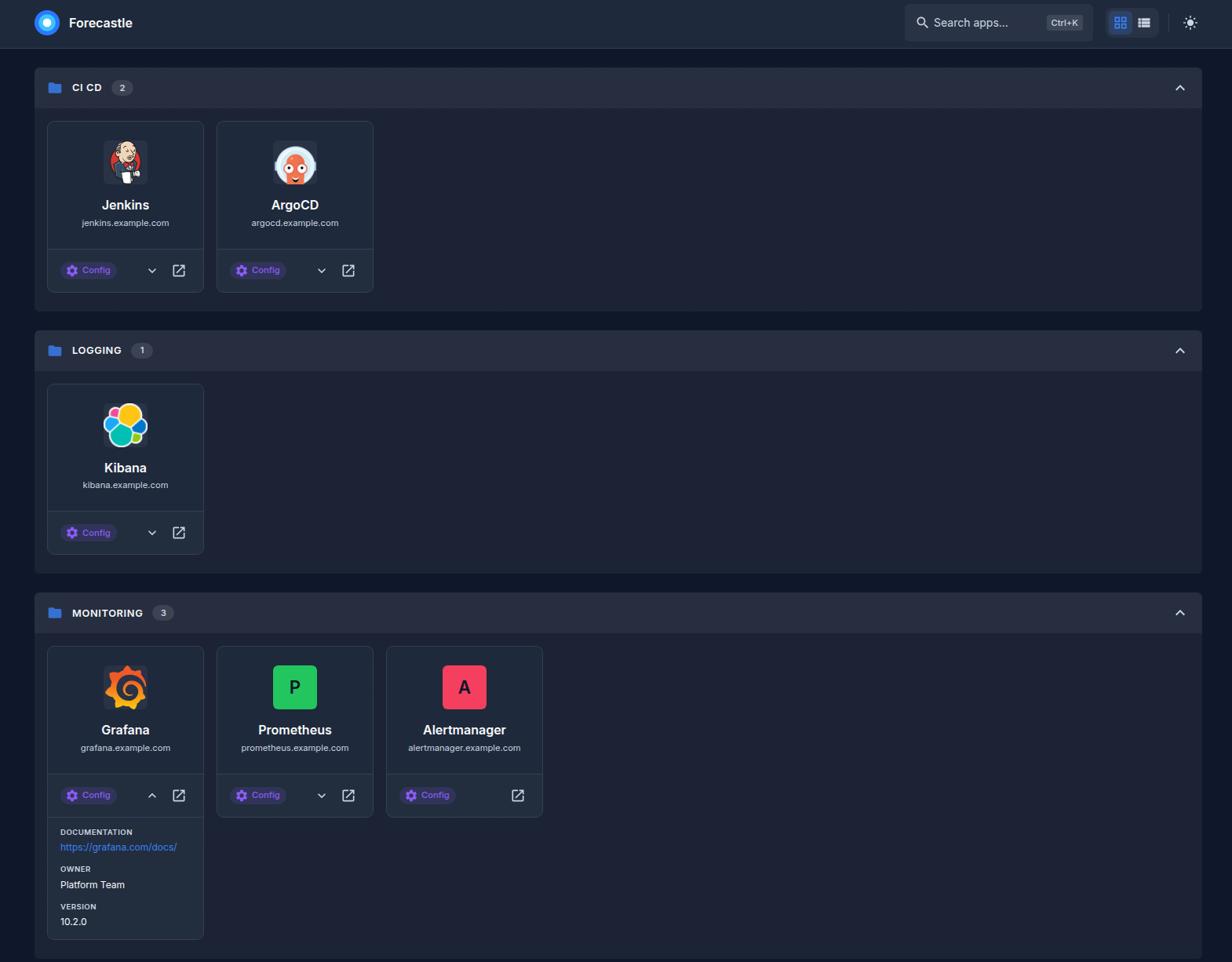
Deploying to Kubernetes
You can deploy Forecastle both using vanilla k8s manifests or helm charts.
Vanilla Manifests
Step 1: You can apply vanilla manifests by running the following command
kubectl apply -f https://raw.githubusercontent.com/stakater/Forecastle/master/deployments/kubernetes/forecastle.yaml
Step 2: Update configmap
In the Forecastle configmap modify the namespaces.conf key with a comma separated list of namespaces which you want Forecastle to watch.
And enjoy!
Helm Charts
If you configured helm on your cluster, you can deploy Forecastle via helm chart located under deployments/kubernetes/chart/Forecastle folder.
Configuration
Ingresses
Forecastle looks for a specific annotations on ingresses.
- Add the following annotations to your ingresses in order to be discovered by forecastle:
| Annotation | Description |
|---|---|
forecastle.stakater.com/expose |
[Required] Add this with value true to the ingress of the app you want to show in Forecastle |
forecastle.stakater.com/icon |
[Optional] Icon/Image URL of the application; An icons/logos/images collection repo Icons |
Forecastle
Forecastle supports the following configuration options that can be modified by either ConfigMap or values.yaml if you are using helm
| Configuration Key | Description | Default |
|---|---|---|
| namespaces | A list of namespaces that forecastle uses to look for ingresses | ["stakater"] |
| headerBackground | Background color of the header (Specified in the CSS way) | "" |
| headerForeground | Foreground color of the header (Specified in the CSS way) | "" |
| title | Title for the forecastle dashboard | "Forecastle - Stakater" |
Features
- List apps found in all namespaces listed in the configmap
- Search apps
- Grouped apps per namespace
- Configurable header (Title and colors)
Help
Got a question? File a GitHub issue, or send us an email.
Talk to us on Slack
Join and talk to us on the #tools-imc channel for discussing Forecastle


Contributing
Bug Reports & Feature Requests
Please use the issue tracker to report any bugs or file feature requests.
Developing
PRs are welcome. In general, we follow the "fork-and-pull" Git workflow.
- Fork the repo on GitHub
- Clone the project to your own machine
- Commit changes to your own branch
- Push your work back up to your fork
- Submit a Pull request so that we can review your changes
NOTE: Be sure to merge the latest from "upstream" before making a pull request!
Changelog
View our closed Pull Requests.
License
Apache2 © Stakater
About
Why name Forecastle?
Forecastle is the section of the upper deck of a ship located at the bow forward of the foremast. This Forecastle will act as a control panel and show all your running applications on Kubernetes having a particular annotation.
Forecastle is maintained by Stakater. Like it? Please let us know at hello@stakater.com
See our other projects or contact us in case of professional services and queries on hello@stakater.com
 Documentation

Documentation


There is no documentation for this package.
 Source Files
 Directories