

 README

README

go-fuzzyfinder


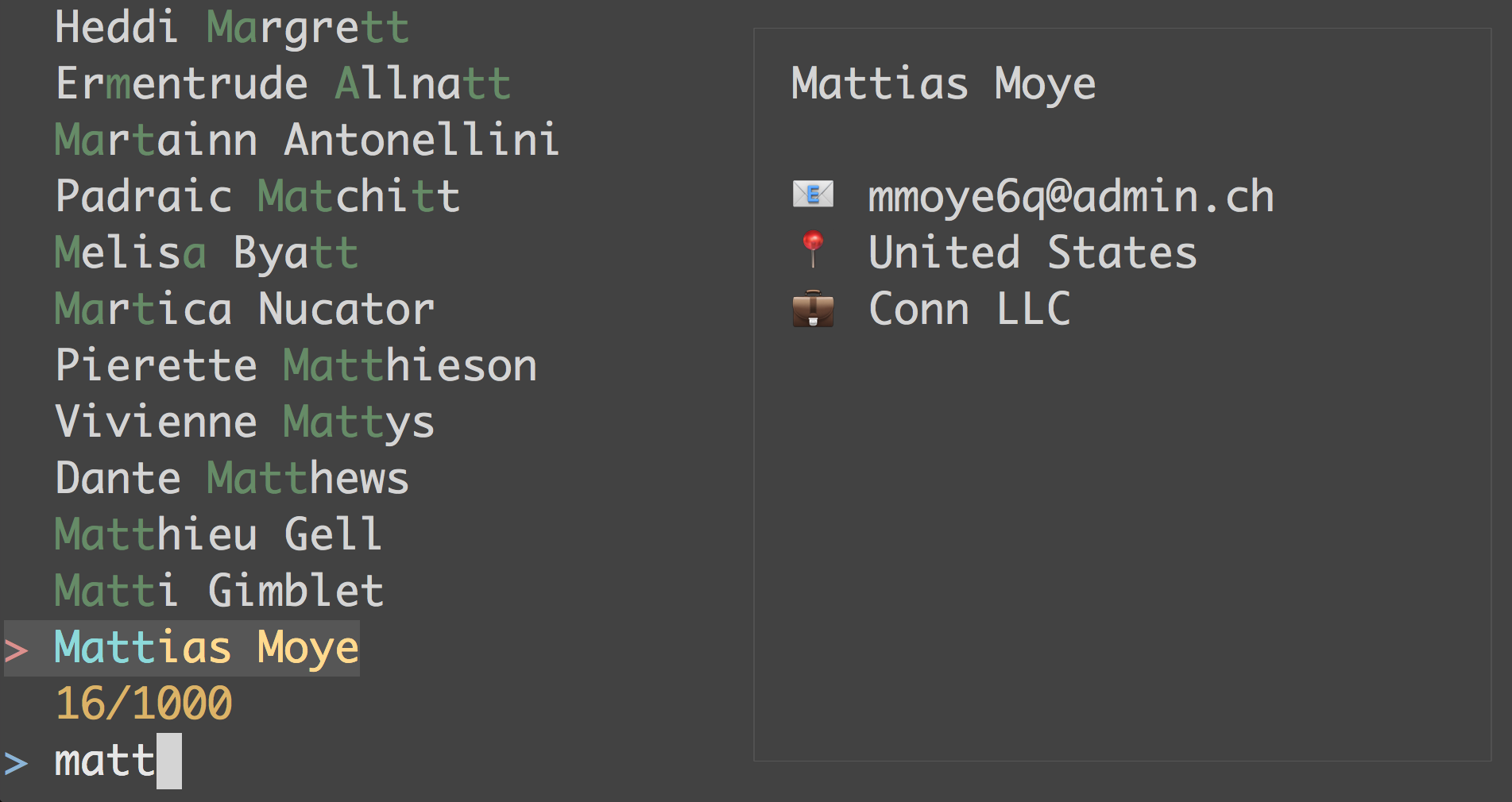
go-fuzzyfinder is a Go library that provides fuzzy-finding with an fzf-like terminal user interface.
Installation
$ go get github.com/ktr0731/go-fuzzyfinder
Usage
go-fuzzyfinder provides two functions, Find and FindMulti.
FindMulti can select multiple lines. It is similar to fzf -m.
This is an example of FindMulti.
type Track struct {
    Name      string
    AlbumName string
    Artist    string
}

var tracks = []Track{
    {"foo", "album1", "artist1"},
    {"bar", "album1", "artist1"},
    {"foo", "album2", "artist1"},
    {"baz", "album2", "artist2"},
    {"baz", "album3", "artist2"},
}

func main() {
    idx, err := fuzzyfinder.FindMulti(
        tracks,
        func(i int) string {
            return tracks[i].Name
        },
        fuzzyfinder.WithPreviewWindow(func(i, w, h int) string {
            if i == -1 {
                return ""
            }
            return fmt.Sprintf("Track: %s (%s)\nAlbum: %s",
                tracks[i].Name,
                tracks[i].Artist,
                tracks[i].AlbumName)
        }))
    if err != nil {
        log.Fatal(err)
    }
    fmt.Printf("selected: %v\n", idx)
}
The execution result prints selected item's indexes.
Keybindings
- General:
Enterconfirm selection,Esc/Ctrl+C/Ctrl+Dabort. - List navigation:
Up/Ctrl+P/Ctrl+Kmove up,Down/Ctrl+N/Ctrl+Jmove down. - Paging:
PgUppage up,PgDnpage down. - Query cursor movement:
Left/Ctrl+Bmove left,Right/Ctrl+Fmove right. - Query jump:
Home/Ctrl+Amove to start,End/Ctrl+Emove to end. - Query editing:
Backspacedelete previous rune,Deletedelete current rune,Ctrl+Wdelete previous word,Ctrl+Uclear from cursor to beginning. - Hidden search field:
Ctrl+Otoggles matching hidden fields fromWithSearchItemFunc. - Preview window:
Ctrl+Ttoggles preview window visibility whenWithPreviewWindowis enabled. - Preview startup visibility: use
WithPreviewVisible(false)to start with preview hidden. - Horizontal item scroll:
Shift+Leftscroll left,Shift+Rightscroll right. - Multi-select:
Tabtoggles selection for the current item. - Multi-select view:
Ctrl+Stoggles all-items view and selected-items view. Entering selected-items view resets its query to empty.
Preselecting items
You can preselect items using the WithPreselected option. It works in both Find and FindMulti.
// Single selection mode
// The cursor will be positioned on the first item that matches the predicate
idx, err := fuzzyfinder.Find(
    tracks,
    func(i int) string {
        return tracks[i].Name
    },
    fuzzyfinder.WithPreselected(func(i int) bool {
        return tracks[i].Name == "bar"
    }),
)

// Multi selection mode
// All items that match the predicate will be selected initially
idxs, err := fuzzyfinder.FindMulti(
    tracks,
    func(i int) string {
        return tracks[i].Name
    },
    fuzzyfinder.WithPreselected(func(i int) bool {
        return tracks[i].Artist == "artist2"
    }),
)
Motivation
Fuzzy-finder command-line tools such that fzf, fzy, or skim are very powerful to find out specified lines interactively. However, there are limits to deal with fuzzy-finder's features in several cases.
First, it is hard to distinguish between two or more entities that have the same text. In the example of ktr0731/itunes-cli, it is possible to conflict tracks such that same track names, but different artists. To avoid such conflicts, we have to display the artist names with each track name. It seems like the problem has been solved, but it still has the problem. It is possible to conflict in case of same track names, same artists, but other albums, which each track belongs to. This problem is difficult to solve because pipes and filters are row-based mechanisms, there are no ways to hold references that point list entities.
The second issue occurs in the case of incorporating a fuzzy-finder as one of the main features in a command-line tool such that enhancd or itunes-cli.
Usually, these tools require that it has been installed one fuzzy-finder as a precondition.
In addition, to deal with the fuzzy-finder, an environment variable configuration such that export TOOL_NAME_FINDER=fzf is required.
It is a bother and complicated.
go-fuzzyfinder resolves above issues.
Dealing with the first issue, go-fuzzyfinder provides the preview-window feature (See an example in Usage).
Also, by using go-fuzzyfinder, built tools don't require any fuzzy-finders.
See Also
 Documentation

Documentation

Overview 
Package fuzzyfinder provides terminal user interfaces for fuzzy-finding.
Note that, all functions are not goroutine-safe.
Index 
- Constants
- Variables
- func Find(slice interface{}, itemFunc func(i int) string, opts ...Option) (int, error)
- func FindMulti(slice interface{}, itemFunc func(i int) string, opts ...Option) ([]int, error)
- type Option
- func WithAutoAcceptPreselected() Option
- func WithContext(ctx context.Context) Option
- func WithCursorPosition(position cursorPosition) Option
- func WithHeader(s string) Option
- func WithHotReload() Optiondeprecated
- func WithHotReloadLock(lock sync.Locker) Option
- func WithMode(m mode) Option
- func WithPreselected(f func(i int) bool) Option
- func WithPreviewVisible(visible bool) Option
- func WithPreviewWindow(f func(i, width, height int) string) Option
- func WithPromptString(s string) Option
- func WithQuery(s string) Option
- func WithSearchItemFunc(f func(i int) string) Option
- func WithSelectOne() Option
- type TerminalMock
Examples 
Constants 
const (
	// ModeSmart enables a smart matching. It is the default matching mode.
	// At the beginning, matching mode is ModeCaseInsensitive, but it switches
	// over to ModeCaseSensitive if an upper case character is inputted.
	ModeSmart mode = iota
	// ModeCaseSensitive enables a case-sensitive matching.
	ModeCaseSensitive
	// ModeCaseInsensitive enables a case-insensitive matching.
	ModeCaseInsensitive
)
const (
	CursorPositionBottom cursorPosition = iota
	CursorPositionTop
)
Variables 
var (
	// ErrAbort is returned from Find* functions if there are no selections.
	ErrAbort = errors.New("abort")
)
Functions 
func Find 
Find displays a UI that provides fuzzy finding against the provided slice. The argument slice must be of a slice type. If not, Find returns an error. itemFunc is called by the length of slice. previewFunc is called when the cursor which points to the currently selected item is changed. If itemFunc is nil, Find returns an error.
itemFunc receives an argument i, which is the index of the item currently selected.
Find returns ErrAbort if a call to Find is finished with no selection.
Example 
package main

import (
	"fmt"

	fuzzyfinder "github.com/steiler/go-fuzzyfinder"
)

func main() {
	slice := []struct {
		id   string
		name string
	}{
		{"id1", "foo"},
		{"id2", "bar"},
		{"id3", "baz"},
	}
	idx, _ := fuzzyfinder.Find(slice, func(i int) string {
		return fmt.Sprintf("[%s] %s", slice[i].id, slice[i].name)
	})
	fmt.Println(slice[idx]) // The selected item.
}
Output:
Example (PreviewWindow) 
package main

import (
	"fmt"

	fuzzyfinder "github.com/steiler/go-fuzzyfinder"
)

func main() {
	slice := []struct {
		id   string
		name string
	}{
		{"id1", "foo"},
		{"id2", "bar"},
		{"id3", "baz"},
	}
	idx, _ := fuzzyfinder.Find(
		slice,
		func(i int) string {
			return fmt.Sprintf("[%s] %s", slice[i].id, slice[i].name)
		},
		fuzzyfinder.WithPreviewWindow(func(i, width, _ int) string {
			if i == -1 {
				return "no results"
			}
			s := fmt.Sprintf("%s is selected", slice[i].name)
			// As an example of using width, if the window width is less than
			// the length of s, we return the name directly.
			if width < len([]rune(s)) {
				return slice[i].name
			}
			return s
		}))
	fmt.Println(slice[idx]) // The selected item.
}
Output:
func FindMulti 
FindMulti is nearly the same as Find. The only difference from Find is that the user can select multiple items at once, by using the tab key.
Example 
package main

import (
	"fmt"

	fuzzyfinder "github.com/steiler/go-fuzzyfinder"
)

func main() {
	slice := []struct {
		id   string
		name string
	}{
		{"id1", "foo"},
		{"id2", "bar"},
		{"id3", "baz"},
	}
	idxs, _ := fuzzyfinder.FindMulti(slice, func(i int) string {
		return fmt.Sprintf("[%s] %s", slice[i].id, slice[i].name)
	})
	for _, idx := range idxs {
		fmt.Println(slice[idx])
	}
}
Output:
Types 
type Option 
type Option func(*opt)
Option represents available fuzzy-finding options.
func WithAutoAcceptPreselected 
func WithAutoAcceptPreselected() Option
WithAutoAcceptPreselected enables immediate acceptance of matched preselected items.
This option is disabled by default.
In Find mode, it returns the first currently matched preselected item. In FindMulti mode, it returns all currently matched preselected items.
If no matched preselected items exist, the finder falls back to the normal interactive behavior.
func WithContext 
WithContext enables closing the fuzzy finder from parent.
func WithCursorPosition 
func WithCursorPosition(position cursorPosition) Option
WithCursorPosition sets the initial position of the cursor
If Find is called with WithCursorPosition and WithPreselected, the cursor will be positioned at the first preselected item.
func WithHotReload
deprecated
func WithHotReload() Option
WithHotReload reloads the passed slice automatically when some entries are appended. The caller must pass a pointer of the slice instead of the slice itself.
Deprecated: use WithHotReloadLock instead.
func WithHotReloadLock 
WithHotReloadLock reloads the passed slice automatically when some entries are appended. The caller must pass a pointer of the slice instead of the slice itself. The caller must pass a RLock which is used to synchronize access to the slice. The caller MUST NOT lock in the itemFunc passed to Find / FindMulti because it will be locked by the fuzzyfinder. If used together with WithPreviewWindow, the caller MUST use the RLock only in the previewFunc passed to WithPreviewWindow.
func WithMode 
func WithMode(m mode) Option
WithMode specifies a matching mode. The default mode is ModeSmart.
func WithPreselected 
WithPreselected enables to specify which items should be preselected. The argument f is a function that returns true for items that should be preselected. i is the same index value passed to itemFunc in Find or FindMulti. This option is effective in both Find and FindMulti, but in Find mode only the first preselected item will be considered.
If Find is called with WithCursorPosition and WithPreselected, the cursor will be positioned at the first preselected item.
func WithPreviewVisible 
WithPreviewVisible controls whether the preview window is visible at startup.
This option has effect only when WithPreviewWindow is enabled.
func WithPreviewWindow 
WithPreviewWindow enables to display a preview for the selected item. The argument f receives i, width and height. i is the same as Find's one. width and height are the size of the terminal so that you can use these to adjust a preview content. Note that width and height are calculated as a rune-based length.
If there is no selected item, previewFunc passes -1 to previewFunc.
If f is nil, the preview feature is disabled.
func WithPromptString 
WithPromptString changes the prompt string. The default value is "> ".
func WithSearchItemFunc 
WithSearchItemFunc enables to specify a function that returns the search string for each item. The search string is concatenated with the item string with a space character.
type TerminalMock 
type TerminalMock struct {
	// contains filtered or unexported fields
}
TerminalMock is a mocked terminal for testing. Most users should use it by calling UseMockedTerminal.
Example 
// Initialize a mocked terminal.
term := fuzzyfinder.UseMockedTerminalV2()
keys := "foo"
for _, r := range keys {
	term.InjectKey(tcell.KeyRune, r, tcell.ModNone)
}
term.InjectKey(tcell.KeyEsc, rune(tcell.KeyEsc), tcell.ModNone)

slice := []string{"foo", "bar", "baz"}
_, _ = fuzzyfinder.Find(slice, func(i int) string { return slice[i] })

// Write out the execution result to a temp file.
// We can test it by the golden files testing pattern.
//
// See https://speakerdeck.com/mitchellh/advanced-testing-with-go?slide=19
result := term.GetResult()
_ = ioutil.WriteFile("ui.out", []byte(result), 0600)
func UseMockedTerminal 
func UseMockedTerminal() *TerminalMock
UseMockedTerminal switches the terminal, which is used from this package to a mocked one.
func UseMockedTerminalV2 
func UseMockedTerminalV2() *TerminalMock
UseMockedTerminalV2 switches the terminal, which is used from this package to a mocked one.
func (*TerminalMock) GetResult 
func (m *TerminalMock) GetResult() string
GetResult returns a flushed string that is displayed to the actual terminal. It contains all escape sequences such that ANSI escape code.
func (*TerminalMock) SetEvents
deprecated
func (m *TerminalMock) SetEvents(events ...termbox.Event)
Deprecated: Use SetEventsV2 SetEvents sets all events, which are fetched by pollEvent. A user of this must set the EscKey event at the end.
func (*TerminalMock) SetEventsV2 
func (m *TerminalMock) SetEventsV2(events ...tcell.Event)
SetEventsV2 sets all events, which are fetched by pollEvent. A user of this must set the EscKey event at the end.
func (*TerminalMock) SetSize 
func (m *TerminalMock) SetSize(w, h int)
SetSize changes the pseudo-size of the window. Note that SetSize resets added cells.
 Source Files
 Directories

Directories

| Path | Synopsis |
|---|---|
|
Package matching provides matching features that find appropriate strings by using a passed input string.
|
Package matching provides matching features that find appropriate strings by using a passed input string. |
|
Package scoring provides APIs that calculates similarity scores between two strings.
|
Package scoring provides APIs that calculates similarity scores between two strings. |