

 README

README

dockhand
A simple tool to help configuring Jenkins Yet Another Docker Plugin without using the Jenkins web UI.
If you are using YAD plugin you know that managing Docker Templates can get out of hand - so many settings in the UI, so easy to miss something important.
I created this tool for two reasons:
- Configuring Docker templates in the UI is time consuming and error-prone.
- I wanted to be able to automate the creation of new Cloud Templates as part of a automated build-engineering process. My scripts can use this tool to accomplish that.
For more information on my automated build system see: Automated Build System Tutorial Videos
Automated Build System Blog Posts
Get Labels
Returns all the labels being used by the specified Yet Another Docker Plugin Cloud.
./dockhand getLabels --username jenkinsyaduser --password correcthorsebatterystaple --jenkinsurl https://localhost:8080 --cloudname JenkinsCloud
or, if you have a config file with your basic config items (username, password, jenkinsurl) it is as simple as:
./dockhand getLabels --cloudname JenkinsCloud
Create Yet Another Docker Plugin "Docker Template"
Creates a Docker Template under the named Yet Another Docker Cloud.
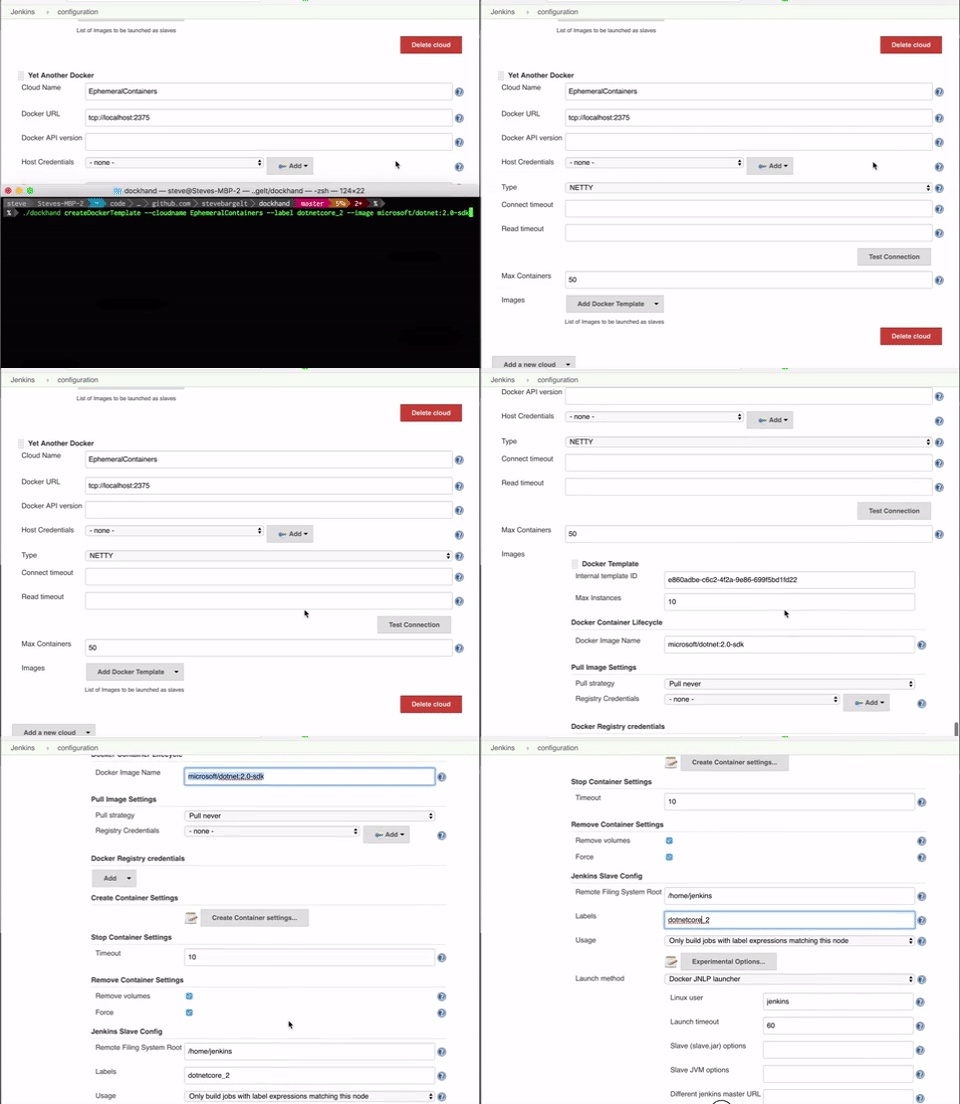
./dockhand createDockerTemplate --username jenkinsyaduser --password correcthorsebatterystaple --jenkinsurl https://localhost:8080 --label dotnetcore_2 --image microsoft/dotnet:2.0-sdk
or, if you have a config file with your basic config items (username, password, jenkinsurl) it is as simple as:
./dockhand createDockerTemplate --cloudname EphemeralContainers --label dotnetcore_2 --image microsoft/dotnet:2.0-sdk
It is early
No polish, no glitter. Works for me at the moment.
 Documentation

Documentation


There is no documentation for this package.
 Source Files
 Directories