

 README

README

Sqlite write speed tests
Test Sqlite write speed with various sql abstraction tools in Go and Python
Tested tools
Go
Python
- Sql Alchemy: an orm
- Django orm: the Django orm
- Dataset: an easy way to handle database operations in Python (uses SqlAlchemy under the hood)
Test design
Disclaimer
This test does not pretend to be a serious benchmark at all. It is a test made on a small i7 4G ram laptop to figure out the orders of magnitude and the ease of use of the tools.
Data structure
The test inserts records with 13 columns of short text, one of integer, one float and one boolean (because this is the kind of data I needed to test for).
All the tests wrap the insert statements into one single transaction.
Results
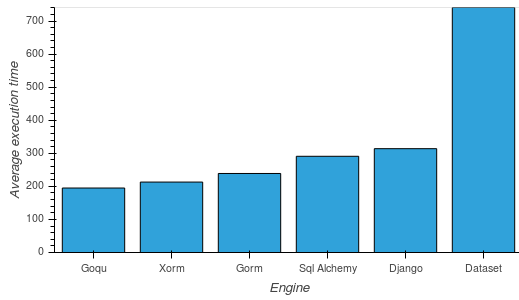
Inserting 1000 records (500 runs):
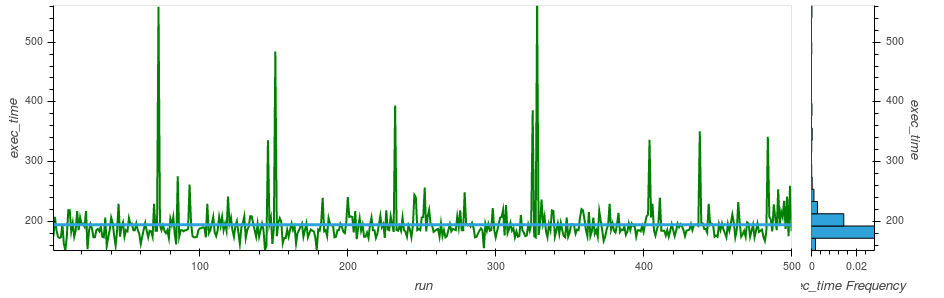
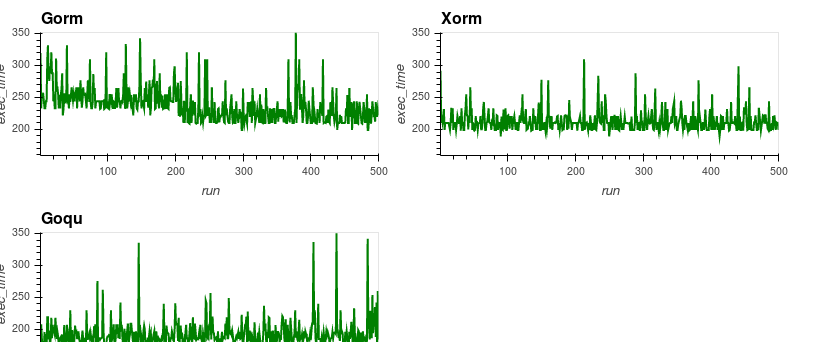
Goqu: average of 195 ms. Best run: 152 ms. Worst run: 561 ms
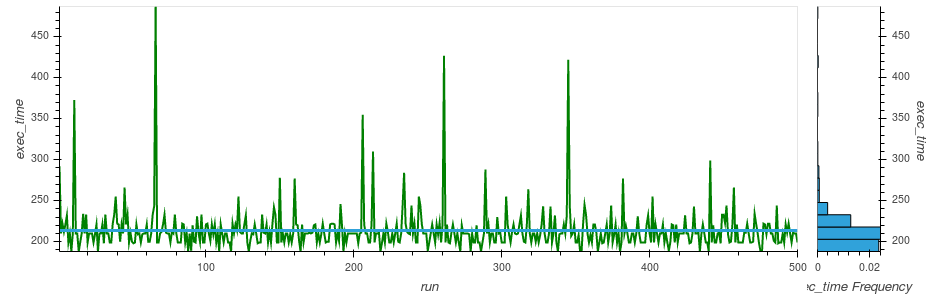
Xorm: average of 214 ms. Best run: 188 ms. Worst run: 487 ms
Gorm: average of 239 ms. Best run: 177 ms. Worst run: 513 ms
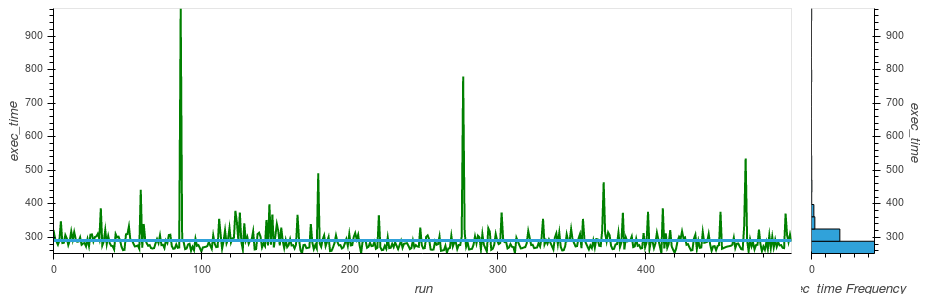
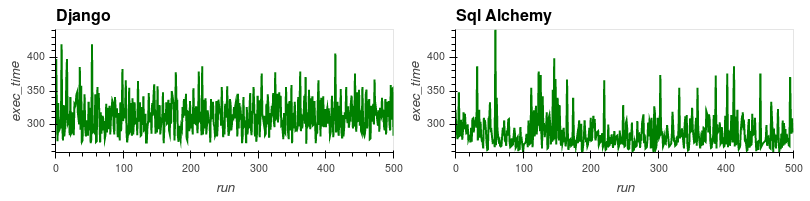
Sql Alchemy: average of 291 ms. Best run: 252 ms. Worst run: 982 ms
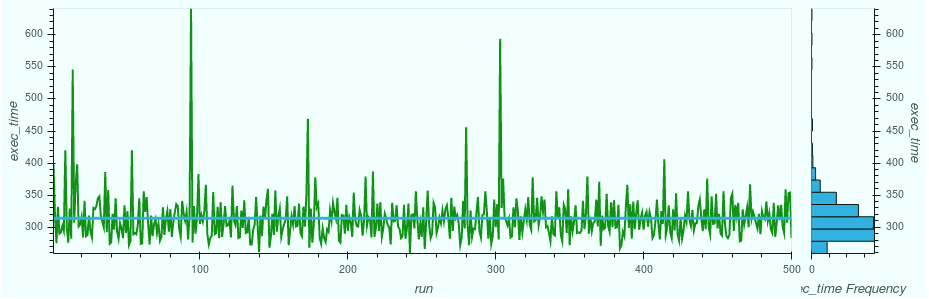
Django: average of 314 ms. Best run: 259 ms. Worst run: 641 ms
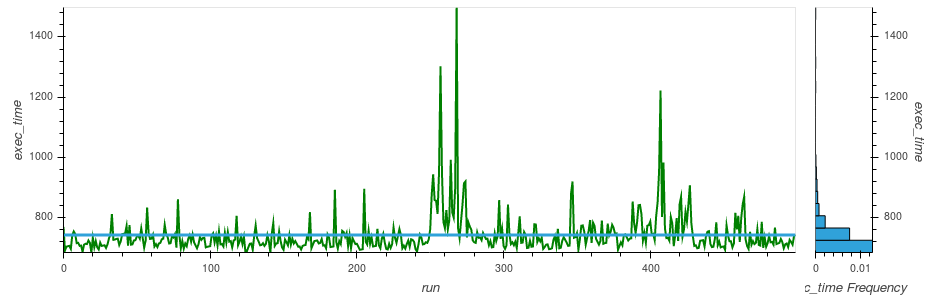
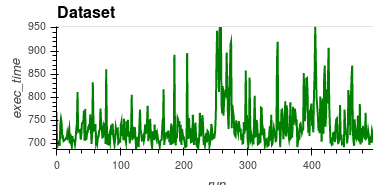
Dataset: average of 741 ms. Best run: 684 ms. Worst run: 1,49 s
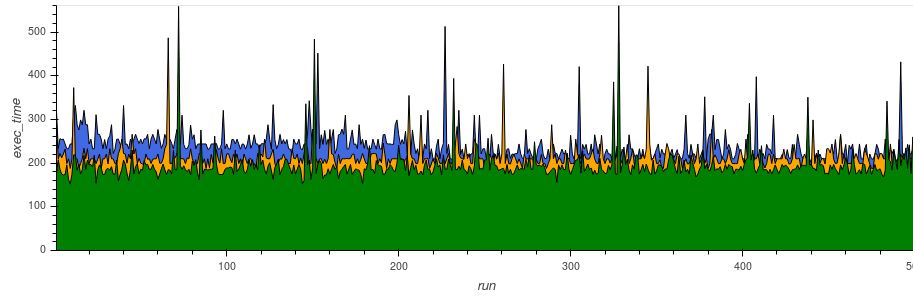
Go
Blue: Gorm, Yellow: Xorm, Green: Goqu
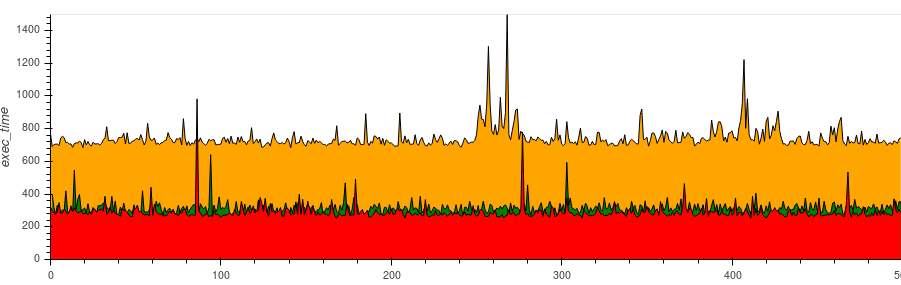
Python
Red: Sql Alchemy, Orange: Django, Green: Dataset
Execution time
Gorm
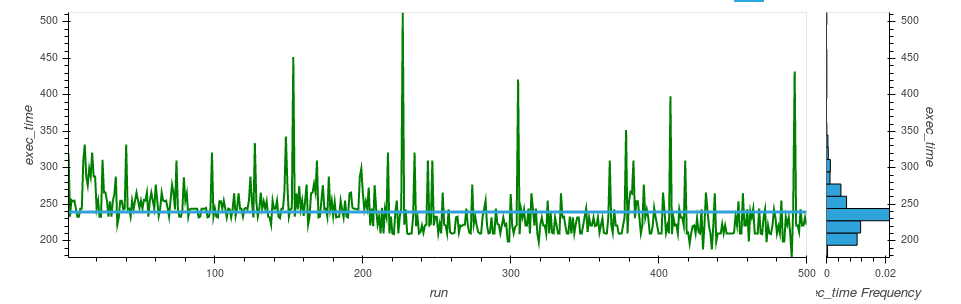
Goqu
Xorm
Sql Alchemy
Django
Dataset
Regularity
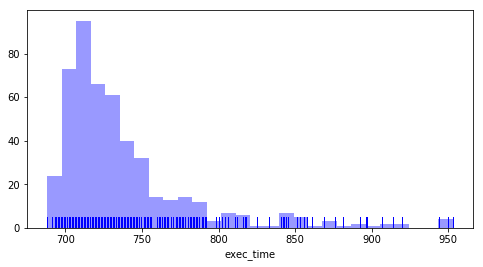
This uses normalized data with the extreme values removed to compare the most common cases.
Normalized execution speed comparison
Distribution of the values
Gorm
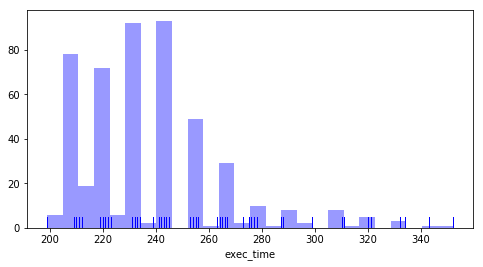
Goqu
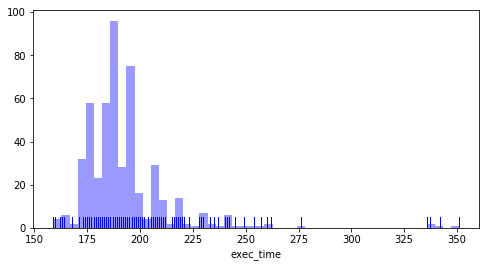
Xorm
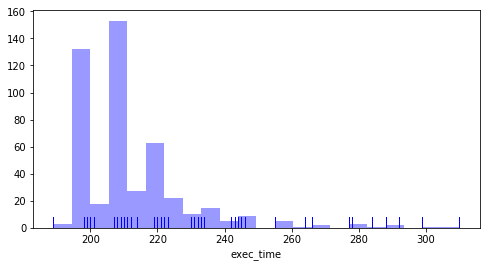
Sql Alchemy
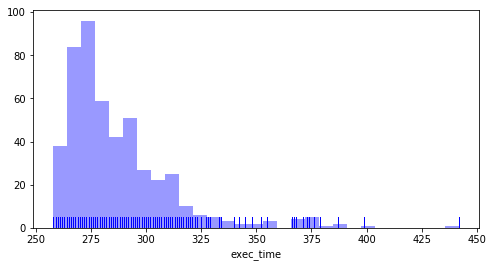
Django
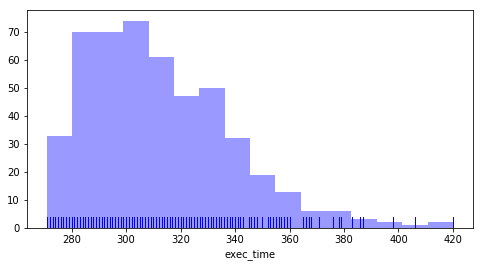
Dataset
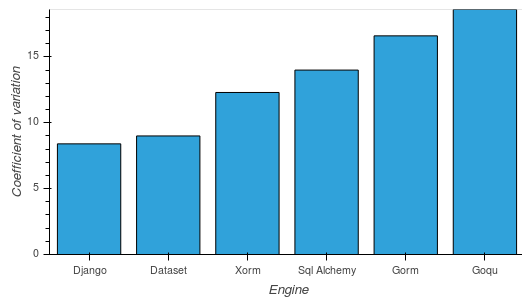
Coefficient of variation
This measures the level of dispersion of the values around the mean
Django: 8,4 %
Dataset: 9 %
Xorm: 12,3 %
Gorm: 14 %
Sql Alchemy: 16,6 %
Goqu: 18,6 %
Summary
Note: this is a totally subjective estimation
| Engine | Speed | Ease of use | Regularity |
|---|---|---|---|
| Gorm | ++++ | ++++ | ++ |
| Goqu | +++++ | +++ | + |
| Xorm | ++++ | ++++ | +++ |
| Sql Alchemy | +++ | +++ | ++ |
| Django | +++ | ++++ | +++++ |
| Dataset | + | +++++ | ++++ |
Some keypoints:
- Gorm is easy and fast but irregular
- Goqu is the fastest irregular
- Xorm is doing good in all fields
- Django is very regular, easy and pretty fast
- Sql Alchemy is quite fast and easy but not very regular
- Dataset is the easiest to use, at the cost of speed
Run the tests
pip install dataset sqlalchemy
Get the stuff:
go get github.com/synw/sqlite-speed
Go to $GOPATH/src/github.com/synw/sqlite-speed
Create the test database:
python3 dataset -c
Start testing:
-
Gorm:
go run main.go -
Goqu:
go run main.go -e goqu -
Xorm:
go run main.go -e xorm -
Sql Alchemy:
python3 sqla -
Dataset:
python3 dataset -
Django: see the instuctions
Optional command line arguments:
-n: sets the number of records to insert per run. Default is 1000.
Ex: go run main.go -n 10000
-r: sets the number of runs. Default is 10.
Ex: go run main.go -r 100
Stats
Use the -s flag to log the execution times per run
The datapoints are collected in a database to be able to
process analytics on it. The default database is stats.sqlite.
To change the database location use the -sdb flag: ex:
python3 pydb -s -sbd /home/me/somewhere/stats.sqlite
To run the analytics on the generated data some notebooks are available
Todo
- Automate multiple runs and stats
- Test with Xorm
- Test with Django orm
- Test with SqlAlchemy
- Publish the notebooks that build the charts from the collected data
 Documentation

Documentation


There is no documentation for this package.
 Source Files
 Directories