




 README

README


🍋 Limoni Voice
Terminal-Native • End-to-End Encrypted • P2P Voice Chat & Screen Sharing




A pure-Go (no cgo), single-binary, real-time P2P voice chat application running entirely inside your terminal.
Built in Go with the Limoni TUI Framework.
English • Türkçe
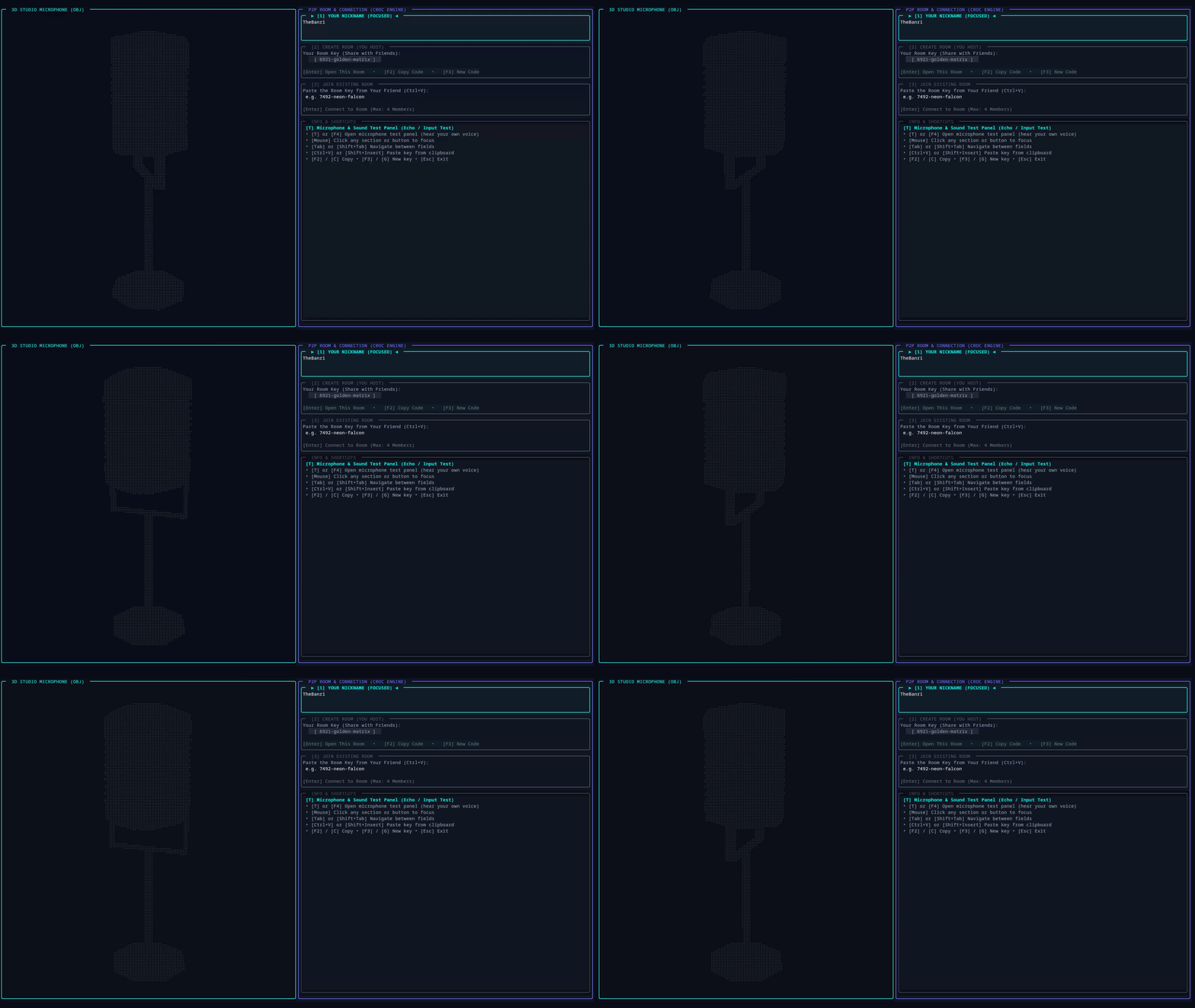
✨ Features
🎙️ Voice Communication
|
🖥️ Screen Sharing
|
🌐 Network Architecture
|
🎨 UI & Aesthetics
|
📁 E2EE File & Code Sharing
|
💬 Chat & Room Security
|
🏗️ Architecture
      ┌──────────────────────────────────────────────────────────┐
      │ Relay server (Docker / VPS / Cloudflare Tunnel)          │
      │ WSS: signaling, PAKE handshake, fallback media           │
      │ UDP: low-latency encrypted media relay                   │
      └───────┬─────────────────────┬─────────────────────┬──────┘
              │                     │                     │
              ▼                     ▼                     ▼
      ┌──────────────┐      ┌──────────────┐      ┌──────────────┐
      │ Peer A (Host)│      │ Peer B       │      │ Peer C       │
      ├──────────────┤      ├──────────────┤      ├──────────────┤
      │ Opus + FEC   │      │ Opus + FEC   │      │ Opus + FEC   │
      │ AEC · RNNoise│      │ AEC · RNNoise│      │ AEC · RNNoise│
      │ Limoni TUI   │      │ Limoni TUI   │      │ Limoni TUI   │
      └───────┬──────┘      └───────┬──────┘      └───────┬──────┘
              └─────────────────────┴─────────────────────┘
                direct UDP / IPv6 hole-punch (full mesh)
                (group key AES-256-GCM, rotated on join/leave)
Project Structure
limoni-voice/
├── main.go              # Bootstrap: flags, language, log file, backend, node start
├── app*.go              # App state, key/mouse routing, render loop, settings, kick/knock UI
├── ui_*.go              # Lobby and room screens: cards, HUD, chat, controls
├── dialogs.go           # Modals: audio settings, relay, debug/diagnostics, share, file offers
├── i18n.go              # T / Tf / tr helpers over internal/i18n
├── internal/
│   ├── p2p/             # P2P node: relay, handshake, NAT, media, files, screen share, kick/ban, stats
│   ├── engine/          # Audio engine: 48 kHz capture/playback, VAD, AEC, denoise, mixing, SFX
│   ├── i18n/            # Interface translations (English source, Turkish catalog)
│   ├── applog/          # Rotating diagnostic log in the per-user state directory
│   ├── protocol/        # Binary packet format + relay signaling types
│   ├── e2ee/            # Room codes, CPace PAKE handshake, epoch keyring, member proofs
│   ├── relay/           # Relay server (WebSocket + UDP), kick/ban, token rotation, metrics
│   ├── nat/             # STUN NAT classification, punch strategies, IPv6
│   ├── voice/           # Opus codec wrapper, adaptive bitrate controller, jitter buffer
│   ├── dsp/             # Speex MDF echo canceller, RNNoise, FFT
│   ├── audioio/         # PulseAudio / CoreAudio / winmm / tool fallback
│   ├── sysaudio/        # System audio capture for screen share
│   ├── video/           # Screen share video transport (reorder, pacing, NACK)
│   ├── notify/          # Desktop notifications
│   └── ptt/             # System-wide push-to-talk (X11, portal, Win32, macOS)
├── screenshare/         # Screen sharing module (GPU Rec, FFmpeg, MPV)
├── relay-server/        # Relay binary (thin wrapper over internal/relay)
├── cmd/limoni-sign/     # ed25519 signing tool for release checksums
└── scripts/             # Build & packaging scripts
🚀 Installation
🐧 Linux & 🍎 macOS 1-Line Install (Recommended)
Install Limoni Voice with a single command in your terminal:
curl -fsSL https://raw.githubusercontent.com/thebanri/limoni-voice/main/install.sh | bash
Or with Homebrew (macOS and Linux, updates with brew upgrade):
brew install thebanri/tap/limoni-voice              # the command
brew install --cask thebanri/tap/limoni-voice-app   # macOS: Limoni Voice.app, opens invite links
Use one or the other: the cask includes the command.
🪟 Windows 1-Line Install (PowerShell)
irm https://raw.githubusercontent.com/thebanri/limoni-voice/main/scripts/install-windows.ps1 | iex
Or with Scoop (updates with scoop update limoni-voice):
scoop install https://github.com/thebanri/limoni-voice/releases/latest/download/limoni-voice.json
Prerequisites (Audio & Screen Sharing)
[!IMPORTANT]
- 🪟 Windows: Voice chat works out of the box with zero dependencies (using native Win32
winmmaudio APIs). For Screen Sharing, FFmpeg and MPV are required.- 🐧 Linux: Voice chat works out of the box on distributions with standard PulseAudio, PipeWire, or ALSA. For Screen Sharing, FFmpeg and MPV are required.
- 🍎 macOS: Requires macOS 12 Monterey or later. Voice chat uses native CoreAudio (no dependencies). For screen sharing, install FFmpeg and MPV via Homebrew:
brew install ffmpeg mpv- 🪟 Windows (winget / choco / scoop):
(Note: The# via winget winget install -e --id Gyan.FFmpeg winget install -e --id shinchiro.mpv # or via Chocolatey choco install ffmpeg mpv # or via Scoop scoop install ffmpeg mpvLimoni-Voice-Setup.exeinstaller can also configure these automatically).- 🐧 Linux (Debian / Ubuntu / Arch / Fedora):
# Debian / Ubuntu
sudo apt install ffmpeg mpv gstreamer1.0-tools gstreamer1.0-pipewire \
  gstreamer1.0-plugins-base gstreamer1.0-plugins-good gstreamer1.0-plugins-bad gstreamer1.0-plugins-ugly
# Arch Linux
sudo pacman -S --needed ffmpeg mpv gstreamer gst-plugin-pipewire \
  gst-plugins-base gst-plugins-good gst-plugins-bad gst-plugins-ugly
# Fedora
sudo dnf install ffmpeg mpv gstreamer1 pipewire-gstreamer \
  gstreamer1-plugins-base gstreamer1-plugins-good gstreamer1-plugins-bad-free gstreamer1-plugins-ugly
Pre-built Binaries (Manual Download)
Download the latest release package from the Releases page:
| Platform | Architecture | File |
|---|---|---|
| 🐧 Linux | amd64 | limoni-voice_v1.4.0_linux_amd64.tar.gz / .deb |
| 🐧 Linux | arm64 | limoni-voice_v1.4.0_linux_arm64.tar.gz / .deb |
| 🍎 macOS | Apple Silicon | Limoni-Voice_v1.4.0_macOS_arm64.app.zip |
| 🍎 macOS | Intel | Limoni-Voice_v1.4.0_macOS_amd64.app.zip |
| 🪟 Windows | amd64 | Limoni-Voice-Setup.exe |
| 🪟 Windows | arm64 | Limoni-Voice-Setup_windows_arm64.exe |
# Linux / macOS
tar xzf limoni-voice_v1.4.0_linux_amd64.tar.gz
./limoni-voice
Building From Source
# Requirements: Go 1.26+
git clone https://github.com/thebanri/limoni-voice.git
cd limoni-voice
go build -o limoni-voice .
./limoni-voice
Self-Hosted Relay Server (Docker)
The relay server defaults to port 27850 (avoiding collision with common ports like 8080 and deterring port scanners). You can customize PORT in .env to any port you prefer.
To protect your relay server from unauthorized access and bandwidth abuse, you can set an optional Authentication Secret / Token (RELAY_AUTH_TOKEN):
# Option 1: Using Docker Compose (Recommended)
cp .env.example .env
# Set PORT and RELAY_AUTH_TOKEN in .env
docker compose up -d

# Option 2: Using Standard Docker CLI
docker build -t limoni-relay .
# Token-protected secure mode (Default Port 27850):
docker run -d --name limoni-relay -p 27850:27850 -e RELAY_AUTH_TOKEN="your_secret_key_123" limoni-relay
Connecting Clients to Protected Relay:
1. Via In-App Graphical Modal (Recommended - Friendly for Everyone):
To configure without messing with command-line arguments:
- In the lobby, press
[R]or click the[ R : Relay & Security Settings ]footer button. - From any screen, press the
F5shortcut. - In room chat, type
/relayor/server.
In the animated dialog, configure the WebSocket URL and optional Server Password / Token, then click [ Save & Connect ]. Settings are persisted across sessions (settings.json).
2. Via Command-Line Flags or Environment Variables:
# Via command-line argument:
./limoni-voice --relay ws://192.168.1.100:27850/ws --relay-token your_secret_key_123

# OR directly in the URL query string:
./limoni-voice --relay "ws://192.168.1.100:27850/ws?token=your_secret_key_123"

# Alternatively, set via environment variables:
export LIMONI_RELAY_URL="ws://192.168.1.100:27850/ws"
export LIMONI_RELAY_TOKEN="your_secret_key_123"
./limoni-voice
🌐 Exposing to the Internet with Cloudflare Tunnel (Zero Port Forwarding)
If you are hosting the relay on your home machine or behind CGNAT, you can expose it securely to your friends over the internet using Cloudflare Tunnel without opening any ports on your router:
🚀 Option 1: Instant Quick Tunnel (NO Token or Cloudflare Account Needed)
Get a free, instant HTTPS/WSS URL without registering or configuring anything:
# 1. Start relay server and quick tunnel with a single command:
docker compose --profile quick-tunnel up -d

# 2. View your temporary public trycloudflare URL:
docker logs limoni-quick-tunnel
# Look for the generated URL in the logs:
# https://funny-animal-1234.trycloudflare.com

# 3. Connect yourself and friends via WSS:
./limoni-voice --relay wss://funny-animal-1234.trycloudflare.com/ws --relay-token your_secret_key_123
🔑 Option 2: Using a Named Tunnel with Custom Domain (Token)
Add your tunnel token from Cloudflare Zero Trust to .env as CLOUDFLARE_TUNNEL_TOKEN=eyJh... and run:
docker compose --profile tunnel up -d
💻 Option 3: Using the cloudflared CLI Directly
cloudflared tunnel --url http://localhost:27850
🛑 Stopping Relay and Tunnels
Since tunnel services are defined under Docker Compose profiles, running a simple docker compose down will only stop the relay service. To stop everything (including all active tunnels):
# Stop all services and all tunnels across all profiles:
docker compose --profile "*" down

# Or stop a specific active profile:
docker compose --profile quick-tunnel down

# Remove any orphaned/leftover background containers:
docker compose down --remove-orphans
[!TIP] Network / UDP QUIC Issues:
docker-compose.ymlis pre-configured with--protocol http2and public DNS to route tunnel traffic over standard HTTPS (TCP 443) instead of UDP port 7844 (QUIC), preventing "sendmsg: network is unreachable" errors caused by ISP UDP drops.
🔁 Backup Relays
Give several relays separated by commas, in the relay dialog (R), in --relay or in LIMONI_RELAY_URL:
./limoni-voice --relay "my.relay.com, backup.relay.com:27850"
The first one is the primary. A host whose primary is unreachable opens the room on the next one; a joiner that cannot reach a relay, or does not find the room there, asks the next one. Once a room is open it stays on its relay. Everyone in a room should list the same relays in the same order. A relay with its own password takes it in the URL: wss://backup.relay.com/ws?token=secret.
⚡ Low Latency: UDP Relay (Important for Cloudflare Tunnel users)
Cloudflare Tunnel only carries TCP/WebSocket. When two peers cannot connect directly (e.g. symmetric NAT or CGNAT), audio falls back to the WebSocket relay inside the tunnel, which typically adds ~100+ ms. For the lowest latency:
- Run the relay on a VPS, or port-forward UDP 27850 on your router.
- Tell clients where the UDP relay is reachable:
RELAY_UDP_PUBLIC_ADDR=203.0.113.10:27850 docker compose --profile tunnel up -d - Check the debug panel (
F12) or type/netin chat: the peer path should showP2P,P2P-v6orRelay-UDPinstead ofRelay.
| Env Variable | Default | Description |
|---|---|---|
PORT |
27850 |
TCP port for HTTP/WebSocket |
UDP_PORT |
same as PORT |
UDP relay port (0 / off disables it) |
RELAY_UDP_PUBLIC_ADDR |
– | host:port advertised for UDP (required behind a tunnel) |
RELAY_AUTH_TOKEN |
– | Optional shared secret for clients; several can be given separated by commas (e.g. the old and the new one while rotating) |
RELAY_AUTH_TOKEN_FILE |
– | File with one accepted secret per line (# comments). Re-read on SIGHUP (docker kill -s HUP limoni-relay) and whenever it changes, so secrets rotate without a restart; open connections stay up |
TRUST_PROXY |
false |
Always trust CF-Connecting-IP / X-Forwarded-For (private-network proxies are trusted automatically) |
LOG_FORMAT / LOG_LEVEL |
json / info |
Structured logging options |
LAN-Only / Offline Mode
To use Limoni Voice on an isolated local network (no internet connection required):
# Force LAN-only direct peer-to-peer mode
./limoni-voice --lan

# Or via environment variable:
export LIMONI_LAN_ONLY=1
./limoni-voice
⚙️ CLI Flags & Configuration
| Flag | Env Variable | Default | Description |
|---|---|---|---|
--relay <url> |
LIMONI_RELAY_URL |
wss://relay.thebanri.dpdns.org/ws |
Custom WebSocket relay URL for self-hosted servers; backups after commas (see below) |
--relay-token <token> |
LIMONI_RELAY_TOKEN |
"" |
Authentication token for password-protected relay servers |
--token <token> |
LIMONI_RELAY_TOKEN |
"" |
Alias for --relay-token |
--lan, --lan-only |
LIMONI_LAN_ONLY |
false |
Force LAN-only offline mode (disables internet relay) |
--offline |
LIMONI_OFFLINE |
false |
Alias for --lan |
--peer <ip:port> |
LIMONI_PEER |
"" |
Direct target peer IP/host for cross-subnet or VPN LAN P2P |
--connect <ip:port> |
LIMONI_PEER |
"" |
Alias for --peer |
--sysaudio-test |
- | - | Capture system audio for 5 s, print the level and exit (screen share audio diagnosis) |
--version |
- | - | Print version information and exit |
--lang <en|tr> |
LIMONI_LANG |
saved setting, else en |
Interface language (English / Türkçe) |
--log-file <path> |
LIMONI_LOG_FILE |
see below | Diagnostic log file |
--help, -h |
- | - | Show help message and usage instructions |
🌍 Interface Language
The interface is written in English and ships with a Turkish translation. Press L in the lobby or I in the audio settings (T) to switch; the choice is saved in settings.json, like the audio settings, microphone and speakers, theme, mini HUD and chat height. --lang and LIMONI_LANG override it for one run. Log files stay in English so they can be shared in bug reports.
📝 Diagnostic Log
The log is written to the per-user state directory instead of the folder the app was started from, and rotates at 5 MB (one .1 backup is kept):
| Platform | Location |
|---|---|
| Linux | $XDG_STATE_HOME/limoni-voice/limoni-voice.log (~/.local/state/limoni-voice/) |
| macOS | ~/Library/Logs/limoni-voice/limoni-voice.log |
| Windows | %LOCALAPPDATA%\limoni-voice\logs\limoni-voice.log |
🖥️ Screen Sharing Tips
- Press
Vin a room, pick a quality preset (1–5, orQto cycle) and toggle system audio withA. Missing tools and the install command are shown in the dialog. - Nothing is uploaded until someone watches (
Wor click the stream). The sharer's bitrate then adapts to the viewers' connection (a short picture hiccup when it changes). - The debug panel (
F12) shows preset, current bitrate, viewers, uplink queue and retransmissions. - Relay operators: update the relay server to get per-viewer delivery through the relay; older relays still work but forward relayed video to the whole room.
- System audio not shared? Run
limoni-voice --sysaudio-test: it prints the capture backend and a level meter while you play something. On Windows the default playback device is captured (Sound settings → Output), and an idle device delivers nothing. - macOS: release builds embed the capture helper; self-built binaries compile it on first use (
xcode-select --install). System audio needs macOS 13+. Every display is offered separately, and a shared window is captured from the display it is on. Video is encoded by the VideoToolbox hardware encoder when your FFmpeg has it (Homebrew's does), otherwise by x264.
🍎 macOS Notes
- Install: the one-line installer puts
Limoni Voice.appin/Applications(or~/Applications) and links thelimoni-voicecommand to it, so there is one copy to update. The app opens Limoni Voice in Terminal and handleslimoni://invite links. - First launch: release apps are signed ad-hoc unless the release was built with a Developer ID. If macOS says it cannot verify the developer, Control-click the app → Open (on macOS 15: System Settings → Privacy & Security → Open Anyway) once.
- Permissions belong to your terminal (Terminal, iTerm2, …), because Limoni Voice runs inside it. Allow it under System Settings → Privacy & Security, then restart the terminal:
| Feature | Permission | What happens without it |
|---|---|---|
| Talking | Microphone | Limoni Voice warns at start: others would hear silence |
| Screen sharing, system audio | Screen & System Audio Recording | The share dialog and the room log say what to enable |
| Global push-to-talk | Input Monitoring | The audio settings show the permission to enable |
| Opening from the app | Automation → Terminal | Asked once, the first time the app opens Terminal |
- Updates: a copy running from
Limoni Voice.appupdates the whole app bundle (checksum-verified), so its signature stays intact.
🎮 Usage
Quick Start
# 1. Launch the application
./limoni-voice

# 2. Your generated room key will appear (e.g. 9421-azure-wave-lemon)
# 3. Press [Enter] to host the room
# 4. Share the room key with your friends!
Lobby Screen Shortcuts
| Key | Action |
|---|---|
Tab / Shift+Tab |
Navigate between input fields |
Enter |
Host or join room |
C / F2 |
Copy room key to clipboard |
G / F3 |
Generate a new room key |
T / F4 |
Open microphone sound test panel |
L |
Switch interface language (English / Türkçe) |
Esc |
Exit confirmation |
Ctrl+V / 🖱️ Right click |
Paste into the selected field (username or room key) |
🖱️ Drag |
Rotate 3D microphone model |
🖱️ Scroll |
Zoom in / out |
Room Screen Shortcuts
| Key | Action |
|---|---|
M |
🎙️ Mute / Unmute Microphone |
D |
🔇 Deafen / Undeafen audio |
N |
🔊 Cycle Noise Suppression mode |
V |
🖥️ Start / Stop Screen Sharing |
W |
👁️ Watch Live Stream |
, / . |
🔈 Turn the watched stream's sound down / up (also [-]/[+] on the stream stage); each sharer keeps its own level |
C / F2 |
📋 Copy Room Code |
+ / - |
🔉 Adjust Microphone Volume |
T |
🧪 Microphone Test Dialog |
P |
🎚️ Toggle Voice Activity / Push-to-Talk |
E |
🔁 Toggle echo cancellation |
S |
🪶 Toggle voice smoothing (soft highs, even loudness, peak limiter) |
Ctrl+V / 🖱️ Right click |
📋 Paste into the chat (multi-line code keeps its lines) |
🖱️ Drag chat top border / [▲][▼] |
↕️ Make the chat panel taller or shorter (its left border drags it wider) |
/send <path> |
📎 Send a file (quoted paths from Explorer's "Copy as path" work) |
F12 |
🩺 Debug & network diagnostics |
/net, /stats |
📶 Print per-peer path, RTT, loss & jitter to chat |
/kick <user> |
👢 Remove a member (host only; they may knock again) |
/ban <user> |
⛔ Remove a member and keep their ID and address out while the room is open (host only) |
Esc |
Leave Room |
🔐 Security
| Layer | Technology | Details |
|---|---|---|
| Room Code | NNNN-word-word-word |
The 4 digits are the public room ID the relay sees; the 3 words are the secret and never leave your machine |
| Authentication | CPace PAKE (ristretto255) | Joiners prove they know the code without revealing it; offline guessing from captured traffic is impossible |
| Group Key | Random AES-256 epoch key | Generated by the host and delivered over the PAKE channel; rotated when a member joins or leaves, the host changes or ports hop |
| Rekeys | X25519 member keys | Every member has a session key vouched for by the host inside the PAKE channel. Each new group key is sealed separately per member, so a departed member cannot read it and no member can forge one; a newly elected host rekeys the same way |
| Encryption | AES-256-GCM | Voice, chat, control, video and file packets are encrypted end-to-end with random nonces |
| Anti-Replay | Sequence + timestamp window | Freshness window and sliding deduplication cache |
| Host Approval | Room lock & PIN | The host can lock the room and require a 4-digit PIN checked on the host side |
| Removal | Host-proven kick / ban | A removal carries pairwise tags only the host can compute; the group key rotates immediately without the removed member, and a missed rotation is recovered by asking the host for the key |
| Updates | SHA-256 + ed25519 | Self-update refuses assets without a matching checksums.txt; signed checksums are verified when a public key is embedded |
| Transport | WSS (TLS) / UDP | Signaling over WebSocket, media over direct or relayed encrypted UDP |
The relay cannot decrypt anything. It only sees the numeric room ID, opaque PAKE messages and encrypted media frames. When a direct path is not possible, encrypted audio is forwarded through the relay (UDP when available, otherwise WebSocket).
🛠️ Dependencies
Runtime (Optional)
For screen sharing capabilities:
| Tool | Platform | Purpose |
|---|---|---|
| FFmpeg | All | Video capture & transcoding |
| GPU Screen Recorder | Linux | Hardware-accelerated screen capture |
| MPV | All | Ultra-low-latency video playback |
Go Modules
| Module | Purpose |
|---|---|
github.com/thebanri/limoni |
TUI framework (terminal, widgets, graphics, animations) |
github.com/gorilla/websocket |
WebSocket relay transport |
github.com/thesyncim/gopus |
Pure-Go Opus codec |
filippo.io/cpace |
CPace password-authenticated key exchange |
github.com/jfreymuth/pulse |
Native PulseAudio/PipeWire client |
github.com/ebitengine/purego |
CoreAudio / macOS APIs without cgo |
github.com/jezek/xgb, github.com/godbus/dbus |
Global push-to-talk on X11 / Wayland portal |
golang.org/x/sys |
Platform-native system calls |
🧪 Testing
# Run all tests (including the relay server and integration tests)
go test -race ./...

# End-to-end relay handshake, wrong-code rejection, key rotation, kick/ban
go test -run 'TestRelay|TestLAN|TestGroupKey|TestHostKicks' -v ./internal/p2p

# Every UI message has a Turkish translation and fixed-width labels still fit
go test -run 'TestEveryUIMessage|TestFixedColumn' .

# DSP ports (AEC, RNNoise), codec and jitter buffer
go test ./internal/...
🤝 Contributing
Contributions are always welcome! To get started:
- Fork this repository
- Create a feature branch (
git checkout -b feature/awesome-feature) - Commit your changes (
git commit -m 'feat: add awesome feature') - Push to your branch (
git push origin feature/awesome-feature) - Open a Pull Request
📄 License
Copyright © 2026 TheBanri. Limoni Voice is licensed under the GNU Affero General Public License v3.0.
You may use, study, change and share it. If you distribute it — changed or not — or let people use a changed version over a network (a relay server, for example), you must give them its complete source code under the same license. It cannot be turned into a closed product.
Versions up to v1.7.0 were released under the MIT License, and stay under it. The programs and libraries it works with are listed in THIRD_PARTY_NOTICES.md.
Limoni Voice 💛 developed by the open source community.
Built with ❤️ using the Limoni TUI Framework.
 Documentation

 Source Files

Source Files

- app.go
- app_keys.go
- app_kick.go
- app_knock.go
- app_modals.go
- app_mouse.go
- app_music.go
- app_notify.go
- app_render.go
- app_settings.go
- clipboard.go
- config.go
- console_other.go
- dialogs.go
- dropfiles.go
- i18n.go
- instance.go
- invite.go
- main.go
- media.go
- open_external.go
- pprof.go
- relaunch_linux.go
- roomcode.go
- shellopen_other.go
- theme.go
- tty_linux.go
- tty_unix.go
- ui_flow.go
- ui_imha.go
- ui_lobby.go
- ui_pointer.go
- ui_room.go
- ui_room_chat.go
- ui_room_footer.go
- ui_room_hud.go
- ui_room_members.go
- ui_stream_tile.go
- updater.go
 Directories

Directories

| Path | Synopsis |
|---|---|
|
Package assets holds the files embedded into the Limoni Voice binaries.
|
Package assets holds the files embedded into the Limoni Voice binaries. |
|
cmd
|
|
|
installer
command
|
|
|
limoni-sign
command
Command limoni-sign generates the ed25519 key pair used to sign release checksums and signs checksums.txt so the in-app updater can verify releases.
|
Command limoni-sign generates the ed25519 key pair used to sign release checksums and signs checksums.txt so the in-app updater can verify releases. |
|
internal
|
|
|
applog
Package applog writes the application's diagnostic log.
|
Package applog writes the application's diagnostic log. |
|
audioio
Package audioio provides cross-platform, cgo-free audio capture and playback at the voice pipeline format (48 kHz, mono, 16-bit, 20 ms frames).
|
Package audioio provides cross-platform, cgo-free audio capture and playback at the voice pipeline format (48 kHz, mono, 16-bit, 20 ms frames). |
|
clipboard
Package clipboard reads and owns the desktop clipboard natively, speaking the Wayland data-control protocol and X11 selections directly, so no wl-clipboard, xclip or xsel has to be installed.
|
Package clipboard reads and owns the desktop clipboard natively, speaking the Wayland data-control protocol and X11 selections directly, so no wl-clipboard, xclip or xsel has to be installed. |
|
dsp
Package dsp holds the signal processing primitives of the voice pipeline: an arbitrary size FFT (kiss_fft algorithm), the Speex MDF acoustic echo canceller port and small filter helpers.
|
Package dsp holds the signal processing primitives of the voice pipeline: an arbitrary size FFT (kiss_fft algorithm), the Speex MDF acoustic echo canceller port and small filter helpers. |
|
dsp/rnnoise
Package rnnoise is a pure Go port of RNNoise v0.1 (recurrent neural network noise suppression for 48 kHz speech, 10 ms frames), including its trained model.
|
Package rnnoise is a pure Go port of RNNoise v0.1 (recurrent neural network noise suppression for 48 kHz speech, 10 ms frames), including its trained model. |
|
e2ee
Package e2ee implements Limoni Voice room cryptography: room codes, the CPace-based join handshake that lets a joiner obtain the room group key from the host without revealing the room secret to the relay, and the epoch keyring used to seal packets.
|
Package e2ee implements Limoni Voice room cryptography: room codes, the CPace-based join handshake that lets a joiner obtain the room group key from the host without revealing the room secret to the relay, and the epoch keyring used to seal packets. |
|
i18n
Package i18n translates the user interface.
|
Package i18n translates the user interface. |
|
nat
Package nat provides the NAT traversal building blocks used by Limoni Voice: a minimal STUN (RFC 5389) binding client codec, NAT mapping classification and hole punching candidate helpers.
|
Package nat provides the NAT traversal building blocks used by Limoni Voice: a minimal STUN (RFC 5389) binding client codec, NAT mapping classification and hole punching candidate helpers. |
|
notify
Package notify shows desktop notifications: the freedesktop notification service over D-Bus on Linux, Notification Center through osascript on macOS and a toast through PowerShell on Windows.
|
Package notify shows desktop notifications: the freedesktop notification service over D-Bus on Linux, Notification Center through osascript on macOS and a toast through PowerShell on Windows. |
|
protocol
Package protocol defines the Limoni Voice wire formats shared by the client and the relay: the compact binary P2P packet codec (carried inside the AEAD envelope) and the JSON signalling messages exchanged with the relay server.
|
Package protocol defines the Limoni Voice wire formats shared by the client and the relay: the compact binary P2P packet codec (carried inside the AEAD envelope) and the JSON signalling messages exchanged with the relay server. |
|
ptt
Package ptt watches a push-to-talk key system wide, so talking works while another window (a game, an editor) has focus.
|
Package ptt watches a push-to-talk key system wide, so talking works while another window (a game, an editor) has focus. |
|
relay
Package relay implements the Limoni Voice relay: WebSocket signalling with host-approved admission (the relay forwards opaque PAKE frames and never learns room secrets), a low-latency UDP datagram relay, WebSocket fallback forwarding, per-IP abuse limits and Prometheus metrics.
|
Package relay implements the Limoni Voice relay: WebSocket signalling with host-approved admission (the relay forwards opaque PAKE frames and never learns room secrets), a low-latency UDP datagram relay, WebSocket fallback forwarding, per-IP abuse limits and Prometheus metrics. |
|
sysaudio
Package sysaudio captures what the computer is playing (system / desktop audio) for screen sharing: the PulseAudio / PipeWire monitor of the default output on Linux and WASAPI loopback on Windows.
|
Package sysaudio captures what the computer is playing (system / desktop audio) for screen sharing: the PulseAudio / PipeWire monitor of the default output on Linux and WASAPI loopback on Windows. |
|
toolpath
Package toolpath finds the external programs Limoni Voice runs (FFmpeg, mpv, capture tools).
|
Package toolpath finds the external programs Limoni Voice runs (FFmpeg, mpv, capture tools). |
|
video
Package video contains the screen share transport building blocks: MPEG-TS chunking with keyframe detection, the receiver's time-based reorder buffer with NACK scheduling, the sender's retransmission history, a token bucket pacer and the adaptive bitrate controller.
|
Package video contains the screen share transport building blocks: MPEG-TS chunking with keyframe detection, the receiver's time-based reorder buffer with NACK scheduling, the sender's retransmission history, a token bucket pacer and the adaptive bitrate controller. |
|
voice
Package voice contains the real-time voice pipeline building blocks: the Opus codec wrapper and the adaptive jitter buffer with packet loss concealment and in-band FEC.
|
Package voice contains the real-time voice pipeline building blocks: the Opus codec wrapper and the adaptive jitter buffer with packet loss concealment and in-band FEC. |
|
Command relay-server runs the Limoni Voice relay: WebSocket signalling on /ws plus an optional low-latency UDP datagram relay on the same port number.
|
Command relay-server runs the Limoni Voice relay: WebSocket signalling on /ws plus an optional low-latency UDP datagram relay on the same port number. |