

 README

README

pokesay
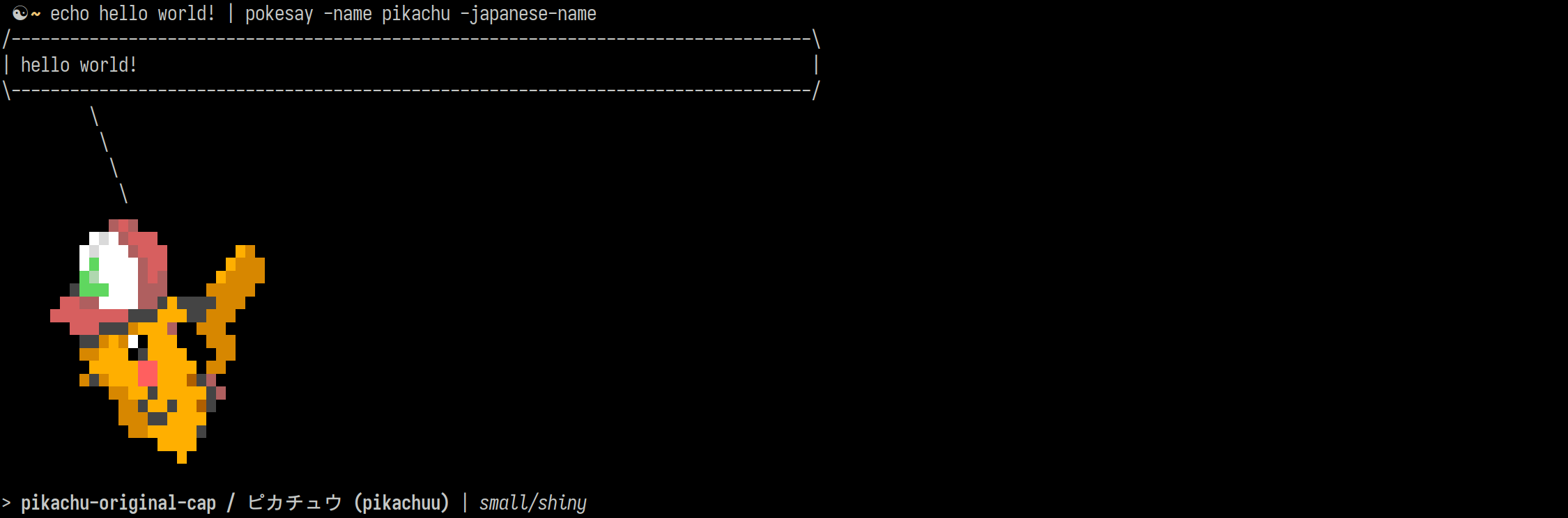
Print pokemon in the CLI! An adaptation of the classic "cowsay"
One-line installs
(These commands can also be used to update your existing pokesay)
- OSX / darwin
bash -c "$(curl https://raw.githubusercontent.com/tmck-code/pokesay/master/build/scripts/install.sh)" bash darwin amd64 - OSX / darwin (M1)
bash -c "$(curl https://raw.githubusercontent.com/tmck-code/pokesay/master/build/scripts/install.sh)" bash darwin arm64 - Linux x64
bash -c "$(curl https://raw.githubusercontent.com/tmck-code/pokesay/master/build/scripts/install.sh)" bash linux amd64 - Android ARM64 (Termux)
bash -c "$(curl https://raw.githubusercontent.com/tmck-code/pokesay/master/build/scripts/install.sh)" bash android arm64 - Windows x64 (.exe)
bash -c "$(curl https://raw.githubusercontent.com/tmck-code/pokesay/master/build/scripts/install.sh)" bash windows amd64
Usage
Just pipe some text! e.g.
echo yolo | pokesay
To see it every time you open a terminal, add it to your .bashrc file!
(This requires that you have fortune installed)
echo 'fortune | pokesay' >> $HOME/.bashrc
Note: The pokesay tool is intended to only be used with piped text input from STDIN, entering text by typing (or other methods) might not work as expected!
How it works
This project extends on the original fortune | cowsay, a simple command combo that can be added to
your .bashrc to give you a random message spoken by a cow every time you open a new shell.
 ☯ ~ fortune | cowsay
 ______________________________________
/ Hollywood is where if you don't have \
| happiness you send out for it.       |
|                                      |
\ -- Rex Reed                          /
 --------------------------------------
        \   ^__^
         \  (oo)\_______
            (__)\       )\/\
                ||----w |
                ||     ||
As a personal project, this has been lovingly over-engineered with a focus on the lowest latency possible, so that it doesn't slow down your terminal experience.
-
These pokemon sprites used here are sourced from the awesome repo msikma/pokesprite

-
All of these sprites are converted into a form that can be rendered in a terminal (unicode characters and colour control sequences) by the
img2xtermtool, found at rossy/img2xterm -
Use some go tools (
encoding/gobandgo:embed) to generate a go source code file that encodes all of the converted unicode sprites as gzipped text and some search-optimised data structures. -
Finally, this is built with the main CLI logic in
pokesay.gointo an single executable that can be easily popped into a directory in the user's$PATH
If all you are after is installing the program to use, then there are no dependencies required! Navigate to the Releases and download the latest binary.
Building binaries
On your host OS
Dependencies: Go 1.19
You'll have to install a golang version that matches the go.mod, and ensure that other package dependencies are installed (see the dockerfile for the dependencies)
# Generate binary asset files from the cowfiles
./build/build_assets.sh

# Finally, build the pokesay tool (this builds and uses the build/pokedex.gob file automatically)
go build pokesay.go
In docker
Dependencies: docker
In order to re/build the binaries from scratch, along with all the cowfile conversion, use the handy Makefile tasks
make -C build build/docker build/assets build/release
This will produce 4 executable bin files inside the build/bin directory, and a heap of binary asset files in build/assets.
Developing
Testing
Run tests with
go test -v ./test/

# or, with debug information printed
DEBUG=test go test -v ./test/
TODO
-
Short-term
- Import japanese names from data/pokemon.json
-
Longer-term
-
Completed
- Fix bad whitespace stripping when building assets
- List all names
- Make data structure to hold categories, names and pokemon
- Increase speed
- Improve categories to be more specific than shiny/regular
 Documentation

Documentation


There is no documentation for this package.
 Source Files
 Directories