

 README

README

sisakulint
Before moving on, please consider giving us a GitHub star ⭐️. Thank you!
what is this?
In recent years, attacks targeting the Web Application Platform have been increasing rapidly. sisakulint is a static and fast SAST for GitHub Actions.
This great tool can automatically validate yaml files according to the guidelines in the security-related documentation provided by GitHub!
It also includes functionality as a static analysis tool that can check the policies of the guidelines that should be set for use in each organization.
These checks also comply with the Top 10 CI/CD Security Risks provided by OWASP.
It implements most of the functions that can automatically check whether a workflow that meets the security features supported by github has been built to reduce the risk of malicious code being injected into the CI/CD pipeline or credentials such as tokens being stolen.
It does not support inspections that cannot be expressed in YAML and "repository level settings" that can be set by GitHub organization administrators.
It is intended to be used mainly by software developers and security personnel at user companies who work in blue teams.
It is easy to introduce because it can be installed from brew.
It also implements an autofix function for errors related to security features as a lint.
It supports the SARIF format, which is the output format for static analysis. This allows reviewdog to provide a rich UI for error triage on GitHub.
🎤 Featured at BlackHat Arsenal
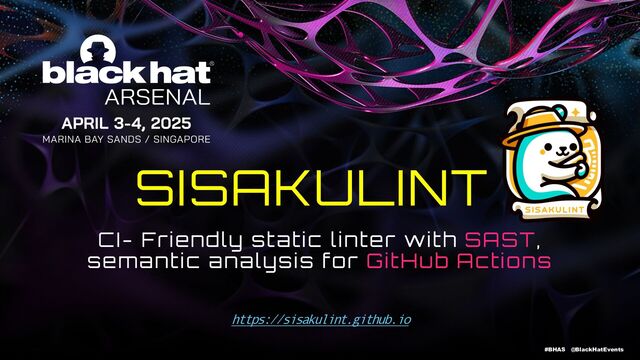
📖 About the Presentation
sisakulint was showcased at BlackHat Asia 2025 Arsenal, one of the world's leading information security conferences. The presentation demonstrates how sisakulint addresses real-world CI/CD security challenges and helps development teams build more secure GitHub Actions workflows.
Key topics covered:
- 🔒 Security challenges in GitHub Actions workflows
- 🔍 SAST approach and semantic analysis techniques
- ⚙️ Practical rule implementations with real-world examples
- 🤖 Automated security testing and auto-fix capabilities
- 🛡️ Defense strategies against OWASP Top 10 CI/CD Security Risks
Main Tool features:
-
id rule (ID collision detection)
- Validates job IDs and environment variable names
- docs : https://sisaku-security.github.io/lint/docs/idrule/
- github ref : https://docs.github.com/en/actions/writing-workflows/workflow-syntax-for-github-actions#using-a-specific-shell
-
env-var rule (Environment variable validation)
- Validates environment variable name formatting
- Ensures variable names don't include invalid characters like '&', '=', or spaces
-
credentials rule (Hardcoded credentials detection)
- Detects hardcoded credentials using Rego query language
- docs : https://sisaku-security.github.io/lint/docs/credentialsrule/
-
commitsha rule (Commit SHA validation)
- Validates proper use of commit SHAs in actions
- docs : https://sisaku-security.github.io/lint/docs/commitsharule/
- github ref : https://docs.github.com/en/actions/security-for-github-actions/security-guides/security-hardening-for-github-actions#using-third-party-actions
-
permissions rule
- Validates permission scopes and values
- docs : https://sisaku-security.github.io/lint/docs/permissions/
- github ref : https://docs.github.com/en/actions/writing-workflows/workflow-syntax-for-github-actions#permissions
-
workflow-call rule
- Validates reusable workflow calls
- docs : https://sisaku-security.github.io/lint/docs/workflowcall/
- github ref : https://docs.github.com/en/actions/sharing-automations/reusing-workflows
-
missing-timeout-minutes rule
- Ensures timeout-minutes is set for all jobs
- docs : https://sisaku-security.github.io/lint/docs/timeoutminutesrule/
- github ref : https://docs.github.com/en/actions/writing-workflows/workflow-syntax-for-github-actions#jobsjob_idtimeout-minutes
-
cond rule (Conditional expressions validation)
- Validates conditional expressions in workflow files
- Detects conditions that always evaluate to true/false
-
expression rule (Expression syntax validation)
- Validates GitHub Actions expression syntax
- Detects invalid characters and syntax errors in expressions
-
issue-injection rule (Script injection detection)
- Detects potential script injection vulnerabilities
- Ensures proper use of environment variables instead of direct ${{ }} in run steps
- github ref : https://docs.github.com/en/actions/security-for-github-actions/security-guides/security-hardening-for-github-actions#understanding-the-risk-of-script-injections
-
deprecated-commands rule
- Detects use of deprecated workflow commands
- Suggests modern alternatives (e.g., GITHUB_OUTPUT instead of set-output)
- github ref : https://docs.github.com/en/actions/using-workflows/workflow-commands-for-github-actions
-
untrusted-checkout rule
- Detects checkout of untrusted PR code in privileged workflow contexts
- Flags risky patterns in pull_request_target, issue_comment, and workflow_run events
- Supports auto-fix to add explicit ref specifications
- docs : https://sisaku-security.github.io/lint/docs/untrustedcheckout/
- github ref : https://docs.github.com/en/actions/security-for-github-actions/security-guides/keeping-your-github-actions-and-workflows-secure-preventing-pwn-requests
-
artifact-poisoning rule
- Detects artifact poisoning vulnerabilities in workflows
- Identifies unsafe artifact download patterns and path traversal risks
- Supports auto-fix to add validation steps
- docs : https://sisaku-security.github.io/lint/docs/artifactpoisoningcritical/
-
cache-poisoning rule
- Detects cache poisoning vulnerabilities
- Identifies unsafe cache patterns with untrusted inputs
- Validates cache key construction for security risks
- docs : https://sisaku-security.github.io/lint/docs/cachepoisoningrule/
-
action-list rule
- Validates actions against organization-specific allowlists/blocklists
- Enforces action usage policies across workflows
- Configurable via
.github/action.yaml - docs : https://sisaku-security.github.io/lint/docs/actionlist/
install for macOS user
$ brew tap ultra-supara/homebrew-sisakulint
$ brew install sisakulint
install from release page for Linux user
# visit release page of this repository and download for yours.
$ cd <directory where sisakulint binary is located>
$ mv ./sisakulint /usr/local/bin/sisakulint
Architecture
sisakulint automatically searches for YAML files in the .github/workflows directory. The parser builds an Abstract Syntax Tree (AST) and traverses it to apply various security and best practice rules. Results are output using a custom error formatter, with support for SARIF format for integration with tools like reviewdog.
Key components:
- 📁 Workflow Discovery - Automatic detection of GitHub Actions workflow files
- 🔍 AST Parser - Converts YAML into a structured tree representation
- ⚖️ Rule Engine - Applies security and best practice validation rules
- 📊 Output Formatters - Custom error format and SARIF support for CI/CD integration
Usage test
Create a file called test.yaml in the .github/workflows directory or go to your repository where your workflows file is located.
name: Upload Release Archive

on:
  push:
    tags:
      - "v[0-9]+\\.[0-9]+\\.[0-9]+"

jobs:
  build:
    name: Upload Release Asset
    runs-on: macos-latest
    env:
          SIIISA=AAKUUU: foo
    steps:
      - name: Set version
        id: version
        run: |
          REPOSITORY=$(echo ${{ github.repository }} | sed -e "s#.*/##")
          echo ::set-output name=filename::$REPOSITORY-$VERSION
      - name: Checkout code
        uses: actions/checkout@v2
        with:
          token: ${{ secrets.GITHUB_TOKEN }}
          submodules: true
      - name: Archive
        run: |
          zip -r ${{ steps.version.outputs.filename }}.zip ./ -x "*.git*"
      - run: echo 'Commit is pushed'
        # ERROR: It is always evaluated to true
        if: |
          ${{ github.event_name == 'push' }}
      - name: Create Release
        id: create_release
        uses: actions/create-release@v1
        env:
          GITHUB_TOKEN: ${{ secrets.GITHUB_TOKEN }}
          FOO=BAR: foo
          FOO BAR: foo
        with:
          tag_name: ${{ github.ref }}
          release_name: Release ${{ github.ref }}
          draft: false
          prerelease: false
      - name: Upload Release Asset
        id: upload-release-asset
        uses: actions/upload-release-asset@v1
        with:
          upload_url: ${{ steps.create_release.outputs.upload_url }}
          asset_path: ./${{ steps.version.outputs.filename }}.zip
          asset_name: ${{ steps.version.outputs.filename }}.zip
          asset_content_type: application/zip

  test:
    runs-on: ubuntu-latest
    permissions:
      # ERROR: "checks" is correct scope name
      check: write
      # ERROR: Available values are "read", "write" or "none"
      issues: readable
    steps:
      - run: echo '${{ "hello" }}'
      - run: echo "${{ toJson(hashFiles('**/lock', '**/cache/') }}"
      - run: echo '${{ github.event. }}'

  run shell:
    steps:
      - run: echo 'hello'
execute following commands
$ sisakulint -h
$ sisakulint -debug
you will likely receive the following result...
[sisaku:🤔] linting repository... .
[sisaku:🤔] Detected project: /Users/para/go/src/github.com/ultra-supara/go_rego
[sisaku:🤔] the number of corrected yaml file 1 yaml files
[sisaku:🤔] validating workflow... .github/workflows/a.yaml
[sisaku:🤔] Detected project: /Users/para/go/src/github.com/ultra-supara/go_rego
[linter mode] no configuration file
[sisaku:🤔] parsed workflow in 2 0 ms .github/workflows/a.yaml
[SyntaxTreeVisitor] VisitStep was tooking line:61,col:9 steps, at step "2024-03-10 15:51:10.192583 +0900 JST m=+0.006376196" took 0 ms
[SyntaxTreeVisitor] VisitStep was tooking line:62,col:9 steps, at step "2024-03-10 15:51:10.192746 +0900 JST m=+0.006539807" took 0 ms
[SyntaxTreeVisitor] VisitStep was tooking line:63,col:9 steps, at step "2024-03-10 15:51:10.19276 +0900 JST m=+0.006553743" took 0 ms
[SyntaxTreeVisitor] VisitJobPost was tooking 3 jobs, at job "test" took 0 ms
[SyntaxTreeVisitor] VisitStep was tooking 3 steps took 0 ms
[SyntaxTreeVisitor] VisitJobPre took 0 ms
[SyntaxTreeVisitor] VisitStep was tooking line:67,col:9 steps, at step "2024-03-10 15:51:10.192781 +0900 JST m=+0.006574644" took 0 ms
[SyntaxTreeVisitor] VisitJobPost was tooking 1 jobs, at job "run shell" took 0 ms
[SyntaxTreeVisitor] VisitStep was tooking 1 steps took 0 ms
[SyntaxTreeVisitor] VisitJobPre took 0 ms
[SyntaxTreeVisitor] VisitStep was tooking line:15,col:9 steps, at step "2024-03-10 15:51:10.192799 +0900 JST m=+0.006592356" took 0 ms
[SyntaxTreeVisitor] VisitStep was tooking line:20,col:9 steps, at step "2024-03-10 15:51:10.192825 +0900 JST m=+0.006618901" took 0 ms
[SyntaxTreeVisitor] VisitStep was tooking line:25,col:9 steps, at step "2024-03-10 15:51:10.192845 +0900 JST m=+0.006638101" took 0 ms
[SyntaxTreeVisitor] VisitStep was tooking line:28,col:9 steps, at step "2024-03-10 15:51:10.192854 +0900 JST m=+0.006647451" took 0 ms
[SyntaxTreeVisitor] VisitStep was tooking line:32,col:9 steps, at step "2024-03-10 15:51:10.192865 +0900 JST m=+0.006658325" took 0 ms
[SyntaxTreeVisitor] VisitStep was tooking line:44,col:9 steps, at step "2024-03-10 15:51:10.192878 +0900 JST m=+0.006671659" took 0 ms
[SyntaxTreeVisitor] VisitJobPost was tooking 6 jobs, at job "build" took 0 ms
[SyntaxTreeVisitor] VisitStep was tooking 6 steps took 0 ms
[SyntaxTreeVisitor] VisitJobPre took 0 ms
[SyntaxTreeVisitor] VisitWorkflowPost took 0 ms
[SyntaxTreeVisitor] VisitJob was tooking 3 jobs took 0 ms
[SyntaxTreeVisitor] VisitWorkflowPre took 0 ms
[linter mode] env-var found 1 errors
[linter mode] id found 1 errors
[linter mode] permissions found 2 errors
[linter mode] workflow-call found 0 errors
[linter mode] expression found 3 errors
[linter mode] deprecated-commands found 1 errors
[linter mode] cond found 1 errors
[linter mode] missing-timeout-minutes found 3 errors
[linter mode] issue-injection found 5 errors
[sisaku:🤔] Found total 19 errors found in 0 found in ms .github/workflows/a.yaml
.github/workflows/a.yaml:9:3: timeout-minutes is not set for job build; see https://docs.github.com/en/actions/using-workflows/workflow-syntax-for-github-actions#jobsjob_idtimeout-minutes for more details. [missing-timeout-minutes]
      9 👈|  build:

.github/workflows/a.yaml:13:11: Environment variable name '"SIIISA=AAKUUU"' is not formatted correctly. Please ensure that it does not include characters such as '&', '=', or spaces, as these are not allowed in variable names. [env-var]
       13 👈|          SIIISA=AAKUUU: foo

.github/workflows/a.yaml:17:14: workflow command "set-output" was deprecated. You should use `echo "{name}={value}" >> $GITHUB_OUTPUT` reference: https://docs.github.com/en/actions/using-workflows/workflow-commands-for-github-actions [deprecated-commands]
       17 👈|        run: |

.github/workflows/a.yaml:18:14: Direct use of ${{ ... }} in run steps; Use env instead. see also https://docs.github.com/ja/enterprise-cloud@latest/actions/security-guides/security-hardening-for-github-actions#example-of-a-script-injection-attack [issue-injection]
       18 👈|          REPOSITORY=$(echo ${{ github.repository }} | sed -e "s#.*/##")

.github/workflows/a.yaml:27:14: Direct use of ${{ ... }} in run steps; Use env instead. see also https://docs.github.com/ja/enterprise-cloud@latest/actions/security-guides/security-hardening-for-github-actions#example-of-a-script-injection-attack [issue-injection]
       27 👈|          zip -r ${{ steps.version.outputs.filename }}.zip ./ -x "*.git*"

.github/workflows/a.yaml:30:13: The condition '${{ github.event_name == 'push' }}
' will always evaluate to true. If you intended to use a literal value, please use ${{ true }}. Ensure there are no extra characters within the ${{ }} brackets in conditions. [cond]
       30 👈|        if: |

.github/workflows/a.yaml:35:9: unexpected key "env" for "element of \"steps\" sequence" section. expected one of  [syntax]
       35 👈|        env:

.github/workflows/a.yaml:53:3: timeout-minutes is not set for job test; see https://docs.github.com/en/actions/using-workflows/workflow-syntax-for-github-actions#jobsjob_idtimeout-minutes for more details. [missing-timeout-minutes]
       53 👈|  test:

.github/workflows/a.yaml:57:7: unknown permission scope "check". all available permission scopes are "actions", "checks", "contents", "deployments", "discussions", "id-token", "issues", "packages", "pages", "pull-requests", "repository-projects", "security-events", "statuses" [permissions]
       57 👈|      check: write

.github/workflows/a.yaml:59:15: The value "readable" is not a valid permission for the scope "issues". Only 'read', 'write', or 'none' are acceptable values. [permissions]
       59 👈|      issues: readable

.github/workflows/a.yaml:61:14: Direct use of ${{ ... }} in run steps; Use env instead. see also https://docs.github.com/ja/enterprise-cloud@latest/actions/security-guides/security-hardening-for-github-actions#example-of-a-script-injection-attack [issue-injection]
       61 👈|      - run: echo '${{ "hello" }}'

.github/workflows/a.yaml:61:24: got unexpected char '"' while lexing expression, expecting 'a'..'z', 'A'..'Z', '_', '0'..'9', '', '}', '(', ')', '[', ']', '.', '!', '<', '>', '=', '&', '|', '*', ',', ' '. do you mean string literals? only single quotes are available for string delimiter [expression]
       61 👈|      - run: echo '${{ "hello" }}'

.github/workflows/a.yaml:62:14: Direct use of ${{ ... }} in run steps; Use env instead. see also https://docs.github.com/ja/enterprise-cloud@latest/actions/security-guides/security-hardening-for-github-actions#example-of-a-script-injection-attack [issue-injection]
       62 👈|      - run: echo "${{ toJson(hashFiles('**/lock', '**/cache/') }}"

.github/workflows/a.yaml:62:65: unexpected end of expression, while parsing arguments of function call, expected ",", ")" [expression]
       62 👈|      - run: echo "${{ toJson(hashFiles('**/lock', '**/cache/') }}"

.github/workflows/a.yaml:63:14: Direct use of ${{ ... }} in run steps; Use env instead. see also https://docs.github.com/ja/enterprise-cloud@latest/actions/security-guides/security-hardening-for-github-actions#example-of-a-script-injection-attack [issue-injection]
       63 👈|      - run: echo '${{ github.event. }}'

.github/workflows/a.yaml:63:38: unexpected end of expression, while parsing expected an object property dereference (like 'a.b') or an array element dereference (like 'a.*'), expected "IDENT", "*" [expression]
       63 👈|      - run: echo '${{ github.event. }}'

.github/workflows/a.yaml:65:3: "runs-on" section is missing in job "run shell" [syntax]
       65 👈|  run shell:

.github/workflows/a.yaml:65:3: Invalid job ID "run shell". job IDs must start with a letter or '_', and may contain only alphanumeric characters, '-', or '_'. [id]
       65 👈|  run shell:

.github/workflows/a.yaml:65:3: timeout-minutes is not set for job run shell; see https://docs.github.com/en/actions/using-workflows/workflow-syntax-for-github-actions#jobsjob_idtimeout-minutes for more details. [missing-timeout-minutes]
       65 👈|  run shell:
- Missing Timeout Minutes for Jobs
-
Error:
timeout-minutes is not set for job build; see https://docs.github.com/en/actions/using-workflows/workflow-syntax-for-github-actions#jobsjob_idtimeout-minutes for more details. -
Scenario: If a job runs indefinitely due to an unexpected error (e.g., a script hangs), it can consume resources unnecessarily, leading to increased costs and potential service disruptions. For example, if the
buildjob is stuck, subsequent jobs that depend on its completion will also be delayed, causing the entire CI/CD pipeline to stall.
- Incorrectly Formatted Environment Variable
-
Error:
Environment variable name '"SIIISA=AAKUUU"' is not formatted correctly. -
Scenario: If environment variables are not formatted correctly, the job may fail to execute as intended. For instance, if the variable is meant to be used in a command but is incorrectly defined, it could lead to runtime errors or unexpected behavior, such as failing to authenticate with an external service.
- Deprecated Command Usage
-
Error:
workflow command "set-output" was deprecated. -
Scenario: Using deprecated commands can lead to future compatibility issues. If GitHub Actions removes support for the
set-outputcommand, workflows relying on it will break, causing failures in automated processes. This could delay releases or lead to incomplete deployments.
- Direct Use of
${{ ... }}in Run Steps
-
Error:
Direct use of ${{ ... }} in run steps; Use env instead. -
Scenario: Directly using expressions in run steps can expose the workflow to script injection attacks. For example, if an attacker can manipulate the input to the workflow, they could inject malicious commands that execute during the job, potentially compromising the repository or the CI/CD environment.
- Always True Condition
-
Error:
The condition '${{ github.event_name == 'push' }}' will always evaluate to true. -
Scenario: If conditions are not set correctly, it can lead to unintended behavior in the workflow. For instance, if the intention was to run a step only for specific events, but the condition is always true, it could result in unnecessary steps being executed, wasting resources and time.
- Invalid Permission Scopes
-
Error:
unknown permission scope "check". -
Scenario: Using invalid permission scopes can lead to failures in accessing necessary resources. For example, if the
testjob requires write access to checks but is incorrectly defined, it may not be able to create or update checks, leading to incomplete test results and a lack of visibility into the CI/CD process.
- Invalid Job ID
-
Error:
Invalid job ID "run shell". job IDs must start with a letter or '_'. -
Scenario: If job IDs are not valid, the workflow will fail to execute. For example, if the job
run shellis intended to run a shell command but is not recognized due to an invalid ID, it will not run at all, potentially skipping important steps in the workflow.
- Missing Timeout Minutes for Additional Jobs
-
Error:
timeout-minutes is not set for job test; see https://docs.github.com/en/actions/using-workflows/workflow-syntax-for-github-actions#jobsjob_idtimeout-minutes for more details. -
Scenario: Similar to the first issue, if the
testjob runs indefinitely, it can block the workflow and lead to resource exhaustion. This can delay the entire CI/CD process, affecting deployment timelines and potentially leading to missed deadlines.
SARIF Output & Integration with reviewdog
sisakulint supports SARIF (Static Analysis Results Interchange Format) output, which enables seamless integration with reviewdog for enhanced code review workflows on GitHub.
Why SARIF + reviewdog?
SARIF format allows sisakulint to provide:
- Rich GitHub UI integration - Errors appear directly in pull request reviews
- Inline annotations - Issues are shown at the exact file location
- Automatic triage - Easy filtering and management of findings
- CI/CD pipeline integration - Automated security checks in your workflow
Visual Example
sisakulint findings displayed directly in GitHub pull request using reviewdog
How to integrate
Add the following step to your GitHub Actions workflow:
name: Lint GitHub Actions Workflows
on: [pull_request]

jobs:
  sisakulint:
    runs-on: ubuntu-latest
    steps:
      - uses: actions/checkout@v4

      - name: Install sisakulint
        run: |
          # Download from release page or install via brew
          # Example: wget https://github.com/ultra-supara/sisakulint/releases/latest/download/sisakulint-linux-amd64

      - name: Run sisakulint with reviewdog
        env:
          REVIEWDOG_GITHUB_API_TOKEN: ${{ secrets.GITHUB_TOKEN }}
        run: |
          sisakulint -format "{{sarif .}}" | \
          reviewdog -f=sarif -reporter=github-pr-review -filter-mode=nofilter
SARIF format usage
To output results in SARIF format:
# Output to stdout
$ sisakulint -format "{{sarif .}}"

# Save to file
$ sisakulint -format "{{sarif .}}" > results.sarif

# Pipe to reviewdog
$ sisakulint -format "{{sarif .}}" | reviewdog -f=sarif -reporter=github-pr-review
Benefits in CI/CD
- ✅ Automated security reviews - Every PR is automatically checked
- ✅ Early detection - Find issues before merging
- ✅ Clear feedback - Developers see exactly what needs to be fixed
- ✅ Consistent standards - Enforce security policies across all workflows
- ✅ Integration with existing tools - Works with your current GitHub workflow
Using autofix features
sisakulint provides an automated fix feature that can automatically resolve certain types of security issues and best practice violations. This feature saves time and ensures consistent fixes across your workflow files.
Available modes
-fix dry-run: Show what changes would be made without actually modifying files-fix on: Automatically fix issues and save changes to files
Rules that support autofix
The following rules support automatic fixes:
1. missing-timeout-minutes (timeout-minutes)
Automatically adds timeout-minutes: 5 to jobs and steps that don't have it set.
Before:
jobs:
  build:
    runs-on: ubuntu-latest
    steps:
      - uses: actions/checkout@v4
After:
jobs:
  build:
    runs-on: ubuntu-latest
    timeout-minutes: 5
    steps:
      - uses: actions/checkout@v4
2. commit-sha (commitsha)
Converts action references from tags to full-length commit SHAs for enhanced security. The original tag is preserved as a comment.
Before:
steps:
  - uses: actions/checkout@v4
  - uses: actions/setup-node@v3
After:
steps:
  - uses: actions/checkout@b4ffde65f46336ab88eb53be808477a3936bae11 # v4
  - uses: actions/setup-node@60edb5dd545a775178f52524783378180af0d1f8 # v3
3. credentials
Removes hardcoded passwords from container configurations.
Before:
jobs:
  test:
    runs-on: ubuntu-latest
    container:
      image: myregistry/myimage
      credentials:
        username: ${{ secrets.REGISTRY_USERNAME }}
        password: my-hardcoded-password
After:
jobs:
  test:
    runs-on: ubuntu-latest
    container:
      image: myregistry/myimage
      credentials:
        username: ${{ secrets.REGISTRY_USERNAME }}
4. untrusted-checkout
Adds explicit ref specifications to checkout actions in privileged workflow contexts to prevent checking out untrusted PR code.
Before:
on:
  pull_request_target:
    types: [opened, synchronize]

jobs:
  build:
    runs-on: ubuntu-latest
    steps:
      - uses: actions/checkout@v4
      - run: npm install
After:
on:
  pull_request_target:
    types: [opened, synchronize]

jobs:
  build:
    runs-on: ubuntu-latest
    steps:
      - uses: actions/checkout@v4
        with:
          ref: ${{ github.event.pull_request.base.ref }}
      - run: npm install
5. artifact-poisoning
Adds validation steps to artifact download operations to prevent path traversal and poisoning attacks.
Before:
steps:
  - uses: actions/download-artifact@v4
    with:
      name: build-output
  - run: bash ./scripts/deploy.sh
After:
steps:
  - uses: actions/download-artifact@v4
    with:
      name: build-output
  - name: Validate artifact paths
    run: |
      # Validate no path traversal attempts
      find . -name ".." -o -name "../*" | grep . && exit 1 || true
  - run: bash ./scripts/deploy.sh
Usage examples
1. Check what would be fixed (dry-run mode)
$ sisakulint -fix dry-run
This will show all the changes that would be made without actually modifying your files. Use this to preview changes before applying them.
2. Automatically fix issues
$ sisakulint -fix on
This will automatically fix all supported issues and save the changes to your workflow files.
3. Typical workflow
# First, run without fix to see all issues
$ sisakulint

# Preview what autofix would change
$ sisakulint -fix dry-run

# Apply the fixes
$ sisakulint -fix on

# Verify the changes
$ git diff .github/workflows/
Important notes
- Always review changes: Even though autofix is automated, always review the changes made to your workflow files before committing them
- Commit SHA fixes require internet: The
commit-sharule needs to fetch commit information from GitHub, so it requires an active internet connection - Rate limiting: The commit SHA autofix makes GitHub API calls, which are subject to rate limiting. For unauthenticated requests, the limit is 60 requests per hour
- Backup your files: Consider committing your changes or backing up your workflow files before running autofix
- Not all rules support autofix: Some rules like
expression,permissions,issue-injection,cache-poisoning, anddeprecated-commandsrequire manual fixes as they depend on your specific use case - Auto-fix capabilities: Currently,
timeout-minutes,commit-sha,credentials,untrusted-checkout, andartifact-poisoningrules support auto-fix. More rules will support auto-fix in future releases
JSON schema for GitHub Actions syntax
paste into your settings.json:
 "yaml.schemas": {
     "https://github.com/ultra-supara/homebrew-sisakulint/raw/main/settings.json": "/.github/workflows/*.{yml,yaml}"
 }
 Directories