

 README

README

chill
Terminal lofi radio. Streams the best 24/7 lofi beats from YouTube.
Install
macOS:
brew install mpv yt-dlp
Linux:
sudo apt install mpv
pip install yt-dlp
Windows:
choco install mpv yt-dlp
Then install chill:
go install github.com/willibrandon/chill@latest
Or grab a binary for your platform from the releases page and put it somewhere in your PATH.
Make sure your Go bin directory is in your PATH:
- macOS/Linux:
export PATH="$HOME/go/bin:$PATH" - Windows: Add
%USERPROFILE%\go\binto your PATH
Usage
chill                # play lofi-girl (starts daemon automatically)
chill chillhop       # play specific station
chill -i             # interactive mode (repl)
chill --skip         # skip to random station
chill --toggle       # pause/resume
chill --status       # show what's playing
chill --stop         # stop playback
chill --list         # show all stations
chill --version      # show version
chill --fg           # run in foreground (no daemon)
Architecture
chill uses a client-server architecture. The first chill command spawns a background daemon that manages playback. Subsequent commands communicate with the daemon over IPC (Unix socket on macOS/Linux, TCP on Windows).
┌─────────────┐      ┌─────────────┐      ┌─────────────┐
│ chill       │ ──── │ daemon      │ ──── │ mpv         │
│ (client)    │ IPC  │ (server)    │      │ (playback)  │
└─────────────┘      └─────────────┘      └─────────────┘
This means:
- Music keeps playing after the command exits
- Control playback from any terminal
- Fast command execution (no startup delay)
Stations
| Station | Description |
|---|---|
lofi-girl |
Lofi Girl - beats to relax/study to |
chillhop |
Chillhop Radio - jazzy & lofi hip hop |
chillout |
Chillout Lounge - calm & relaxing |
code-radio |
Code Radio - beats to study & code to |
sleep |
Lofi - beats to sleep/relax to |
study |
Lofi - beats to study/relax to |
Interactive Mode
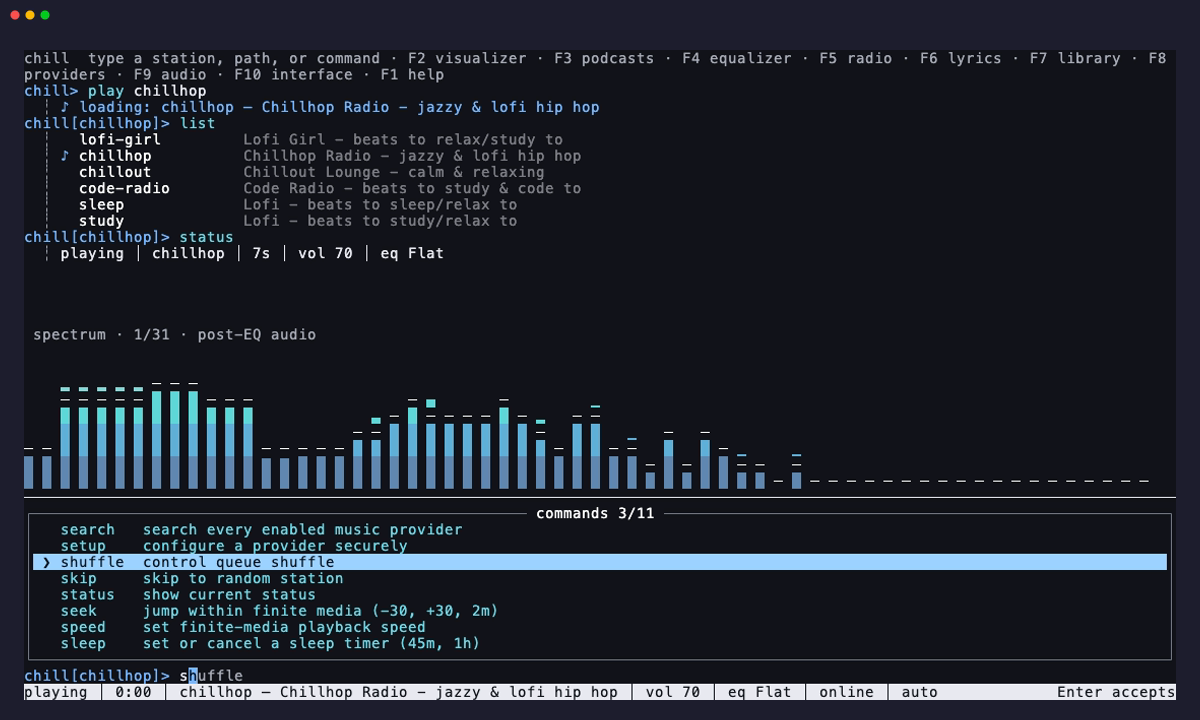
chill -i opens a fullscreen REPL that suggests commands and stations as you type, shown above.
Commands: play, skip, pause, resume, toggle, status, list, stop, clear, help, quit. A station name on its own plays that station.
| Key | |
|---|---|
Tab |
complete with the highlighted suggestion |
→ |
take the ghost text |
↑ / ↓ |
pick a suggestion, otherwise walk through history (kept across sessions) |
Enter |
run the line, or take a suggestion picked with ↑ / ↓ |
Esc |
dismiss the suggestions |
PgUp / PgDn |
scroll the transcript, so does the mouse wheel |
Shift+↑ / Shift+↓ |
select lines of the transcript |
y / Enter / Ctrl+C |
copy what is selected |
| mouse | drag to select, right click to copy, or to paste when nothing is selected |
Ctrl+C |
clear the line, when nothing is selected |
Ctrl+L |
clear the screen |
F1 |
help |
Ctrl+Q |
quit, music keeps playing |
Foreground Mode
Use --fg to run in the terminal with mpv controls:
| Key | Action |
|---|---|
q |
quit |
m |
mute |
9 / 0 |
volume down / up |
← / → |
seek |
License
MIT
 Documentation

Documentation

Overview 
Package main implements chill, a terminal lofi radio that streams 24/7 lofi beats from YouTube. It uses a client-server architecture where a background daemon manages mpv playback and clients communicate over a Unix socket.
Usage:
chill              # play default station
chill chillhop     # play specific station
chill -i           # interactive mode (repl)
chill --status     # show what's playing
chill --stop       # stop playback
 Source Files