

 README

README

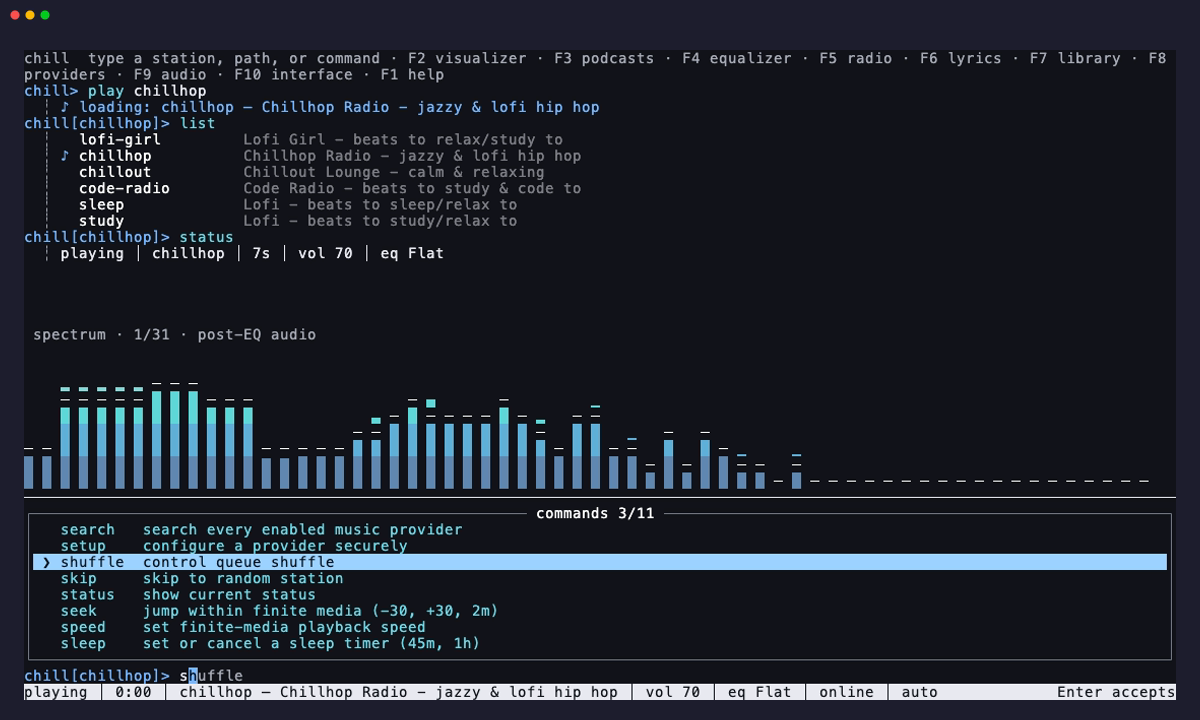
chill
Terminal lofi radio. 24/7 streams from YouTube.
Install
Homebrew (macOS and Linux)
brew install willibrandon/tap/chill
Scoop (Windows)
scoop bucket add willibrandon https://github.com/willibrandon/scoop-bucket
scoop bucket add extras
scoop install chill
Both packages include mpv, yt-dlp, and Deno.
Go or release binary
Install mpv, yt-dlp, and Deno first.
macOS:
brew install mpv yt-dlp deno
Linux:
sudo apt install mpv pipx
pipx install yt-dlp
Also install Deno.
Windows:
choco install mpv yt-dlp deno
Then install chill:
go install github.com/willibrandon/chill@latest
Or download a release binary
and put it in your PATH.
For Go installs, add the Go bin directory to your PATH:
- macOS/Linux:
export PATH="$HOME/go/bin:$PATH" - Windows: Add
%USERPROFILE%\go\binto your PATH
Update
Use chill update for Go installs and release binaries,
brew upgrade willibrandon/tap/chill for Homebrew, or scoop update chill for Scoop.
Usage
chill                   # play default station (starts daemon automatically)
chill chillhop          # play specific station
chill -i                # interactive mode (repl)
chill --skip            # skip to random station
chill --toggle          # pause/resume
chill --vol 60          # set volume (also +5, -10, up, down)
chill --mute            # toggle mute
chill --status          # show what's playing
chill --status --json   # show status as JSON
chill doctor            # check setup and daemon versions
chill doctor --stations # check station streams
chill doctor --stream n # check one station
chill doctor --logs     # show startup logs
chill --stop            # stop playback
chill --list            # show all stations
chill add n url desc    # save your own station
chill remove n          # remove a custom station or restore a built-in
chill default n         # choose the station played by chill
chill --sleep 45m       # stop playback after 45 minutes
chill --sleep off       # cancel the sleep timer
chill --version         # show version
chill --help            # show help
chill update            # install the latest release
chill --fg              # run in foreground (no daemon)
Architecture
chill runs mpv in the background, so music keeps playing when you close the terminal. You can control it from another terminal.
+-------------+      +-------------+           +-------------+
| chill       | <--> | daemon      | <-------> | mpv         |
| (CLI/REPL)  | IPC  | (server)    | JSON IPC  | (playback)  |
+-------------+      +-------------+           +-------------+
After an update, the next control command restarts an older daemon and restores your playback settings. Volume is saved between sessions.
Sleep timer
chill --sleep 45m stops playback after 45 minutes. Durations such as 1h30m
work too. The timer keeps running while paused or switching stations.
Use chill --sleep off to cancel it.
Stations
| Station | Description |
|---|---|
lofi-girl |
Lofi Girl - beats to relax/study to |
chillhop |
Chillhop Radio - jazzy & lofi hip hop |
chillout |
Chillout Lounge - calm & relaxing |
code-radio |
Code Radio - beats to study & code to |
sleep |
Lofi - beats to sleep/relax to |
study |
Lofi - beats to study/relax to |
The default is lofi-girl. Change it with chill default <name>.
Your own stations
Add a YouTube stream with chill add <name> <url> [description], or edit the config:
- macOS:
~/Library/Application Support/chill/stations.json - Linux:
~/.config/chill/stations.json(or$XDG_CONFIG_HOME/chill/stations.json) - Windows:
%AppData%\chill\stations.json
{
  "default_station": "synthwave",
  "stations": [
    {
      "name": "synthwave",
      "url": "https://www.youtube.com/watch?v=4xDzrJKXOOY",
      "desc": "Synthwave Radio - retro electronic beats"
    }
  ]
}
A custom station with a built-in name overrides it. chill remove <name> removes
the custom station and restores any built-in. After editing the file by hand,
run reload in the REPL.
Interactive Mode
chill -i opens the REPL. Type help for commands or press F1 for keys.
A station name starts playback. doctor takes the same options as the CLI.
sleep plays the station. sleep 45m sets the timer.
| Key | |
|---|---|
Tab |
complete with the highlighted suggestion |
→ |
take the ghost text |
↑ / ↓ |
pick a suggestion or browse history |
Enter |
run the line, or take a suggestion picked with ↑ / ↓ |
Esc |
dismiss the suggestions |
PgUp / PgDn |
scroll the transcript |
Shift+↑ / Shift+↓ |
select lines of the transcript |
y / Enter / Ctrl+C |
copy what is selected |
| mouse | drag to select, right click to copy, or to paste when nothing is selected |
Ctrl+C |
clear the line, when nothing is selected |
Ctrl+L |
clear the screen |
F1 |
help |
Ctrl+Q |
quit, music keeps playing |
Foreground Mode
Use --fg to run in the terminal with mpv controls:
| Key | Action |
|---|---|
q |
quit |
m |
mute |
9 / 0 |
volume down / up |
← / → |
seek |
Build and test
go build .
go test ./...
With mpv installed, run the playback integration test:
CHILL_TEST_MPV=1 go test -count=1 -run TestMPVIntegration -v ./...
License
MIT
 Documentation

Documentation

Overview 
Package main implements chill, a terminal lofi radio that streams 24/7 lofi beats from YouTube. It uses a client-server architecture where a background daemon manages mpv playback and clients communicate over a Unix socket.
Usage:
chill              # play default station
chill chillhop     # play specific station
chill -i           # interactive mode (repl)
chill --vol 60     # set volume (or +5, -10, up, down)
chill --mute       # toggle mute
chill --status     # show what's playing
chill --stop       # stop playback
chill add n url    # save your own station
chill update       # install the latest release
 Source Files